
Reminder voice calls play a short recorded message to remind customers about an appointment, a delivery, a visit or an event. People tend to notice a ringing phone, so a call works well for reminders they must not miss. In Fast2SMS you send them from Bulk Voice Call, either as a plain message (Simple) or with “press 1 to confirm” (Key Press), and you pay only for answered calls.
This guide is for clinics, salons, service centres, courier and delivery teams, event organisers and schools. It shows which campaign type to use for each kind of reminder, how to schedule reminders, and one important rule about payment due reminders.
Which reminder calls are allowed?
Every voice file is checked by the operator against the Voice File Rules. Most service reminders are fine. One type is restricted:
| Reminder | Allowed in voice files? |
|---|---|
| Appointment or visit reminder (clinic, salon, service centre) | Yes |
| Delivery or installation update | Yes |
| Event, meeting or class timing reminder | Yes |
| Store timing change, holiday notice | Yes |
| Payment or loan due reminder | Only for banks, NBFCs and their collection partners |
| Any call that asks for OTP, PIN, password, Aadhaar, PAN or bank details | No |
If you are not a bank or NBFC and want to remind customers about an unpaid bill, use SMS or WhatsApp instead. Every voice file must also say your company or brand name clearly.
Simple or Key Press: which one to use
- Simple: plays one message and ends. Use it for information only, such as “Your order from Demo Traders will be delivered tomorrow between 10 AM and 2 PM.”
- Key Press (DTMF): asks the person to press a key and saves the key in the report. Use it when you need an answer, such as “Press 1 to confirm your appointment, press 2 to cancel.”
- Call Patch: connects people to your staff when they press a key. Use it when people may want to reschedule by talking to someone.
Before you start
- A paid transaction of ₹100 or more on your account, and wallet balance for the calls.
- An approved reminder recording. For confirmation calls, record it as Used As = Menu (press a key), plus an optional Thank You file.
- The list of customers to remind, with 10-digit Indian mobile numbers.
How to send an appointment reminder with “press 1 to confirm”
-
Record and upload the reminder
Write a short script, for example: “Namaste, this is Demo Clinic, Andheri. This is a reminder of your appointment tomorrow, Saturday, at 11 AM. Press 1 to confirm. Press 2 if you cannot come.” Upload it under Voice Files with Used As = Menu (press a key). Upload a thank-you line as Thank You.
-
Create a Key Press campaign
Open Bulk Voice Call, type a Campaign Name with the date, such as “Store visit confirmation – 22 Nov”, and choose Key Press (DTMF). Paste the numbers, pick a saved group from Address Book, or upload a CSV File.
-
Set the call flow
Under How the call works, pick your reminder file in Caller hears, tap keys 1 and 2 on the keypad, and pick your thank-you file in Then hears.
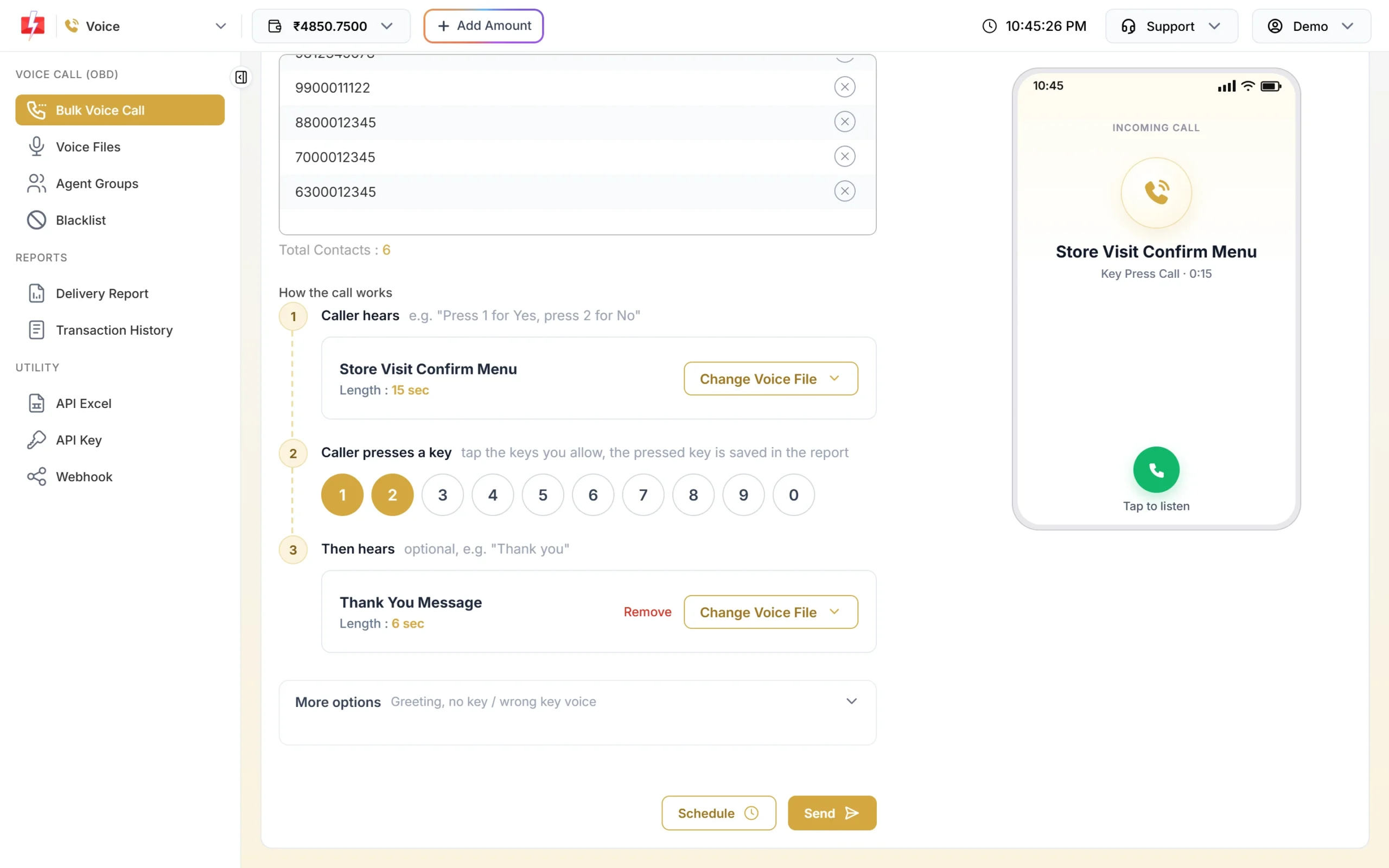
Keys 1 and 2 let customers confirm or cancel. -
Schedule it for the right time
Click Schedule and pick the date and time, at least 1 minute ahead and between 10 AM and 9 PM. A good time is the evening before or the morning of the appointment. For a daily reminder over a week, choose a date range and Fast2SMS creates one campaign per day, up to 31 days.
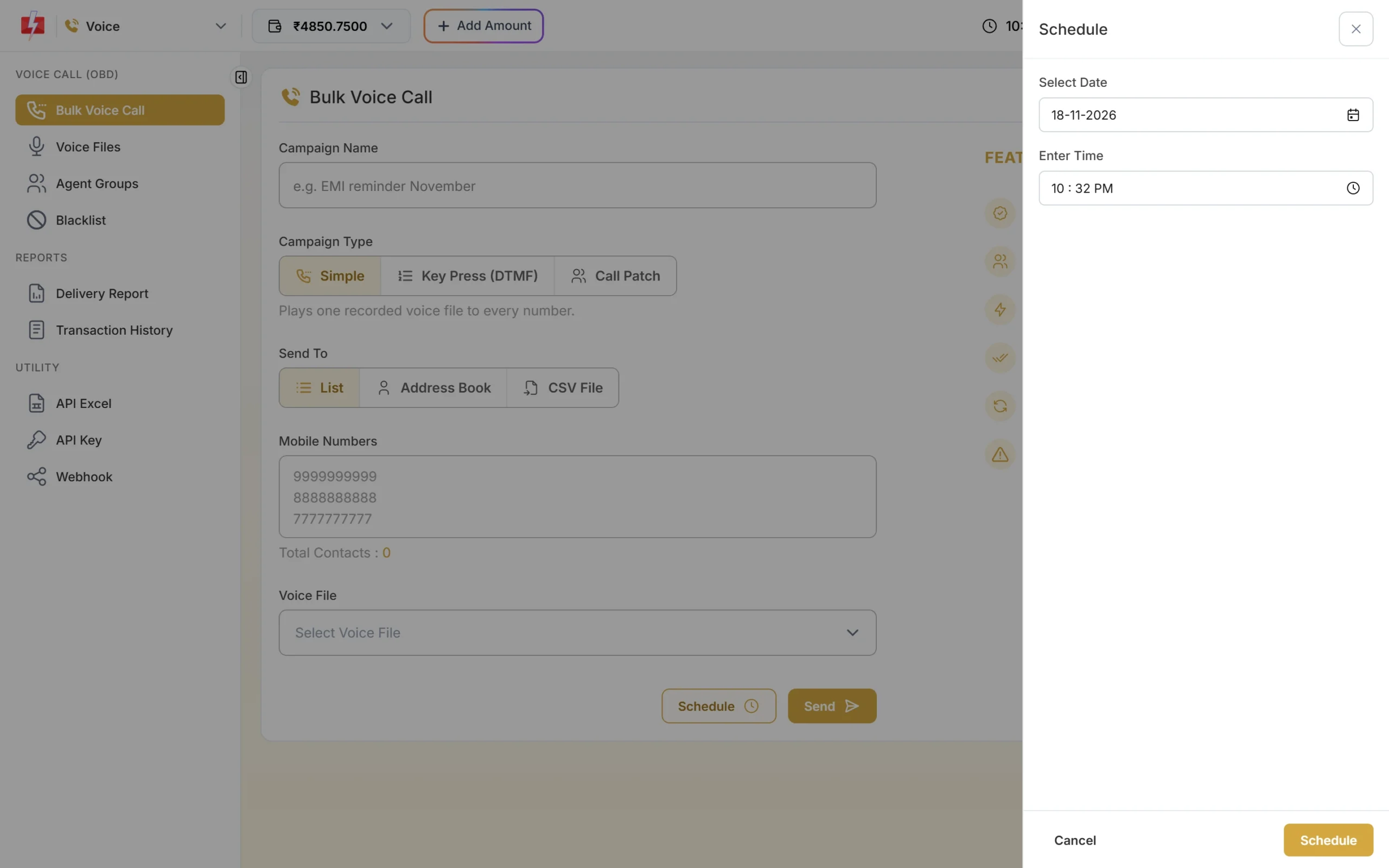
Schedule reminders inside calling hours. -
Confirm the cost
Click Schedule in the drawer and check the Campaign Preview & Confirmation popup. Click Confirm & Schedule. The campaign then appears under Delivery Report > Voice Report > Schedule, where you can cancel it for a full refund until it starts.
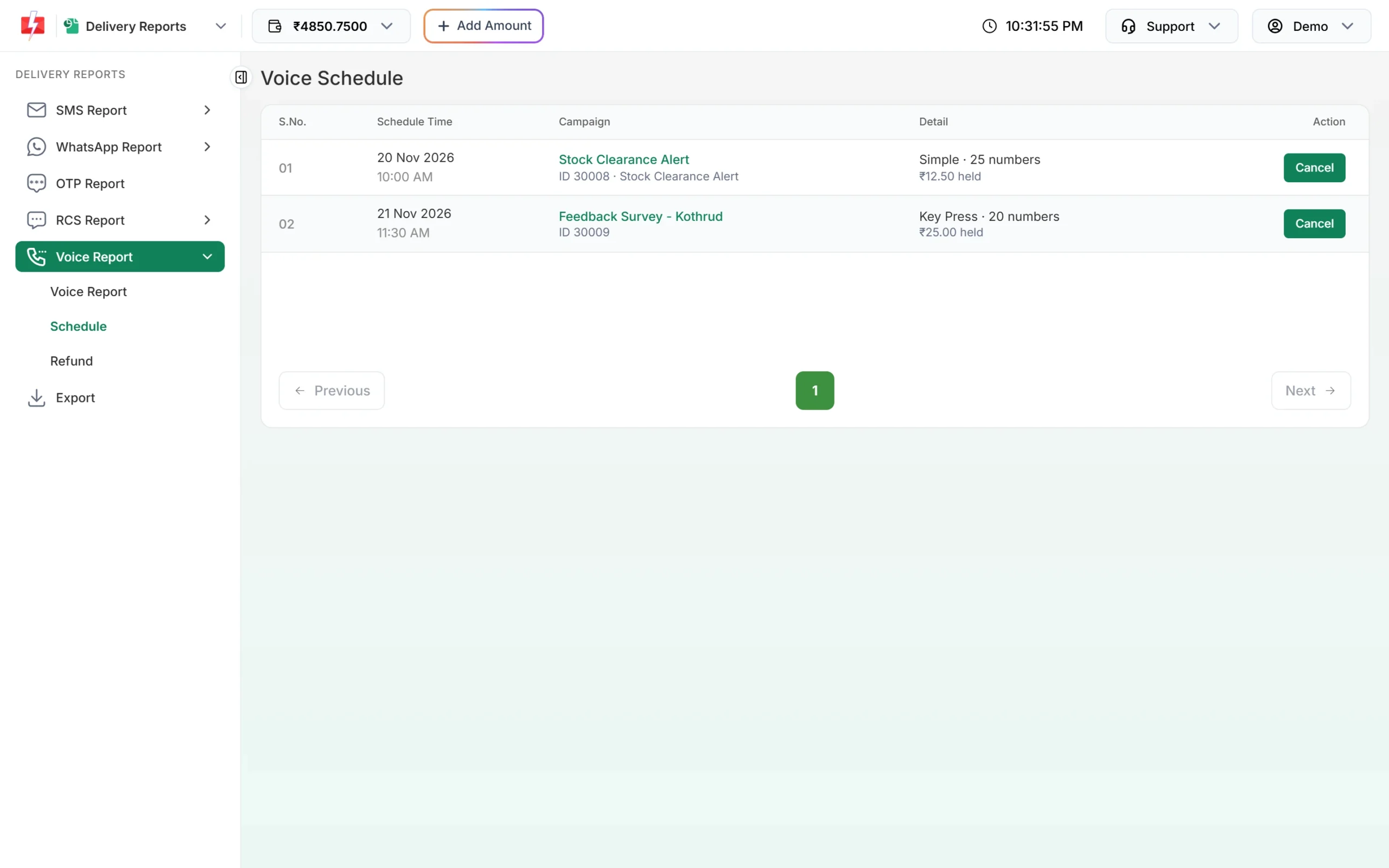
Scheduled reminders can be cancelled before they start. -
See who confirmed
After the calls, open the campaign in Voice Report. The Key column shows 1 for confirmed and 2 for cancelled. Call back people who pressed 2 or did not answer, and free up their slots.
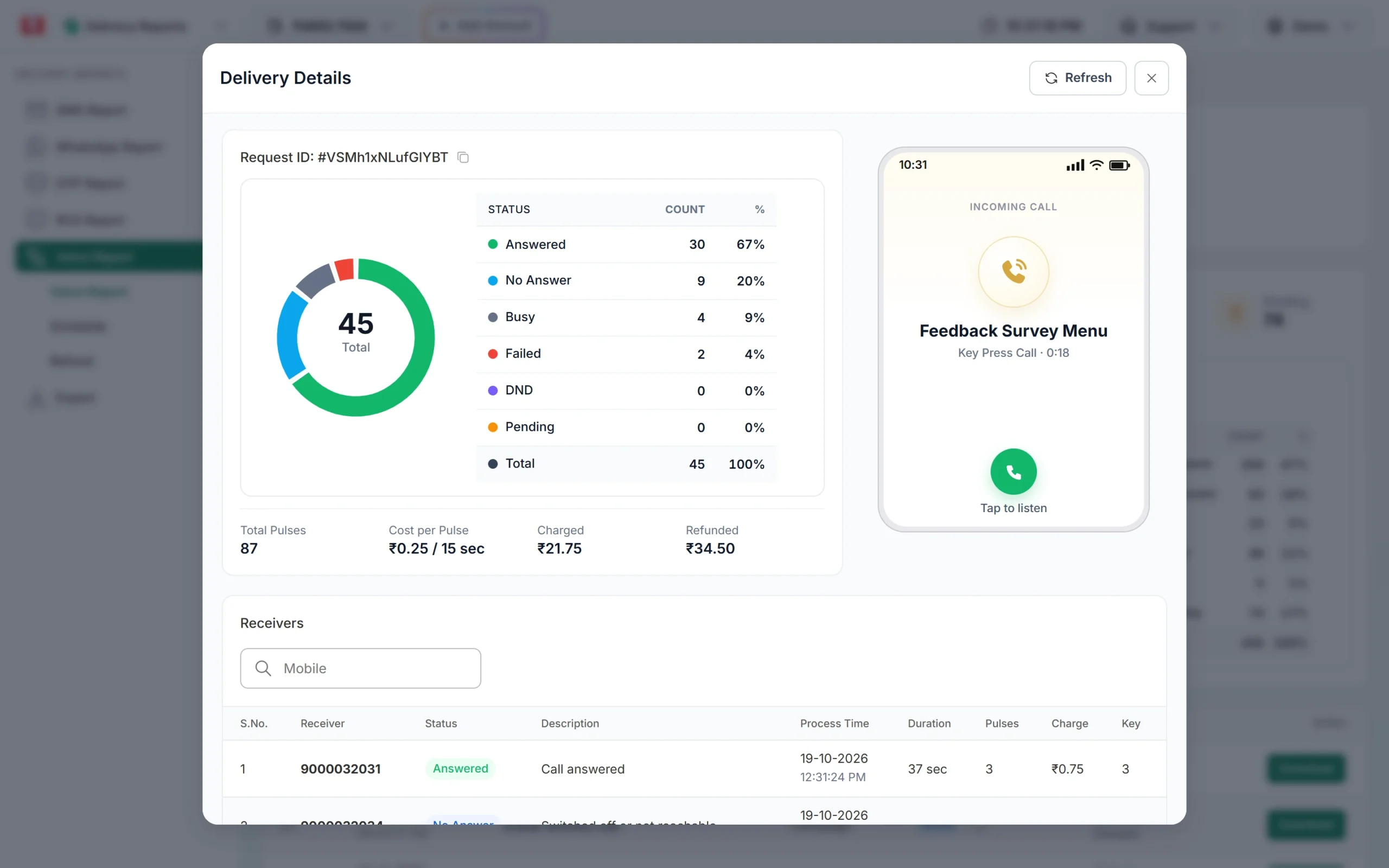
Every number with its answer and charge.
Delivery and event reminders with a Simple call
When you only need to inform, use Simple. Pick one approved voice file and send or schedule it. Some ideas:
- Delivery: “Your Demo Traders order will be delivered today. Please keep your phone on.” Send it in the morning of the delivery day.
- Installation: “Our technician will visit tomorrow between 10 AM and 1 PM.”
- Event: “Our customer meet starts at 5 PM today at the Baner showroom.”
- School: “Parent-teacher meeting for Class 10 is on Saturday at 10 AM.”
For a delivery reminder where the customer may want to talk, use Call Patch and connect “press 1 to talk to our delivery team” to an agent group.
What reminder calls cost
At the time of writing the rate is ₹0.25 per 15-second pulse, only for answered calls. A 20-second reminder is 2 pulses (₹0.50) when answered. No answer, busy, switched off and DND calls cost nothing; the amount held for them is refunded automatically after the campaign.
Sending in bulk? For high voice call volumes our team offers discounted rates. Talk to our team or see voice call pricing.
Tip: Keep reminders under 15 seconds where you can. “Demo Clinic reminder: your appointment is tomorrow at 11 AM. Press 1 to confirm.” fits in one pulse, though the time waiting for the key press also counts.
Common problems and fixes
| Problem | Fix |
|---|---|
| Reminder file rejected | Check the Reason on the file card in Voice Files. Payment due reminders are rejected unless you are a bank, NBFC or their collection partner. |
| “Schedule time must be at least 1 minute from now.” | Pick a later time. |
| Reminder sent at night started next morning | Campaigns sent after 8:50 PM are moved to 10:00 AM. Schedule evening reminders before 8:50 PM. |
| Some customers show DND | DND numbers are not called. Send those reminders by SMS or WhatsApp. |
Frequently asked questions
Can I send transactional voice calls to DND numbers?
No. In Fast2SMS, bulk voice calls go only to non-DND numbers. The operator skips DND numbers and you are not charged for them.
Can a school send fee reminder calls?
Payment due reminders are allowed only for banks, NBFCs and their collection partners. A school can send meeting, exam or holiday reminders by voice and use SMS or WhatsApp for fee reminders.
Can I add the customer’s name or time to the call?
No. Every number hears the same recording. Record one file per time slot if you need different times.
Can customers confirm their appointment on the call?
Yes. Use a Key Press campaign and allow keys such as 1 for confirm and 2 for cancel. The key is saved in the report.
Can I send reminders automatically from my software?
Yes. The Voice API lets your system start a campaign with the File ID of an approved voice file. See API Excel in the Voice menu.
What is the 1600 number series?
TRAI has set the 1600 series for service and transaction calls from banks, insurers, other RBI, SEBI, IRDAI and PFRDA regulated businesses and government bodies.