
Bulk voice calls get marked as spam when people do not know who is calling, do not want the call, or get called too often, and they report the number in their phone or caller ID app. You cannot choose the caller ID in Fast2SMS, so the fix is in how you call: say your brand name first, call only people who know you, give an easy way to opt out and never call those numbers again. Here is how to do each of these in Fast2SMS.
Why calls get the spam label
- The number shown on the customer’s phone comes from the operator’s side. There is no caller ID setting in the Bulk Voice Call form, so many customers will not recognise the number.
- Caller ID apps label numbers mostly from user reports. Every “spam” tap counts against the number.
- Calls with no brand name, off-topic offers, or repeat calls to the same person get reported most.
How to keep your calls from being reported
-
Say your brand name in the first seconds
This is also the one “Must” rule for voice file approval: say your company or brand name clearly in every voice file. Follow the Not Allowed list too, because those topics are the ones people complain about most.
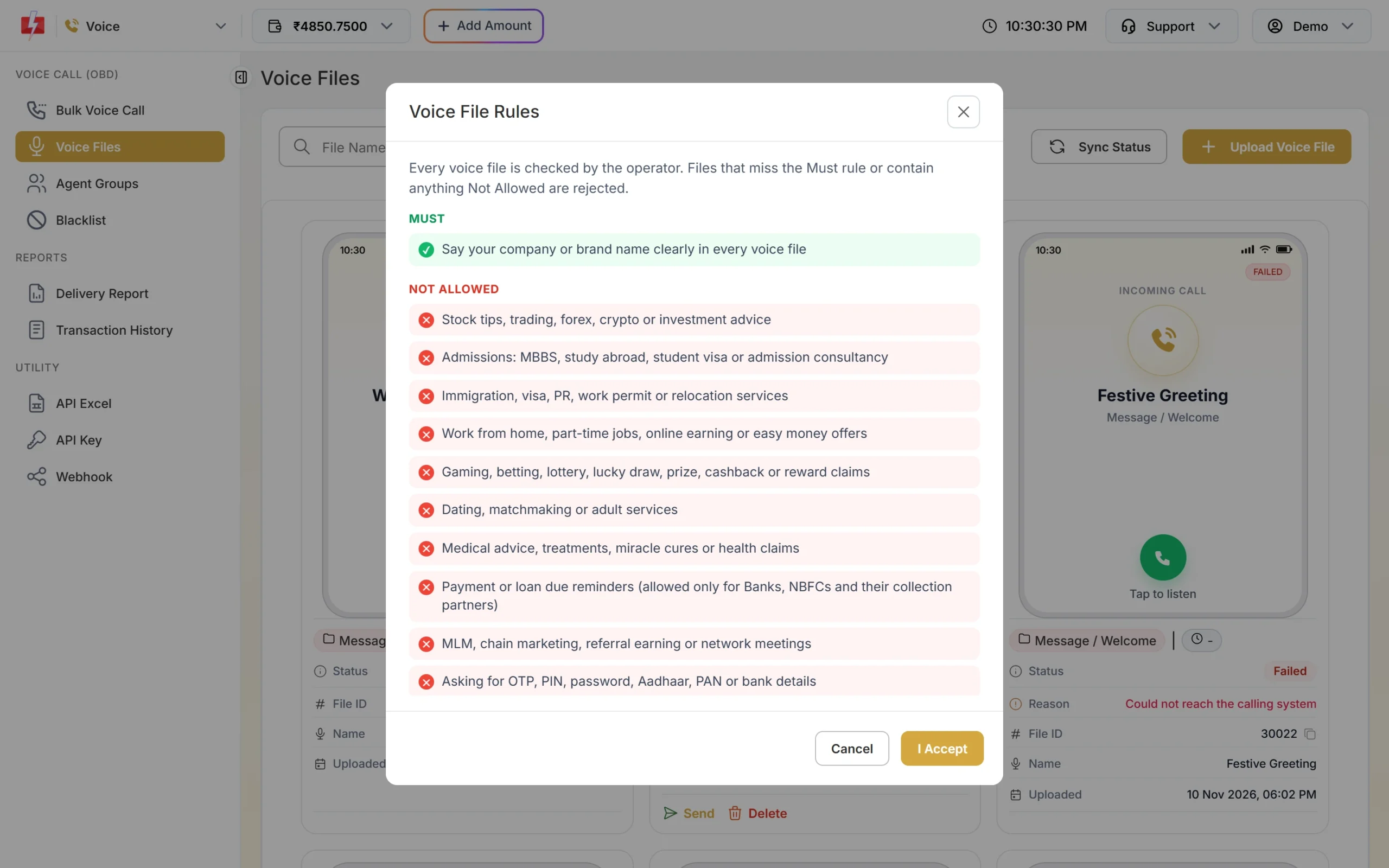
The Voice File Rules shown before every upload. -
Call only people who know you
Use your own customers, enquiries and members, not bought lists. Fast2SMS calls only Indian mobile numbers, and the operator does not dial DND numbers; they show as DND in the report and are not charged.
-
Give an opt-out with Key Press
Choose the Key Press (DTMF) campaign type and say, for example, “press 9 to stop these calls”. The key each person presses is shown in the report’s Key column.
-
Add opt-outs to the voice blacklist
Open the Voice app and click Blacklist in the left menu. Click Add Numbers and paste the numbers or upload a CSV, TXT or Excel file with numbers in the first column. Blacklisted numbers are never called and are not charged, even in campaigns created earlier.
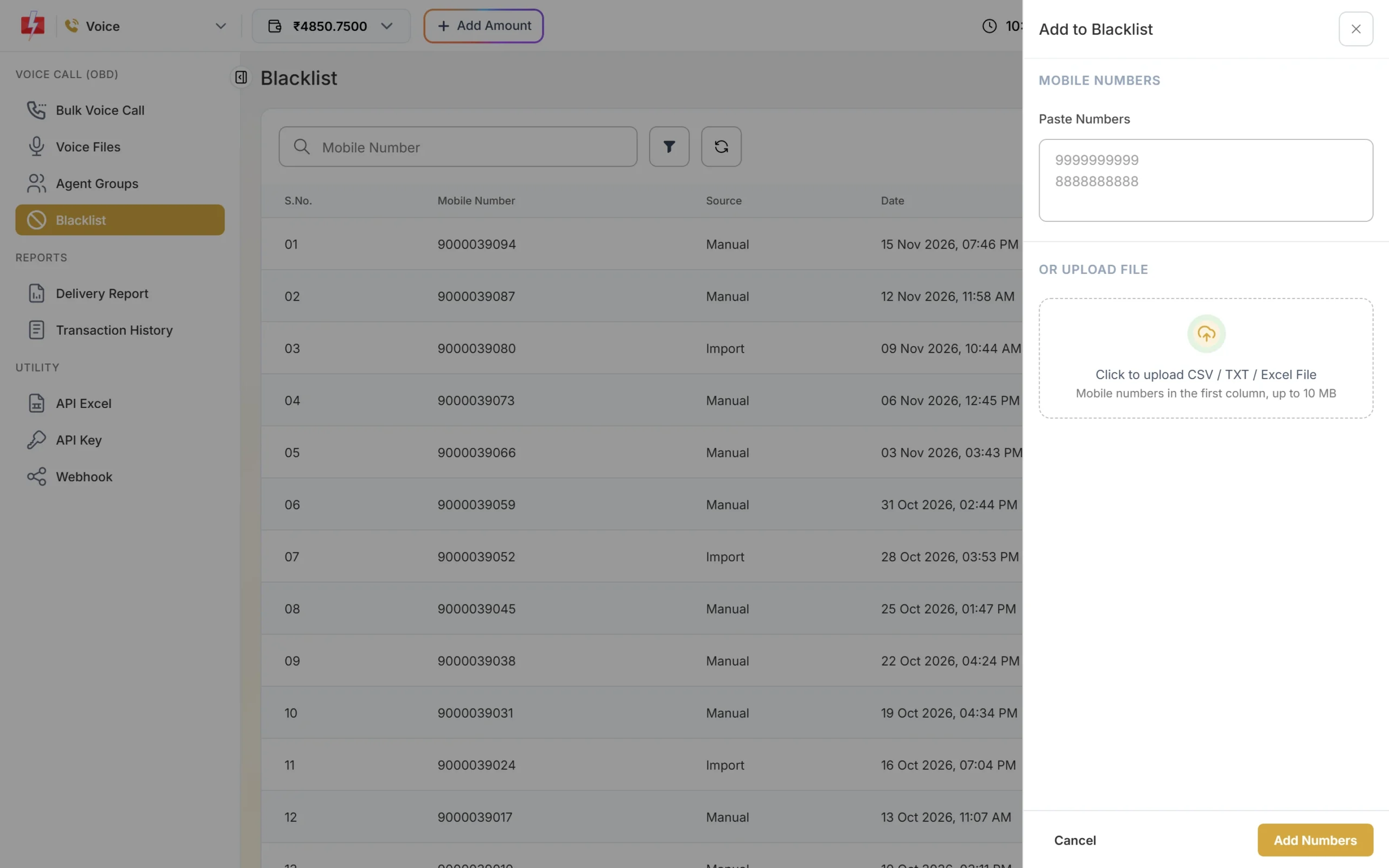
Paste opt-out numbers or upload a file. -
Call at sensible times, not too often
Calls go out only between 10 AM and 9 PM. If you click send after 8:50 PM or before 10 AM, the campaign is scheduled for 10 AM. Fast2SMS does not limit how often you call one number, so space out your campaigns yourself.
Frequently asked questions
Can I choose the number my voice calls come from?
No. The Bulk Voice Call form has no caller ID setting. The number comes from the operator’s side.
Can I remove the spam label from a caller ID app?
Labels in caller ID apps are run by those apps, not by Fast2SMS. Fewer complaints is the best way to keep a clean name.
Are blacklisted numbers charged?
No. They are skipped and show “Blacklisted” with ₹0.
Do I need consent for promotional voice calls?
Call people who have agreed to hear from you, and respect DND and opt-outs. See our guide on TRAI rules for voice calls.