
You can send SMS from a computer or laptop by logging in to Fast2SMS in any web browser, opening the SMS app and sending from the DLT SMS or Quick SMS page. There is no software to install, and it works the same on Windows, Mac and Linux.
This page shows the steps for sending business SMS from your PC, to one number or to thousands, and which option to choose.
Which option should you use?
| DLT SMS | Quick SMS | |
|---|---|---|
| Sender shown | Your brand header, such as XY-DEMOTR | A random numeric sender |
| DLT registration | Needed (entity, sender ID, template) | Not needed |
| Message text | Your approved DLT templates | Any business text, checked before sending |
| Cost per SMS (at the time of writing) | ₹0.25 down to ₹0.11, by recharge | ₹7 |
| Best for | Regular business SMS, OTPs, offers | Occasional notices before your DLT is ready |
See the current rates on the bulk SMS pricing page.
Sending in bulk? For high SMS volumes our team offers discounted rates. Talk to our team or see SMS pricing.
How to send SMS from a computer
-
Log in and open the SMS app
Open your browser, log in at fast2sms.com and click the SMS tile on the dashboard. Add money with Add Amount at the top if your wallet is empty.
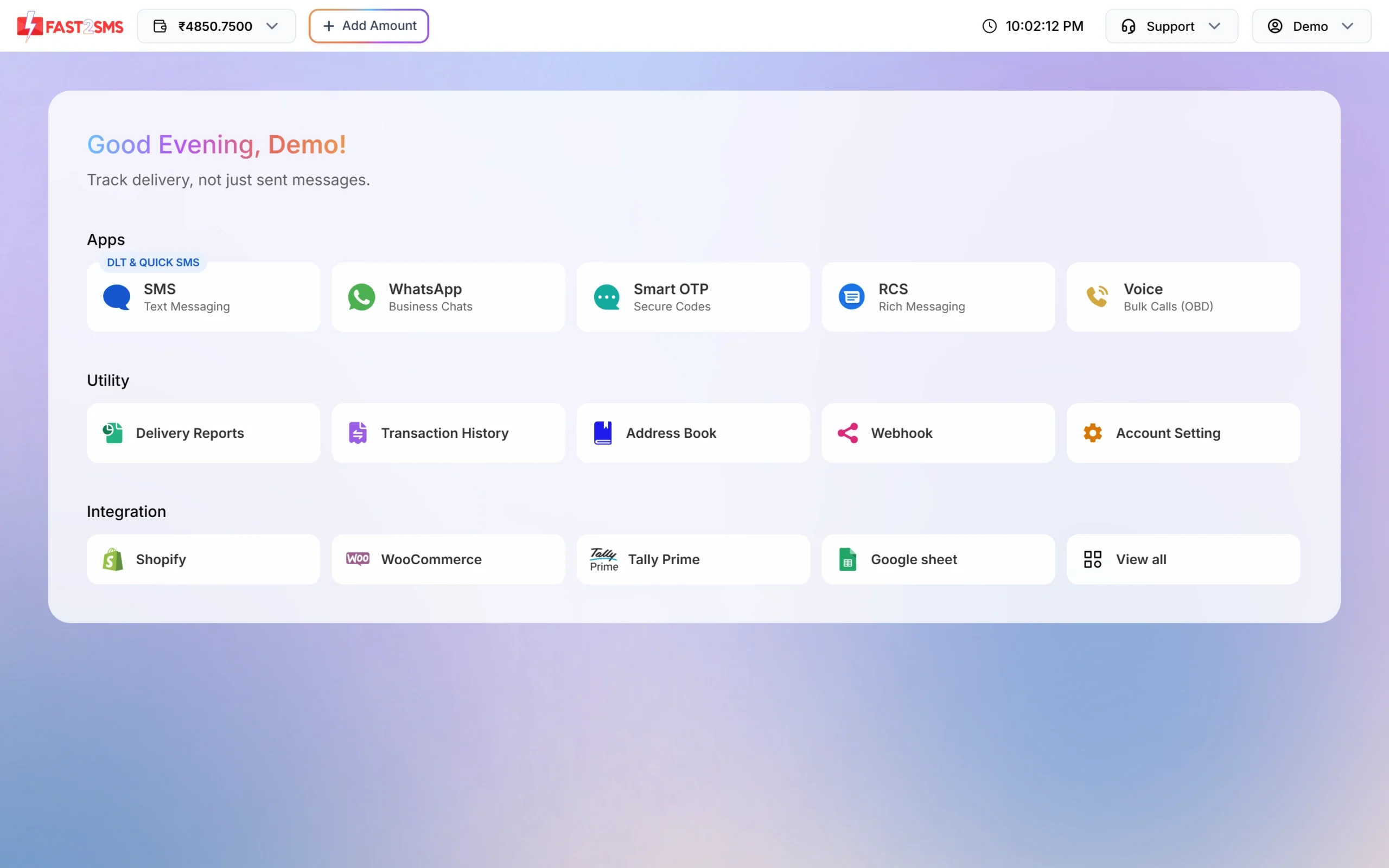
The SMS app is the first tile on the dashboard. -
Send a DLT SMS
Click DLT SMS. Choose your Sender ID, then add numbers under Send To: paste them in List, pick a group from Address Book, or upload a CSV File. Click Select DLT Template, fill the variables and check the phone preview. Click Send, check the cost and click Confirm & Send.
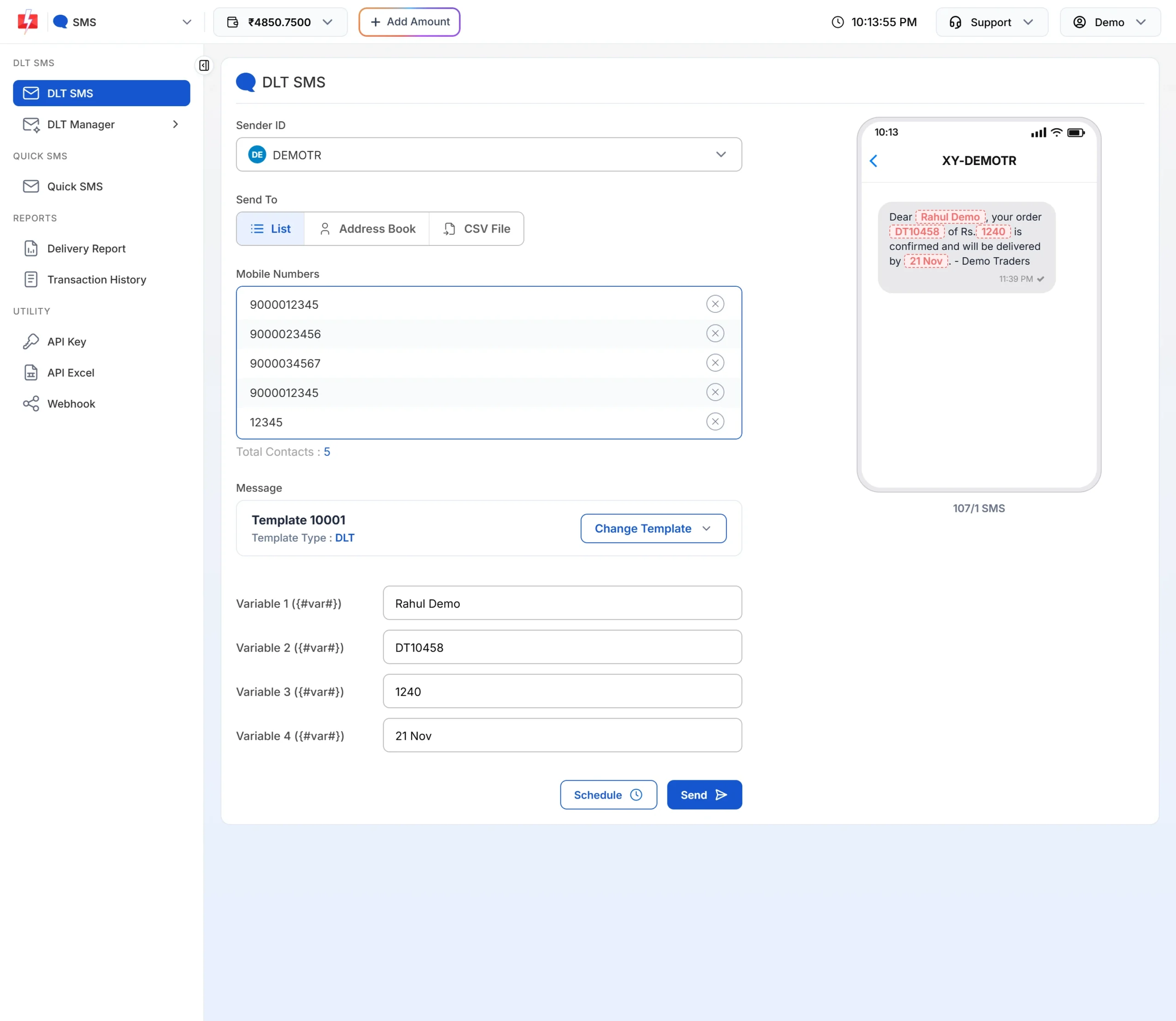
A DLT SMS ready to send from the browser. -
Or send a Quick SMS
If your DLT registration is not ready yet, click Quick SMS. Add numbers, type your message and click Send. Quick SMS works after you have recharged at least ₹100 in total, and personal or spam messages are not allowed.
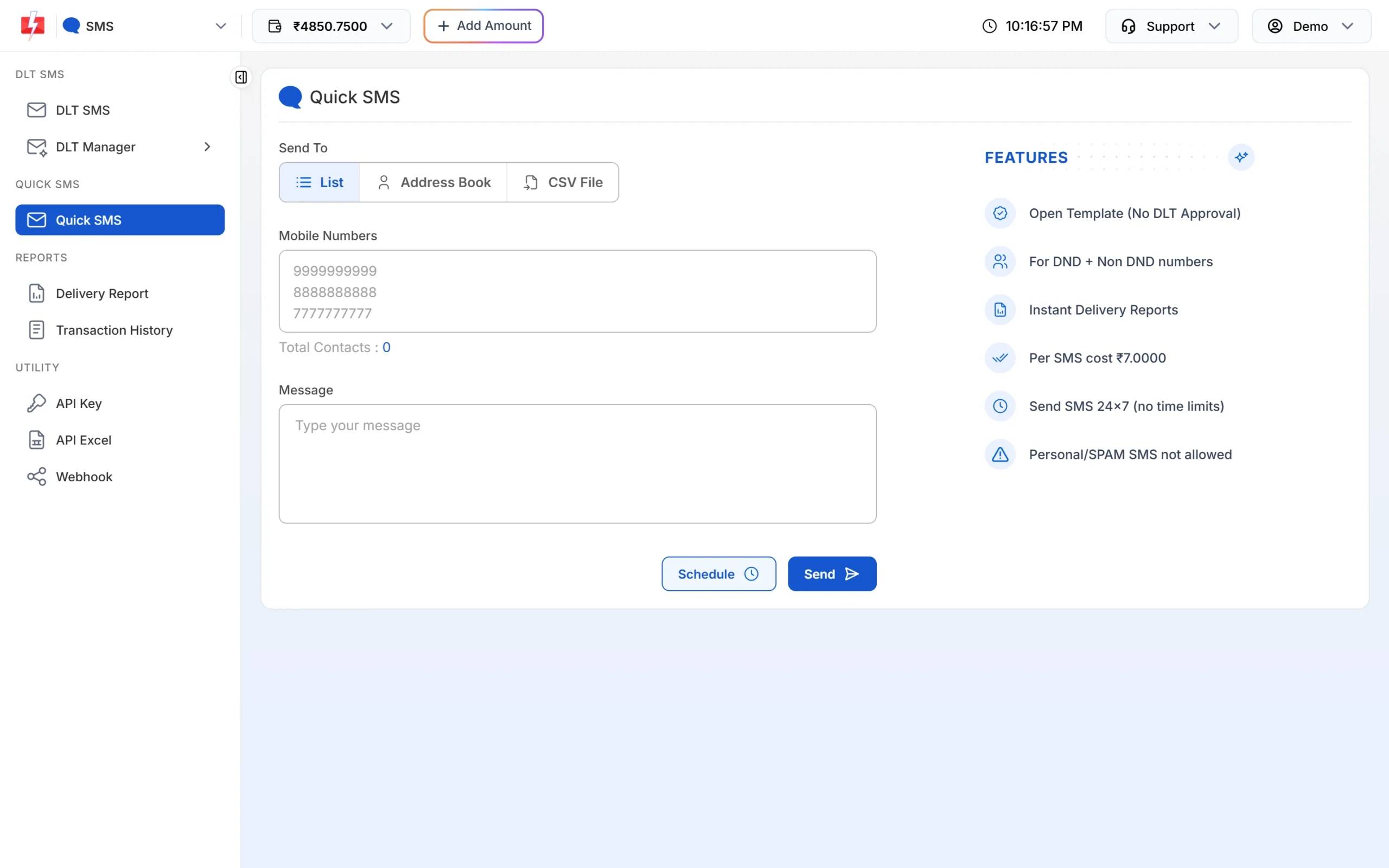
Quick SMS lets you type any business message without a DLT template.
Tips
- Keep your customer list in Excel? Save it as CSV and upload it on the CSV File tab.
- Use Schedule to set a date and time, then close your laptop. The SMS goes out on time.
- Check results in Delivery Report from the same browser.
Frequently asked questions
Do I need to download any software to send SMS from my PC?
No. Fast2SMS works in the browser. You only need an internet connection and your login.
Can I send SMS from my laptop using my own mobile number?
No. Business SMS show a registered DLT header (DLT SMS) or a random numeric sender (Quick SMS), not your personal number.
Can I send SMS from a computer for free?
New accounts get a small signup credit to test. After that you pay per SMS from your wallet.
Can I send bulk SMS from Excel on my computer?
Yes. Save the sheet as CSV, upload it on the CSV File tab and choose the column with the mobile numbers.