
Send SMS without DLT Registration
Do you want to send SMS without DLT registration? As per TRAI regulations, DLT registration is mandatory for businesses that want to continue sending SMS to their customers. However, if you don’t want to register on a DLT portal and still wish to communicate with your customers through SMS, you have come to the right place. Fast2SMS has introduced a feature called Quick SMS that enables businesses to send SMS without DLT registration, making customer communication fast and hassle-free. In this article, we will explain what Quick SMS is, its key features, and the complete process of sending Quick SMS with ease.

Quick SMS – Send SMS without DLT Registration
Quick SMS is a Fast2SMS feature that enables businesses to send SMS to their clients without registering on the DLT portal. Here, per message cost is INR 5 as messages get delivered via an international route and without DLT registration. Through this route, you can communicate with your clients seamlessly without requiring to register on a DLT portal. As TRAI guidelines are not applicable outside India, DLT is not mandatory for messages delivering via international routes.
Features of Quick SMS
1. No template approval
Unlike DLT Bulk SMS, to use Quick SMS route, you don’t need to get any templates approved. You can customise messages as per your wish. Once you confirm the message for sending, it will be manually approved by our team and once it gets approved, the message will be delivered therein.
2. Send to both DND and Non DND numbers
Using Quick SMS route, messages can be delivered to both DND and Non DND numbers. Unlike TRAI DLT rules, that do not allow to send promotional messages on DND numbers, you can use this route to even send promotional messages on DND numbers as TRAI guidelines are not applicable outside India.
3. Transparent delivery reports
Fast2SMS provides you with transparent delivery reports that can be viewed instantly from the panel itself. All the Quick SMS message status such as delivered, failed, sent, are available to you on the Fast2SMS panel on real-time basis.
4. No time restrictions
In using Quick SMS route, you will not incur any time restrictions. Messages will be delivered 24/7 to both DND and Non DND numbers. But, make sure there are no personal or spam messages else it will not be approved by our team. Also, if you want to send message at late hours, you need to schedule messages so that it can be approved within the working hours of our team.
5. Quick API route
Using this route, you can send messages via API as well. There are two types of API methods – GET and POST. You can choose either of the API options from the panel. We provide the complete API integration URL that you just need to hit from the system to send messages.
6. No spam or personal messages allowed
Quick SMS route can only be used by businesses and organisations who want to deliver transactional as well as promotional messages to their customers. Sending spam texts and personal messages via Quick SMS route is strictly prohibited.
How to send SMS without DLT Registration?
- Login to Fast2SMS and select Quick SMS tab from the left menubar.
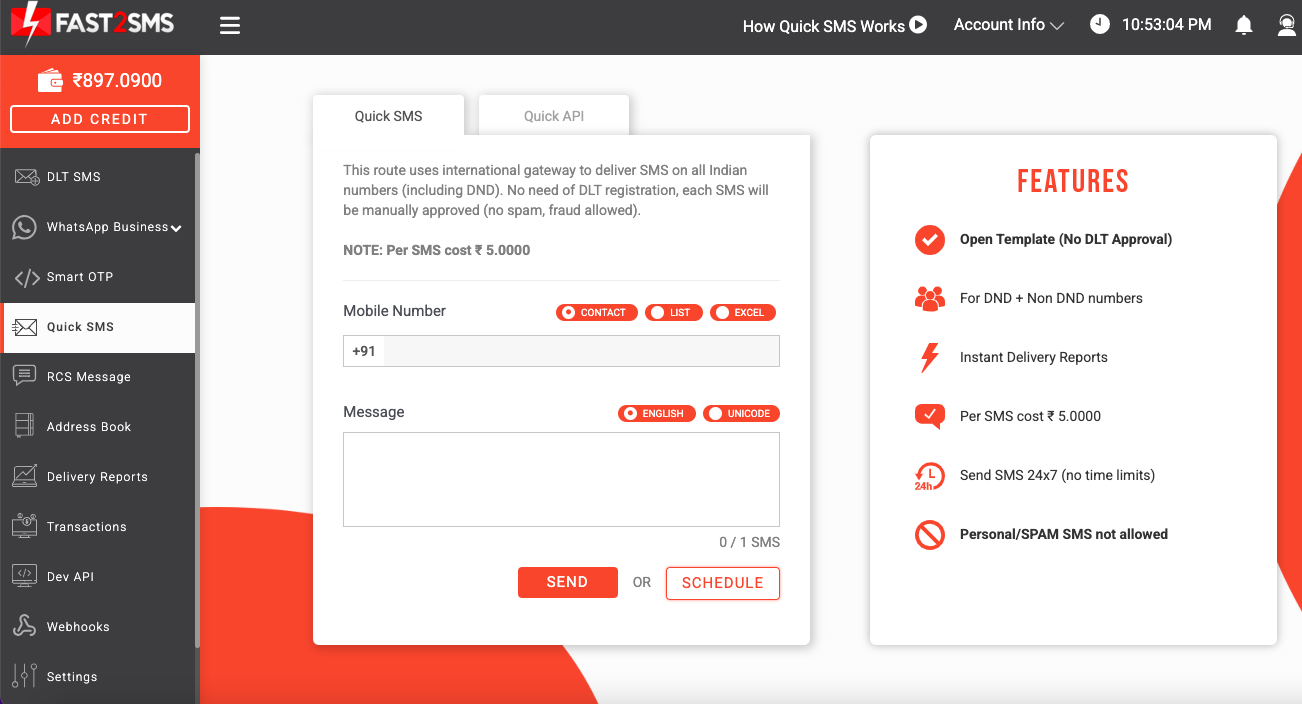
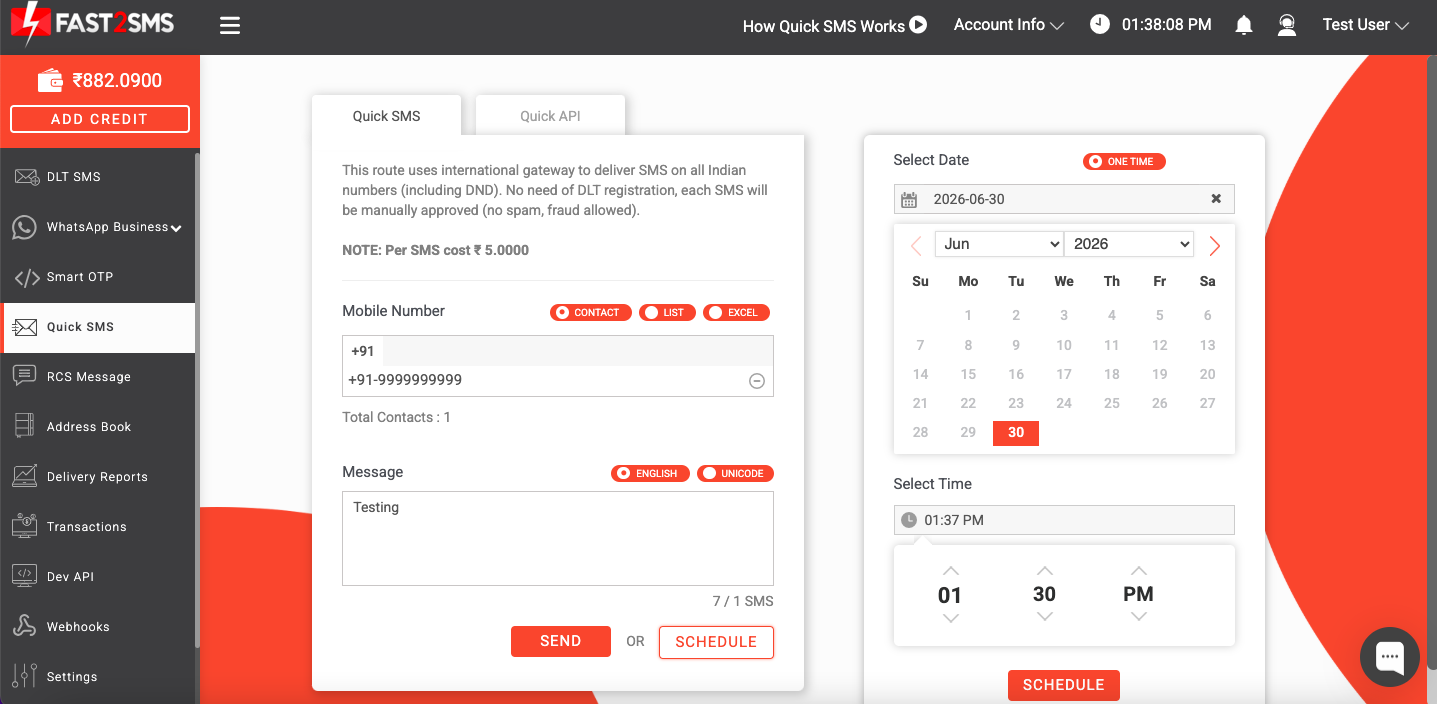
2. Enter the mobile number for sending message and type your message text. You can even add contacts via excel file.
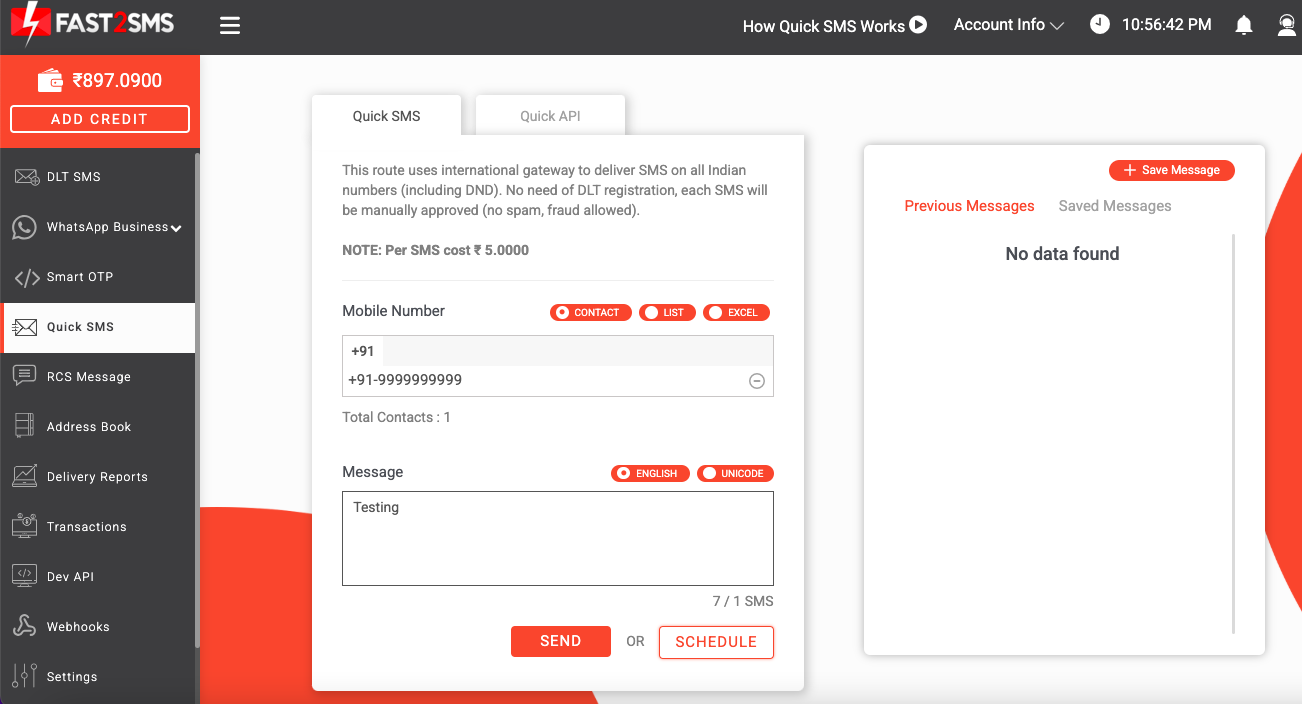
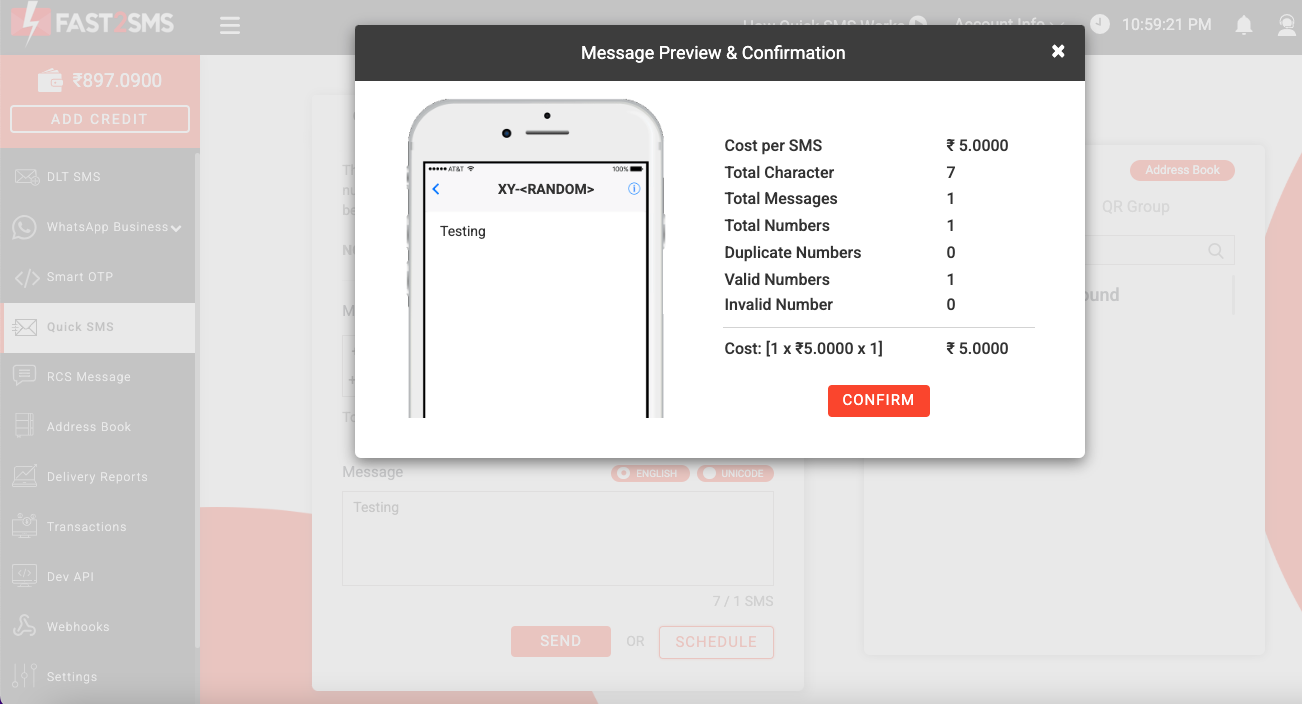
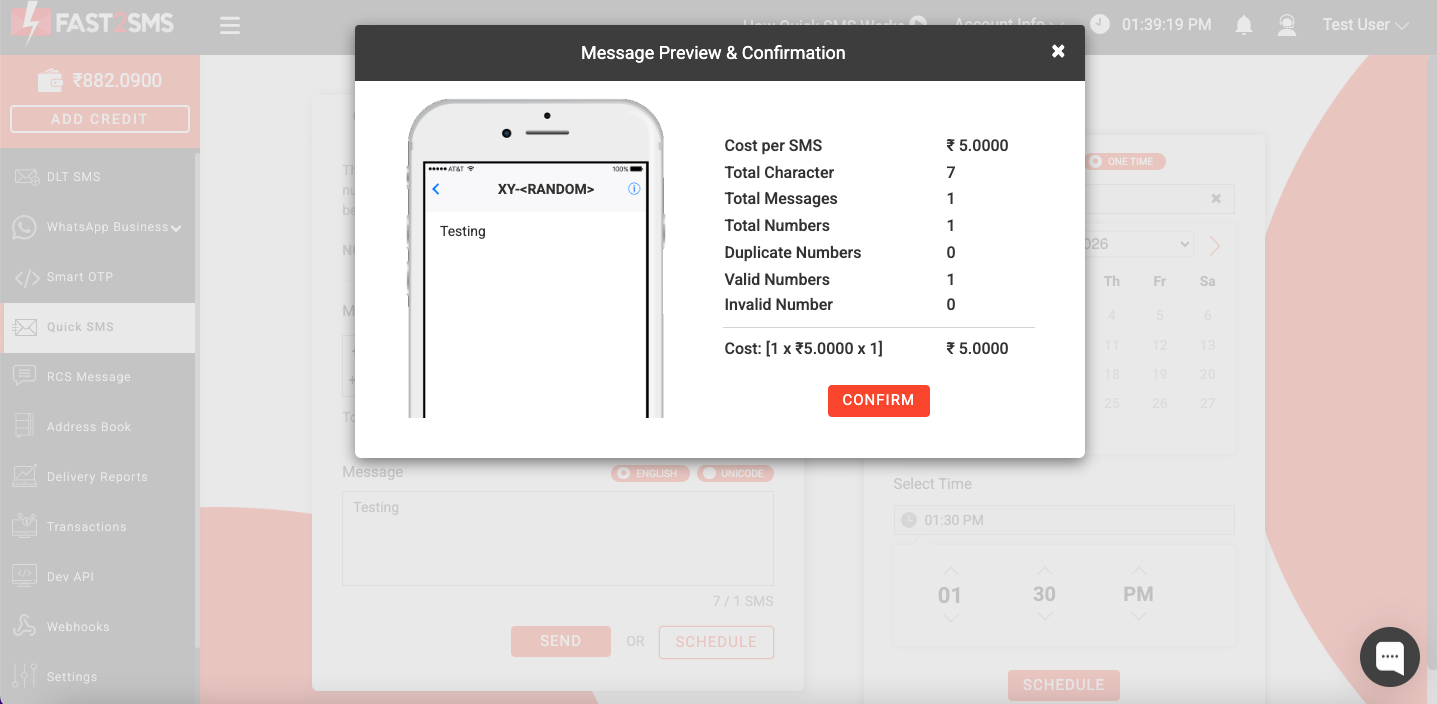
3. Once you click on the send option, the following confirmation box will show. Click on Confirm to confirm sending message. Per SMS cost in Quick SMS route is INR 5.
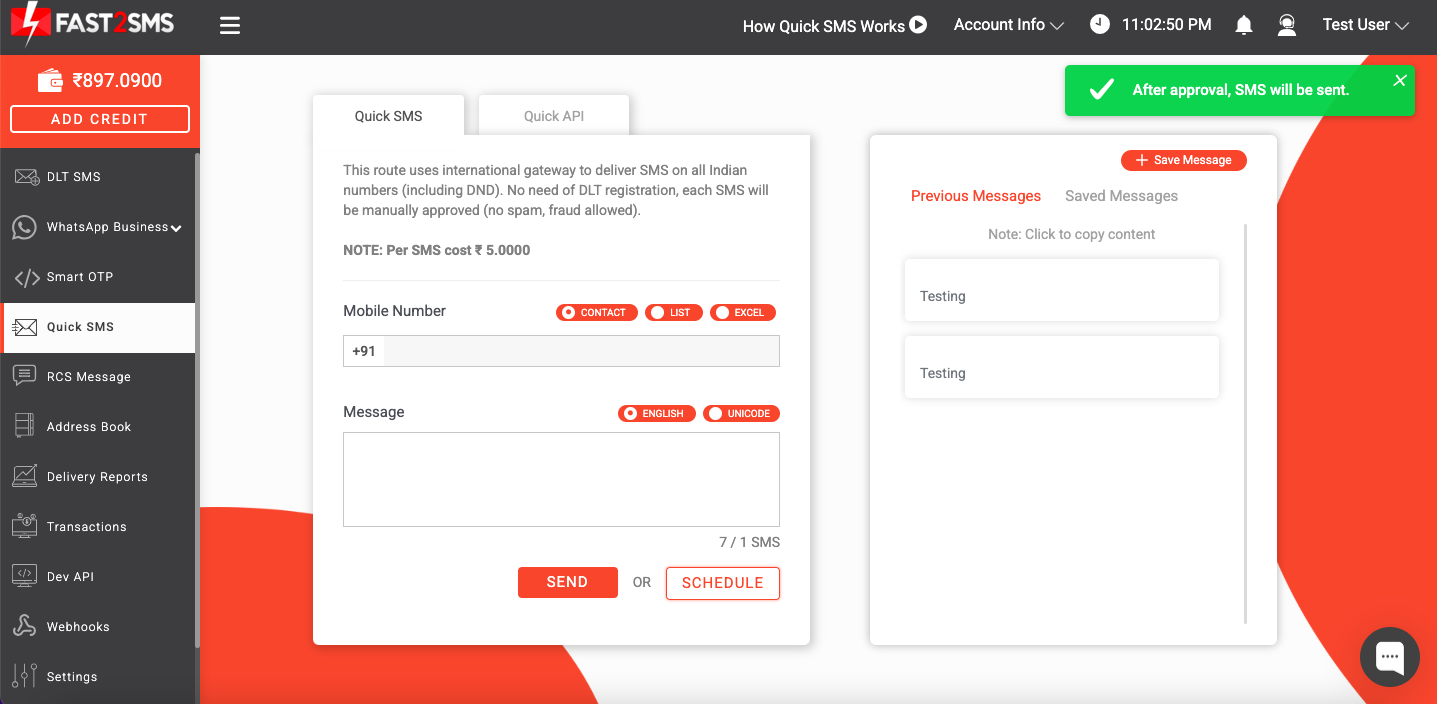
4. Once you click on Confirm, the following message will appear on your screen. Once your messages get approved, they will be delivered. You can view the delivery status of the messages from the Delivery Reports section.
5. You can even schedule your messages to be sent at a later date and time. Once you select the Schedule tab, you can select the date and time from the right side of the screen and then click on the Schedule tab. Your messages will be scheduled as per your selected time interval.
6. Once you select the Schedule tab, the following message preview and confirmation box will show on your screen. Click on Confirm to confirm sending the message.
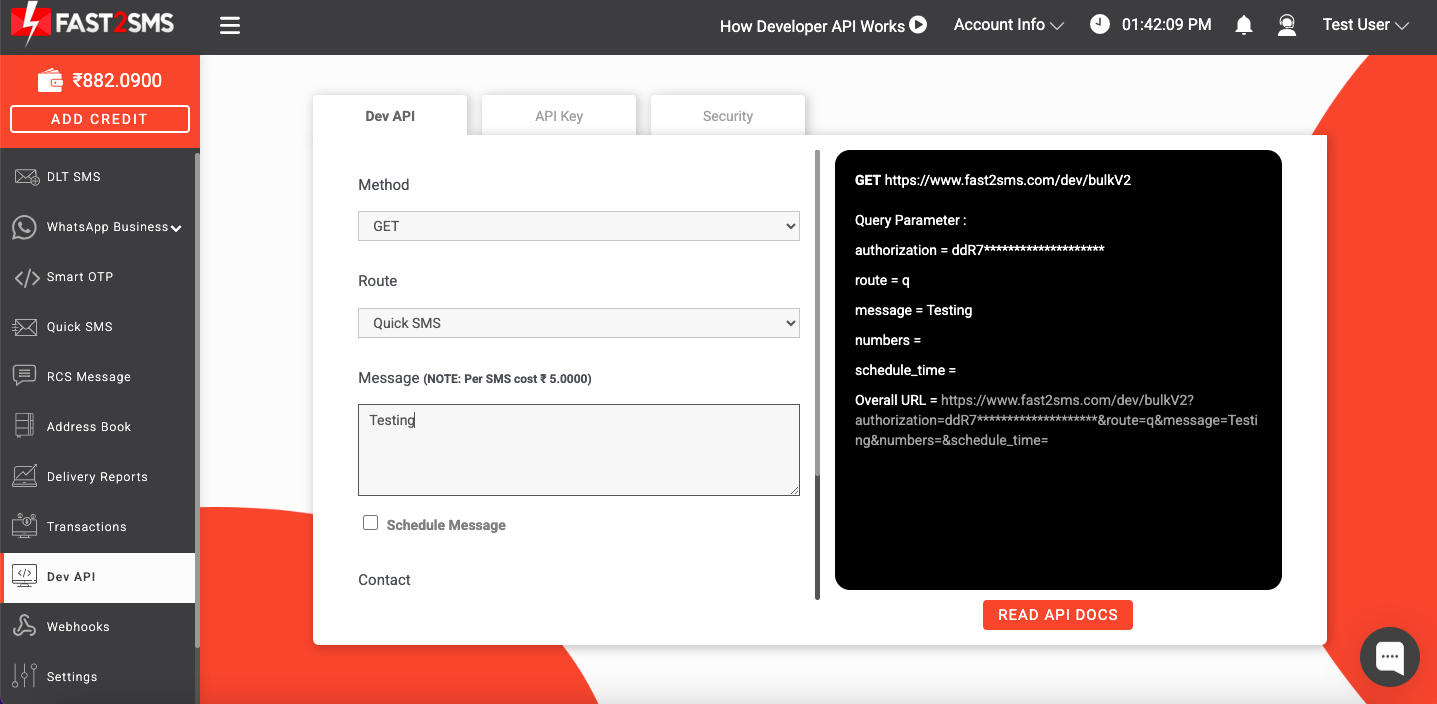
7. You can send Quick SMS via API as well. Select Quick API, the following screen will show up. Select the method from GET and POST. Then select Quick SMS in the route field and then enter your message text.
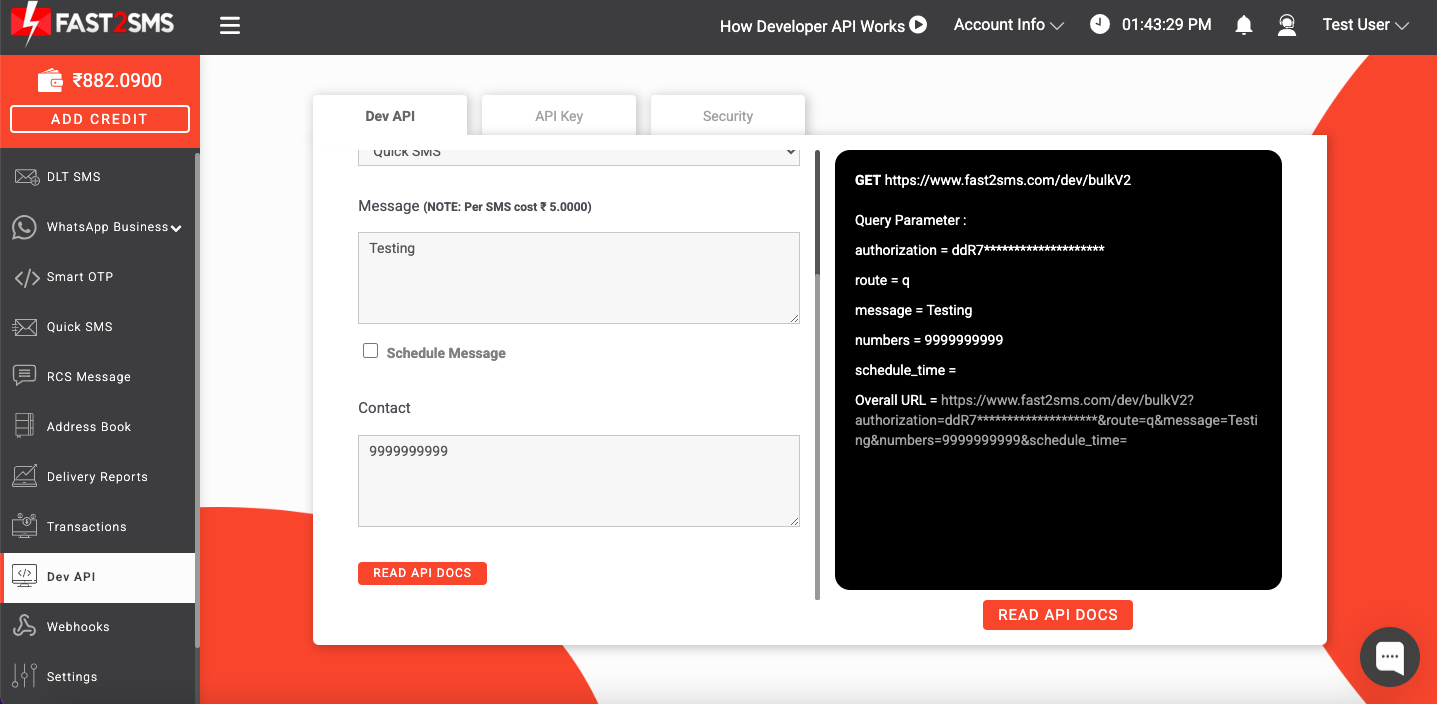
8. Enter the contact number. The complete URL of the message will be available on the screen that you just need to hit from your system.
Send SMS without DLT registration using Quick SMS route of Fast2SMS. Register with Fast2SMS today and start connecting with your customers in just a few clicks. Enjoy a seamless SMS sending experience without DLT registration using our powerful Quick SMS feature. Call or Whatsapp us at 6262778822 for more details!