
SMS has no read receipts. “Delivered” in your SMS report means the operator confirmed that the message reached the customer’s phone. It does not tell you whether the customer opened it, read it or even saw it. The SMS standard itself only reports delivery: the network can tell the sender that a message was delivered or could not be delivered, and nothing more.
This page explains what Delivered proves, what it cannot prove, and how you can measure whether people act on your SMS.
Why SMS has delivery reports but no read receipts
The SMS standard (3GPP TS 23.040) has a status report that tells the sender whether a message was delivered to the recipient, or could not be delivered because of a temporary or permanent error. There is no message in the standard that reports a message as read. Your phone’s messaging app may show a “read” tick for chat messages, but that comes from RCS, iMessage or WhatsApp, not from SMS.
What “Delivered” proves and what it does not
| Delivered proves | Delivered does not prove |
|---|---|
| The operator reported that the SMS reached the handset of that number | That the customer opened or read the message |
| The time it was delivered (Delivery Time in the report) | That the message is in the main inbox. The phone may have filed it in a spam, promotions or unknown-senders folder. |
| The exact text that was sent (Preview in the report) | That the person you meant is the one holding the phone. A wrong number in your list also shows Delivered. |
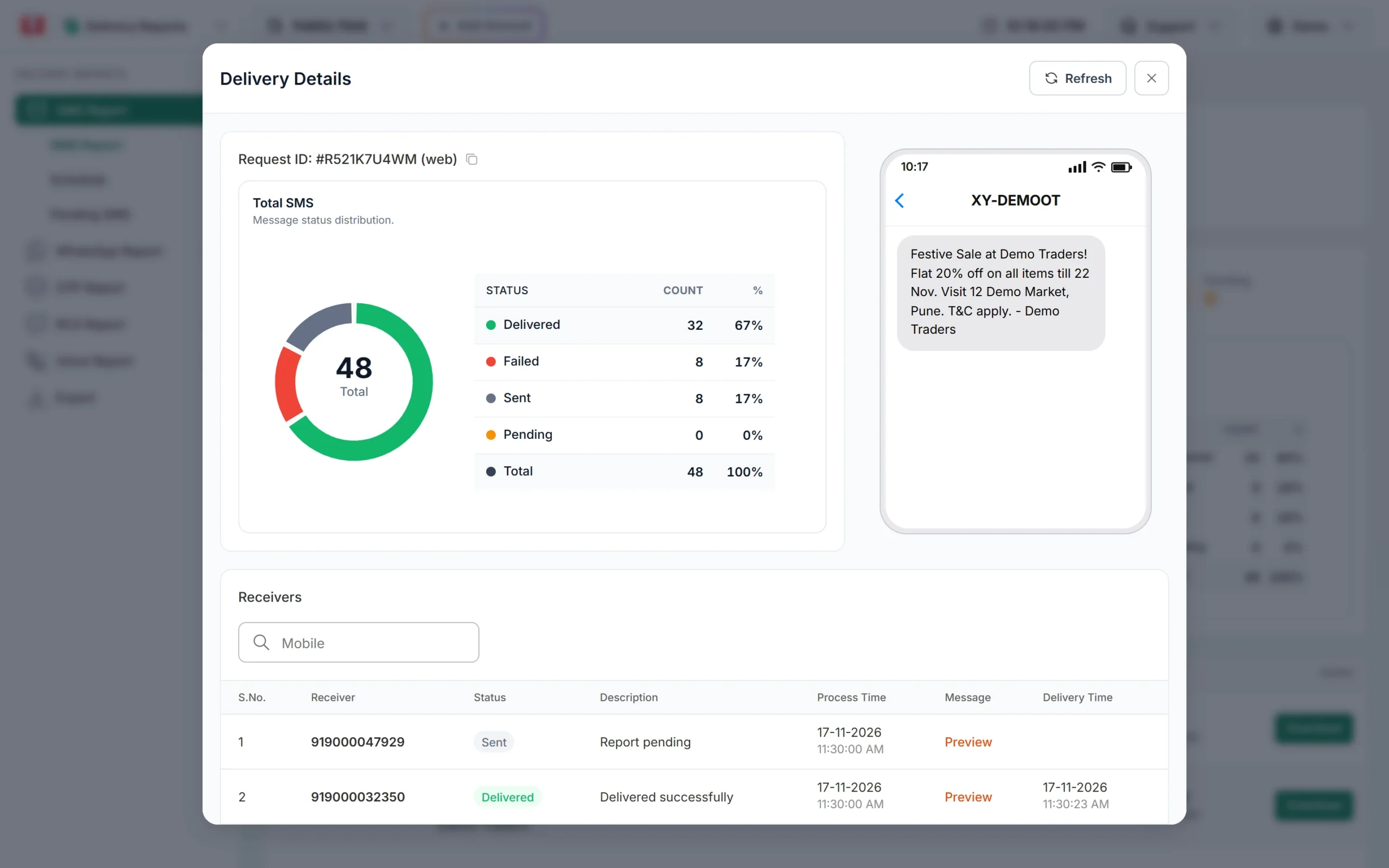
Fast2SMS sets Delivered only when the operator’s delivery report says so. Until that report arrives the number shows Sent (“Report pending”). If delivery fails, it shows Failed or another status with a reason.
How to measure whether people read and act on your SMS
Since you cannot see who read an SMS, measure what they do after reading it.
- Link clicks. Add a tracked link (UTM tags on a link on your own domain) and count visits in your website analytics. See SMS marketing KPIs for the formulas.
- Coupon or offer codes. Put a code that is only in the SMS and count how many orders use it.
- Calls to a number in the SMS. Use a call-back number only for that campaign and count calls. Call-back numbers must be whitelisted on DLT.
- OTP verification. For OTPs, the useful number is how many codes were verified, not how many were delivered. Smart OTP shows verified OTPs in the OTP report.
Divide each of these by the number of Delivered SMS, not by the number you uploaded. That gives you a click or response rate you can compare between campaigns.
Channels that do show “read”
| Channel | Read status for the business |
|---|---|
| SMS | No. Delivery status only. |
| RCS | Google says that when a customer reads an RCS message from a business, the business gets a read receipt. |
| Yes, WhatsApp reports a read status in the delivery report. See WhatsApp message status meaning. |
If knowing who read a message really matters, for example for payment reminders, send it on WhatsApp or RCS to customers who can receive them and keep SMS for everyone else.
Frequently asked questions
Can I see if someone read my SMS?
No. SMS only reports whether the message was delivered to the phone. Track link clicks, replies to a call-back number or coupon use instead.
What is the difference between Sent and Delivered?
Sent means the SMS went to the operator and the delivery report has not come back yet. Delivered means the operator confirmed it reached the phone.
The report says Delivered but the customer says they did not get it. Why?
Usually the SMS is on the phone in a filtered folder, on another SIM, or went to a wrong number in your list. See SMS shows Delivered but the customer did not receive it.
Do iPhones send read receipts for SMS?
Read receipts on iPhone are a feature of iMessage chats (and RCS chats where supported), not of SMS. A business SMS from a DLT header gets no read status.
Is there a way to get read receipts for bulk messages?
Use WhatsApp or RCS, which report read status. SMS does not.