
Every WhatsApp message you send from Fast2SMS has one of five statuses: Pending, Sent, Delivered, Read or Failed. This page explains what each WhatsApp message status means, how it matches the ticks your customer sees, why a campaign can show “Delivered” while some numbers failed, and where to find the failure reason.
WhatsApp message status meanings
| Status | What it means | Like the WhatsApp ticks |
|---|---|---|
| Pending | The message is in the Fast2SMS queue and has not been handed to WhatsApp yet, or is waiting for a retry | No tick yet |
| Sent | WhatsApp has accepted the message and is trying to deliver it | One grey tick |
| Delivered | The message reached the customer’s phone | Two grey ticks |
| Read | The customer opened the chat and saw the message | Two blue ticks |
| Failed | WhatsApp could not deliver the message. The Description shows why | Not delivered |
A few things to know:
- Once a message is Read, it stays Read. A late “delivered” update does not change it back.
- A message that was Delivered or Read never turns into Failed later.
- If the customer has turned off read receipts in WhatsApp, the message usually stays at Delivered even after they read it.
- Numbers that are not on WhatsApp and blocked numbers are counted under Failed.
Where to see the status in Fast2SMS
-
Open the WhatsApp Report
Go to Delivery Report > WhatsApp Report. The cards at the top show Total, Delivered, Read, Failed, Sent and Pending for the selected dates. The “Delivered” card does not include messages that were Read; those are counted under Read. The page opens on “Last 2 days”; use the date box or filter to change it.
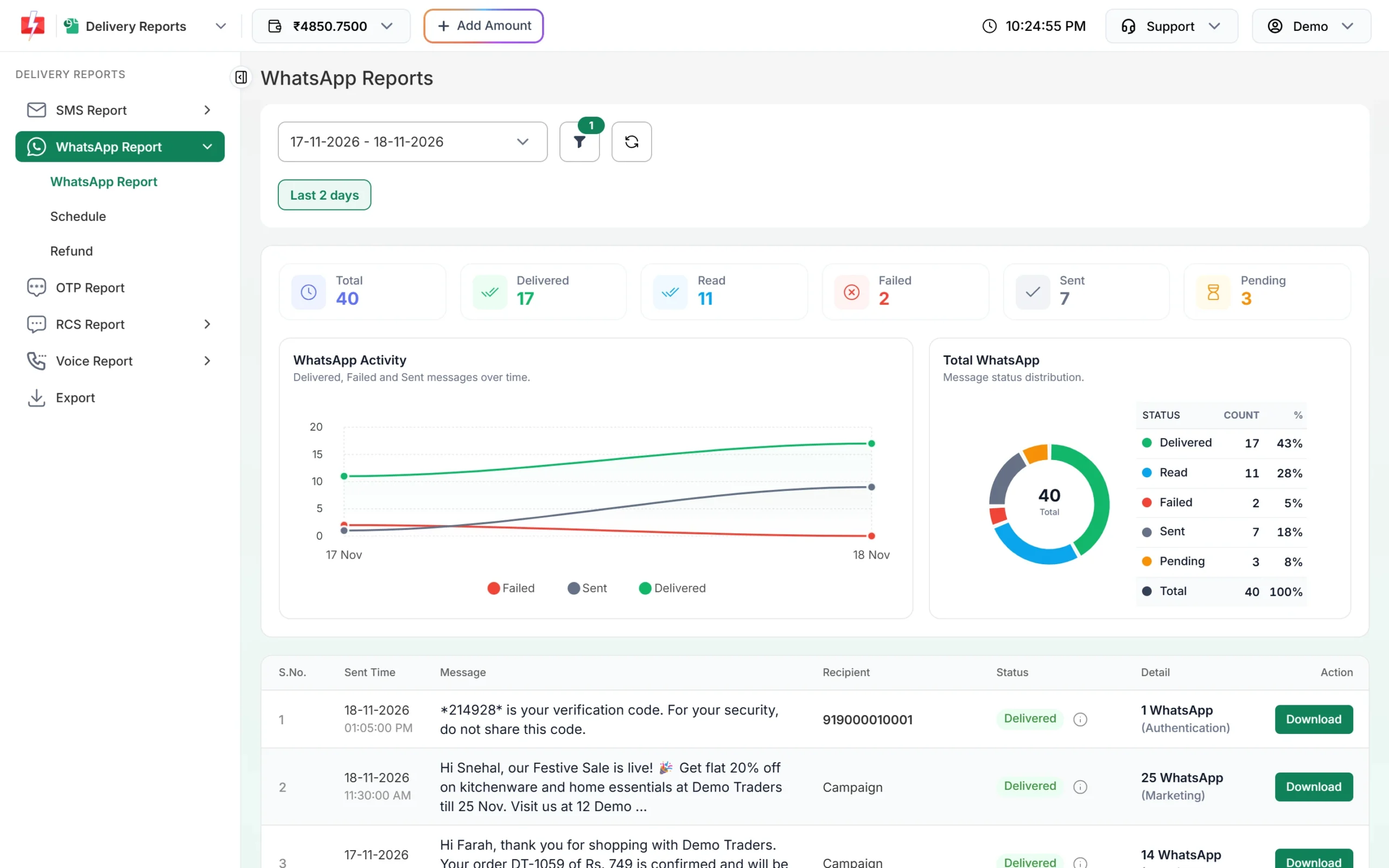
Status cards and charts for the selected dates. -
Read the campaign status
Each campaign in the list has one status label. It shows Delivered when at least 30% of its messages were delivered or read; otherwise it shows the most common result. Hover over the small info icon next to the label to see the exact count of each status.
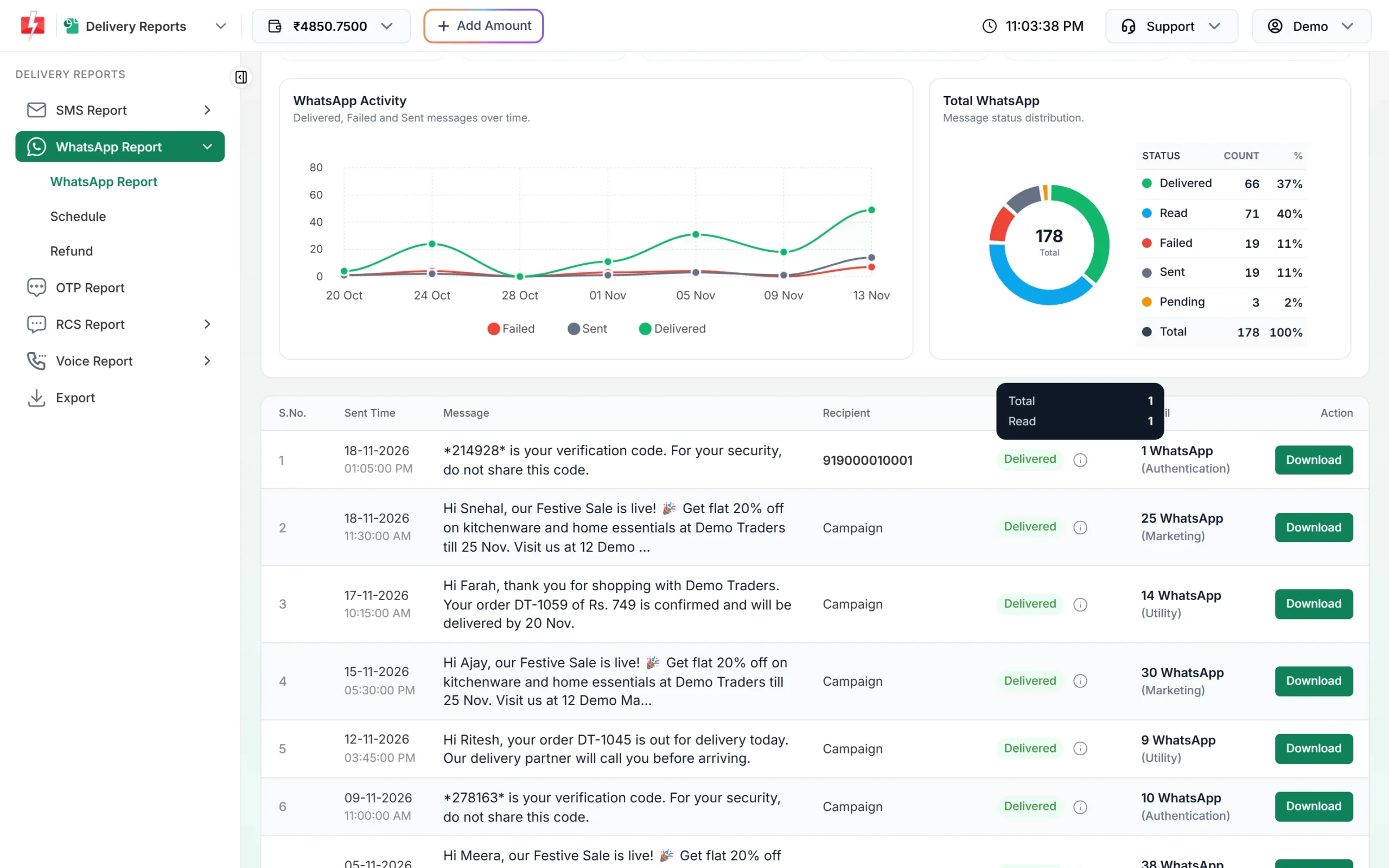
The info icon shows the breakdown behind the campaign label. -
Open Delivery Details for each number
Click the message text to open Delivery Details. The Receivers table lists every number with its Status, Description, Process Time and Delivery Time. Use the Mobile search box to find one number. Click Refresh to load the latest updates.
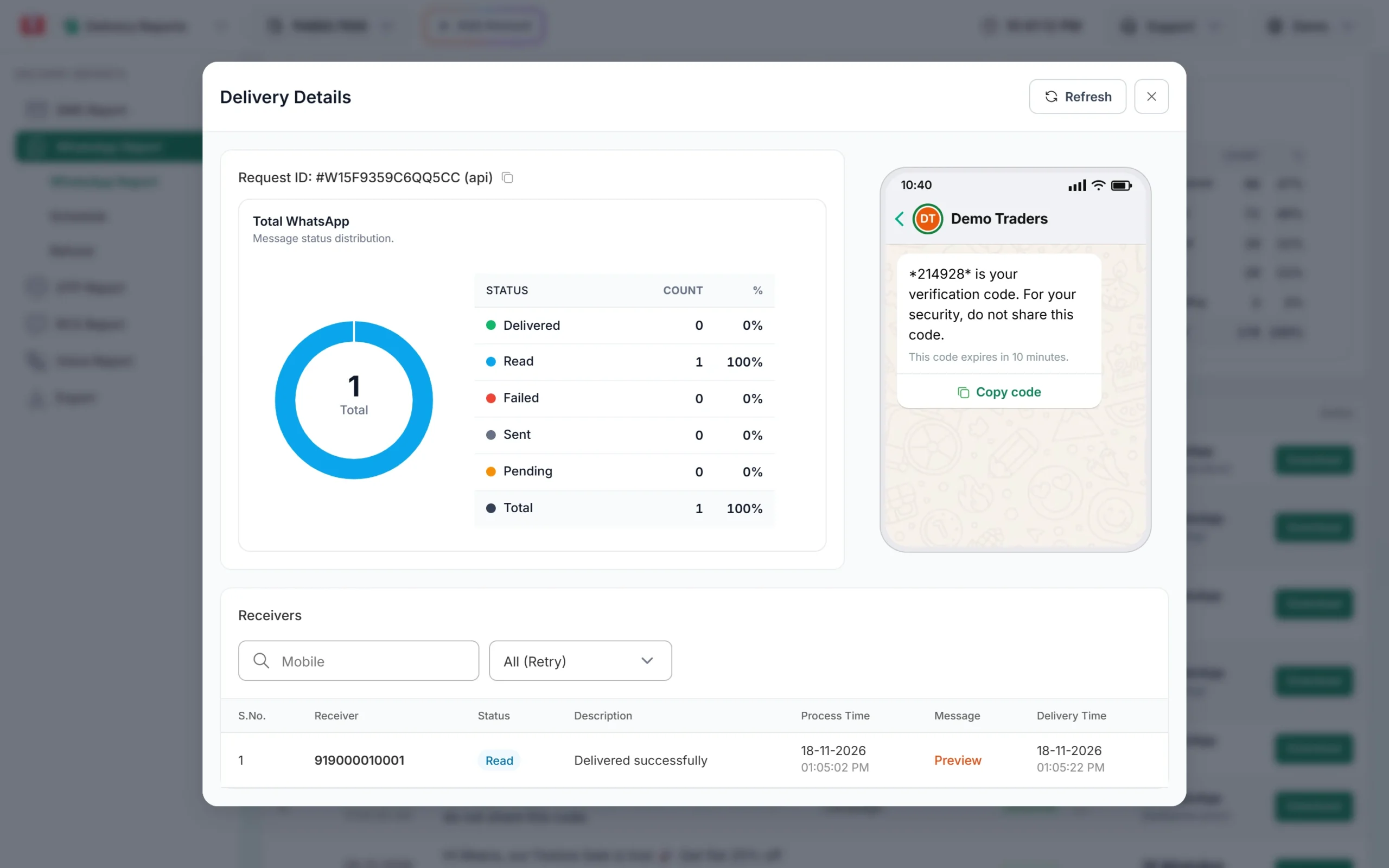
Status, description and times for each receiver.
What the Description column tells you
| Description | Meaning |
|---|---|
| Delivered successfully | Delivered or Read with no problem |
| Message Undeliverable (Error: 131026) | Number not on WhatsApp, old app or terms not accepted |
| … (Error: 131049) | Meta held back a marketing message to limit how many the user receives |
| … (Error: 131047) | Free-form message sent after the 24-hour window |
| (#130429) Rate limit hit: gave up after 5 retries | Sending speed limit; retried 5 times |
| System has marked this message as failed | No delivery update came from WhatsApp within 24 hours |
| Template is PAUSED / Template is REJECTED | The template could not be used when the message was sent |
Charges by status
The campaign amount is taken from your wallet when you send. Failed and pending messages are refunded automatically, about two days after sending. Delivered and Read messages are charged. A message that never gets a delivery update from WhatsApp is later closed as failed and refunded too. See the Refund tab under WhatsApp Report for the refund of each campaign.
Frequently asked questions
What is the difference between Sent and Delivered on WhatsApp?
Sent means WhatsApp accepted the message. Delivered means it reached the customer’s phone. A message stays Sent while the phone is off or offline.
Why is my message Delivered but not Read?
Either the customer has not opened the chat yet, or they have turned off read receipts, so WhatsApp never reports Read.
Why does a campaign show Delivered when some numbers failed?
The campaign label shows Delivered when at least 30% of messages were delivered or read. Use the info icon or Delivery Details to see the failed numbers.
How long can a message stay Pending?
Usually only a short time while the campaign is processed or retried. Pending messages that never go out are refunded.
Can I get statuses by API or webhook?
Yes. Fast2SMS has a delivery report API that looks up a WhatsApp request ID, and on the Webhook page you can create a WhatsApp webhook for the events On Sent, On Delivered, On Read and On Failed.