
If your Fast2SMS report says Delivered but the customer says they did not get the SMS, the message almost always reached the phone. Delivered means the mobile operator confirmed delivery to that number. The usual causes are on the customer’s side: a different number, a spam or filtered folder in the SMS app, a second SIM, or the customer looking for the wrong sender name.
This guide shows how to check one number in the report, what to ask the customer, and when to send us the details.
What “Delivered” means in Fast2SMS
The Delivered status, with the description “Delivered successfully”, is set only when the operator sends back a delivery report saying the SMS reached the handset. Fast2SMS does not mark an SMS as delivered on its own. If the operator had not confirmed it, the number would show Sent (“Report pending”) or Failed with a reason.
So a Delivered SMS that the customer cannot find is usually still on the phone, or went to a different phone.
Check the number in your delivery report
-
Find the message for that number
Open Delivery Report in the SMS app. Click the filter button and use the Mobile Number tab to search for the customer’s number, or the Request ID tab if you sent it by API. Pick a date range that covers the day you sent it.
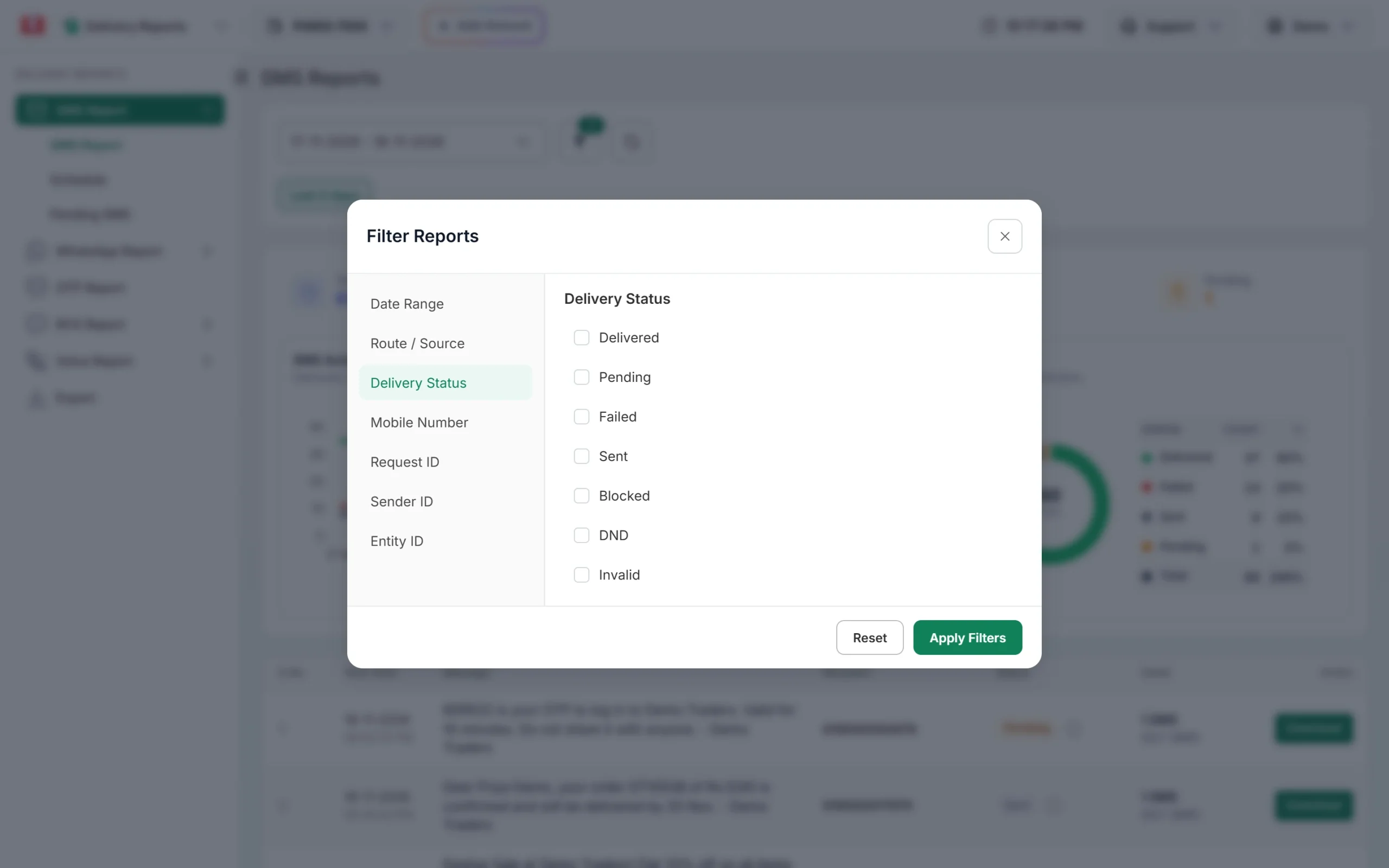
Use the Mobile Number or Request ID tab to find one SMS. -
Open Delivery Details and read the row
Click the message text. In the Receivers table, type the number in the search box. Check three things:
- Receiver: is this exactly the number the customer is using? It is shown with 91 in front.
- Delivery Time: when the operator delivered it. Compare it with the time the customer checked.
- Preview: the exact text that was sent, so you can tell the customer what to search for.
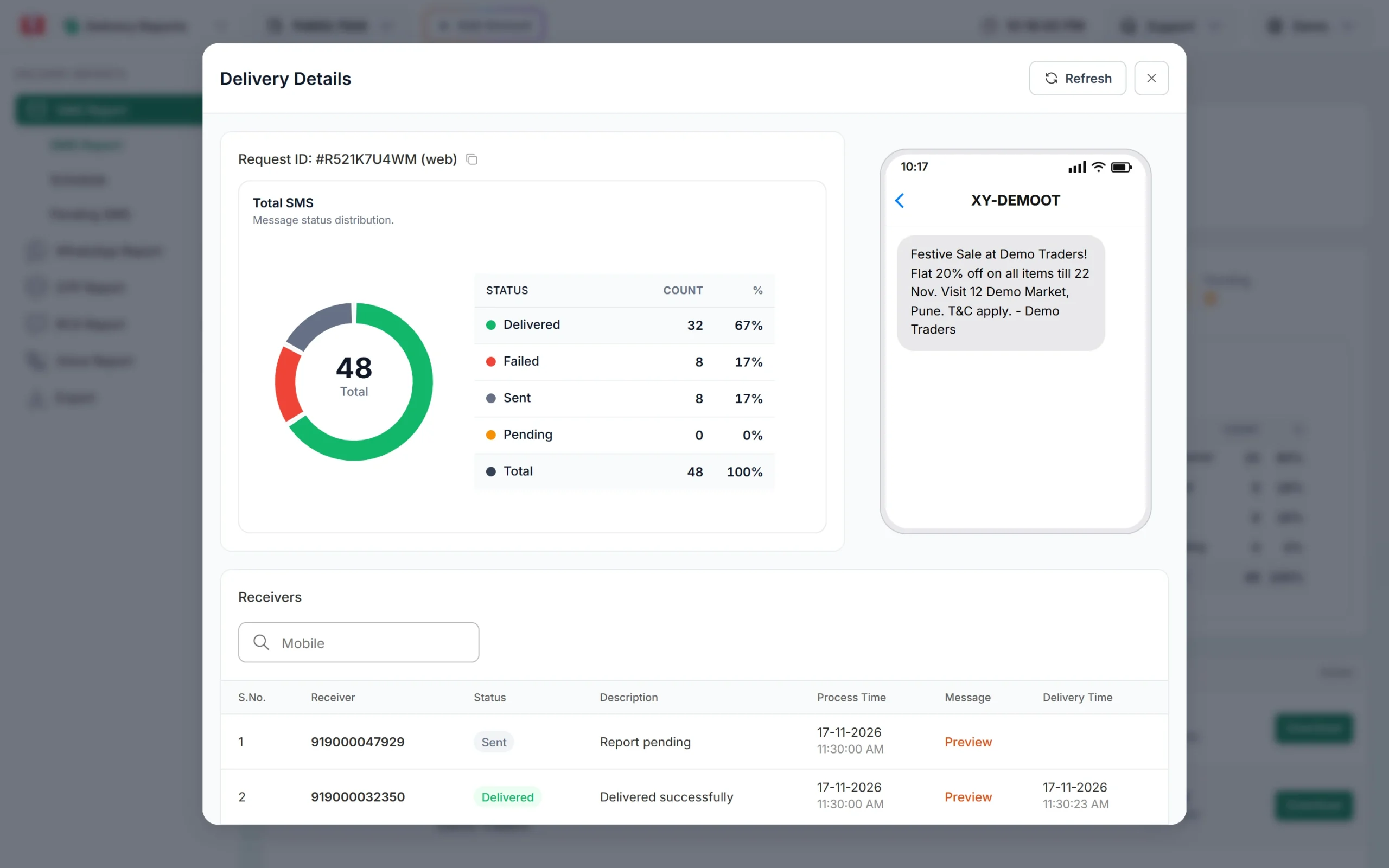
A Delivered row shows “Delivered successfully” and the delivery time.
Common reasons the customer cannot see a delivered SMS
| Reason | What to check or tell the customer |
|---|---|
| Wrong number in your list | Compare the Receiver in the report with the number the customer reads out. One wrong digit sends the SMS to someone else, and it still shows Delivered. |
| Spam or filtered folder | Many SMS apps move business messages into folders such as spam, promotions or “unknown senders”. Ask the customer to check those folders and to search for a word from your message. |
| Looking for the wrong sender | The SMS arrives from your header with an operator code in front and a type letter at the end, for example VM-DMTRDS-S. Tell the customer the header name, not your company name. |
| Dual SIM phone | The SMS goes to the SIM whose number you used. The customer may be checking the messages of the other SIM. |
| Number moved to a new phone | The SIM may be in another handset, or the customer reads messages on a linked device that was not synced. |
| Message deleted or blocked | The customer may have blocked your header earlier, or an auto-clean app deleted old messages. |
| Delivered later than expected | If the phone was off, the operator delivers when it comes back. The Delivery Time shows this. An OTP may arrive after it has expired. |
When the report does not say Delivered
- Sent (“Report pending”): the operator has the SMS but has not confirmed delivery. See SMS showing Sent or Pending.
- Failed, DND, Blocked or Invalid: the SMS did not reach the phone. The Description column gives the reason. See SMS failed reasons.
- No row at all for that number: the number may have been invalid or a duplicate and was removed before sending. Check the number in your file.
When to contact support
Write to us if many customers report the same problem for SMS that show Delivered, or if one important SMS is disputed. Share:
- the Request ID from the top of Delivery Details,
- the customer’s mobile number,
- the date and time the customer checked their phone.
Our team can check the operator’s delivery report for that send.
Frequently asked questions
Can an SMS show Delivered if it was not delivered?
Delivered is set from the operator’s delivery report. In rare cases an operator report can be wrong. If many customers report it, send us the Request IDs so we can check with the operator.
Why does the customer not see my company name as the sender?
SMS in India show your DLT header, such as DMTRDS, with operator letters around it. They do not show the company name or a mobile number.
Can I get proof that an SMS was delivered?
Yes. Download the campaign report from the Download button on the report row. It gives the status of each number in that send.
Does DND stop a delivered SMS from showing?
No. If a number is on DND and the SMS is promotional, it is not delivered at all and the report shows DND. A Delivered SMS has passed those checks.
The OTP shows Delivered but the user says it never came. What should I do?
Check the Delivery Time against the OTP expiry. If it arrived late, the user may have requested another one. Smart OTP can also fall back to WhatsApp when the SMS fails.
Am I charged for a Delivered SMS the customer did not see?
Yes. The operator delivered it to the number you sent it to, so it is charged like any other SMS.