
Yes, you can send bulk voice calls in Hindi, Marathi, Tamil, Telugu, Bengali, Gujarati or any other language with Fast2SMS. You record the message yourself (or have a voice artist or a text-to-speech tool make it), upload it as an MP3 or WAV file, and the operator approves it. The panel does not translate or convert text, so the language your customers hear is the language you record.
This guide is for businesses whose customers prefer their own language: local shops, regional brands, clinics, schools and rural distributors. It covers how to plan campaigns by language, recording tips for Hindi and regional languages, and sample scripts.
How language works in Fast2SMS voice calls
- Any language: the call plays your audio file as it is. There is no language setting in the campaign form.
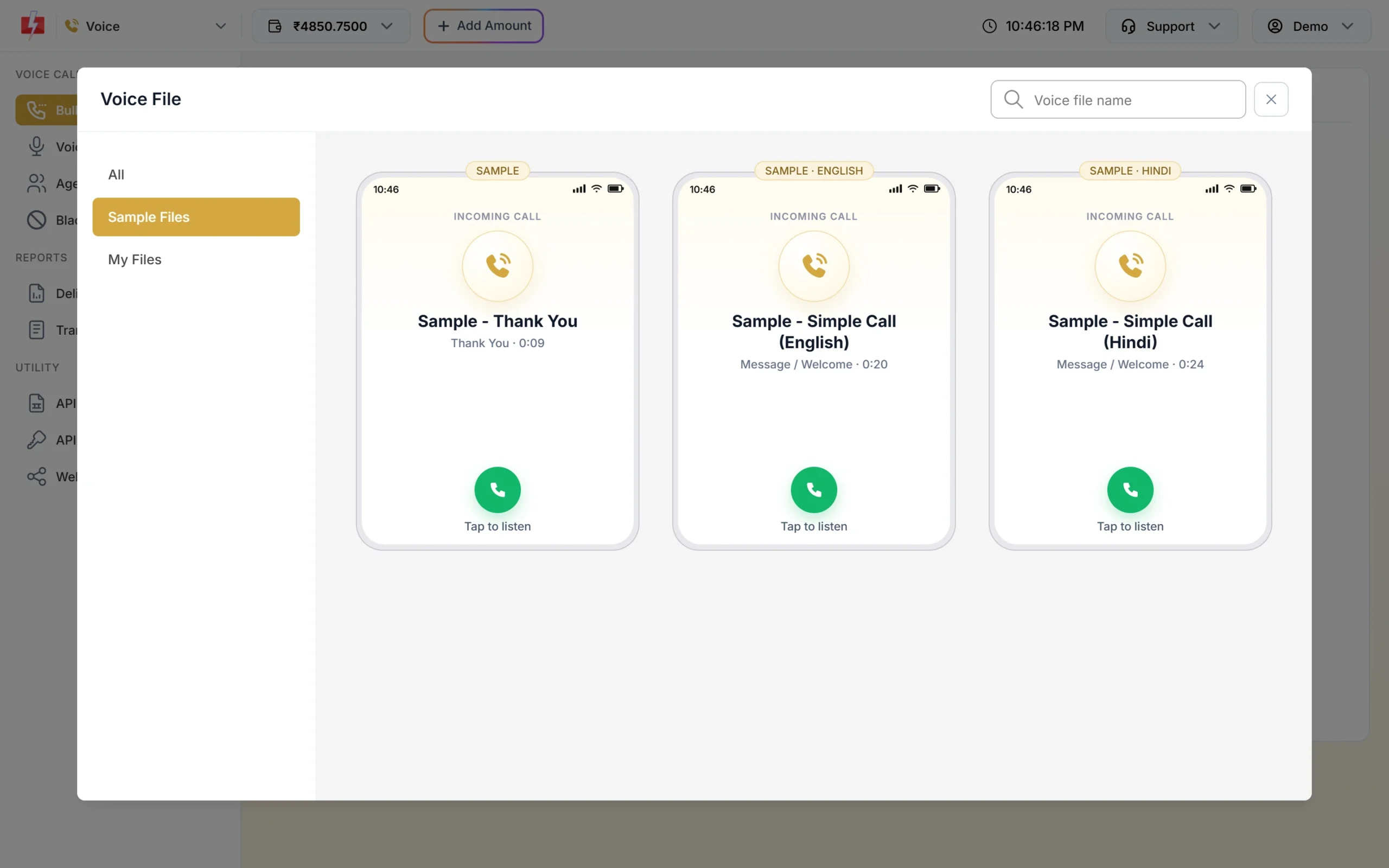
- Free samples in Hindi and English: every account gets pre-approved sample files, including Sample – Simple Call (Hindi) and Sample – Simple Call (English), plus Hindi and English versions of the Key Press and Call Patch samples. They show a HINDI or ENGLISH tag.
- Same rules in every language: the operator checks each file. Say your company or brand name clearly, and avoid the topics on the Not Allowed list.
- File format: MP3 or WAV, up to 5 MB, or record in the browser.
How to run a voice campaign in more than one language
-
Split your list by language
Group customers by the language they prefer, for example by city or by what they chose when they signed up. Save each list as a group in Address Book or as a separate CSV file, such as “Pune customers – Marathi” and “Indore customers – Hindi”.
-
Record one file per language
Record the same message in each language. Name each file so the language is clear, for example “Diwali offer – Marathi” and “Diwali offer – Hindi”. The file name is only for you; customers do not hear or see it.
-
Upload and wait for approval
Upload each file in Voice Files with the right Used As. You can have up to 2 files waiting for approval at a time and upload up to 10 files a day, so upload your main languages first.
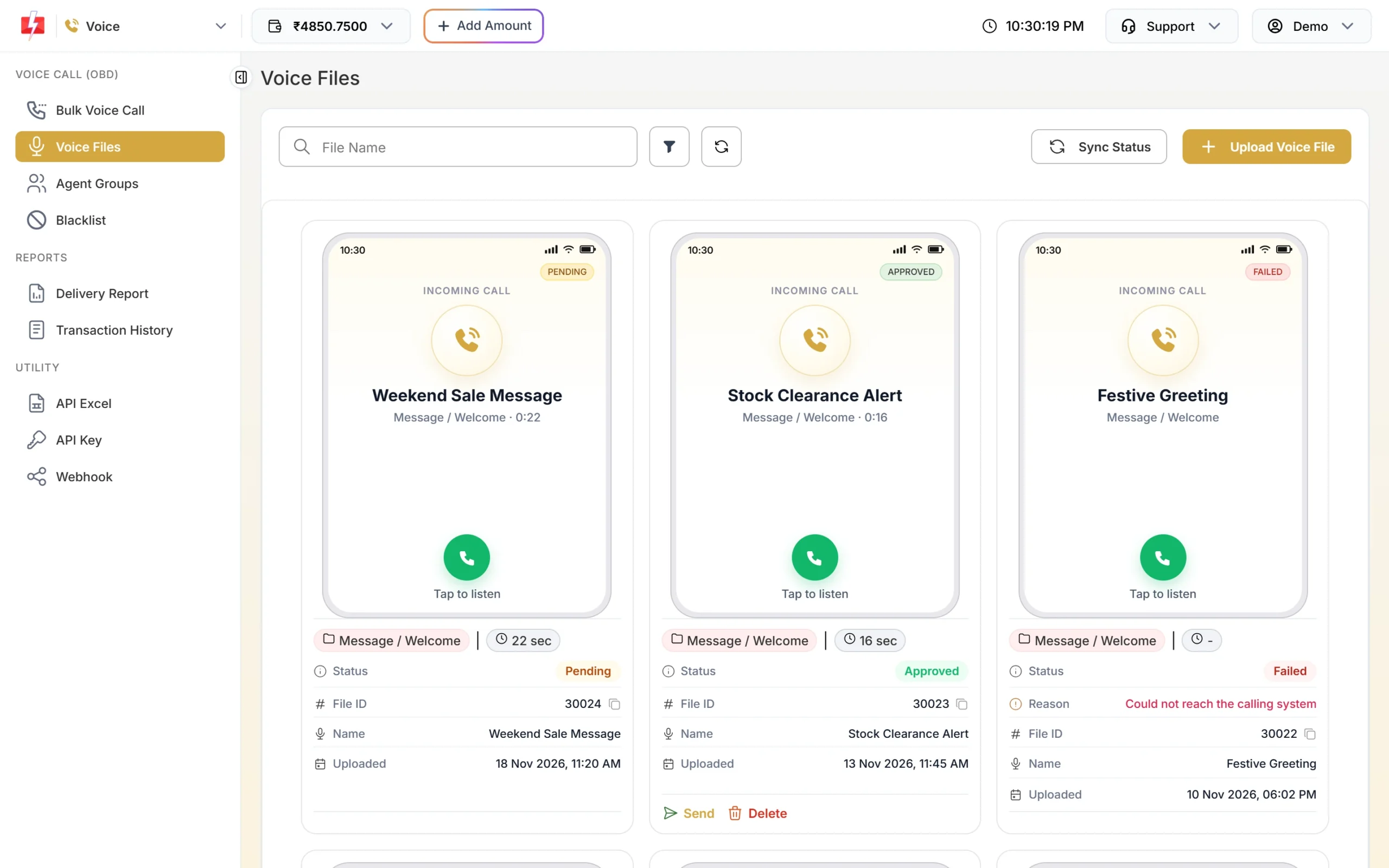
Each card shows the status of a file. Samples are tagged with their language. -
Send one campaign per language
In Bulk Voice Call, create a campaign for each language list with its matching file. Put the language in the Campaign Name, such as “Diwali offer – Marathi list”, so you can compare answer rates by language in the Voice Report.
Tip: For a mixed list where you do not know each person’s language, use a Key Press campaign: “Hindi ke liye 1 dabaiye, for English press 2”. The pressed key is saved in the report, and you can send the next campaign in the language each person chose.
Recording tips for Hindi and regional languages
- Use everyday words. Speak the way your customers speak. Simple Hindustani such as “aapka order kal pahunchega” is clearer on a phone call than formal Hindi.
- Say numbers slowly and in one style. Dates, times and prices are where people get confused. “Shanivaar, 22 November, subah 11 baje” is clear. Do not mix English and Hindi numbers in the same sentence.
- Brand name first. “Namaste, main Demo Traders se bol rahi hoon.” Saying your brand name is required for approval and stops people from hanging up.
- Keep English words people already use. Words like “offer”, “order”, “delivery” and “appointment” are understood by most listeners. Do not force a pure translation.
- Record in a quiet room. Switch off fans and AC, keep the phone or microphone about a hand’s length from your mouth, and do a test recording first.
- Speak a little slower than normal. Phone audio is compressed, and fast speech in any language is hard to follow.
- Keep the message short. A message of about 25 seconds is 2 pulses when answered. Regional language scripts can get longer than English; cut extra words instead of speaking faster.
Can I use text-to-speech for Hindi?
The Fast2SMS panel does not convert text to speech. You can make the audio with a text-to-speech tool or a voice artist outside the panel, then upload the MP3 or WAV file. Listen to it fully before you upload: text-to-speech often mispronounces Indian names, place names and brand names. If it does, write the word the way it sounds, or record that file yourself.
Sample scripts
| Use | Hindi script |
|---|---|
| Offer (Simple) | “Namaste, Demo Traders se bol rahe hain. Is Shanivaar aur Ravivaar sabhi kurton par 20 pratishat chhoot. MG Road store par aaiye. Dhanyavaad.” |
| Appointment (Key Press) | “Namaste, Demo Clinic se. Kal subah 11 baje aapka appointment hai. Confirm karne ke liye 1 dabaiye. Nahi aa sakte to 2 dabaiye.” |
| Delivery (Simple) | “Namaste, Demo Traders se. Aapka order aaj shaam tak pahunch jayega. Kripya apna phone chalu rakhiye.” |
| Lead (Call Patch) | “Namaste, Demo Interiors se. Aapne modular kitchen ke baare mein poocha tha. Hamare designer se abhi baat karne ke liye 1 dabaiye.” |
Use the same structure in any regional language: brand name, one message, one action.
Frequently asked questions
Which languages are supported for voice calls?
Any language. You upload the audio, so the call plays whatever language you recorded.
Is there a different price for Hindi voice calls?
No. The price depends on call length, not language: ₹0.25 per 15-second pulse at the time of writing, only for answered calls.
Sending in bulk? For high voice call volumes our team offers discounted rates. Talk to our team or see voice call pricing.
Can one voice file have two languages?
Yes, but it makes the call longer and costlier. A key press language choice, or separate campaigns per language, usually works better.
Will the operator approve a regional language file?
The operator checks content, not language. A file in any language is approved if it says your brand name clearly and follows the Voice File Rules.
Can I type a Hindi message and have it read out?
Not in the Fast2SMS panel. Create the audio with a text-to-speech tool or a voice artist and upload the file.