
If your WhatsApp auto reply is not working in Fast2SMS, the usual reason is that another automatic rule answered first, because only one automatic reply is sent for each customer message. Other common reasons are a rule that is switched off or saved on a different number, a keyword that does not match, a chat that is assigned to an agent, or a low wallet balance. Check them in the order below.
How to find out why the auto reply did not send
-
Check that the rule is on, for the right number
Go to Chat Automation > Inbox Settings and open the Auto Reply tab. Rules are saved per WhatsApp number, so first pick the number your customer wrote to in the number dropdown. Then check the Status switch of the rule. A grey switch means the rule is off.
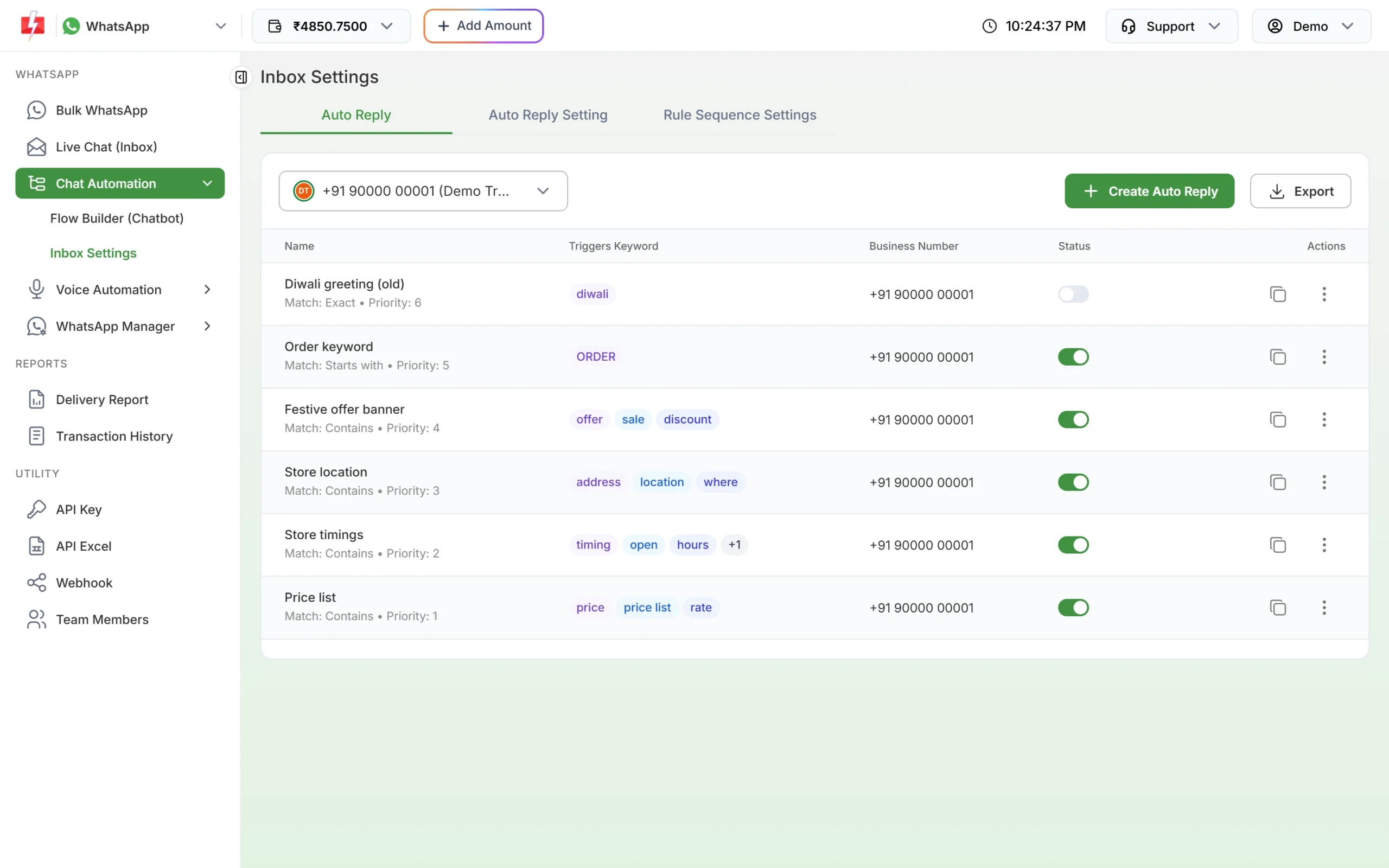
One rule is switched off. The others are on for the selected number. -
Check the keyword and the match type
Click the rule’s menu and choose Edit. Compare the keywords with what the customer actually typed:
- Exact Match needs the whole message to equal the keyword. “price” will not match “price please”.
- Contains, Starts With and Ends With are more forgiving.
- If Case Sensitive Match is on, “Order” and “order” are different.
- Only text, button replies and list replies can trigger a rule. A photo, video, voice note or document never triggers an auto reply.
-
Check which rule runs first
Open the Rule Sequence Settings tab. Fast2SMS tries the rules one by one, and the first rule that sends a message stops the rest. So if a chatbot flow or the out of office message answered, your keyword auto reply is not sent. Drag a rule higher if you want it to win. After changing the order, open Auto Reply Setting and check that your welcome message is still saved.
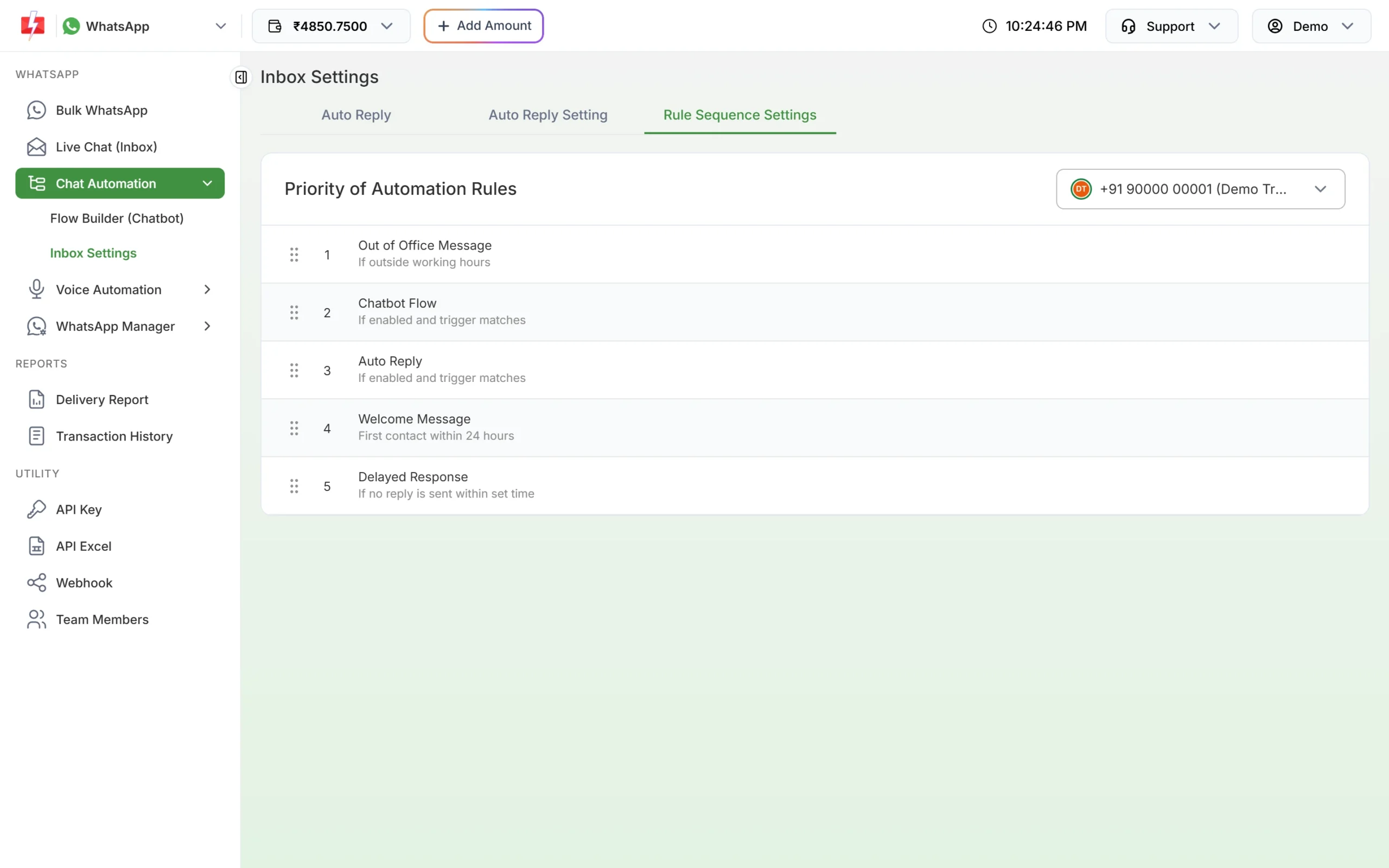
The order decides which automatic reply the customer gets. Among keyword auto replies, the rule with the higher Priority Level (0 to 100) is checked first. Give each rule a different priority so the result is predictable.
-
Look at the chat in Live Chat
Open the conversation in Live Chat (Inbox). Automatic messages carry a small tag under the bubble: “Welcome”, “Autoreplay” (keyword auto reply), “Chatbot”, “Delay” or “Open_close” (out of office).
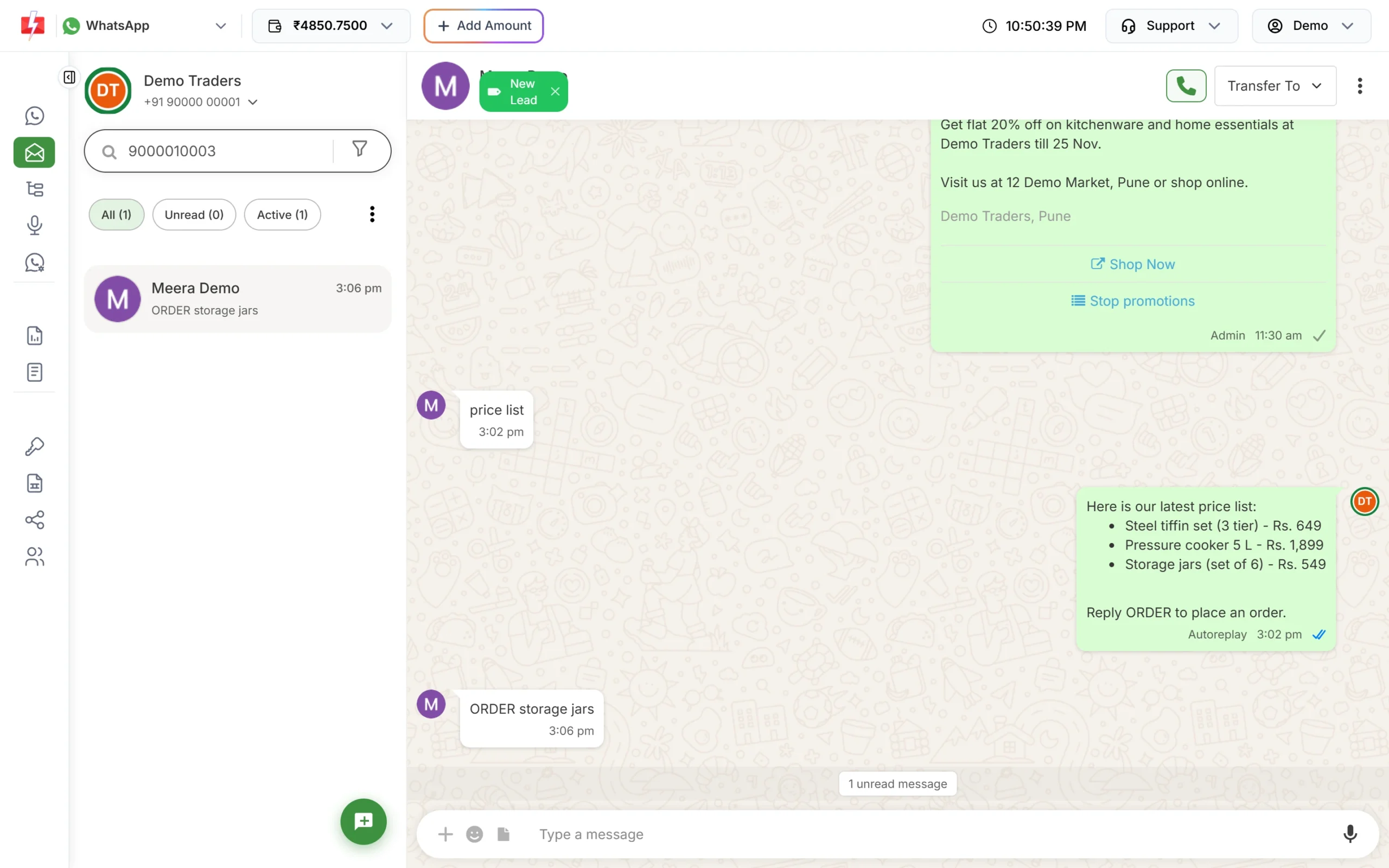
A keyword auto reply in the inbox, tagged “Autoreplay”.
When each rule is skipped
| Rule | It does not send when |
|---|---|
| Welcome Message | The customer already wrote in the last 24 hours, the chat is assigned to an agent, or an agent replied in the last 24 hours. |
| Out of Office Message | It is inside working hours, it was already sent in this chat in the last 24 hours, the chat is assigned, or an agent replied in the last 24 hours. |
| Chatbot Flow | The chat is assigned or an agent replied recently, unless the customer typed one of the flow’s start keywords. |
| Auto Reply | No keyword matches. It still runs when the chat is assigned to an agent. |
| Delayed Response | The chat is assigned, or an agent replied recently (unless “Trigger even if agent replied recently” is on). |
Wallet balance and charges
Each automatic message is charged at the session message rate shown in Live Chat (13 paise per message at the time of writing). If your wallet does not have enough balance, the automatic reply is not sent. Add money with Add Amount and the next customer message will be answered.
Sending in bulk? For high WhatsApp volumes our team offers discounted rates. Talk to our team or see WhatsApp pricing.
Frequently asked questions
Why did the customer get the welcome message instead of my keyword reply?
Only one automatic reply is sent per message. Move Auto Reply above Welcome Message in Rule Sequence Settings if the keyword reply should win.
Do auto replies work on all my WhatsApp numbers?
No. Each rule belongs to one number. Create the rule again for every number that needs it, or use Duplicate and change the number.
Why does the out of office message come only once?
It is sent at most once per chat in 24 hours, so a customer who sends five messages at night gets it once.