
WhatsApp error 130429 “Rate limit hit” means your business number tried to send messages faster than Meta allows. It is a speed limit, not a block: the messages can go through when sent a little slower. This page explains the limit, what Fast2SMS does automatically when it happens, and two related codes, 4 and 80007.
What error 130429 means
Meta’s description, at the time of writing, is that the Cloud API message throughput has been reached. Throughput is the number of messages per second (MPS) one business number can send. According to Meta’s throughput documentation at the time of writing:
| Number type | Throughput |
|---|---|
| Normal Cloud API number | Up to 80 messages per second |
| Upgraded number | Up to 1,000 messages per second, upgraded automatically by Meta at no cost |
| Number also used in the WhatsApp Business app (coexistence) | Fixed at 20 messages per second |
Meta upgrades a number to 1,000 MPS only when the business has an unlimited messaging limit, the number messages 100K or more unique users in 24 hours outside customer service windows, and its quality is Medium or higher. During the upgrade, which can take up to a minute, requests fail with error 131057 (maintenance mode).
What Fast2SMS does when 130429 happens
For campaigns sent through Fast2SMS, you usually do not need to do anything. When Meta answers with 130429, Fast2SMS keeps the message as pending, slows down sending for that number and tries again, up to 5 times. Most messages go through on a later try.
Only if all 5 tries fail is the message marked as failed, with the reason “(#130429) Rate limit hit: gave up after 5 retries” in the Delivery Report.
-
Check the failed numbers
Go to Delivery Report > WhatsApp Report, filter by Failed and click the campaign message. The Description column shows the reason for each number.
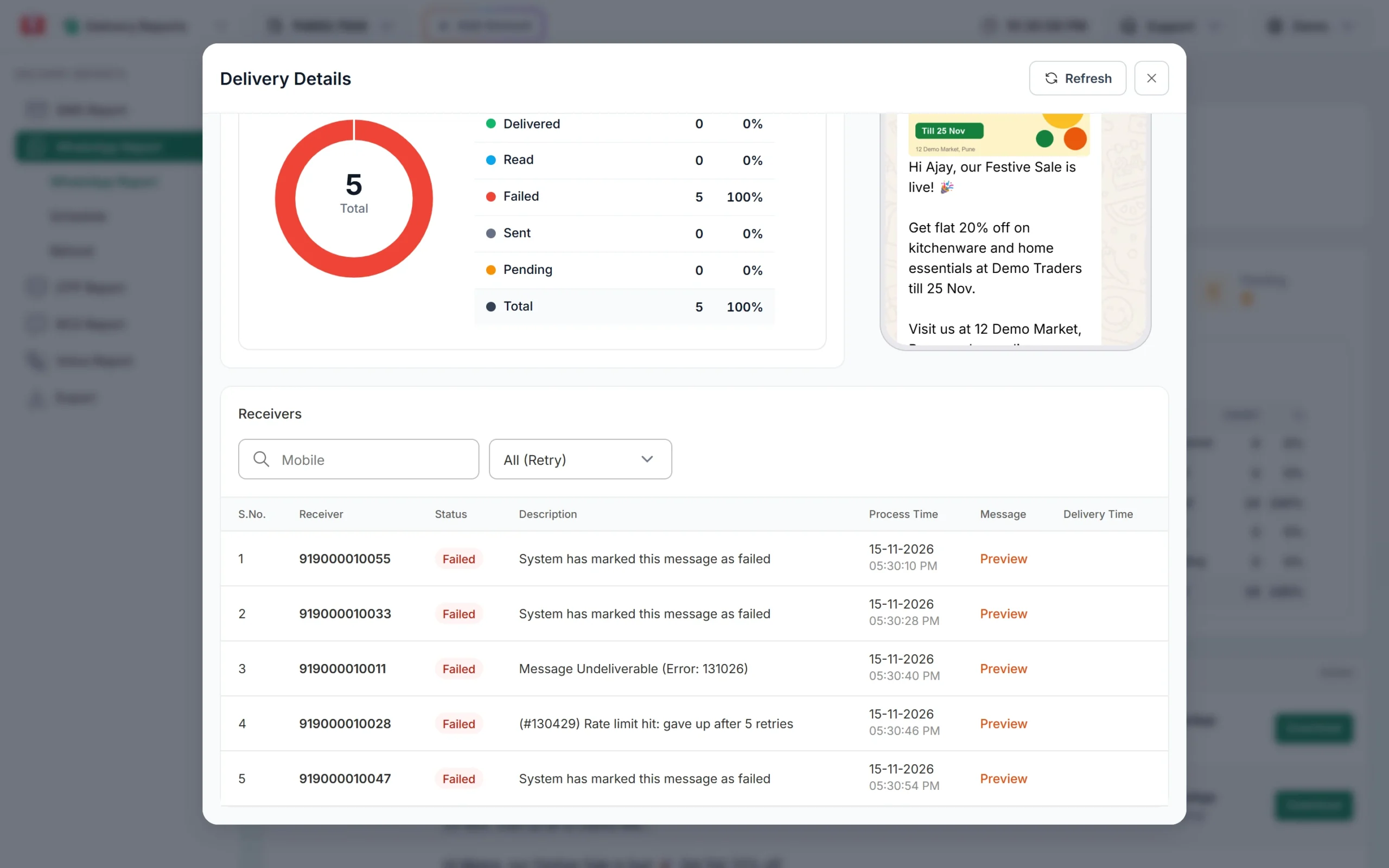
A number that failed after 5 rate-limit retries. -
Send those numbers again later
Copy or export the failed numbers and send them as a new campaign after the main campaign has finished. They will be sent at a calmer time for your number.
-
Split very large sends
If you send several big campaigns from one number at the same moment, schedule them a few minutes apart with the Schedule option in Bulk WhatsApp.
If you send through your own code
If you call the Meta-format API through Fast2SMS, you get Meta’s error back directly. Handle it like this:
- Do not retry at once. Wait, then retry with a growing delay (for example 1, 2, 4, 8 seconds).
- Send from a queue with a fixed number of messages per second, below your number’s throughput.
- For media templates, Meta recommends uploading the file once and reusing the media ID, which is faster than a new download for every message.
Related codes: 4 and 80007
| Code | Meaning | What to do |
|---|---|---|
| 130429 | Messages per second limit of the number reached | Slow down and retry with a delay |
| 4 | The app reached its API call rate limit (all API calls, not only messages) | Reduce how often your code calls the API, for example template or profile lookups |
| 80007 | The WhatsApp Business Account reached its rate limit | Retry later and lower the number or frequency of requests |
| 131056 | Too many messages to the same customer | Wait before messaging that customer again |
Frequently asked questions
Is my number blocked if I get 130429?
No. It only means you were sending too fast for a moment. Sending slower fixes it.
Is 130429 the same as the messaging limit?
No. The messaging limit (for example 2K or 10K customers in 24 hours) counts unique customers per day. 130429 is about speed per second.
Am I charged for messages that failed with 130429?
No. Fast2SMS refunds every failed WhatsApp message to your wallet automatically, about two days after sending.
How do I get 1,000 messages per second?
Meta upgrades eligible numbers automatically when they meet its conditions: unlimited messaging limit, high daily volume and at least Medium quality. There is no form to fill.
Why is my coexistence number slower?
Meta fixes throughput at 20 messages per second for numbers used in both the WhatsApp Business app and the API.