
WhatsApp error 2388040 means one part of your template is longer than Meta allows. Meta returns it when you submit or edit a template and a header, body, footer or button text goes over its character limit. The error details name the field and its limit, so the fix is to shorten that one field and submit again.
Below are the limits at the time of writing and how to fix the template in Fast2SMS.
WhatsApp template character limits
| Template part | Meta’s limit (at the time of writing) |
|---|---|
| Template name | 512 characters, lower-case letters, numbers and underscores only |
| Text header | 60 characters, with at most 1 variable |
| Body | 1,024 characters |
| Footer | 60 characters |
| Button text (quick reply, website, phone) | 25 characters |
| Website URL in a button | 2,000 characters |
| Phone number in a button | 20 characters |
| Offer code (copy code button) | 20 characters |
Variables count too. A {{1}} placeholder takes up characters in the field where it sits.
Why error 2388040 happens
- Long button text: Meta allows 25 characters per button, so “Click here to view our full offer” is too long.
- Header or footer over 60 characters: often a tagline or address pasted into the footer.
- Body over 1,024 characters: usually when copying a long message from email or a website.
- Edits through the API: if you create templates with the META Format API, nothing checks the length before Meta does.
How to fix error 2388040 in Fast2SMS
-
Read the error message
When you click Submit Template, the message at the top of the screen starts with “Failed to submit template.” and then gives Meta’s reason. Note which field it names: header, body, footer or button.
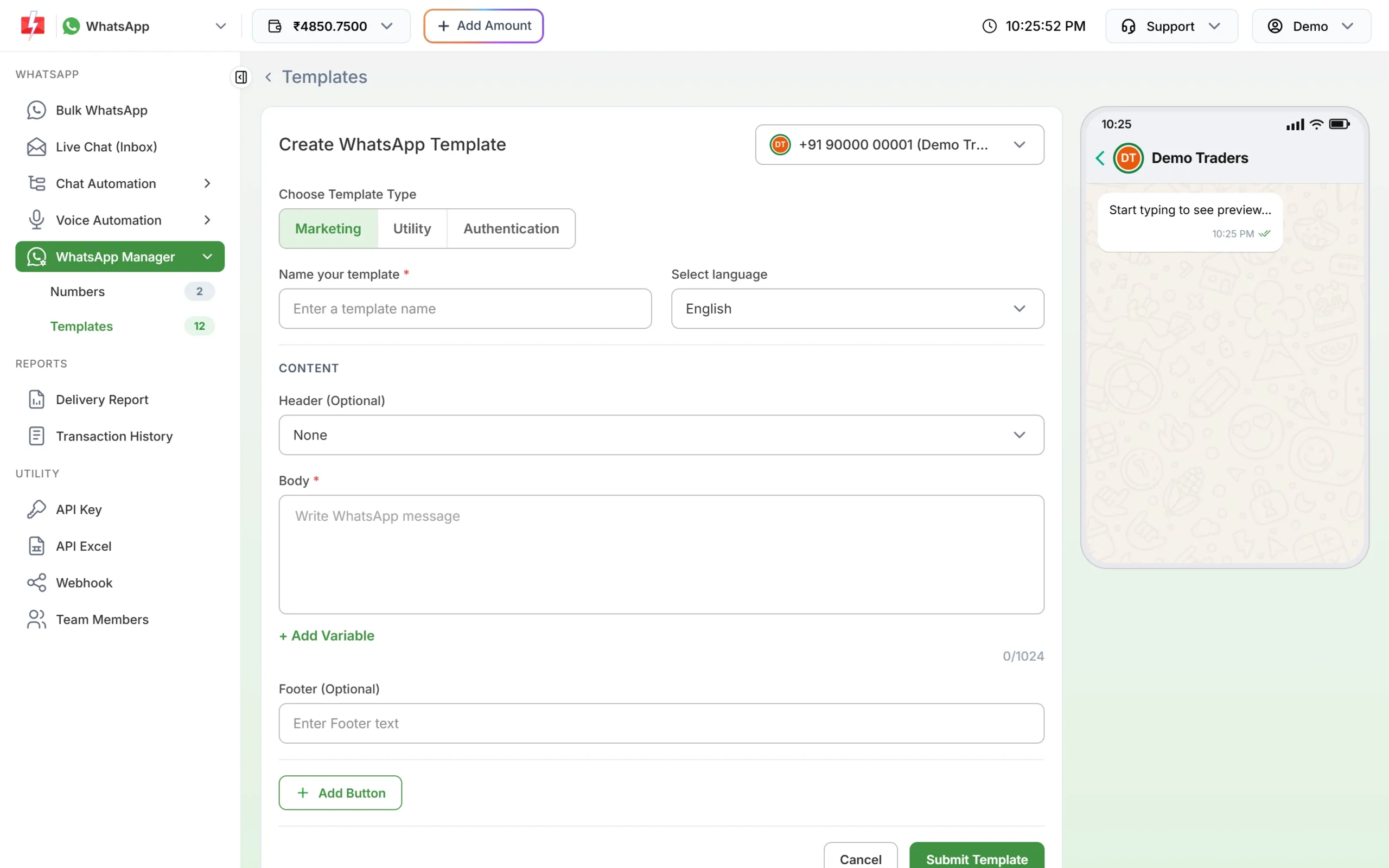
The Create WhatsApp Template form. -
Shorten the field
Use the counter under Body, which shows how many of the 1,024 characters you have used. Keep text headers and footers within 60 characters. Keep every button text to 25 characters or less, for example “View offer” or “Track order”. The button box lets you type a little more, but Meta will reject anything over 25.
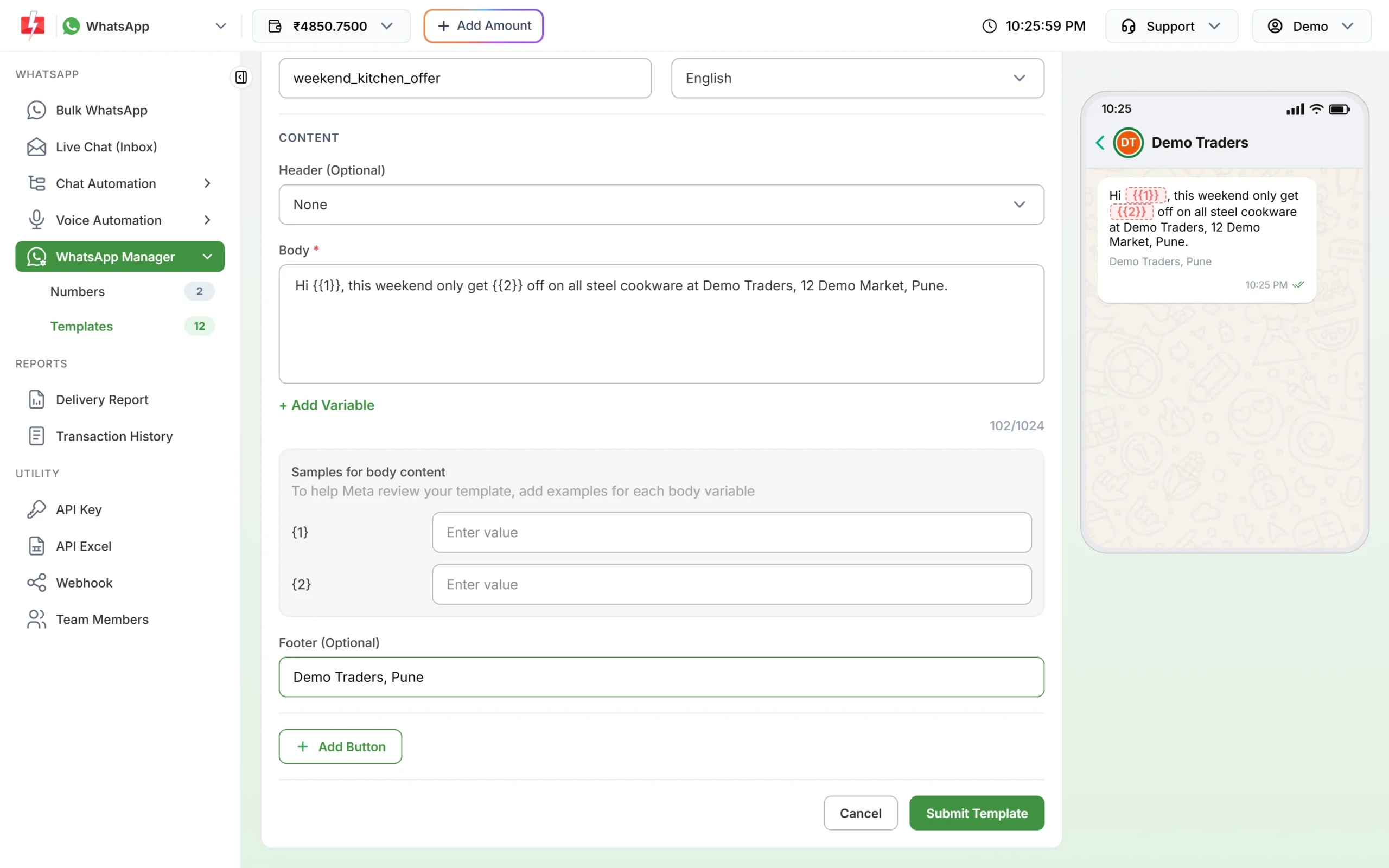
The counter shows body length as you type. -
Submit again
Click Submit Template, check the preview in the confirmation pop-up and click Create Template. The template goes to Meta for review and shows as PENDING in the Templates tab until Meta decides.
How to avoid it
- Write button text as 2 or 3 words.
- Put long details, such as terms or addresses, on a web page and link to it with a website button.
- Keep the footer for a short line, such as your business name and city.
- If you create templates by API, check lengths in your own code before sending.
Frequently asked questions
What is the character limit for a WhatsApp template body?
1,024 characters at the time of writing, including any variable placeholders.
How long can a WhatsApp button text be?
25 characters per button at the time of writing, for quick reply, website and phone buttons.
Can I use a variable in the header?
Yes, a text header can have one variable. The header text stays within 60 characters.
Does fixing the length mean the template will be approved?
No. It only clears this error. Meta still reviews the content and category before approval.
Can I edit an approved template to make it shorter?
Yes, but Meta allows an approved template to be edited only once in 24 hours and up to 10 times in 30 days, and the name and language cannot change.