
WhatsApp error 2494100 means your business phone number is in maintenance mode at Meta for a short time. Requests for that number fail until the maintenance ends. Meta’s fix is simple: wait a few minutes and try again. Nothing is wrong with your account, your template or your contacts.
This page explains what to do in the meantime and how to resend to the numbers that failed.
What WhatsApp error 2494100 means
Meta’s short meaning is “account is in maintenance mode”: the business phone number is temporarily in maintenance. Meta lists it with the phone number errors and gives one fix, to try again after a few minutes.
A similar code, 131057, says the whole business account is in maintenance mode, for example during a throughput upgrade. The advice is the same: wait and retry.
Why it happens
Maintenance is started by Meta, not by you or Fast2SMS. Meta does not explain each case. For the related account-level code 131057, it gives a throughput upgrade as an example. You cannot stop or speed up maintenance.
What to do
-
Wait a few minutes
Do not keep retrying every few seconds. Give it a few minutes, then try the action again, whether that is connecting the number, syncing it or sending.
-
Check the number in WhatsApp Manager
Open WhatsApp Manager > Numbers and click Sync Details. When the number shows Connected again with its usual messaging limit, you can send.
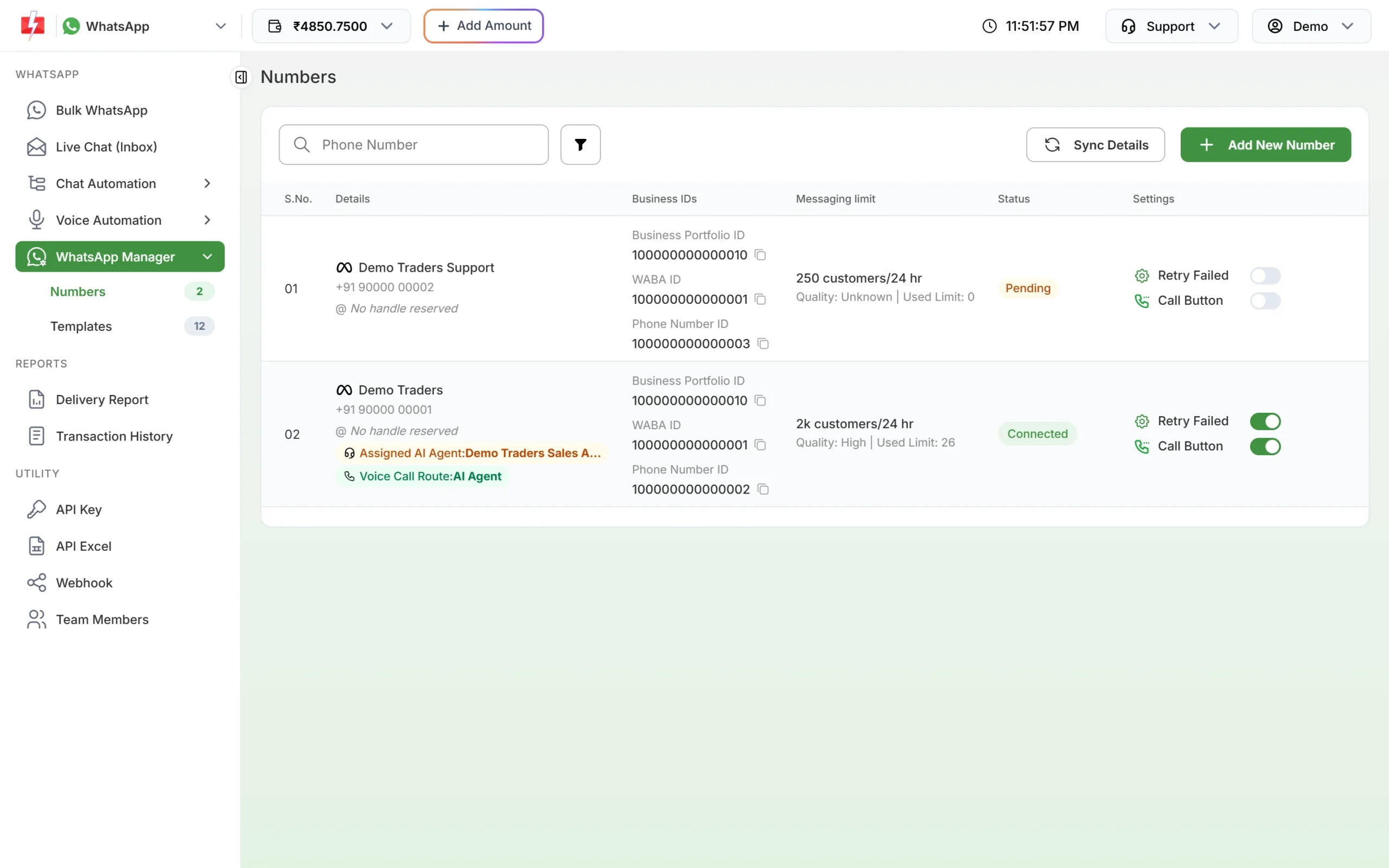
Sync Details pulls the latest status from Meta. -
Find messages that failed
Open Delivery Report, filter Delivery Status to Failed and open the campaign. Numbers hit by maintenance show the code in the Description column.
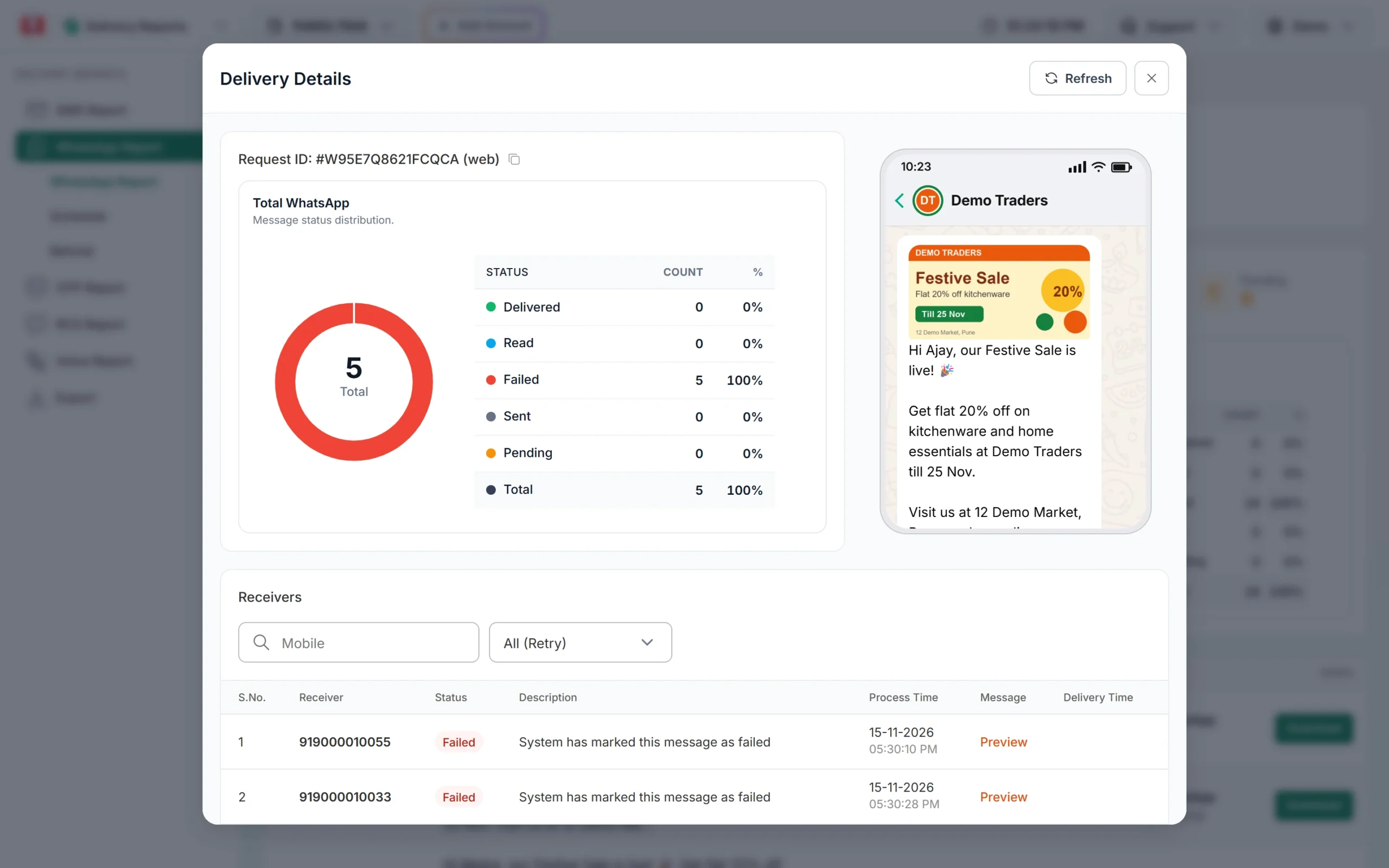
The reason for each failed number. -
Export and resend to the failed numbers
Go to Export in Delivery Reports, choose WhatsApp and the date, and click Submit. When the file is ready, click Download. The file (a zip of CSV files) has Status and Reason columns, so you can pick out the failed numbers and send the same template to them again from Bulk WhatsApp.
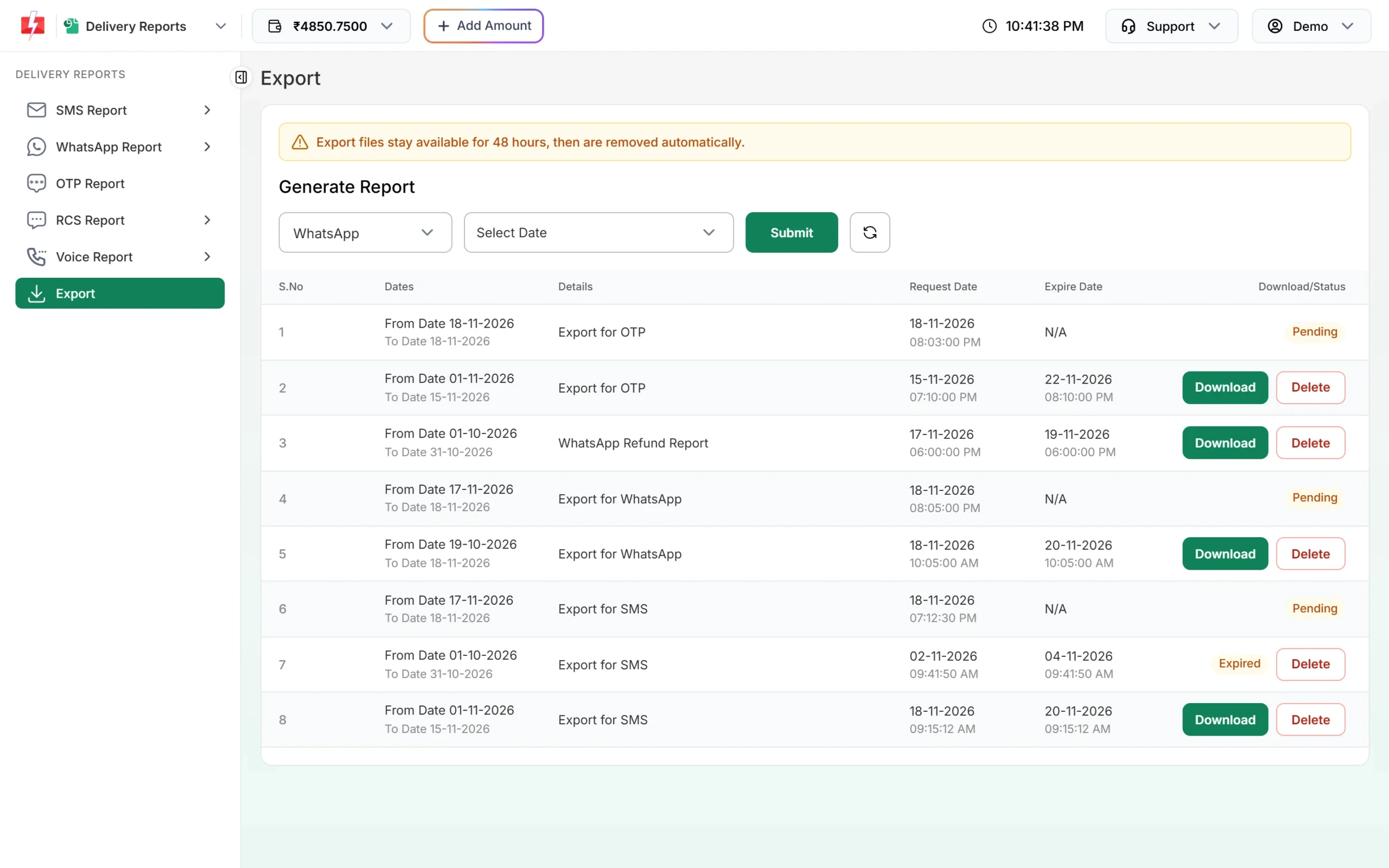
Export files stay available for 48 hours.
How to avoid problems from it
- Schedule big campaigns with a little buffer, so a short pause does not hurt.
- If you send by API, retry this code after a few minutes instead of failing the message for good.
- Keep an eye on the failed count in the WhatsApp report after each campaign.
Frequently asked questions
How long does WhatsApp maintenance mode last?
Meta does not give a fixed time. Its advice is to try again after a few minutes.
Is my number banned if I see error 2494100?
No. Maintenance mode is temporary and is not a penalty.
Am I charged for messages that failed with 2494100?
No. Failed WhatsApp messages are refunded to your Fast2SMS wallet automatically.
Will Fast2SMS resend these messages by itself?
No. Retry Failed only covers errors 131026 and 131049. Resend to the failed numbers yourself once the number is back.
What is the difference between 2494100 and 131057?
2494100 is about one business phone number. 131057 is about the business account. Both are temporary and the fix is to wait and retry.