

What is DLT SMS?
Distributed Ledger Technology or DLT is a blockchain based system started by Telecom Regulatory Authority of India (TRAI) to reduce the problem of unsolicited and spam messages. As per TRAI guidelines, every business (Principal Entity) has to register on a DLT platform to continue sending SMS to their clients. Also, every Sender ID (Header) and Message text (Content template) have to be first approved on the DLT portal before they get sent.
Types of DLT SMS
- Promotional message category: These are messages sent for marketing and advertising purposes such as offers, discount coupons, etc.
- Service Implicit message category: These are messages that are informative in nature other than OTP such as order updates, alerts, shipment details, etc.
- Service Explicit message category: These are promotional messages sent to registered customers after receiving their consent such as event offers, coupon, etc.
- Transactional message category: These are OTP messages used by Banks for sending one time passwords to their users.
Click here to know more about DLT SMS
Why use Fast2SMS to send free DLT SMS with API access?
Comparison between Fast2SMS and other DLT SMS Providers
| Fast2SMS | Other DLT SMS Providers |
| Free DLT support | Support with charges |
| No purchase limit | SMS Packs mandatory |
| Most affordable pricing | Pricing high with addons |
| Simple API docs | Complex API docs |
| Dedicated support via call, email and chat | Lack of personalised support |
Features of Fast2SMS
- Simple API docs
- Instant delivery
- Free DLT support
- Cost-effective charges
- User friendly interface
- Easy signup process
- Free credit after every signup
- No purchase limit
- Lowest SMS price
- Call support
- Chat support
- Email support
- No API charges
- Fastest message delivery
- Quick SMS route
How to send free DLT SMS with API access via Fast2SMS?
Make sure you have followed the complete process of Principal Entity registration in DLT, Header submission and approval and content template submission and approval. Once all these details are approved by the DLT panel, add them in Fast2SMS under SMS > DLT Manager for approval and once they get approved you can now begin sending DLT SMS with API access.
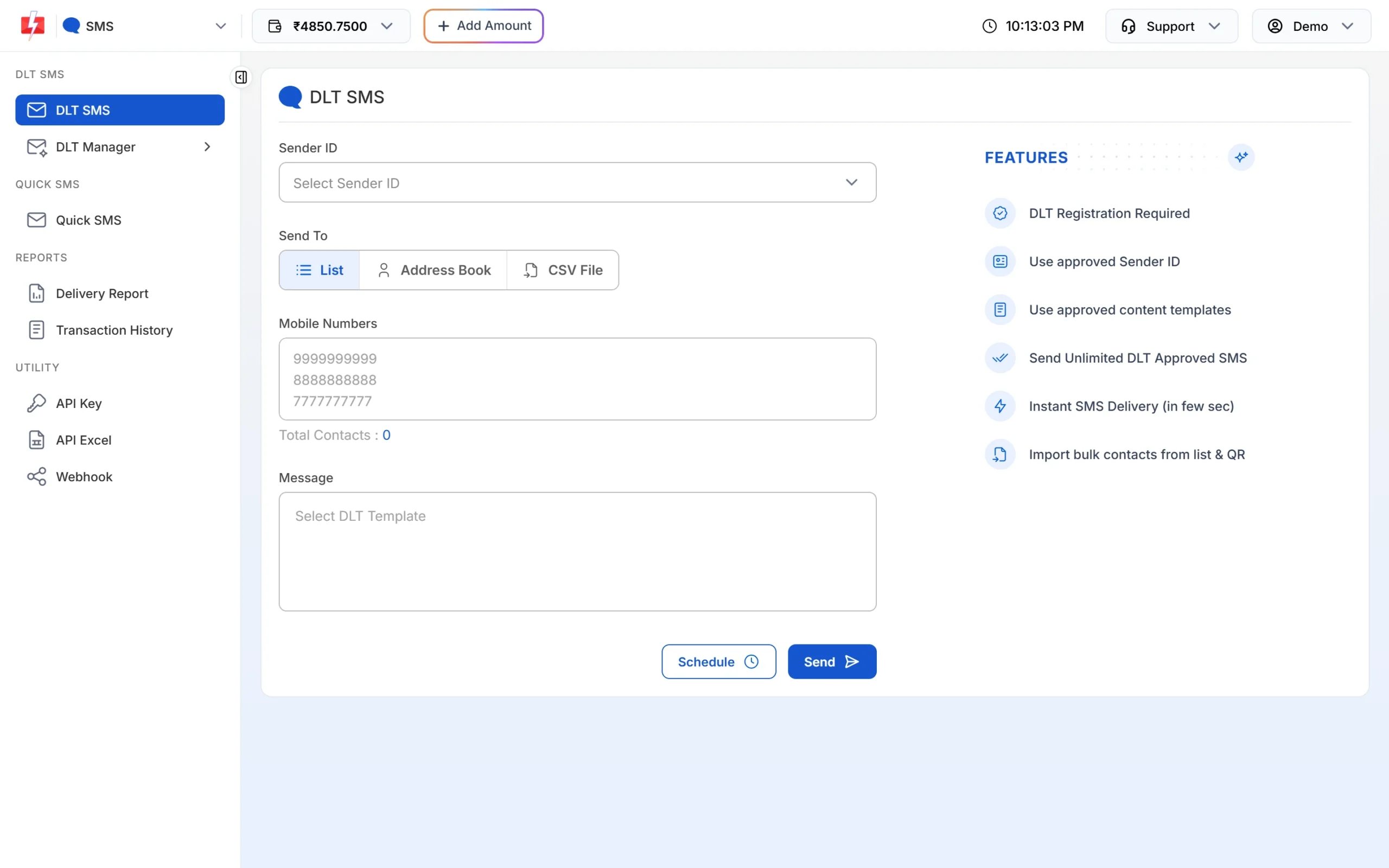
1. Login into Fast2SMS account and open SMS > DLT SMS from the Apps dashboard. The following screen will get displayed.
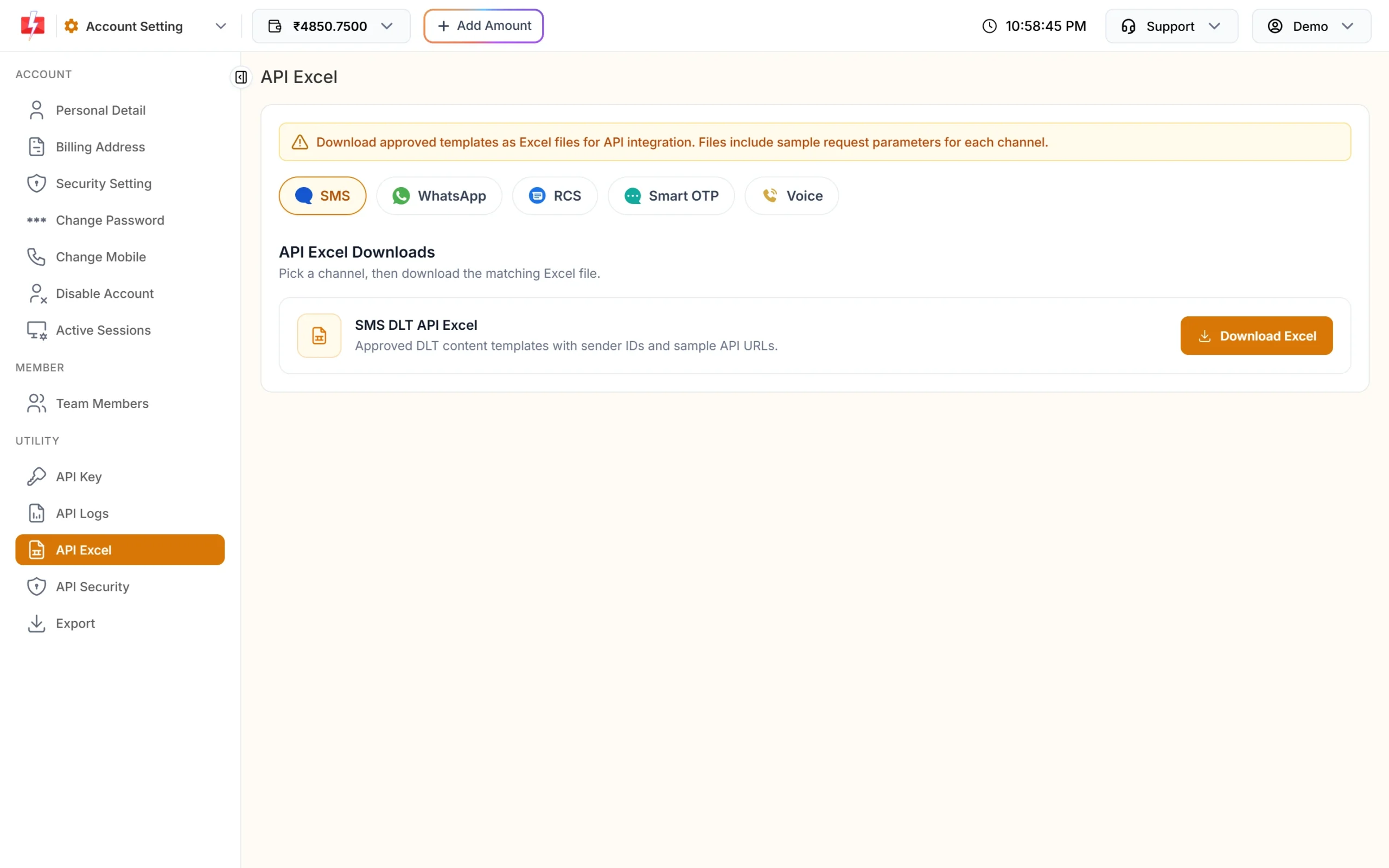
2. Your API key is under Utility > API Key. Now open Utility > API Excel and download the SMS DLT API Excel, as shown below. Here, APIs of all your approved templates in DLT will appear.
3. You can also open SMS > DLT Manager > Content Template and click Sample Code on an approved template. It shows ready code (cURL, PHP, Node.js or Python) with the template’s Message ID and route=dlt.
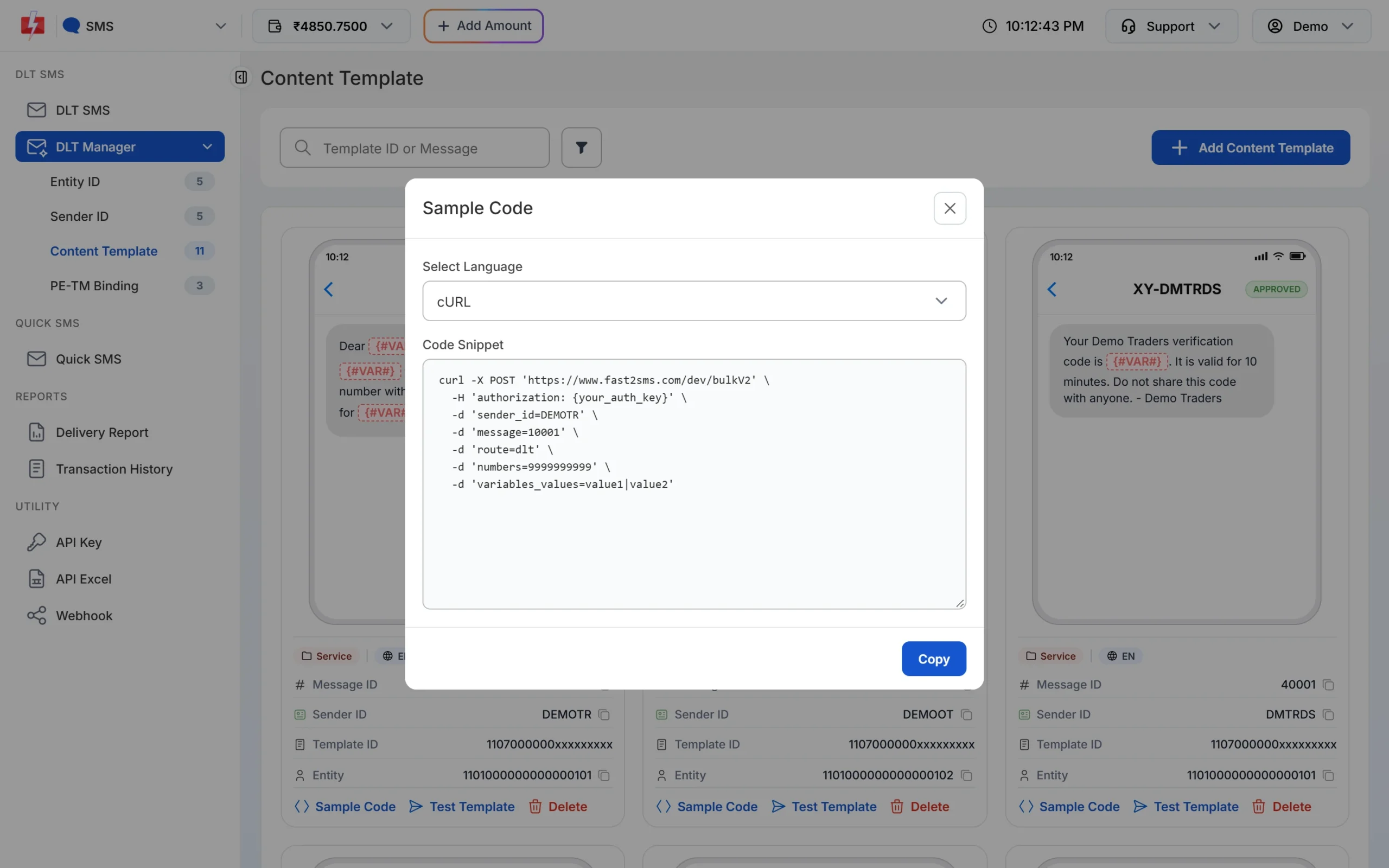
4. All the parameters that have to be pushed will be available in the API URL in the Excel or in the sample code. We have given you the complete URL that you need to just hit to send the SMS.
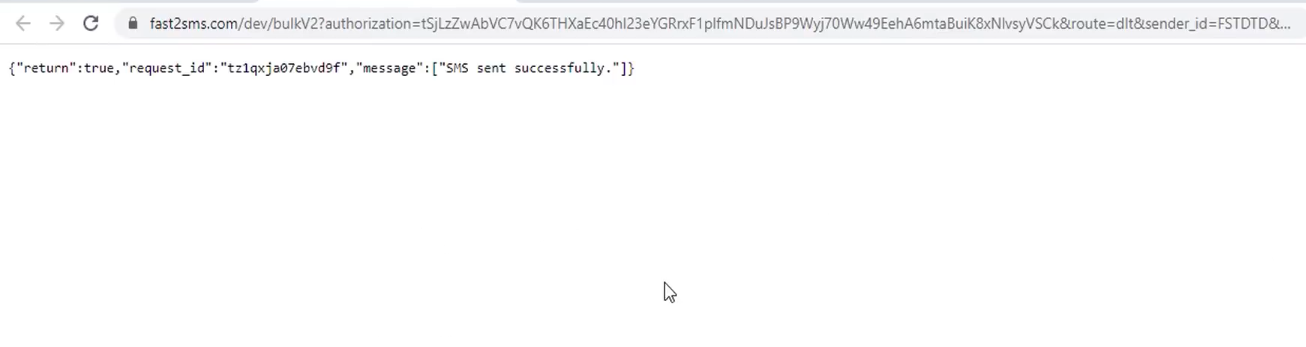
You need to just search on Google how to hit GET API in PHP, Python or Javascript (Whatever is your programming language). You only need to change the mobile number and the variable values if any. Rest, the link will remain same. Once you hit the message, Fast2SMS will receive all the details and send the SMS. The following message will appear on your screen once the message is sent successfully as shown in the image below.
DLT SMS FAQs
Q: What is the full form of DLT?
A: DLT stands for Distributed Ledger Technology
Q: Is DLT mandatory?
A: Yes, it is mandatory for sending SMS
Q: Why DLT registration is required?
A: It is required to solve the issue of spam and fraudulent SMS cases and bring transparency in the Bulk SMS industry.
Q: What are DLT message categories?
A: Transactional, Service Implicit, Service Explicit and Promotional
Q: What is Principal Entity?
A: It is the business or company that is sending Bulk SMS to their clients.
Q: Who is the regulator of DLT platform?
A: TRAI is the regulator of DLT platform.
In conclusion, we can say that sending free DLT SMS with API access is easy with Fast2SMS services. You can test our service for free after signup. Call on 6262778822 for any support or query. Signup now and begin your journey to bulk SMS messaging.
More frequently asked questions
Is the DLT SMS API free to use?
Yes. There is no setup fee or monthly charge for API access. You pay only for the SMS you send from your wallet. See the current rates on the bulk SMS pricing page.
Do I need a developer to use the DLT SMS API?
Not always. API Excel gives a ready URL for each approved template, and Sample Code shows the request in cURL, PHP, Node.js and Python. You only change the numbers and variable values.
Why can’t I see API Excel in my panel?
API Excel appears only when your account has at least one approved DLT template. Add your entity, sender ID and template in DLT Manager and wait for approval.
Can I send OTP SMS with the DLT SMS API?
Yes. Use route=dlt with your own approved DLT OTP template, and your app creates and checks the code. For ready OTP sending and verification, use Smart OTP. See DLT OTP template rules.
Can I send one SMS to many numbers in a single API call?
Yes. Put all the numbers in the numbers field of one request, separated by commas. Each number is charged as one SMS for every message part.
How do I check delivery of SMS sent by API?
Open the SMS Delivery Report and filter by API as the source, or use the delivery report API to fetch status in your own system. Read the SMS delivery report API.