
You can pause, resume or stop a campaign in Fast2SMS from the Campaign List, the run report, Campaign Report or the builder, cancel a scheduled run before it starts, duplicate a campaign to reuse it, and set it to repeat every day or on chosen weekdays. This guide shows where each control is, what happens to your contacts and charges, and why a repeat can be skipped.
Before you start
- A campaign with a run, or one you want to schedule or repeat. See launch a campaign.
- Remember: one campaign can have only one open run (Scheduled, Running or Paused) at a time.
How to pause, resume or stop a campaign, duplicate it or repeat it
-
Use the ⋮ menu on the Campaign List
Click the ⋮ in the Actions column. You get Launch, Edit, Get API code, Duplicate and Delete. While a run is open, Pause (or Resume) and Stop appear too.
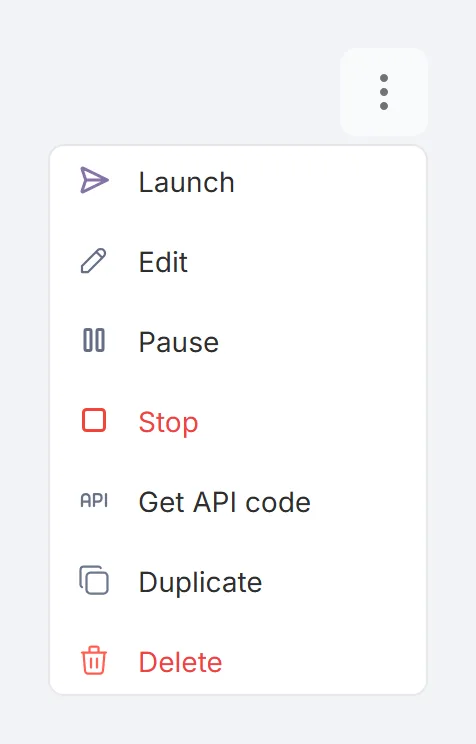
This campaign has a running run, so Pause and Stop are in the menu; Stop and Delete are shown in red. -
Or use the builder header
In the builder, the header shows the last run’s status and reached count, with Pause, Stop and Report icons while that run is open. Stop asks you to confirm in a browser popup.

The two square icons after the chip are Pause and Stop; the green one opens the report. -
Pause a running campaign
Open the run report and click Pause. There is no confirmation. Nothing new is sent while the run is paused; messages already sent still collect their delivery results. You can also pause from the run list in Campaign Report.

A running run shows Pause and Stop next to Back to builder. -
Resume a paused campaign
A paused run shows Resume. Click it and the waiting contacts continue from where they stopped. If you paused a schedule that has not started yet, Resume sets it back to Scheduled. A run in Paused: low balance also shows Resume, but it continues by itself after you add money.

While paused, Pause turns into Resume; the 45 contacts still waiting in this run carry on when you click it. -
Stop a campaign
Click Stop and confirm with STOP. Contacts still waiting get no further steps and are not charged. Messages already sent still get their results. Stop cannot be undone.
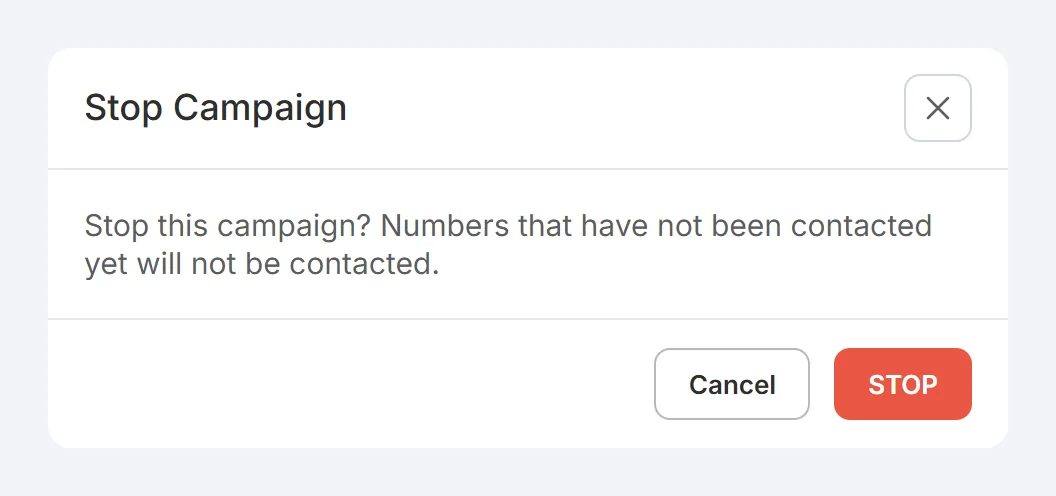
Cancel closes the popup and the run keeps going; only STOP ends it. -
See what a stopped run did
The report of a stopped run shows a Stopped count in the Contacts card: these contacts left the journey when you stopped it.
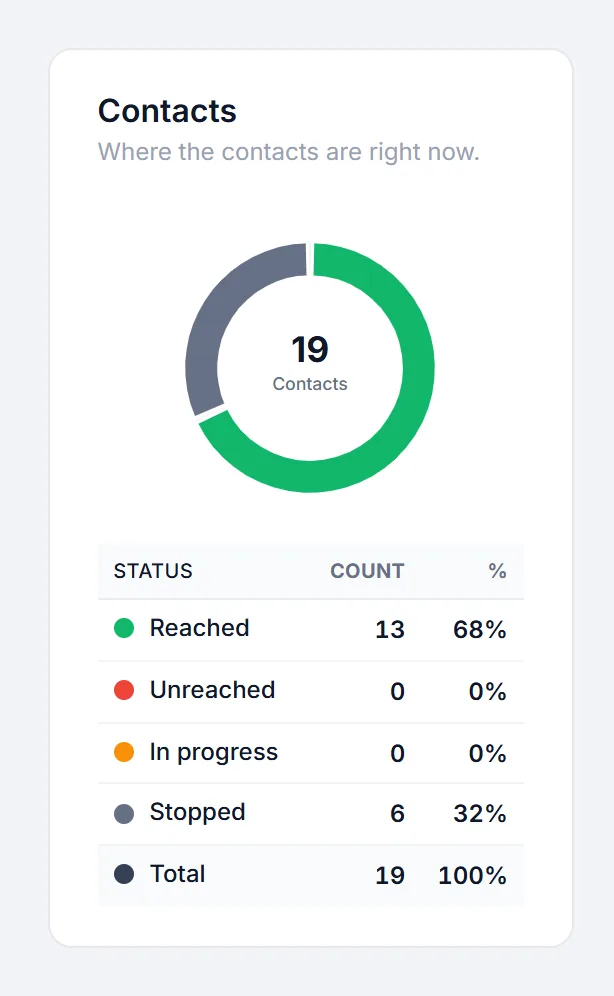
13 of the 19 VIP contacts were reached before the stop; the other 6 got nothing more and were not charged for later steps. -
Cancel a scheduled run
Go to Campaign Report > Schedule and click Cancel next to the run, then confirm “Cancel this scheduled campaign? Nothing has been sent yet and nothing will be charged.” It then shows as Cancelled.

The Wedding season offer has not started yet, so cancelling it costs nothing. -
Duplicate a campaign
Choose Duplicate in the ⋮ menu and confirm with Duplicate. The copy is named “<name> (Copy)”, is switched on and opens in the builder. It keeps the journey and any Address Book groups, but not an uploaded sheet, so choose the contacts again when you launch it. If the original repeats, the copy does not repeat until you launch it and confirm in Ready to launch. Use it, for example, to send the same journey to a second list while the first run is still open.
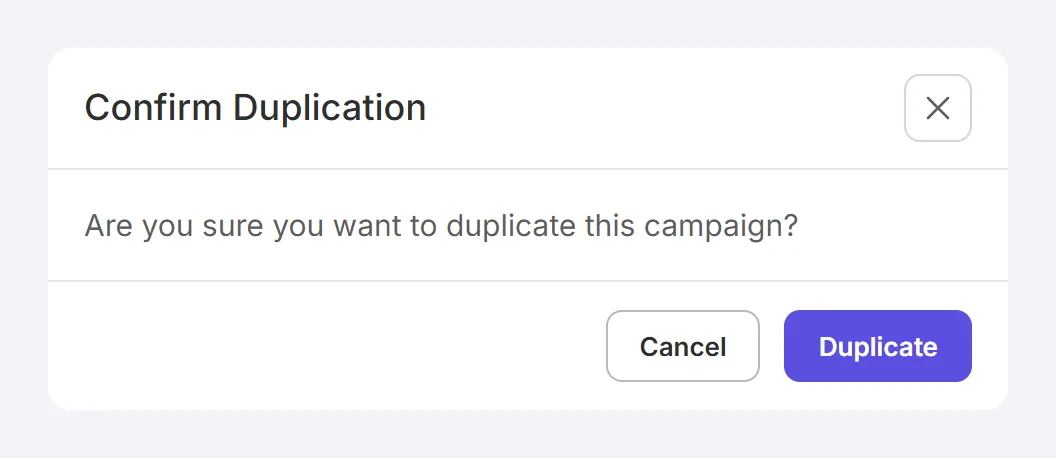
Duplicating copies only the campaign; runs and reports stay with the original. -
Set a campaign to repeat
On the Launch page, choose Repeat, then Every day or Chosen weekdays (tick the days), the time in At, and optional From and Until dates. Click Start repeating and confirm in Ready to launch. Each occurrence is a new run with its own report.
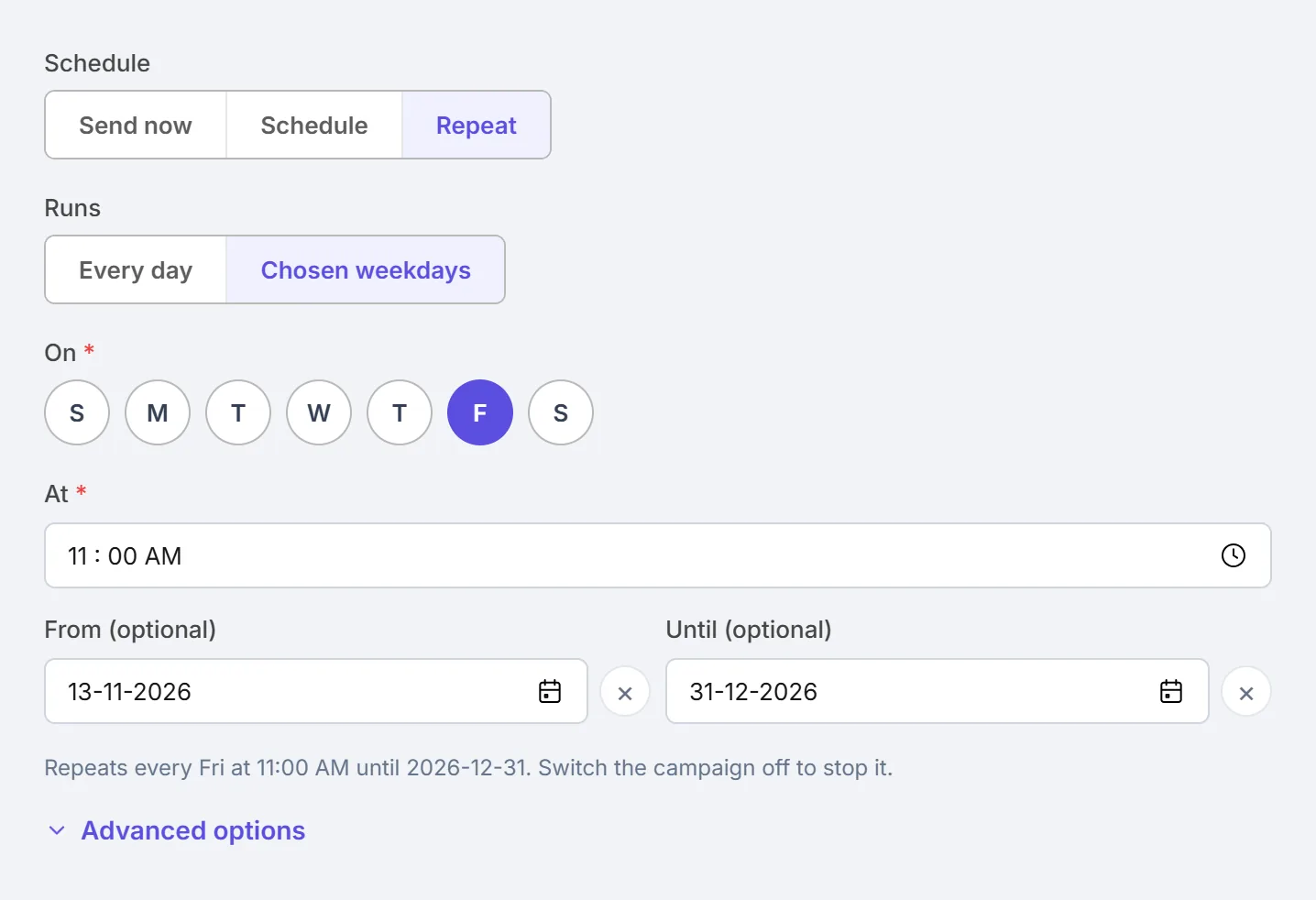
Only Friday is ticked, so a new run starts every Friday at 11:00 AM until 31 Dec 2026. -
Check or stop the repeat on the list
The Last run column shows the repeat line, for example “Repeats every Fri at 11:00 AM until 31 Dec 2026 · next 27 Nov 2026, 11:00 AM”. To stop repeating, switch the campaign off with its Status switch. Switching it back on starts the schedule again from the next due time. Switching off does not stop a run that is already open; use Stop for that.
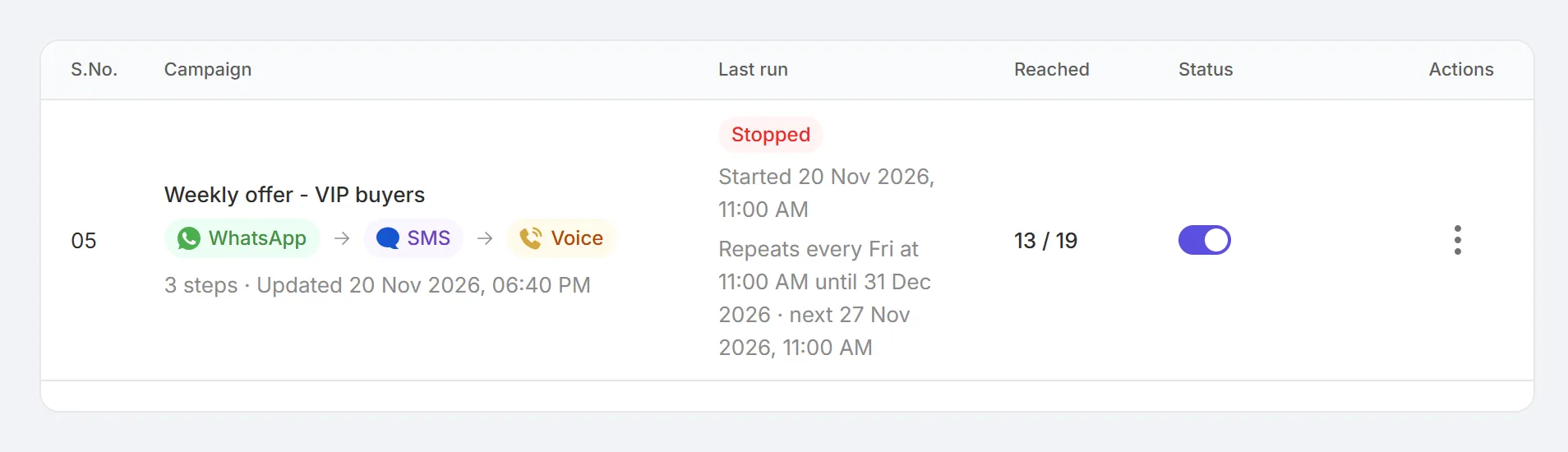
The last weekly run was stopped, but the switch is still on, so the next run is due on 27 Nov at 11:00 AM. -
Delete a campaign you no longer need
Choose Delete in the ⋮ menu and confirm with DELETE. This cannot be undone. A campaign with an open run cannot be deleted: “Stop the running campaign before deleting it.” You can keep up to 200 campaigns.
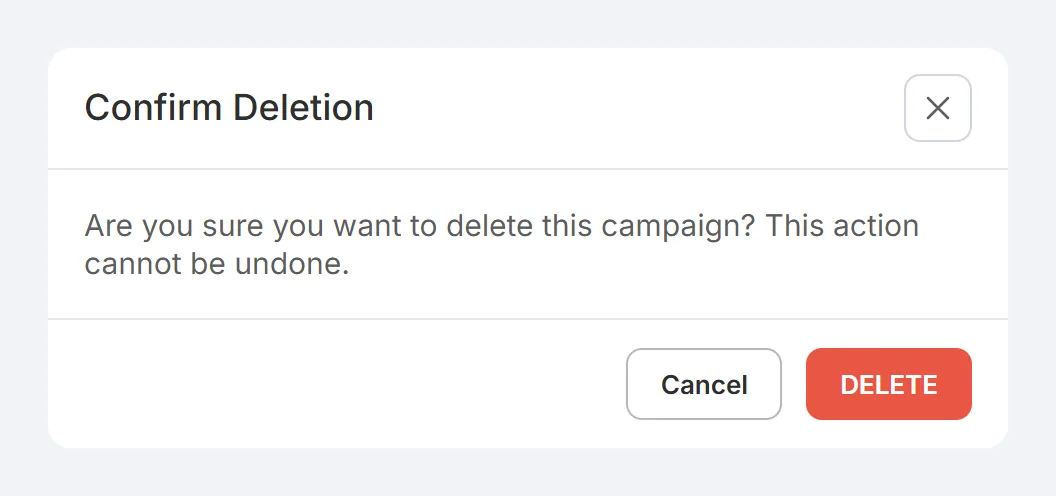
DELETE removes the campaign for good; press Cancel if you only want to stop it repeating.
Run statuses
| Status | Meaning | What you can do |
|---|---|---|
| Scheduled | Waiting for its start time | Pause, Stop, or Cancel in the Schedule tab |
| Starting | Contacts are being loaded | Wait, or Stop |
| Running | Steps are sending | Pause, Stop |
| Paused | Paused by you | Resume, Stop |
| Paused: low balance | Wallet too low; continues after a top-up | Add money, Resume, Stop |
| Completed | Every contact finished the journey | Launch again |
| Stopped | Stopped by you, or after 3 days of low balance | Launch again |
| Cancelled | A schedule stopped before it started | Launch again |
| Failed | The run could not start or was stopped by a block (for example no valid numbers) | Fix the cause and launch again |
Why a repeat can be skipped
If a repeat cannot start at its time, that occurrence is skipped (not retried) and the list shows “Last repeat skipped (<time>): <reason>”. Common reasons:
- The previous run is still open (“This campaign is already running or scheduled. Stop it before starting it again.”). Long journeys with multi-day waits can still be running when the next repeat is due. Make the repeat gap longer than the journey, or stop the old run.
- The wallet does not cover the first step for all contacts. Add money before the next occurrence.
- The uploaded contact list is no longer available (“The uploaded contact list was not found. Upload it again.”). Launch again with a new sheet, or use Address Book groups.
- The campaign has a problem to fix. Open it and press Launch to see the list.
Frequently asked questions
Am I charged for contacts after I stop a campaign?
No. Contacts still waiting are not contacted and not charged. Messages already sent are charged as normal.
Does pausing stop messages that were already sent?
No. They still get their delivery results. Pause only holds new sends.
Can I launch a campaign again while it is running?
No. Stop the open run first, or duplicate the campaign and launch the copy.
How do I stop a repeating campaign?
Switch it off with the Status switch on the Campaign List. To end the current run as well, use Stop.
Can I pause a scheduled campaign?
Yes. Resume puts it back to Scheduled. You can also cancel it in the Schedule tab.
Can I undo a delete?
No. Deleting a campaign cannot be undone.
Can I pause or stop by API?
Yes. POST to /dev/campaign/pause, resume or stop with the run’s request_id. See campaign API.