
A cloud phone number (or cloud number) is an Indian phone number that is hosted online by your telephony provider instead of on a SIM card or an office phone line. When someone calls it, the call is answered by software that sends it wherever you have set: your browser, a team member, a call menu or a mobile. You manage everything from a web panel, so there is no box to install in the office.
This page explains how a cloud number works, how it is different from a landline or office EPABX, and how to buy, manage and renew one in Fast2SMS Cloud Telephony.
How a cloud phone number works
Here is what happens when a customer dials your cloud number:
- The customer calls your number from any mobile or landline, like a normal call.
- The call reaches Fast2SMS Cloud Telephony, not a phone on your desk.
- The panel checks the route you set for that number: your Web Phone, one team member, a call group, an IVR call menu, or an outside mobile number.
- The call rings there. If you chose a call menu, the caller first hears your greeting and presses a key.
- The call is saved in Call History with its status, the agent who took it and, if recording is on, the recording.
Because the route lives in the panel, you can change it any time and the next call follows the new route. The number itself never changes.
Cloud number vs landline vs EPABX
| Cloud phone number | Office landline or EPABX | |
|---|---|---|
| Hardware | None. A browser and a headset | Phone lines, a PBX box, desk phones, wiring |
| Where you can answer | Anywhere with internet, or forwarded to a mobile | Only at the office desk |
| Changing call flow | A few clicks in the panel | A technician visit |
| Recording and reports | Built in for every call | Extra device or software |
| Adding a person | Assign an agent licence | New extension and new phone |
For a longer comparison, read cloud telephony vs EPABX.
What a cloud number costs on Fast2SMS
At the time of writing, each cloud number is ₹1,500 per month, billed yearly (₹18,000 a year), and includes 1 agent licence. Extra agent licences are ₹600 per month, billed yearly (₹7,200 a year). There is no setup fee and no per-minute charge for calls, IVR or recording. The plan is yearly only and is paid from your Fast2SMS wallet. Current rates are on the Cloud Telephony pricing page.
How to get a cloud phone number
You need a Fast2SMS account, approved KYC (PAN and an address proof) and enough wallet balance. The full buying steps with KYC are in the virtual phone number for business guide. In short:
-
Open Cloud Telephony from the app menu
Click the app name at the top left of the panel and choose Cloud Telephony. Then open My Numbers and click Buy a Number.
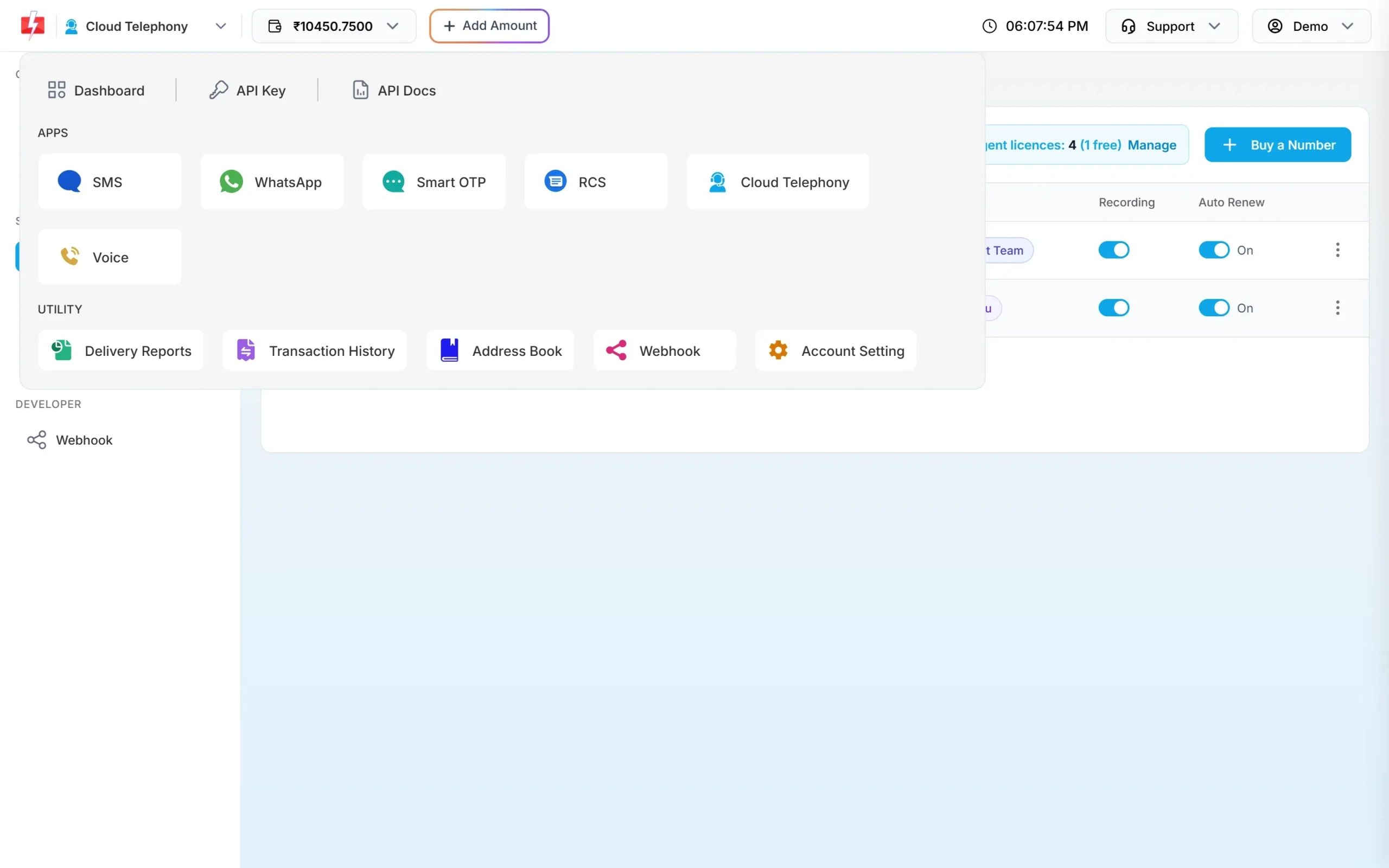
Cloud Telephony in the app menu. -
Search for digits you want
In Choose your number, type a few digits in the search box. Only numbers marked Available can be bought. The list shows a set of free numbers for your account, so if you do not like any, check again later.
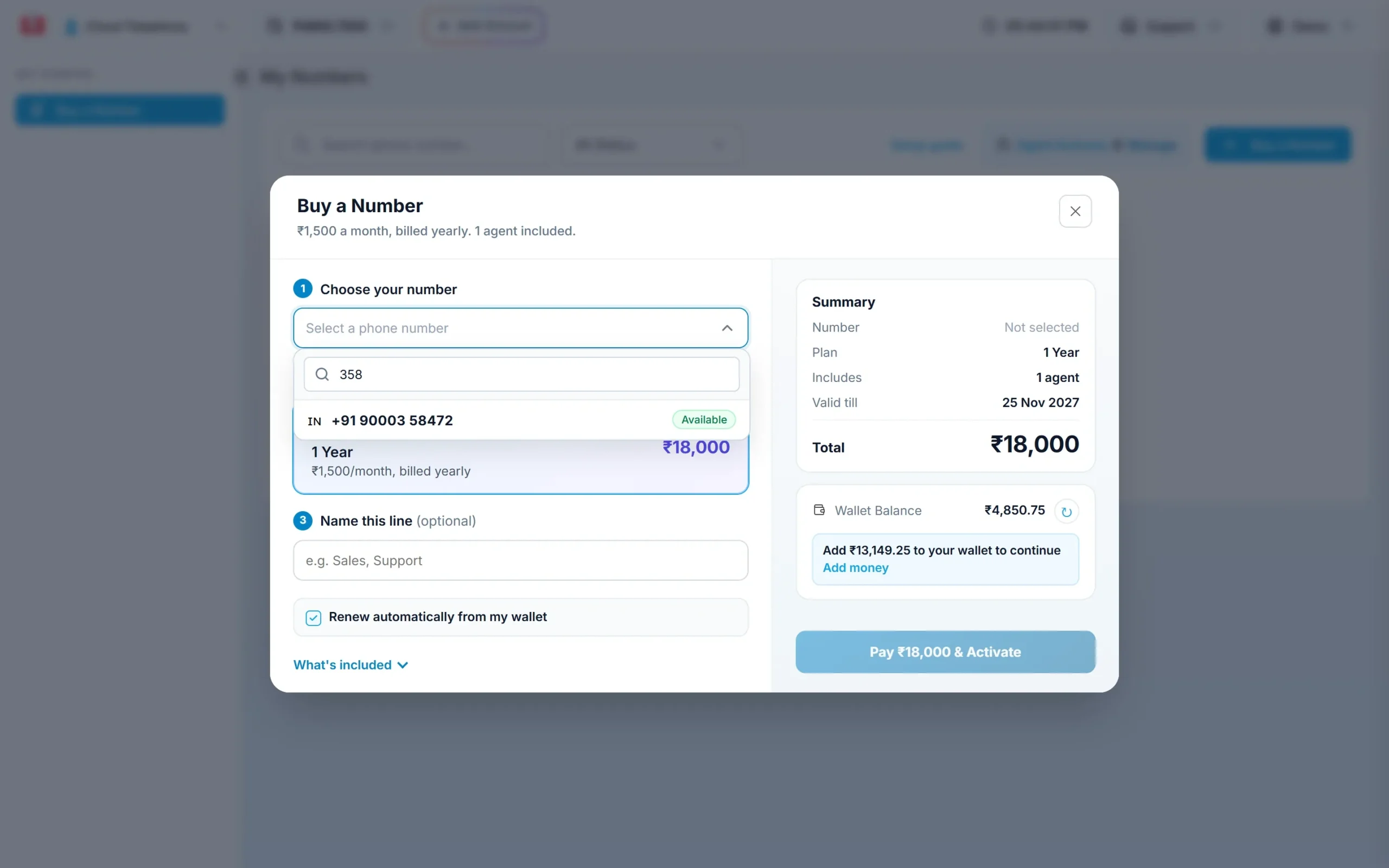
Searching the available numbers by digits. -
Top up the wallet if needed
The Summary shows your Wallet Balance. If it is less than the plan price, you will see “Add ₹… to your wallet to continue” and the pay button stays grey. Click Add money, recharge, come back and click the refresh icon next to the balance. Then click Pay ₹18,000 & Activate.
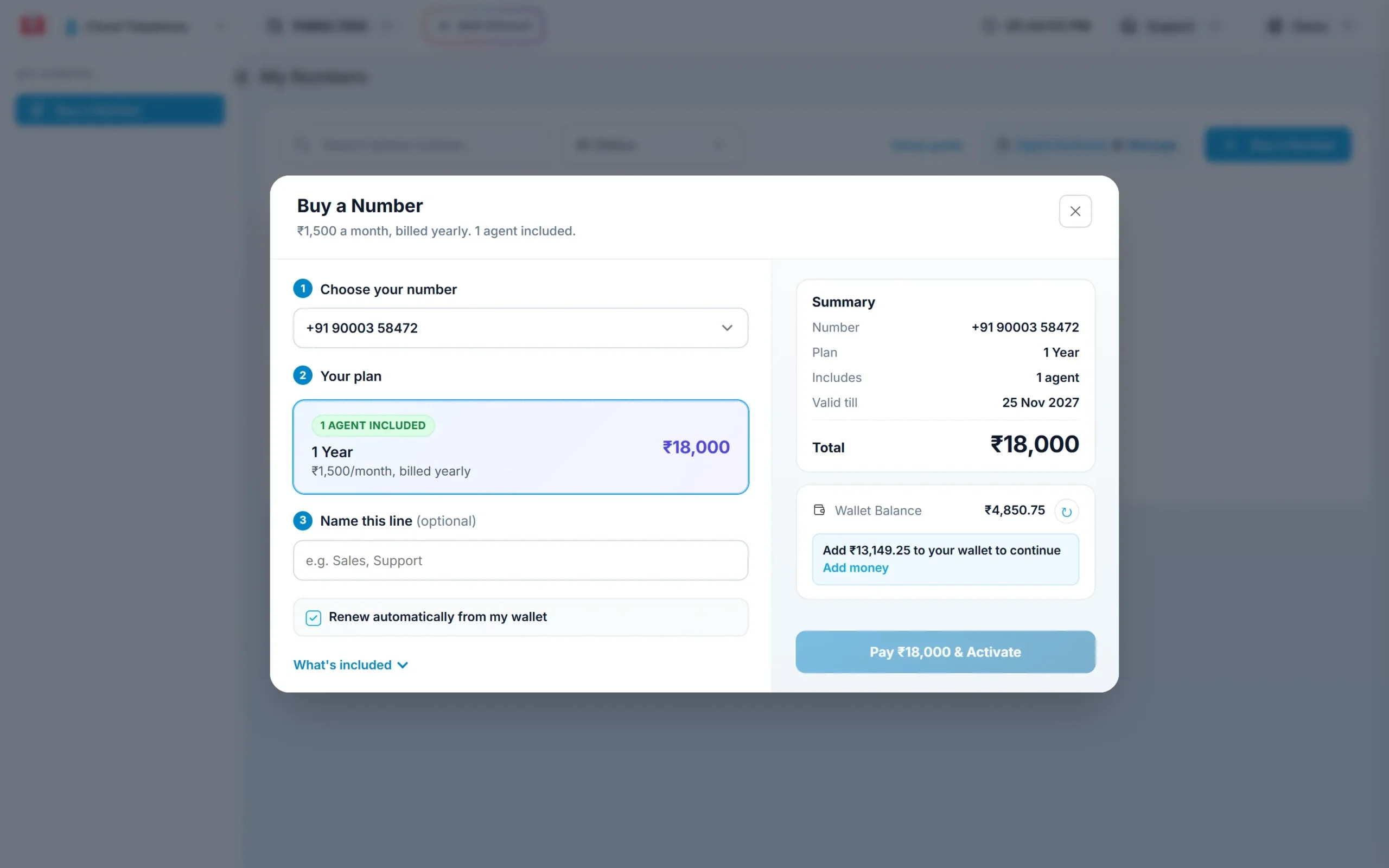
With a low balance the popup tells you exactly how much to add.
Manage your cloud number in My Numbers
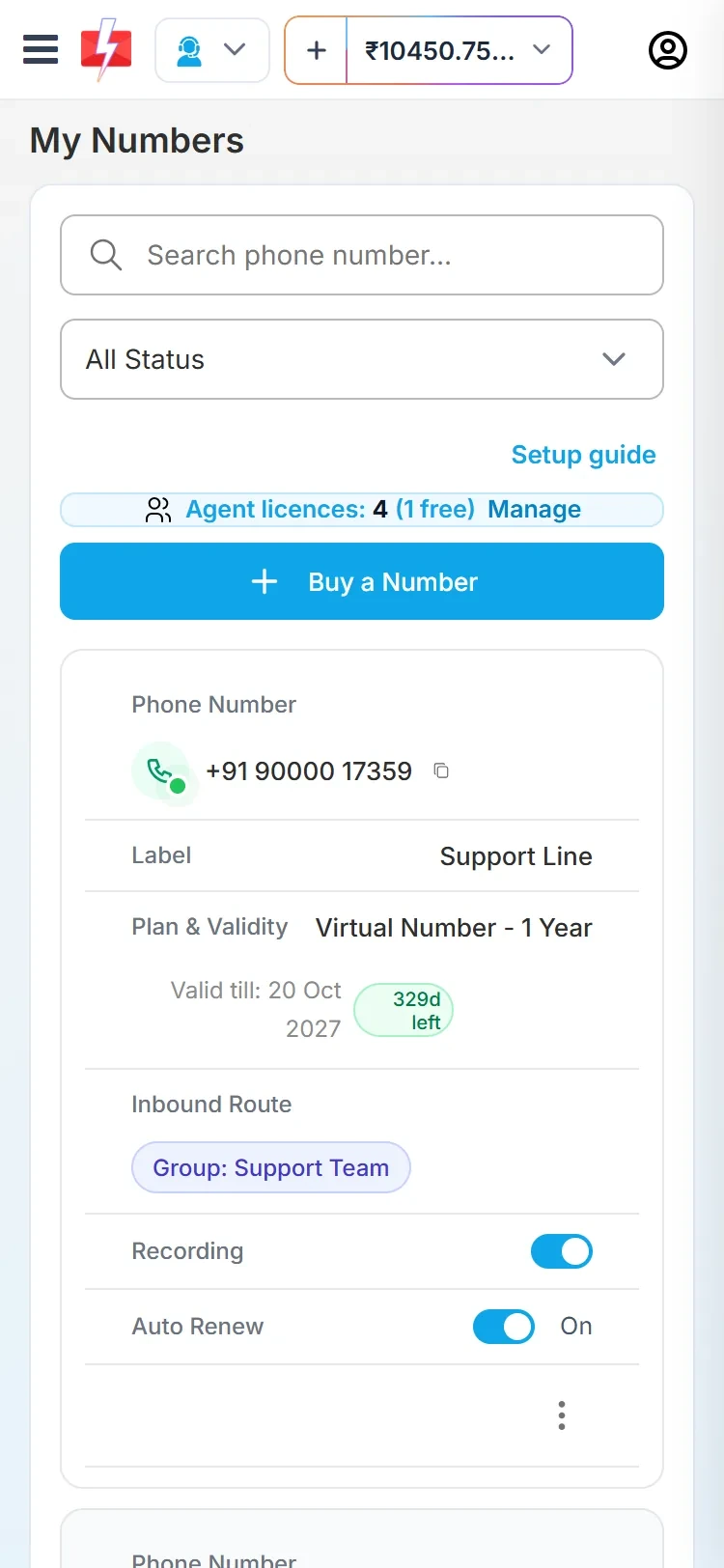
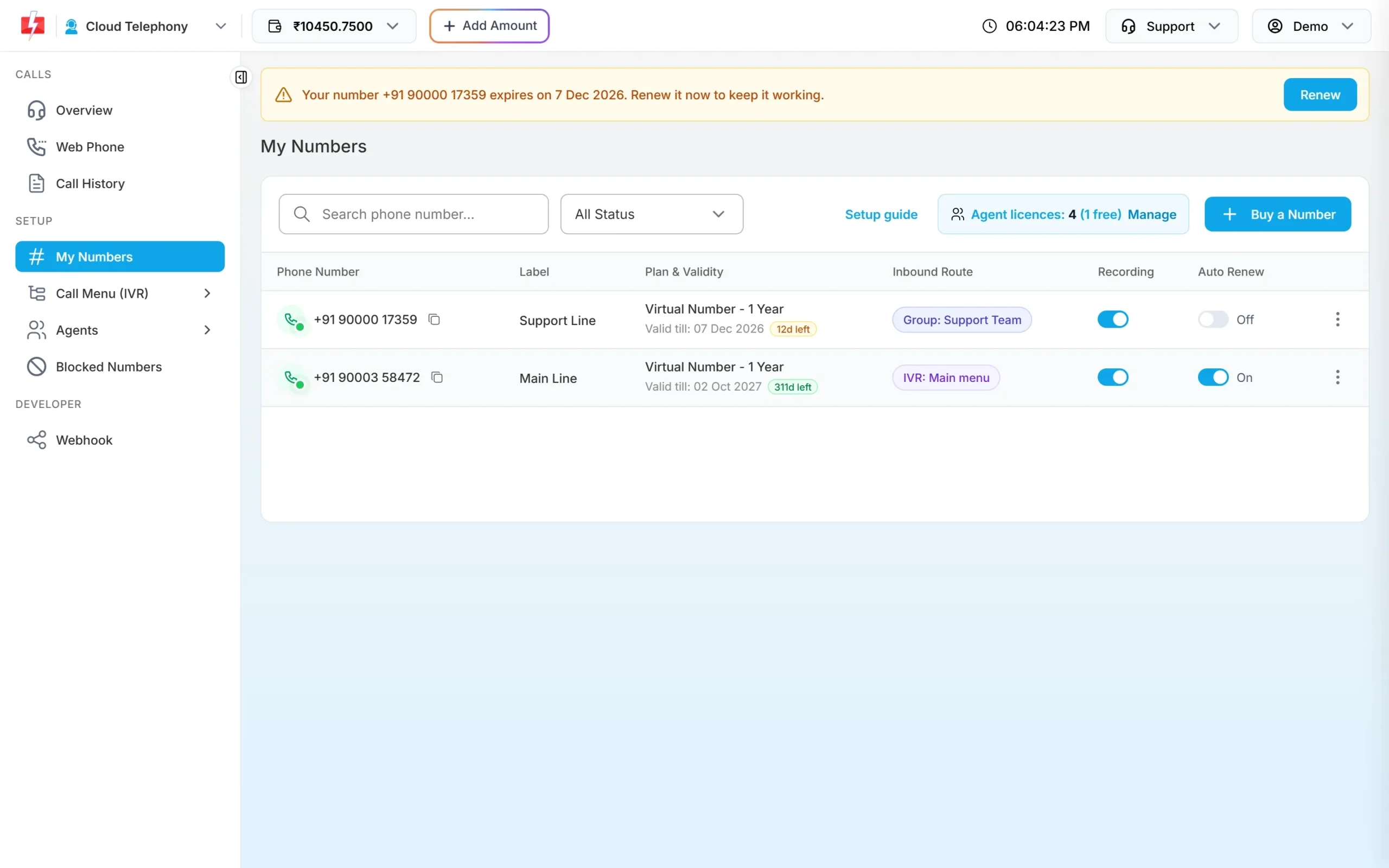
My Numbers is where every cloud number lives. Each row shows:
- Phone Number with a copy button, and the Label you gave it.
- Plan & Validity: “Virtual Number – 1 Year”, the valid till date and a days-left badge. The badge turns amber when 15 days or less are left.
- Inbound Route: where calls go, such as “Group: Support Team” or “IVR: Main menu”. A dash means calls ring your own Web Phone.
- Recording switch to record all calls on this number.
- Auto Renew switch to renew from your wallet on the expiry date.
- The row menu with Renew / Extend and Configure Route.
The page works on a phone too. Each number shows as a card with the same details and switches.
Taking calls on your cloud number
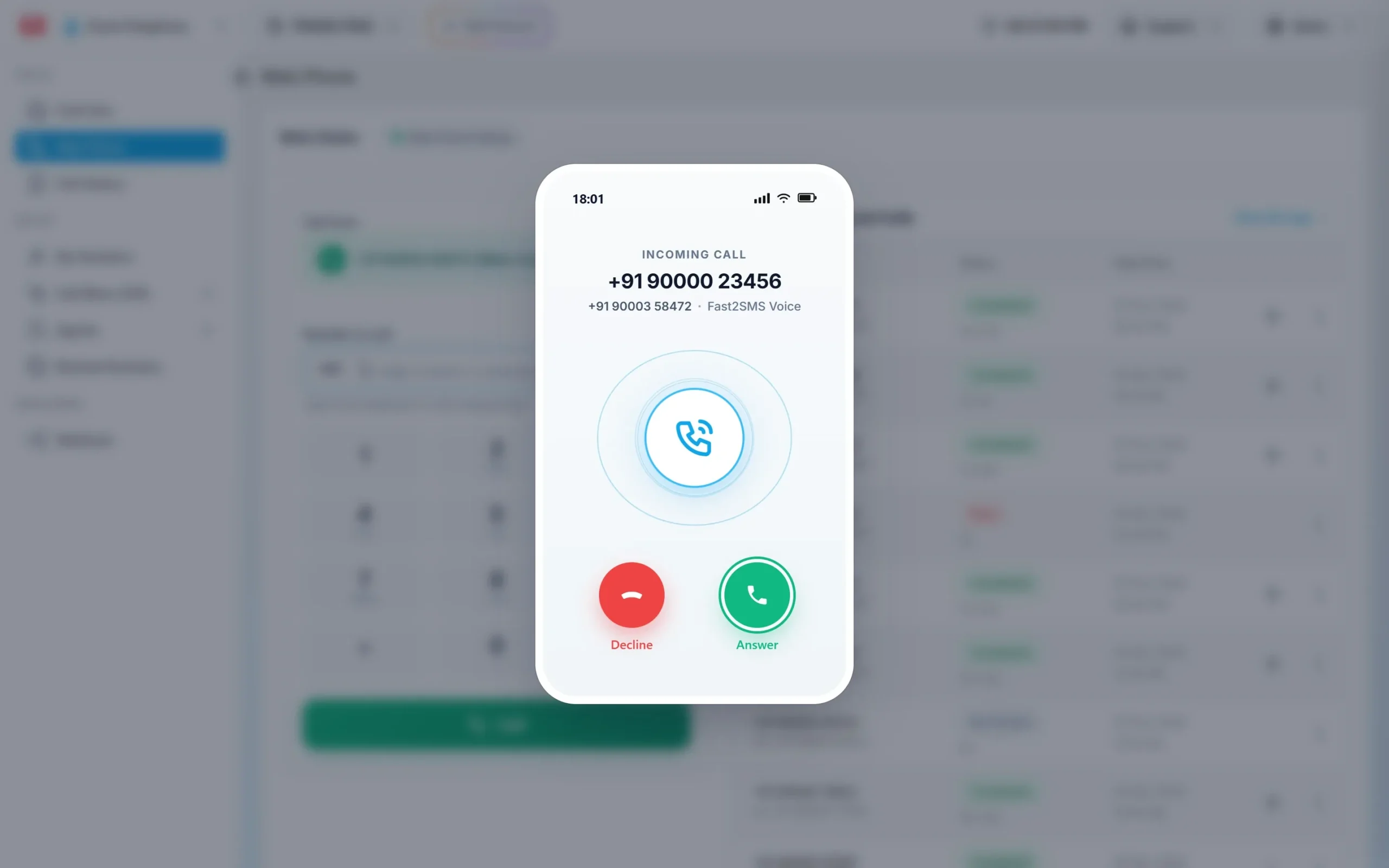
New numbers ring the owner’s Web Phone. When a call comes in while you are on the Web Phone page, an incoming call screen shows the caller’s number and which of your numbers they dialled, with Decline and Answer. On other panel pages a call bar appears at the top so you do not miss it.
To send calls somewhere else, see call routing. To make calls, see calling from your laptop browser.
Renewal, expiry and grace days
Your cloud number is valid for 1 year at a time. Here is what happens near the end:
- Reminders: you get a panel notification and email 7 days and 1 day before expiry. From 90 days before, a banner on Cloud Telephony pages shows the expiry date with a Renew button.
- Auto renew: if Auto Renew is on and the wallet has enough balance, the number renews on the expiry date. The included agent licence renews with it.
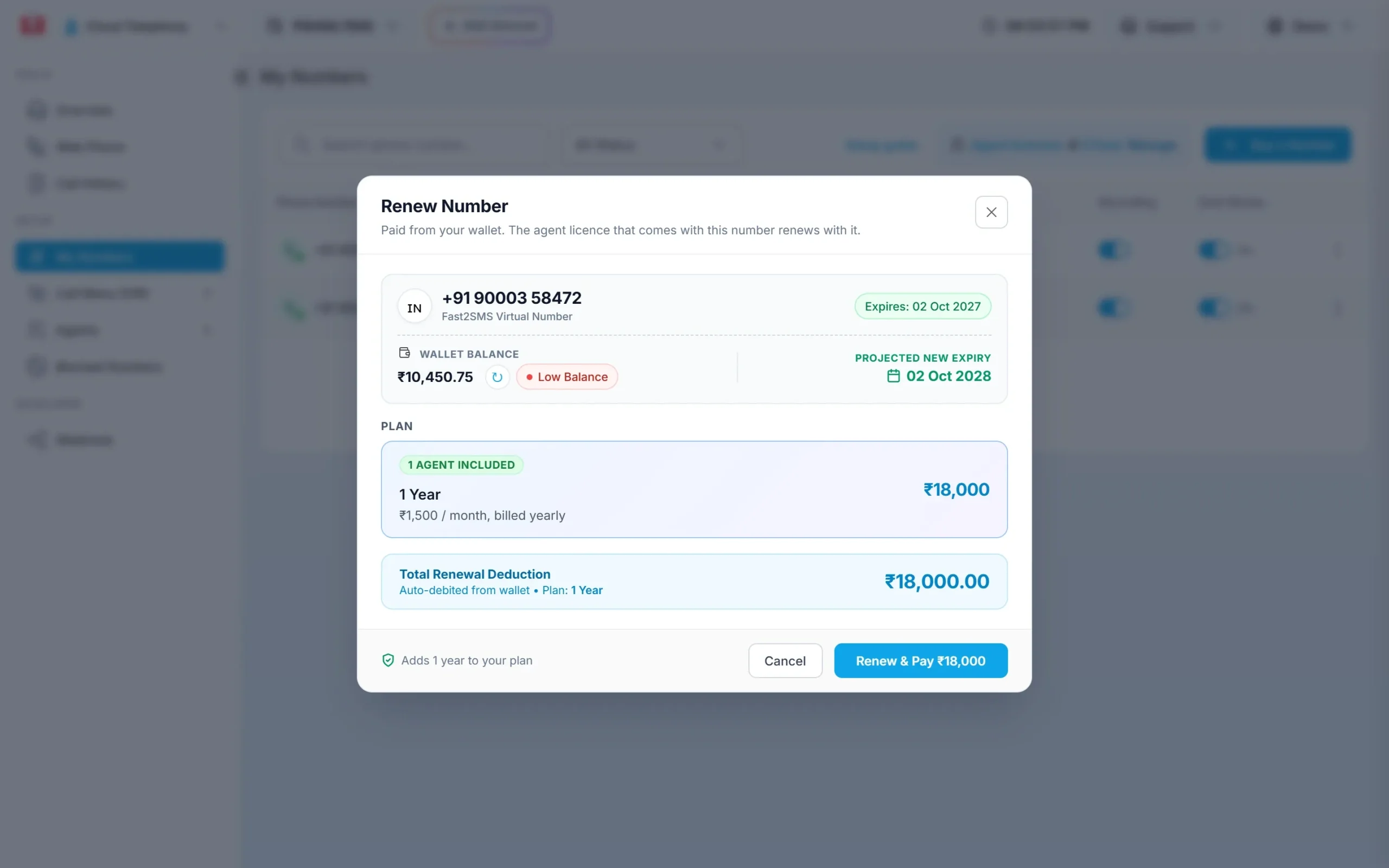
- Manual renew: click Renew / Extend in the row menu. The popup shows the current expiry, your wallet and the projected new expiry. Renewing adds 1 year to the current expiry date, so renewing early does not waste days.
- Grace: if it is not renewed, calls keep working for 3 days and the row says “Expired – renew within N days”.
- Suspended: after the grace days calls stop until you renew. If a number stays suspended for 30 days it is released and you may not get it back.
Frequently asked questions
What is a cloud number?
A cloud number is a phone number hosted online by a telephony provider. Calls to it are sent by software to your browser, team, call menu or mobile, so no office phone line is needed.
Is a cloud phone number the same as a virtual number?
Yes, both words mean the same thing here. In the Fast2SMS panel the plan is called “Virtual Number – 1 Year”.
Can I release or cancel a cloud number in the panel?
There is no cancel button. Turn off Auto Renew if you do not want to keep it. After expiry, the grace days and the suspended period, the number is released.
Can I have more than one cloud number?
Yes. Buy each number with Buy a Number. Each has its own label, route, recording switch and renewal, and each includes 1 agent licence.
Do calls cost extra per minute?
No. Fast2SMS Cloud Telephony has unlimited calling with no per-minute charges. You pay only the yearly plan for numbers and extra agent licences.