
A virtual phone number for business is a normal Indian phone number that works over the internet instead of a SIM card or a desk phone. Customers call it like any other number, and you answer in your browser, send the call to a team member, play a call menu, or forward it to a mobile. On Fast2SMS you can choose a virtual number online, pay from your wallet and start taking calls the same day your KYC is approved.
This guide explains what a business virtual number is, what it costs on Fast2SMS, and how to buy one step by step, with screenshots of the real panel.
What is a virtual phone number for business?
A virtual number is not tied to one phone. It lives in the cloud, so the same number can ring your Web Phone today, your sales team tomorrow and your mobile on a holiday. You change where calls go from the panel, and the number your customers know stays the same.
In Fast2SMS this is part of Cloud Telephony, the app shown on your dashboard as “Numbers, IVR & Web Phone”. Each number comes with a 1 year plan and 1 agent licence, so one team member can use it from day one.
What you can do with a business virtual number
- Take and make calls in the browser. The Web Phone inside the panel works on a laptop, desktop or phone browser. Customers see your business number, not your personal mobile.
- Route incoming calls. Send calls to your own Web Phone, one team member, a call group, an IVR call menu or an outside mobile number.
- Greet callers with a call menu. “Press 1 for sales, 2 for support”, office hours and an office closed message.
- Work as a team. Give agent licences to team members. Each gets a short extension (you are 100, then 101, 102 and so on).
- Record calls and check history. Every call shows up in Call History with status, agent and duration. Recordings are kept for 3 months.
- Keep using it every year. The number renews from your wallet if Auto Renew is on.
Virtual number or a normal mobile number?
| Business virtual number | Staff mobile number | |
|---|---|---|
| Who owns the number | Your business account | The person holding the SIM |
| When an employee leaves | Remove their licence, the number stays | Customers keep calling the old employee |
| More than one person on one number | Yes, through call groups and IVR | No |
| Call recording and reports | Built in, per call | Depends on the handset |
| Where you answer | Browser, or forwarded to a mobile | Only that phone |
Virtual phone number price on Fast2SMS
At the time of writing, the price is simple and the same for every number:
| Item | Price |
|---|---|
| Virtual number (includes 1 agent licence) | ₹1,500 per month, billed yearly (₹18,000 a year) |
| Extra agent licence | ₹600 per month, billed yearly (₹7,200 a year) |
| Setup fee | None |
| Calls, IVR and call recording | No per-minute charge |
Plans are yearly only. The amount is paid from your Fast2SMS wallet, the same wallet you use for SMS and WhatsApp. See the Cloud Telephony pricing page for the current rates.
How to get a virtual phone number on Fast2SMS
Before you start
- A Fast2SMS account (only the account owner can buy numbers).
- Your PAN card and one address proof for KYC. A company also needs a business proof such as a GST certificate.
- ₹18,000 in your wallet for the first number.
-
Open Cloud Telephony
Log in and click the Cloud Telephony card on the dashboard. You can also open it from the app menu at the top left on any page.
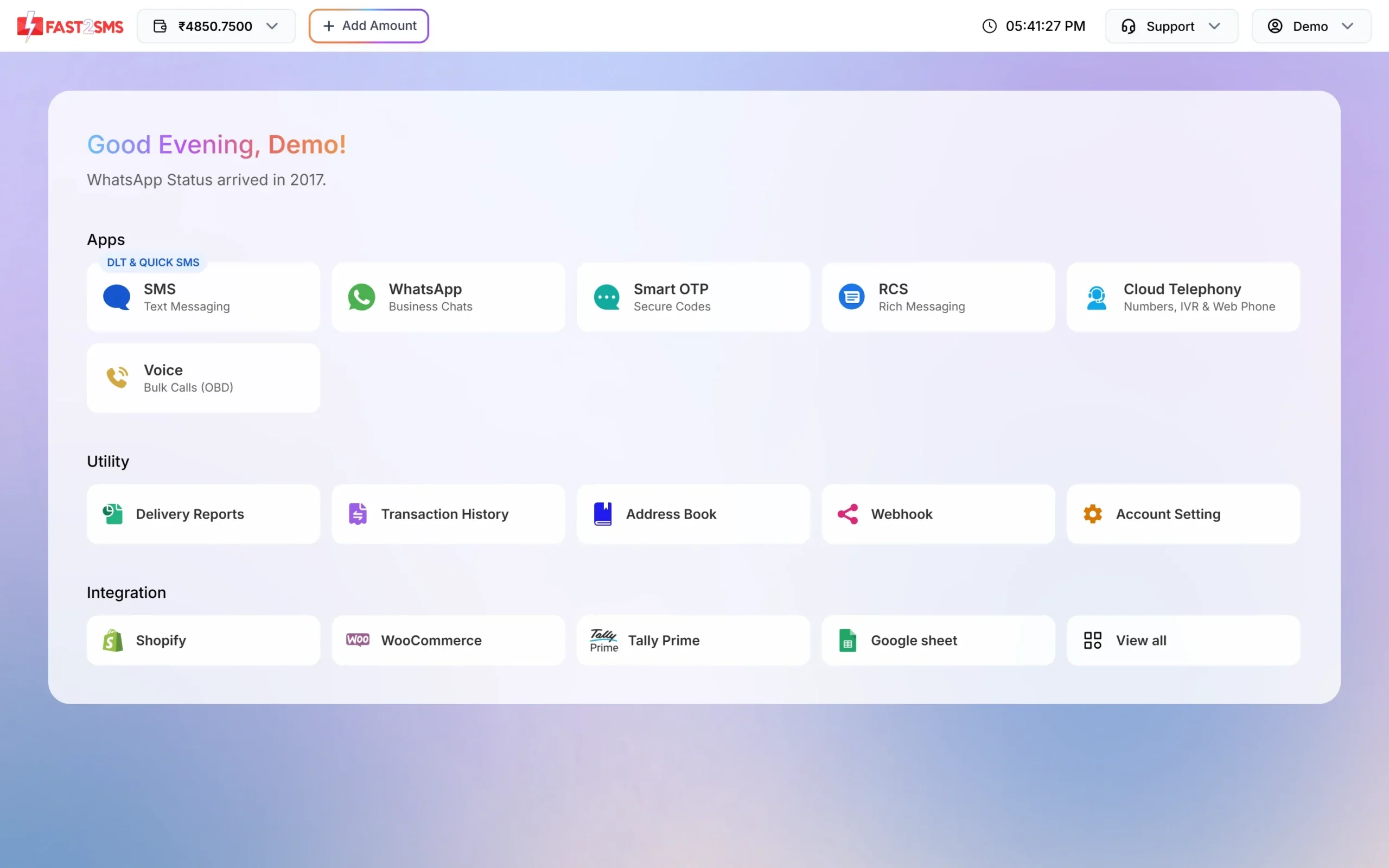
Cloud Telephony sits next to SMS, WhatsApp and RCS on the dashboard. -
Complete your KYC
Telecom rules need KYC before a number can be given. On your first visit, My Numbers shows a yellow banner. Click Complete KYC, choose your business type, enter the name as on PAN, your PAN and address, upload the PAN card and an address proof, and click Submit KYC. Our team reviews it, usually within 1 working day.
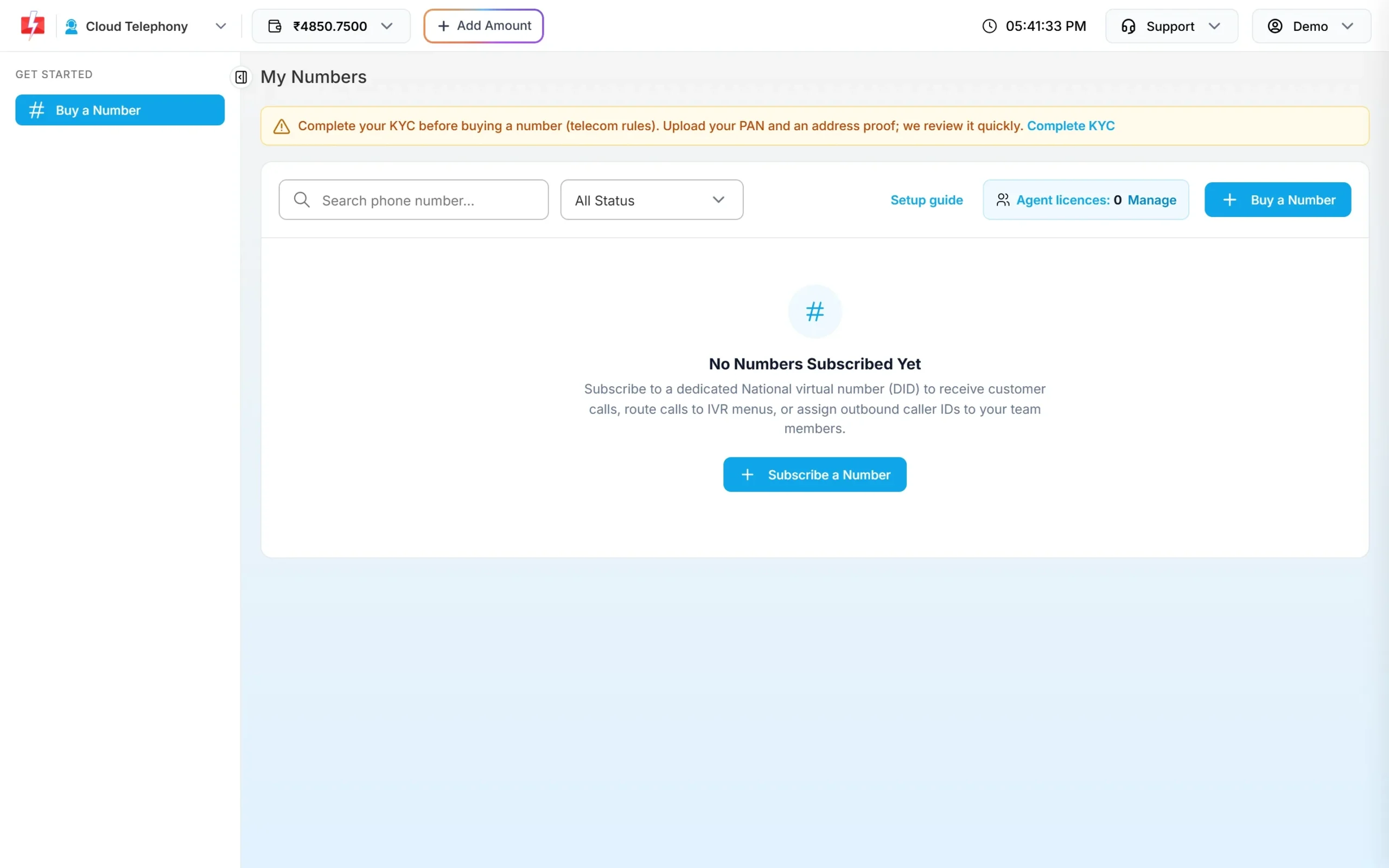
The KYC banner on My Numbers before your first number. -
Choose your number
Once KYC is approved, click Buy a Number. In 1 Choose your number, open the list and pick any number marked Available. To find digits you like, type them in the search box, for example the last three digits of your shop’s old number.
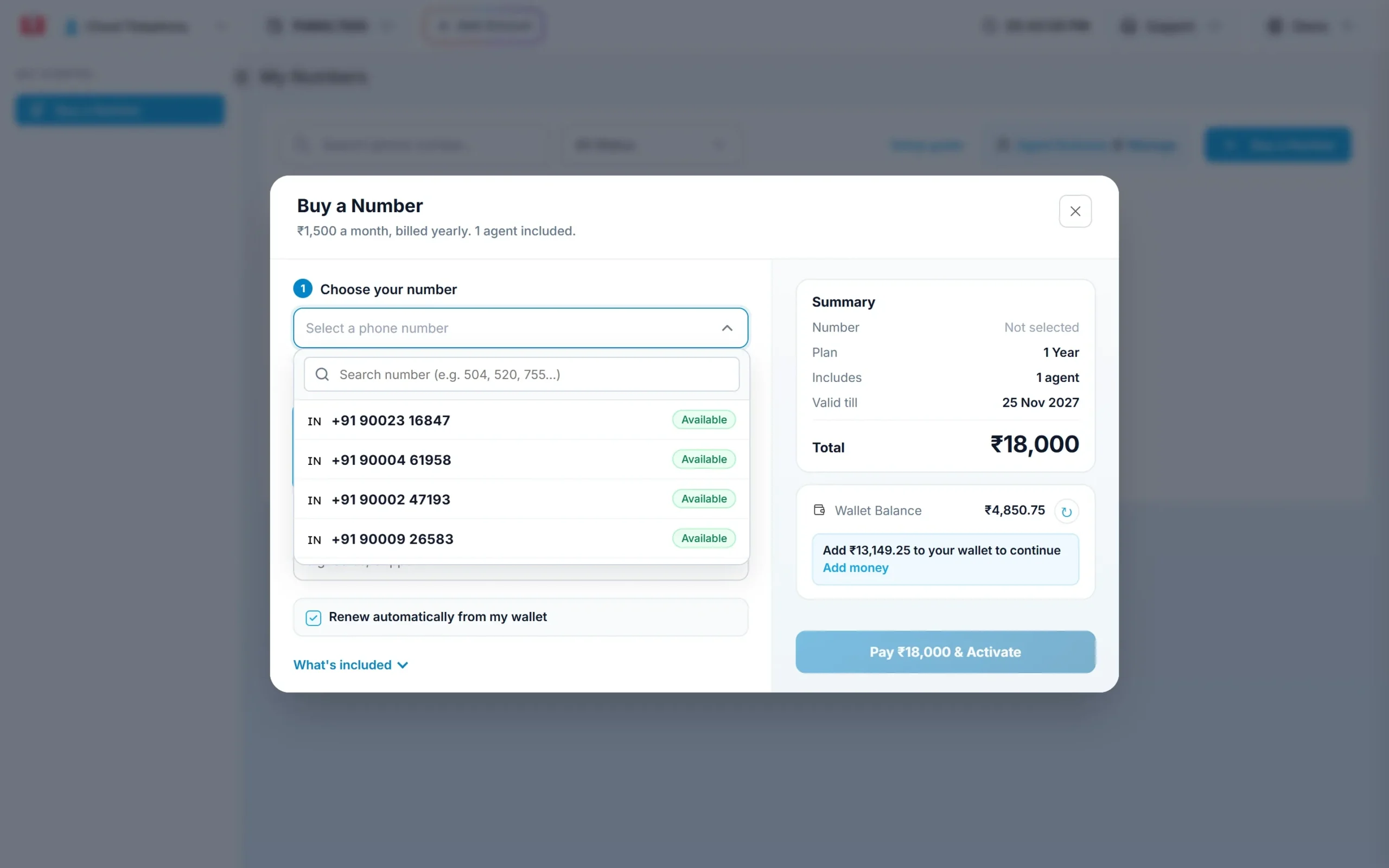
Pick a number from the available list or search by digits. -
Name the line, check the plan and pay
The plan card shows 1 Year, ₹18,000 with 1 agent included. Give the line a name such as “Sales Line” (optional) and keep Renew automatically from my wallet ticked if you want the number to renew on its own. The Summary shows the number, validity and your wallet balance. If the balance is short, click Add money, then click the refresh icon. When the balance is enough, click Pay ₹18,000 & Activate.
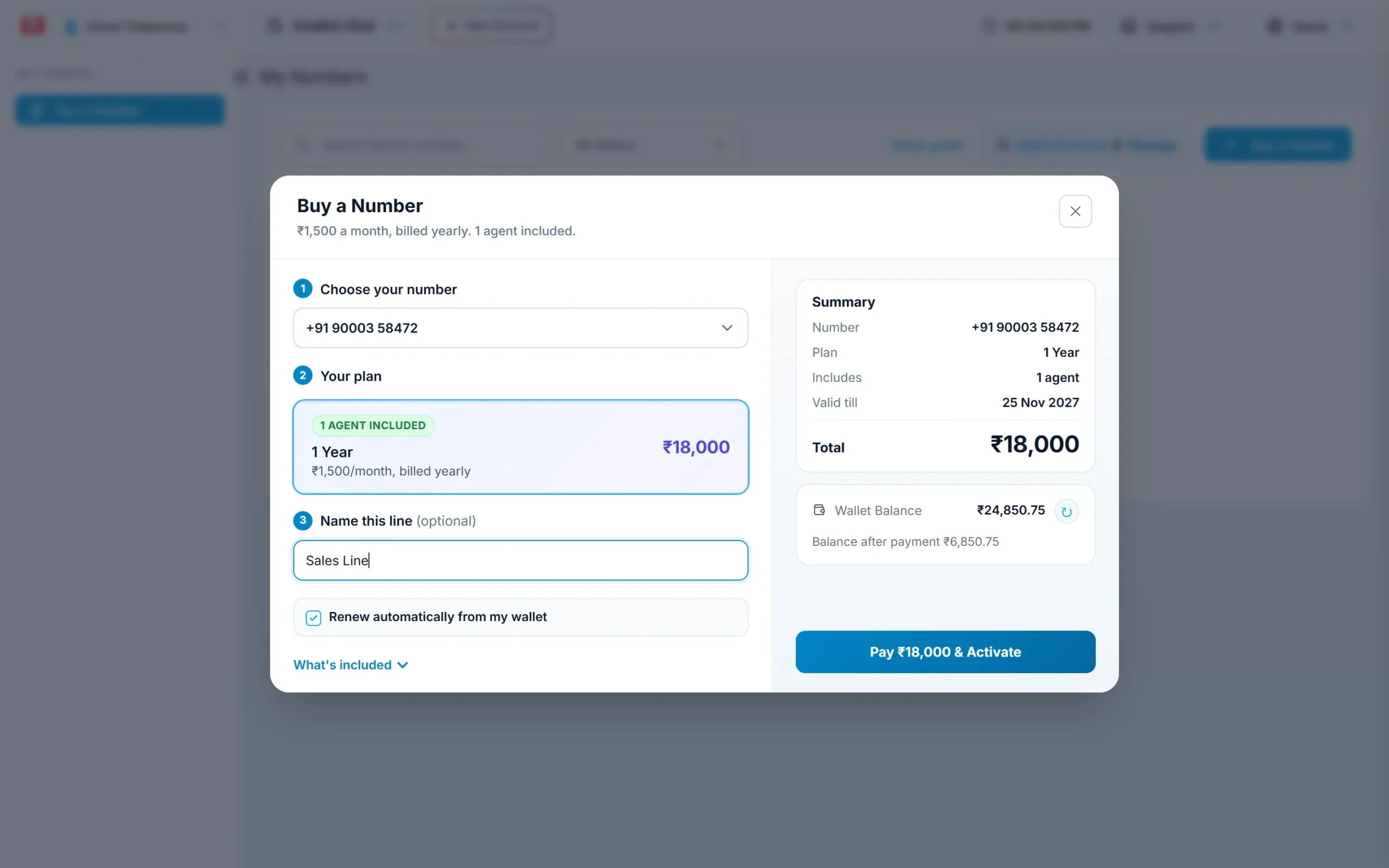
The Summary shows your balance after payment before you pay. -
Follow the setup guide
Your number is live right away. The first time, a Your number is ready guide opens with four steps: choose where incoming calls go, add your team, set up a call menu and make calls. Until you change it, calls ring your own Web Phone and recording is on.
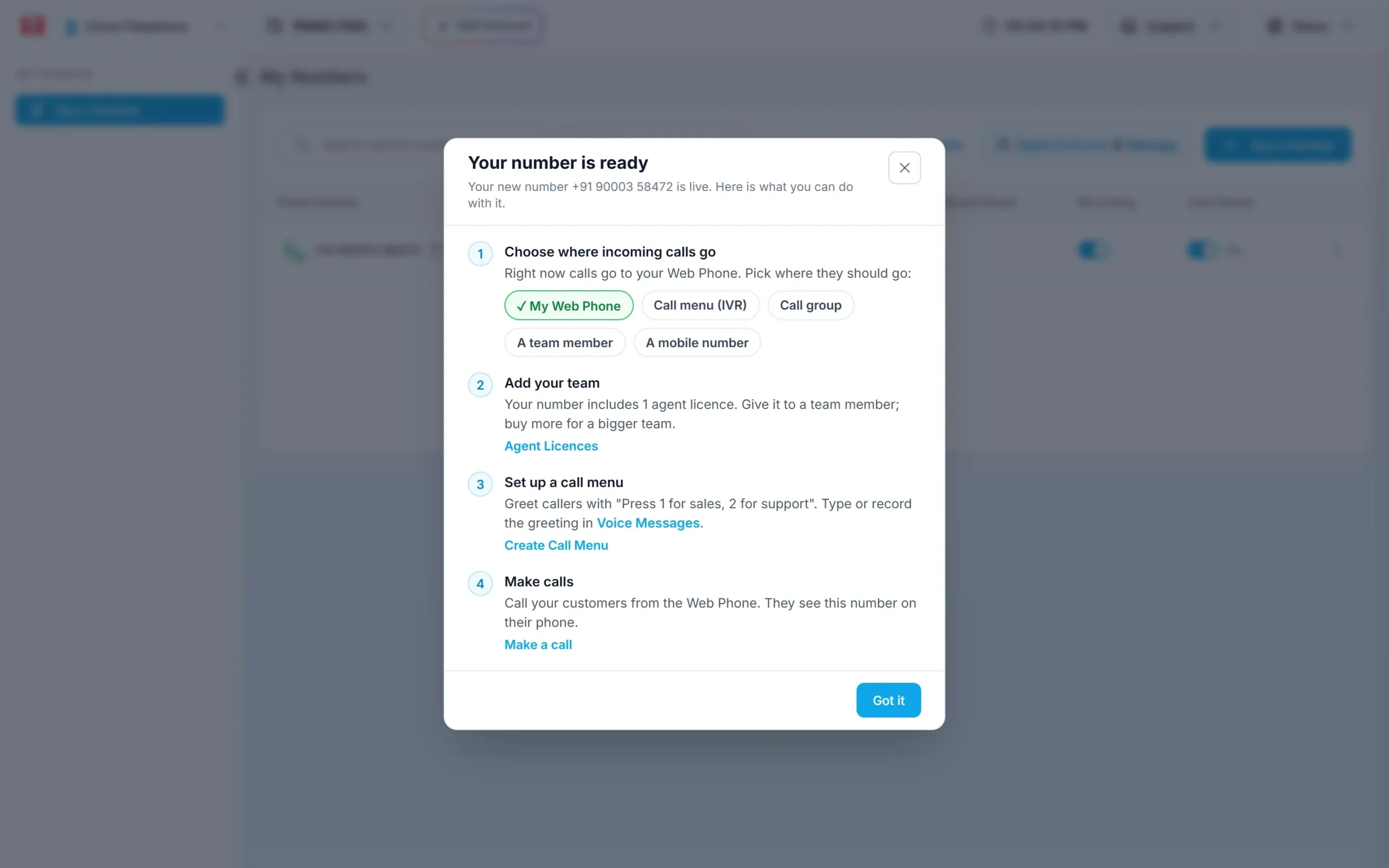
The setup guide after your first number. You can open it again from Setup guide. -
See your number in My Numbers
The number now shows in My Numbers with its label, plan, validity date, days left, inbound route, a Recording switch and an Auto Renew switch. The full Cloud Telephony menu (Web Phone, Call History, Call Menu (IVR), Agents) also appears on the left.
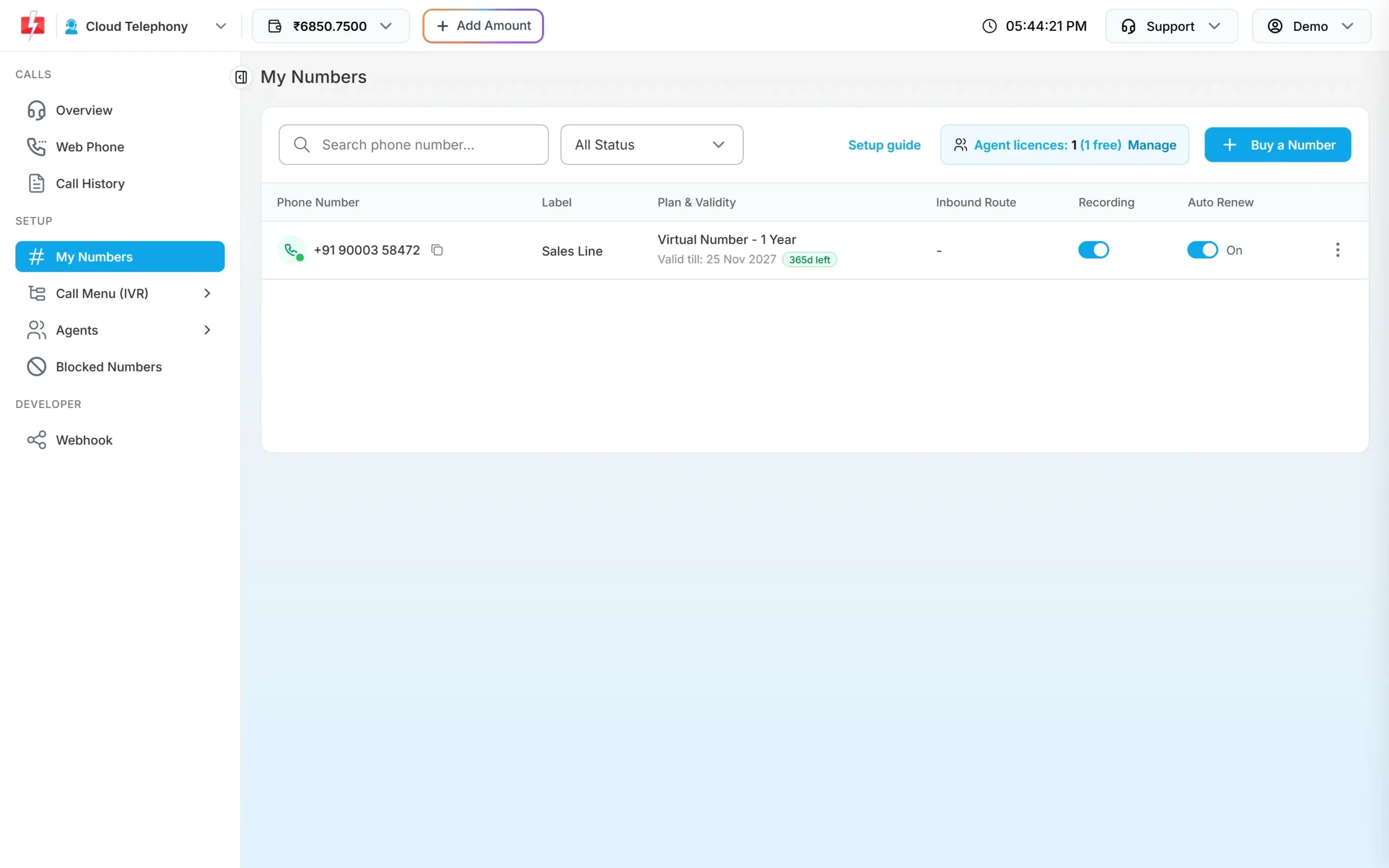
Your first virtual number with 365 days left.
What to set up after you buy
A new number rings only your Web Phone. Most businesses then do three things:
- Decide where calls go. From the row menu, click Configure Route and pick a team member, a call group, an IVR flow or a mobile number. See call routing in cloud telephony.
- Add your team. Give the included licence to a team member, or buy more licences under Agents. See how to add agents.
- Make your first call. Open Web Phone, type a number and click Call. See business calling from a laptop browser.
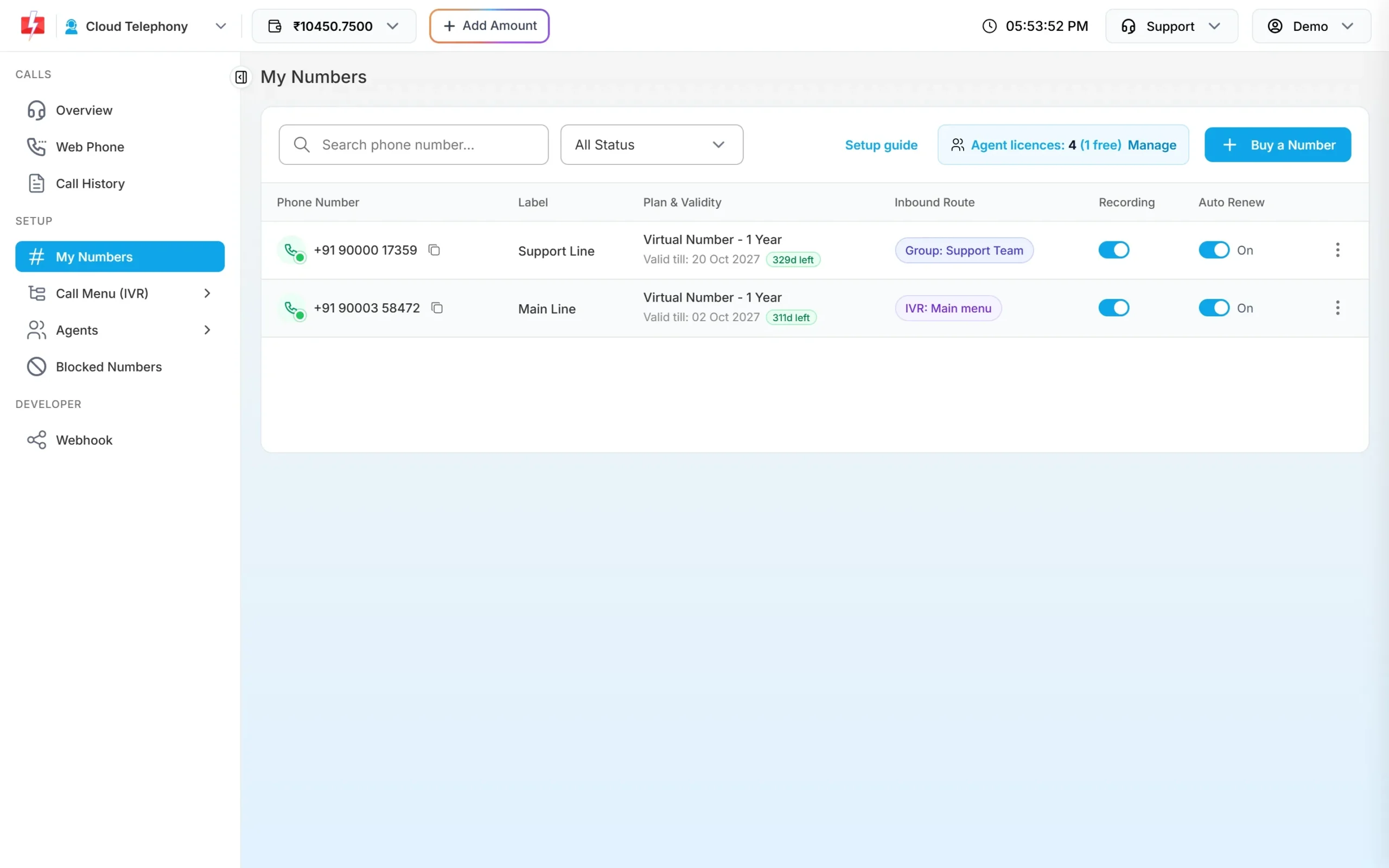
Who uses a business virtual number
- Shops and D2C brands put one number on the website, Google profile and packaging, and route it to whoever is on duty.
- Clinics and coaching centres use a call menu for timings and fees, and send other calls to the front desk.
- Sales teams call leads from the browser so customers always see the company number, and the owner can listen to recordings.
- Support desks use a call group so calls are shared between agents and nobody misses a customer.
Frequently asked questions
How much does a virtual phone number cost for a business in India?
On Fast2SMS it is ₹1,500 per month, billed yearly (₹18,000 a year), with 1 agent licence included, at the time of writing. There is no setup fee and no per-minute charge for calls.
Do I need KYC to buy a virtual number?
Yes. Telecom rules need KYC first. Upload your PAN and an address proof in Account Setting > KYC. The review usually takes up to 1 working day.
Can I answer calls on my mobile?
Yes. You can route the number to your mobile with Forward to External Mobile, or open the Web Phone in your phone’s browser. During a call you can also use Move to my mobile to carry on from your own mobile.
Do I need a desk phone or any app?
No. Calling works in the Web Phone inside the Fast2SMS panel in your browser. There is no hardware to buy and nothing to install.
Can I choose a number I like?
You can pick from the numbers shown as Available and search them by digits. Fancy or VIP-looking numbers are not offered.
What happens if I forget to renew?
You get reminders before expiry. If Auto Renew is on and your wallet has enough balance, the number renews on its own. If not, calls keep working for 3 grace days, after which the number is suspended until you renew.