
Fast2SMS API error 411, “Invalid Numbers”, means that none of the mobile numbers in your request is a valid Indian mobile number. Fast2SMS accepts 10-digit numbers that start with 6, 7, 8 or 9. If only some numbers are invalid, there is no error: those numbers are dropped and the rest are sent. This page shows how numbers are checked and how to clean your list.
The exact error
The SMS API (/dev/bulkV2, /dev/custom) answers with HTTP 400:
{"return":false,"status_code":411,"message":"Invalid Numbers"}If the numbers field is empty, you get a different error: 405 “Numbers Missing”.
How Fast2SMS checks numbers
- Numbers are split at commas.
- Everything that is not a digit is removed: spaces,
+, dashes and brackets. - If the result is longer than 10 digits and starts with
91, the91is removed. - What is left must be exactly 10 digits starting with 6, 7, 8 or 9.
| You send | Result |
|---|---|
9999999999 |
Valid |
+91 99999-99999 |
Valid (becomes 9999999999) |
919999999999 |
Valid (91 removed) |
09999999999 |
Invalid (11 digits starting with 0) |
5999999999 |
Invalid (starts with 5) |
02212345678 |
Invalid (landline) |
+14155550100 |
Invalid (not an Indian mobile) |
Why it happens
- Numbers have a leading
0, or are landlines or foreign numbers. - Numbers are separated by semicolons, spaces or new lines instead of commas, so they join into one long invalid value.
- The wrong field was mapped, for example an order ID or a PIN code instead of the mobile.
- Excel turned the numbers into a format like
9.99E+09.
How to fix error 411
-
Look at what you sent
Go to Account Setting, then API Logs, and open View Details on the failed BULKV2 row. Check the
numbersvalue in Request Data. -
Clean the numbers
Remove the leading 0, keep 10 digits (or 91 plus 10 digits), and join them with commas.
-
See which numbers are dropped
Add
sms_details=1to your request. The reply then listsvalid_numbers,invalid_numbersand their counts. In the panel, the confirmation popup also shows valid, invalid and duplicate numbers before you send.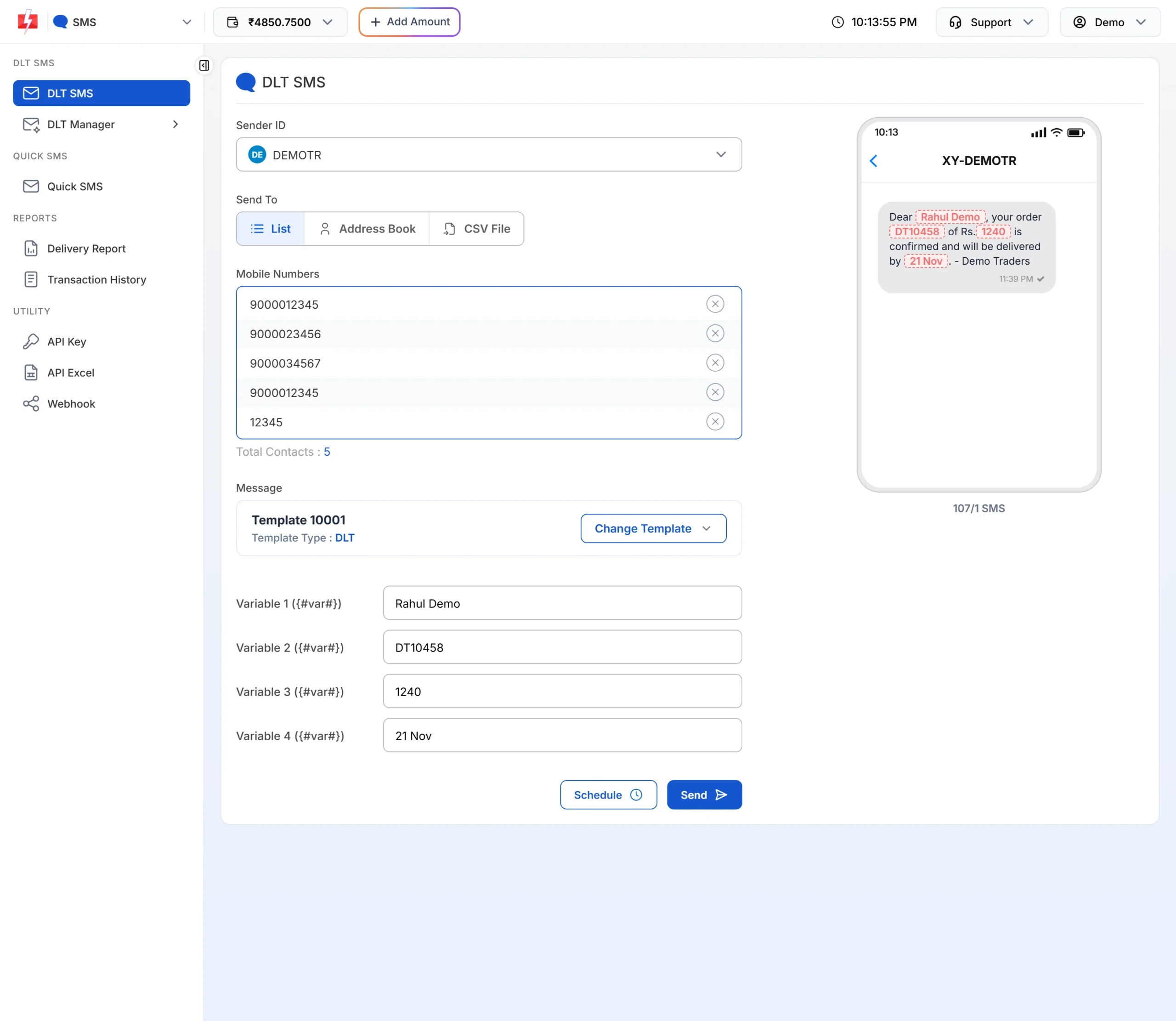
A list with a duplicate and an invalid number: only valid numbers are sent.
Code check
import re
def clean(n):
    d = re.sub(r"\D", "", str(n))
    if len(d) > 10 and d.startswith("91"):
        d = d[2:]
    return d if re.fullmatch(r"[6-9]\d{9}", d) else None

nums = [clean(x) for x in raw_list]
valid = sorted({n for n in nums if n})
if not valid:
    raise ValueError("No valid Indian mobile numbers to send")
payload["numbers"] = ",".join(valid)
payload["sms_details"] = "1"How to avoid it
- Check numbers when users sign up, so your database holds only 10-digit mobiles.
- Store numbers as text in Excel and CSV files, not as numbers.
- Use commas between numbers in the API.
- For international numbers, use a channel that supports them, such as WhatsApp with the country code.
Frequently asked questions
Why did I get 411 when most of my numbers are fine?
You would not. Error 411 appears only when every number is invalid. Check that the numbers are separated by commas, otherwise they may be read as one long value.
Can I send numbers with +91?
Yes. The + and the leading 91 are removed for you.
Am I charged for invalid numbers?
No. Invalid numbers are dropped before the cost is worked out.
How do I see which numbers were dropped?
Add sms_details=1. The reply lists invalid_numbers.
Does the SMS API send to international numbers?
No. The DLT SMS API accepts Indian mobile numbers only.