
API Logs in Fast2SMS shows every call your server made to the Fast2SMS API in the last 7 days, with the request, the response and whether it succeeded. Use it to find failed API requests, read the exact error your code received, and export API and webhook logs as a file. This guide explains each part of the page and how to read a failed request.
Where to find API Logs
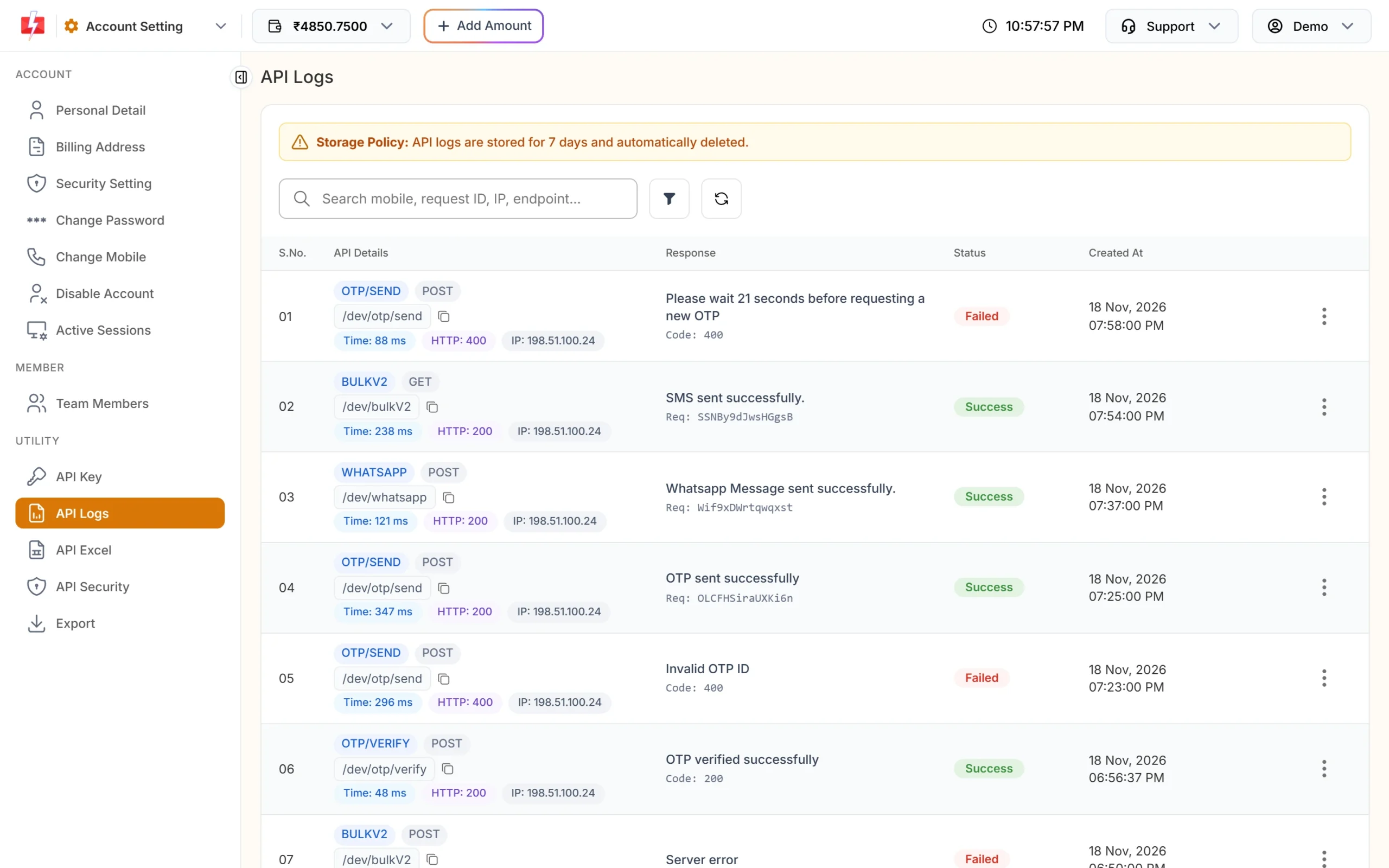
In the panel, open Account Setting from the apps menu and click API Logs under UTILITY. The banner at the top says: “Storage Policy: API logs are stored for 7 days and automatically deleted.”
What each column shows
| Column | What you see |
|---|---|
| API Details | The API name (for example OTP/SEND, BULKV2, WHATSAPP, WALLET, DLR), the method (GET or POST), the endpoint with a copy button, the response time in ms, the HTTP code and the caller’s IP address. |
| Response | A short preview of the reply message, plus “Req: request ID” for sends or “Code: status code“. |
| Status | Success or Failed. |
| Created At | Date and time of the call. |
The list shows 10 rows per page. The search box finds a mobile number, request ID, IP or endpoint.
When is a request marked Failed?
A row is Failed when the HTTP code is 400 or higher, or when the reply body has "return": false. So a reply with HTTP 200 can still be Failed. For example, a low-balance reply (error 416) can come back with HTTP 200 and "return": false, and API Logs marks it Failed. Your own code should check the return field too, not only the HTTP code.
If the server had an internal problem (HTTP 5xx), the Response column shows only “Server error”.
How to find a failed API request
-
Filter the list to failed calls
Click the filter button next to the search box. The Filter API Logs box has tabs for Date Range (All (last 7 days), Today, Yesterday, Last 2 days, Last 3 days, Last 7 days or Custom Date), Status (All, Success, Failed), Method, HTTP Code (2xx, 3xx, 4xx, 5xx or one code), Response Time and IP Address. Choose Failed under Status and click Apply Filters.
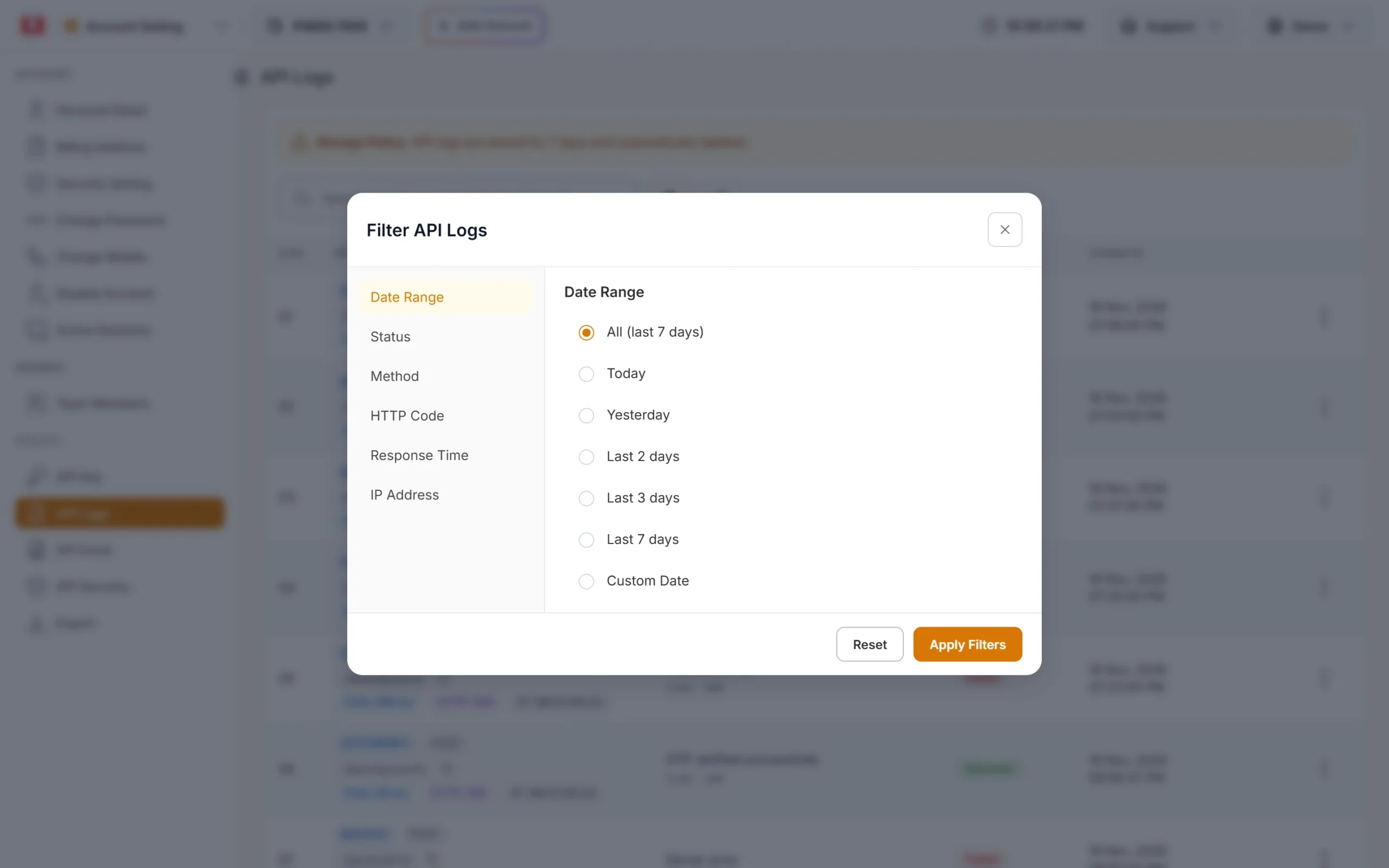
Filter by date, status, method, HTTP code, response time or IP. -
Open the request details
Click the three dots at the end of a row and choose View Details.
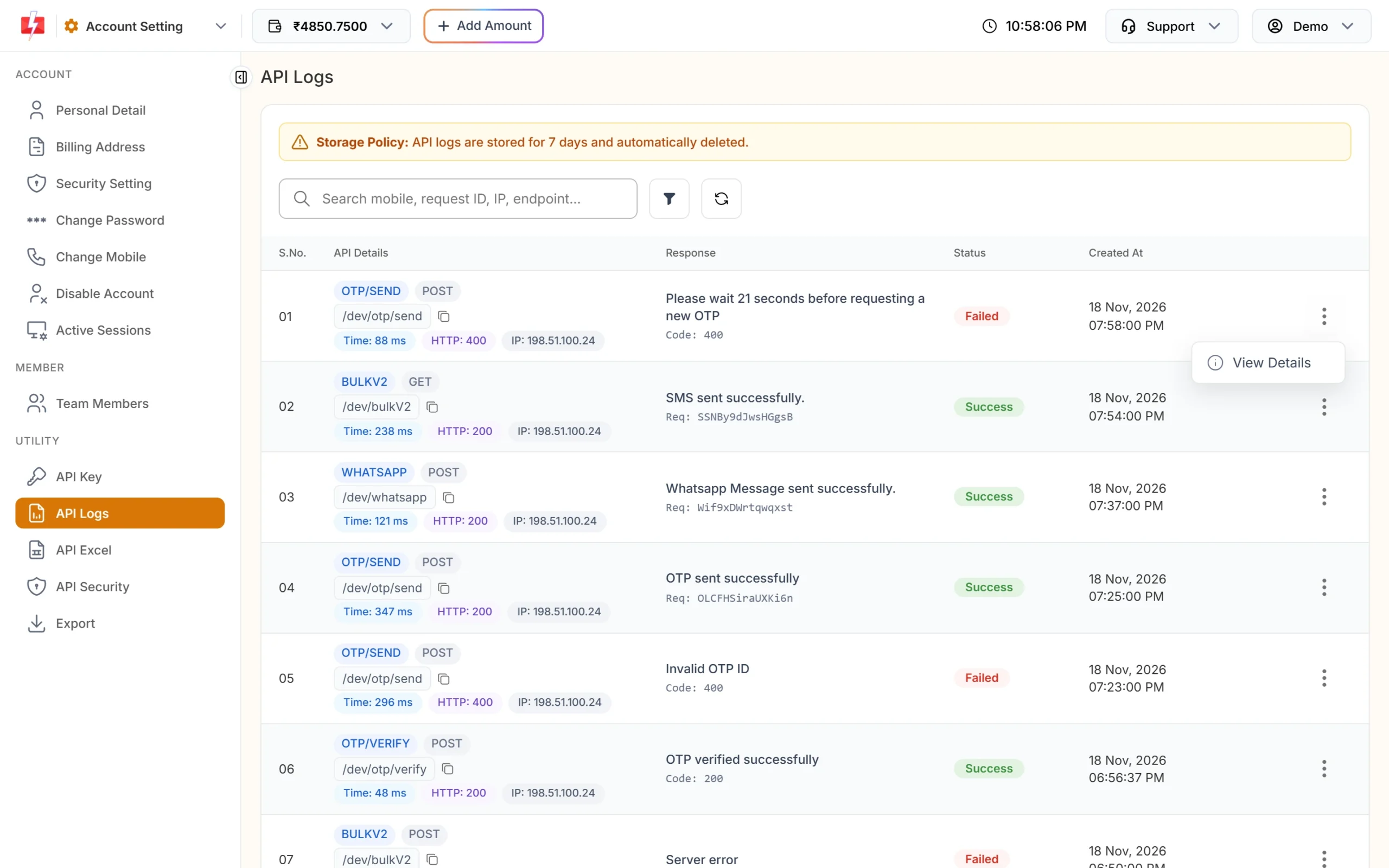
Open View Details on the row you want to check. -
Read the request and the response
The API Request Details box shows Method & Status, Response Time, API, IP Address and the Endpoint. The Request Data tab shows the query parameters, request headers and request body you sent. The Response Data tab shows the response body and the error message. Compare what you sent with the error to find the problem.
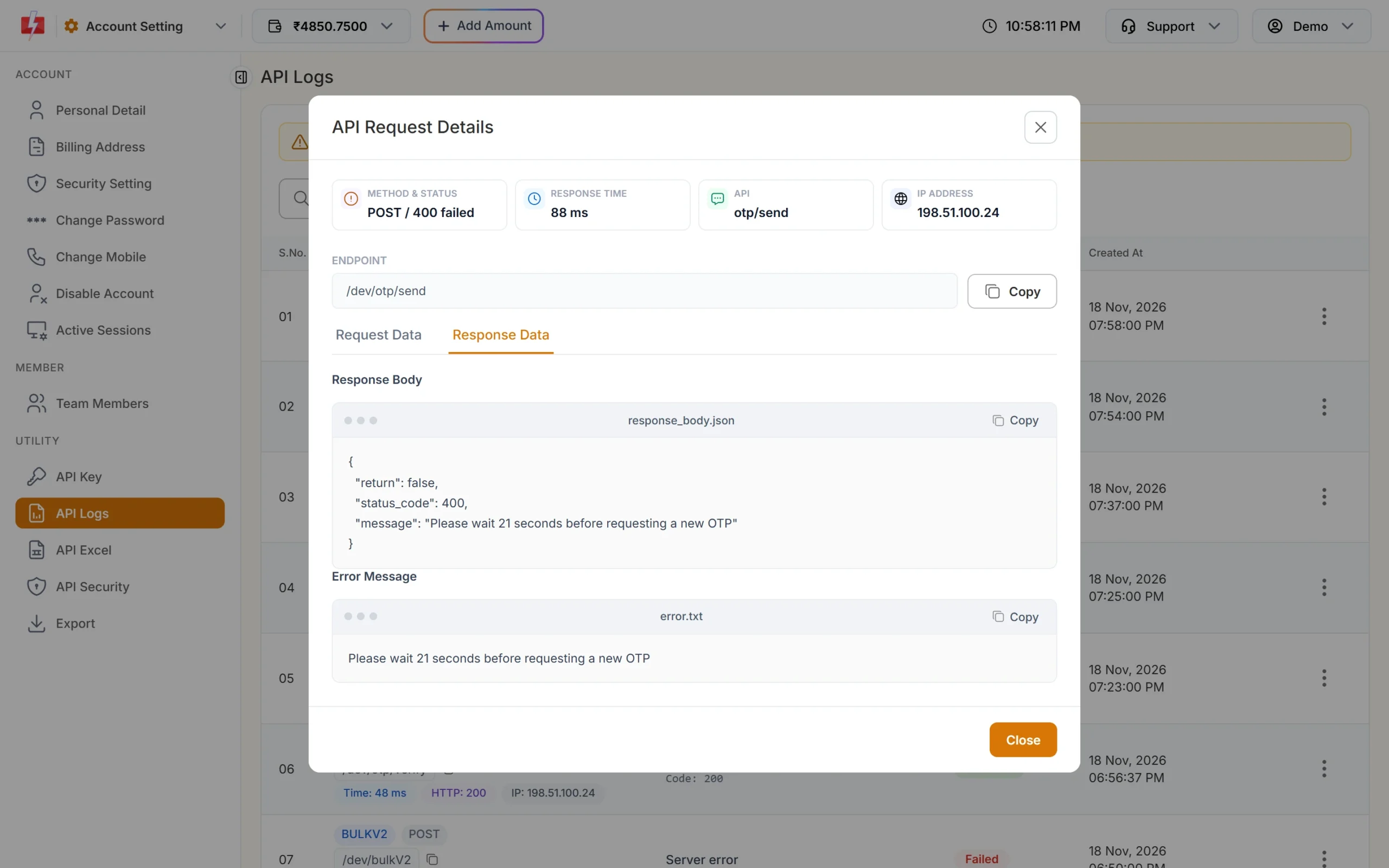
The Response Data tab shows the exact error message. -
Fix and send again
Correct the parameter, key or account setting that the error names, send the request again, and click the refresh button on API Logs to see the new row.
Your API key is never shown in the logs. The authorization, cookie and x-api-key headers are saved as [Sensitive Data]. Very long bodies are cut at 8 KB.
Why a call is missing from API Logs
- Wrong or missing API key: calls with a key that does not belong to your account cannot be linked to you, so they are not logged. If your code gets error 412 and you find no row, check the key first.
- Older than 7 days: logs are deleted automatically after 7 days. Export what you need to keep.
- The request never reached Fast2SMS: a network or DNS problem on your side leaves no row.
How to export API logs
Open Export under UTILITY in Account Setting. The banner says: “API logs are stored for 7 days, so a log export can only cover that window. Export files stay available for 48 hours.”
-
Choose the report
Under Generate Report, pick API Logs Report or API IP Hits Report. For API logs, choose the API group: All APIs, Bulk SMS (bulkV2), OTP, WhatsApp, RCS, Wallet, DLT Manager or Webhook API. For IP hits, choose Latest hits by other IP, Whitelisted IPs or All IPs.
-
Pick the dates and submit
Choose the date range and click Submit. You see “Export Request Successfully Sent, Please Refresh This Page After Sometime.” The file is a zipped CSV.
-
Download the file
Refresh the page. When the file is ready, the row shows Download and Delete. After 48 hours it shows Expired.
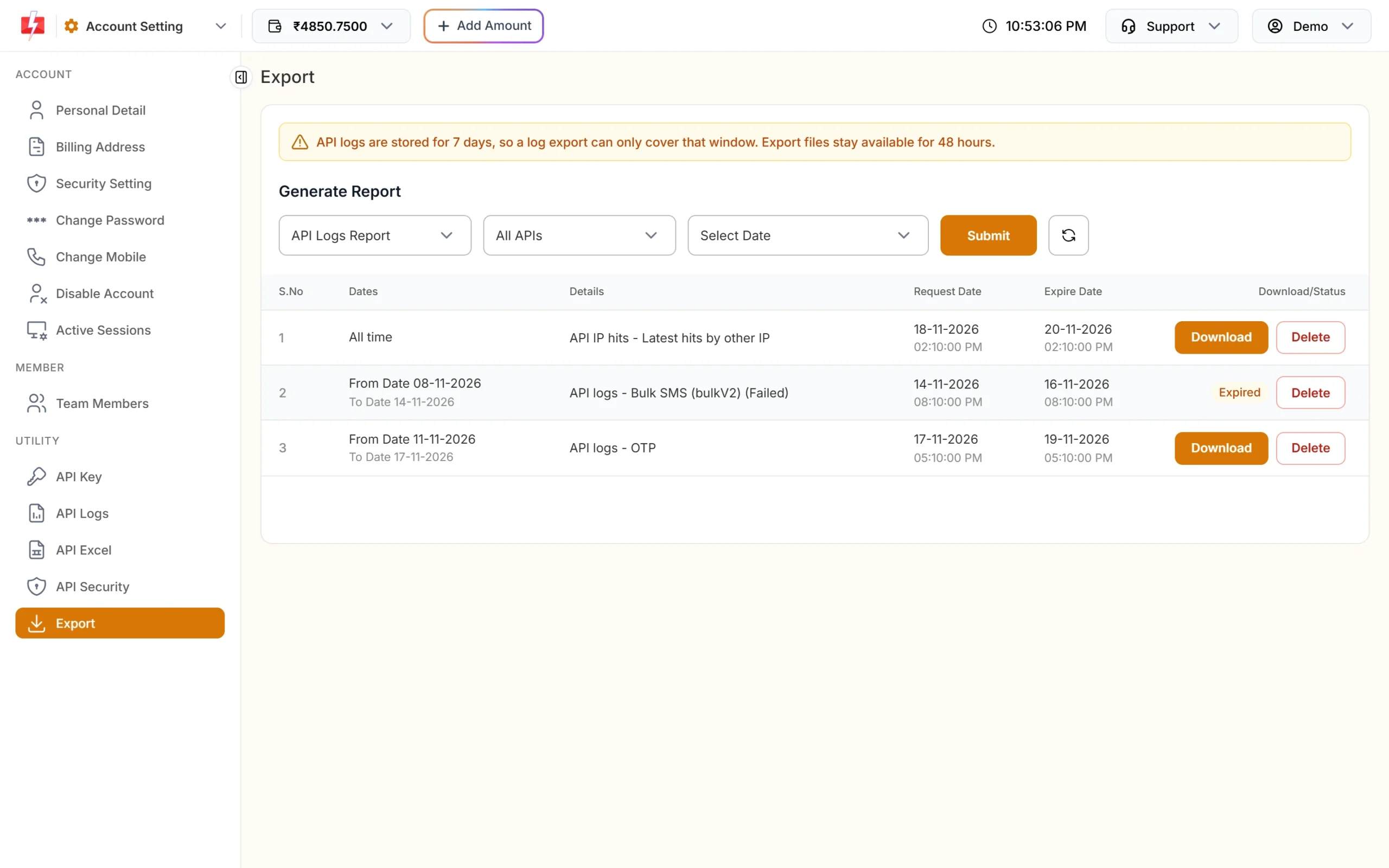
Generate an API log report and download it within 48 hours.
You can also export from the API Logs page with Export API logs. It uses the filters you have set, and the file appears on the Export page.
How to export webhook logs
Webhook calls that Fast2SMS sends to your server have their own log. Open Webhook, then Export. Choose the service (SMS, WhatsApp, OTP, RCS or Voice) and the dates, then click Submit. Webhook logs are also kept for 7 days and export files for 48 hours, with the same limits as API log exports.
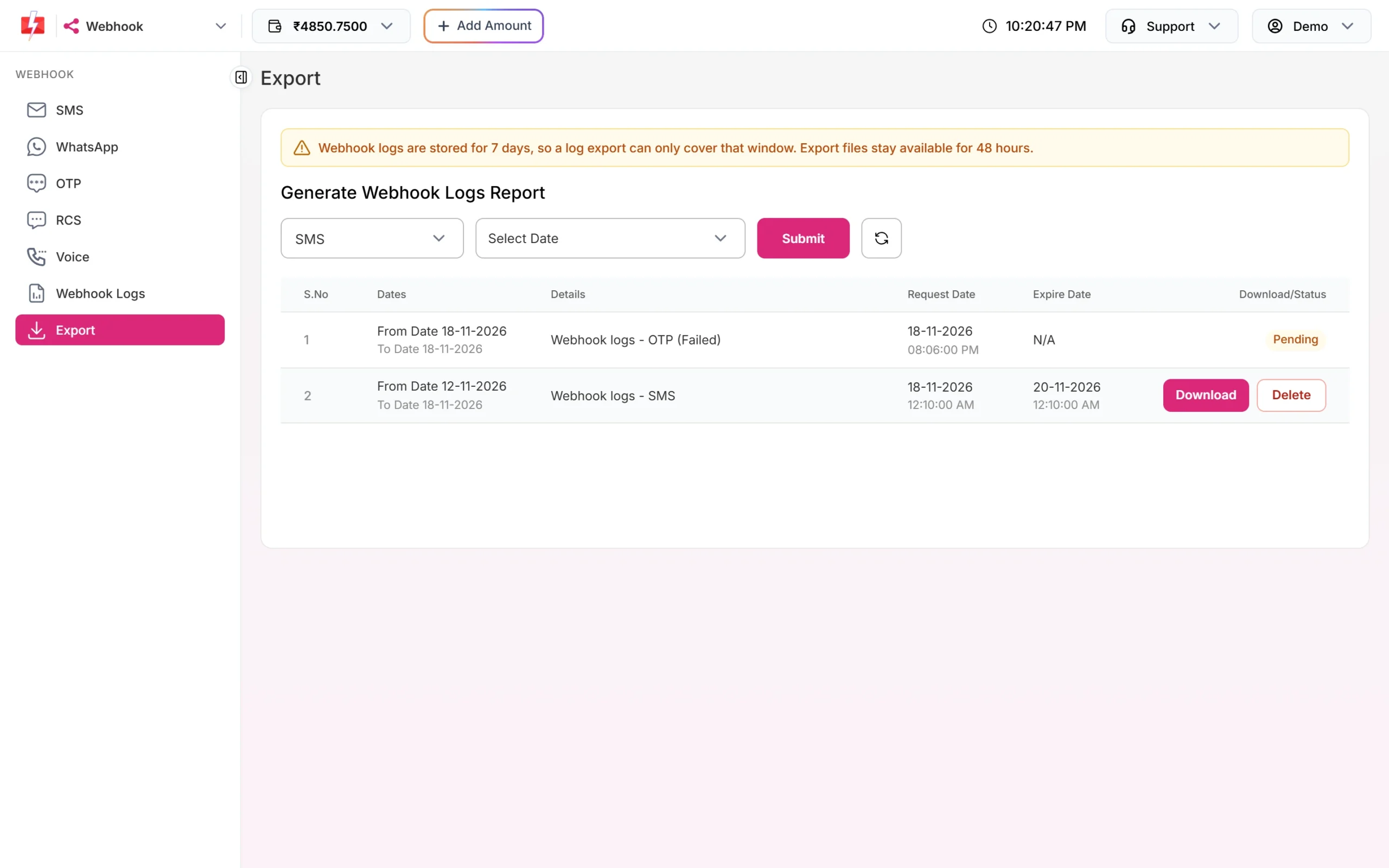
Export messages
| Message | What to do |
|---|---|
| “No data found for the selected filters.” | There are no logs for that group and date range. Widen the dates (within the last 7 days) or choose All APIs. |
| “You cannot export more than 5 reports, wait until old reports expires.” | You already have 5 files. Delete old ones or wait until they expire after 48 hours. |
| “You already have more than 2 pending export request.” | Wait for the pending files to finish, then refresh and try again. |
Frequently asked questions
How long does Fast2SMS keep API logs?
7 days. After that they are deleted automatically. Webhook logs are also kept for 7 days.
Why is my request Failed when the HTTP code is 200?
A row is also Failed when the reply has “return”: false. Some errors, such as a low wallet balance, can come back with HTTP 200.
Why can’t I see some of my API calls?
Calls with a wrong or missing API key are not logged, and logs older than 7 days are deleted. Check your key in Settings, API Key.
Does API Logs show my API key?
No. The authorization header is stored as [Sensitive Data], so the key is never shown in logs or exports.
What does “Server error” in the Response column mean?
The server could not complete the request (HTTP 5xx). Try the same request again after a short time. If it keeps happening, contact support with the time of the call and its endpoint.
How long can I download an export file?
Export files stay available for 48 hours, then show Expired.
Can I see delivery status of an SMS in API Logs?
No. API Logs shows the reply to your API call, including the request ID. Use the delivery report, the DLR API or webhooks for delivery status.