
Google’s RCS for Business policy bans some content outright, such as scams, phishing, adult content, tobacco promotion, hate speech and political campaign messages. Other areas, such as alcohol, gambling, healthcare products and fireworks, are restricted: they may be allowed only on a limited basis and with extra checks. Indian law applies on top of these rules.
This page sums up Google’s acceptable use policy for RCS at the time of writing and the extra rules you see in the Fast2SMS panel.
Prohibited on RCS
Google’s policy says these may not be sent or promoted through RCS for Business:
| Category | Examples |
|---|---|
| Fraud and abuse | Phishing, malware links, scams, account hijacking, pretending to be another business, a bank or a government office |
| Sexual content | Sexually explicit or sexualised content, non-consensual intimate images, anything that exploits children |
| Harmful content | Hate speech, harassment and threats, graphic violence, violent groups, dangerous or illegal activities |
| Misleading content | False claims about elections, harmful health claims, harmful conspiracy theories, manipulated media |
| Tobacco | Content, products or services that promote tobacco use |
| Political campaigns | Promoting or attacking a party or politician, opinion polls, political surveys, election predictions |
| Other | Vulgar language, copyright infringement, unauthorised images of minors |
Restricted (regulated) content
Google lists alcohol, gambling, healthcare products and services, and fireworks as examples of regulated goods and services. For these:
- Promotions are allowed only on a limited basis and may not reach every user or location.
- You may need to meet extra requirements before such messages can be sent.
- You may not send messages that only promote the restricted product.
- Local laws always apply. In India, many of these products have their own advertising rules.
How to check your RCS message before sending
-
Use the right bot
On Bulk RCS, pick the bot in RCS BOT. A transactional bot is only for informative messages, such as orders, bookings and account alerts. Offers go on a promotional bot.
-
Read the rules on the page
The features card shows the limits for the bot you chose. For a promotional bot it says “Max 4 promo RCS/number/month” and “Personal Message not allowed”. Promotional messages can be sent from 7:00 AM to 10:00 PM.
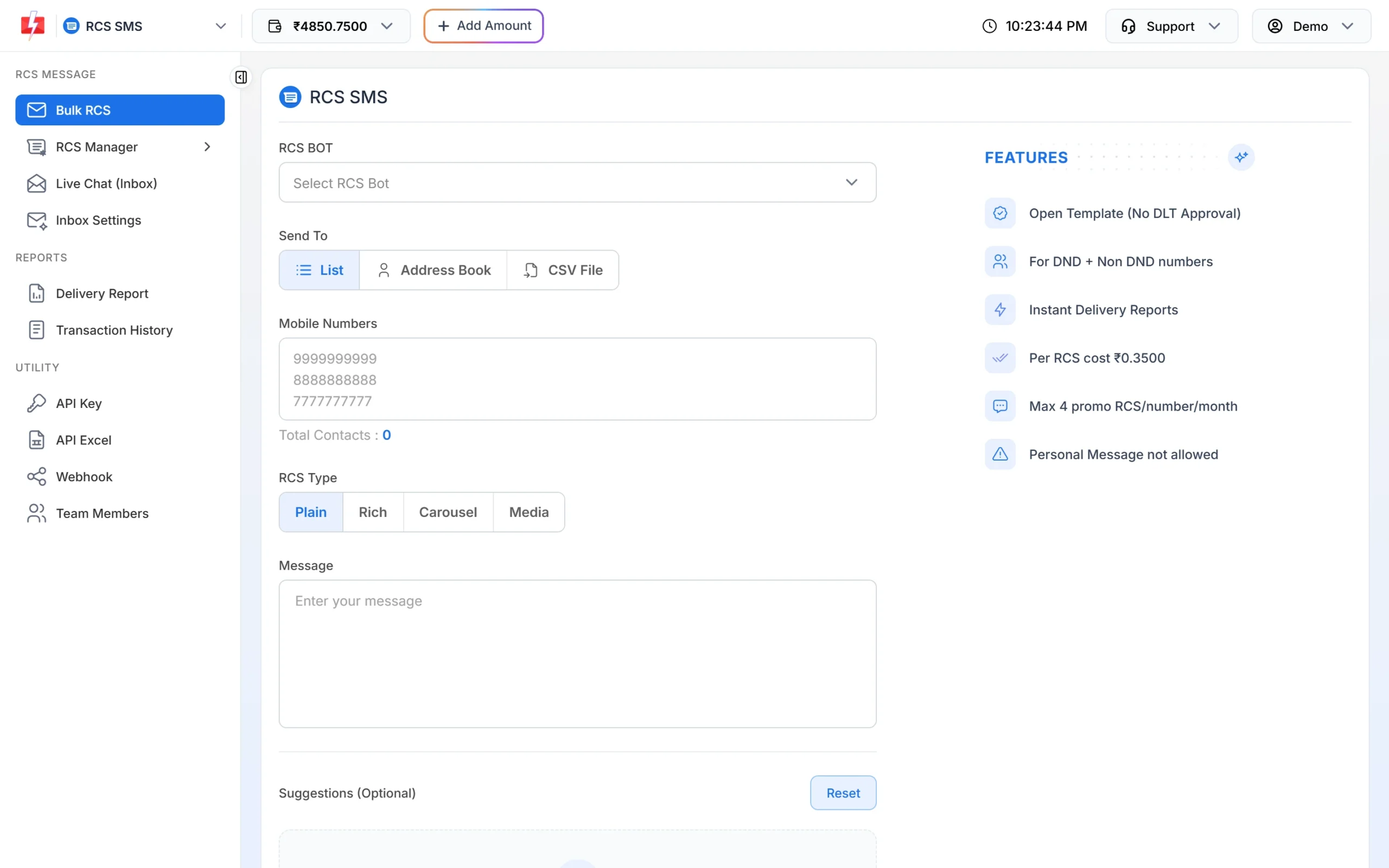
The features card shows the rules for the selected bot. -
Check the content and links
Make sure the text, images and buttons do not fall in a prohibited category, and that every link opens your own website or a page you trust. Say who you are in the message, and only send to people who agreed to hear from you.
Frequently asked questions
Can I send loan or finance offers on RCS?
Google’s list of regulated goods does not name financial services, but all content must follow Indian law and must not mislead. Messages that pretend to be a bank or ask for bank details are not allowed.
Can I send election or political messages on RCS?
No. Google does not allow political campaign content in business messages, including polls and election predictions.
What happens if my messages break the policy?
Google can suspend the RCS agent (bot), and for serious or repeated cases the whole account. A suspended bot cannot send messages until the issue is fixed and reviewed.
Do these rules apply to transactional RCS too?
Yes. The content policy covers every RCS business message, promotional or transactional.