
The Fast2SMS Resend OTP API sends the same OTP again to a number, for the “Didn’t get the code? Resend” button on your login or signup screen. You pass only the mobile number. Fast2SMS repeats the last OTP with the same OTP ID, so the user can type the code from either message. This page covers the limits (10 minutes, 5 sends), the wait time, charges, code in seven languages and every error.
Resend vs sending a new OTP
Resend OTP (/dev/otp/resend) |
Send OTP again (/dev/otp/send) |
|
|---|---|---|
| Code | Same code as the last send | A new code |
| Old messages | Still show the right code | Older codes are cancelled |
| What you pass | mobile only |
mobile, otp_id and options |
| Limits | Within 10 minutes of the last send, 5 sends in total | Only the resend wait in OTP Settings |
| Charged | Yes, like a new message | Yes |
Use Resend for the resend button. Use Send when the user starts again, changes the number, or after a code expired or was locked.
How Resend OTP works
- Fast2SMS finds the last OTP sent to that mobile from your account and sends the same value again, with the same OTP ID and the same expiry minutes.
- The expiry starts again from the resend. If you sent with
otp_expiry5, the code is valid for 5 minutes after the latest resend. - Your template variables from the last send are used again. You can pass
variables_valuesto change them. - You get a new
request_idfor each resend, so each one has its own delivery status.
Limits you must design for
| Limit | Value | Can you change it? |
|---|---|---|
| Resend window | 10 minutes from the last send to that number | No, fixed |
| Sends per OTP ID per number | 5 in 10 minutes, counting the first send. So 4 resends. | No, fixed |
| Wait between sends | 10 seconds if you never saved OTP Settings | Yes, SMS Resend / Time Limit (Seconds) in OTP Settings, 0 to 3600 |
| Already verified | No resend after a successful verify | No |
Endpoint and parameters
| URL | https://www.fast2sms.com/dev/otp/resend |
| Method | POST with a JSON body (GET also works) |
| Header | authorization: YOUR_API_KEY, without “Bearer” |
mobile |
Required. The same 10-digit number you sent the OTP to. |
variables_values |
Optional. New values for the other template variables. Leave it out to reuse the last ones. |
Code examples
cURL
curl -X POST "https://www.fast2sms.com/dev/otp/resend" \
  -H "authorization: YOUR_API_KEY" \
  -H "Content-Type: application/json" \
  -d '{"mobile":"9999999999"}'
PHP
<?php
function resendOtp(string $mobile): array
{
    $ch = curl_init('https://www.fast2sms.com/dev/otp/resend');
    curl_setopt_array($ch, [
        CURLOPT_POST           => true,
        CURLOPT_RETURNTRANSFER => true,
        CURLOPT_TIMEOUT        => 15,
        CURLOPT_HTTPHEADER     => [
            'authorization: YOUR_API_KEY',
            'Content-Type: application/json',
        ],
        CURLOPT_POSTFIELDS     => json_encode(['mobile' => $mobile]),
    ]);
    $body = curl_exec($ch);
    $http = curl_getinfo($ch, CURLINFO_HTTP_CODE);
    curl_close($ch);

    $res = json_decode((string) $body, true) ?: [];
    return [
        'ok'      => $http === 200 && ($res['return'] ?? false) === true,
        'message' => $res['message'] ?? 'No response',
    ];
}

print_r(resendOtp('9999999999'));
Python
import requests

def resend_otp(mobile):
    r = requests.post(
        "https://www.fast2sms.com/dev/otp/resend",
        headers={"authorization": "YOUR_API_KEY"},
        json={"mobile": mobile},
        timeout=15,
    )
    data = r.json()
    return r.status_code == 200 and data.get("return") is True, data.get("message")

print(resend_otp("9999999999"))
Node.js
async function resendOtp(mobile) {
  const res = await fetch("https://www.fast2sms.com/dev/otp/resend", {
    method: "POST",
    headers: { authorization: "YOUR_API_KEY", "Content-Type": "application/json" },
    body: JSON.stringify({ mobile }),
  });
  const data = await res.json();
  return { ok: res.status === 200 && data.return === true, message: data.message };
}

resendOtp("9999999999").then(console.log);
Java
import java.net.URI;
import java.net.http.HttpClient;
import java.net.http.HttpRequest;
import java.net.http.HttpResponse;

public class ResendOtp {
    public static void main(String[] args) throws Exception {
        HttpRequest request = HttpRequest.newBuilder()
                .uri(URI.create("https://www.fast2sms.com/dev/otp/resend"))
                .header("authorization", "YOUR_API_KEY")
                .header("Content-Type", "application/json")
                .POST(HttpRequest.BodyPublishers.ofString("{\"mobile\":\"9999999999\"}"))
                .build();

        HttpResponse<String> response = HttpClient.newHttpClient()
                .send(request, HttpResponse.BodyHandlers.ofString());

        System.out.println(response.statusCode() + " " + response.body());
    }
}
C# (.NET)
using System;
using System.Net.Http;
using System.Text;

var client = new HttpClient();
var request = new HttpRequestMessage(HttpMethod.Post, "https://www.fast2sms.com/dev/otp/resend");
request.Headers.TryAddWithoutValidation("authorization", "YOUR_API_KEY");
request.Content = new StringContent("{\"mobile\":\"9999999999\"}", Encoding.UTF8, "application/json");

var response = await client.SendAsync(request);
Console.WriteLine($"{(int)response.StatusCode} {await response.Content.ReadAsStringAsync()}");
Go
package main

import (
	"fmt"
	"io"
	"net/http"
	"strings"
	"time"
)

func main() {
	req, _ := http.NewRequest("POST", "https://www.fast2sms.com/dev/otp/resend",
		strings.NewReader(`{"mobile":"9999999999"}`))
	req.Header.Set("authorization", "YOUR_API_KEY")
	req.Header.Set("Content-Type", "application/json")

	client := &http.Client{Timeout: 15 * time.Second}
	resp, err := client.Do(req)
	if err != nil {
		panic(err)
	}
	defer resp.Body.Close()

	body, _ := io.ReadAll(resp.Body)
	fmt.Println(resp.StatusCode, string(body))
}
Responses
Success looks the same as Send OTP, with a new request ID:
{"return":true,"status_code":200,"request_id":"Oa1B2c3D4e5F6g7","message":"OTP sent successfully"}| HTTP | message | What to do |
|---|---|---|
| 400 | Mobile Number is required | The number is missing or not a valid 10-digit number. Resend uses this one text for every number problem. |
| 404 | No previous OTP request found for this mobile | Nothing was sent to this number from your account. Call Send OTP first. |
| 400 | OTP already verified. Please request a new OTP. | The user already verified. If you need a new code, call Send OTP. |
| 400 | OTP resend window (10 minutes) has expired. Please request a new OTP. | More than 10 minutes since the last send. Call Send OTP for a new code. |
| 400 | Maximum resend limit (5 times) reached. Please try again later. | 5 sends in 10 minutes. Ask the user to wait, or check the number is right. |
| 400 | Please wait N seconds before requesting a new OTP | The wait from OTP Settings is still running. Show a countdown with N seconds. |
| 400 | Insufficient wallet balance. You need at least ₹… | Add money to your wallet. |
Resend runs the same checks as Send OTP after its own checks, so every Send OTP error can also come back from Resend.
Build a resend button users understand
-
Start with a countdown
After Send OTP, show “Resend in 30s” and keep the button off until the timer ends. Use the same number of seconds as SMS Resend / Time Limit (Seconds) in OTP Settings. Then the API never answers “Please wait”.
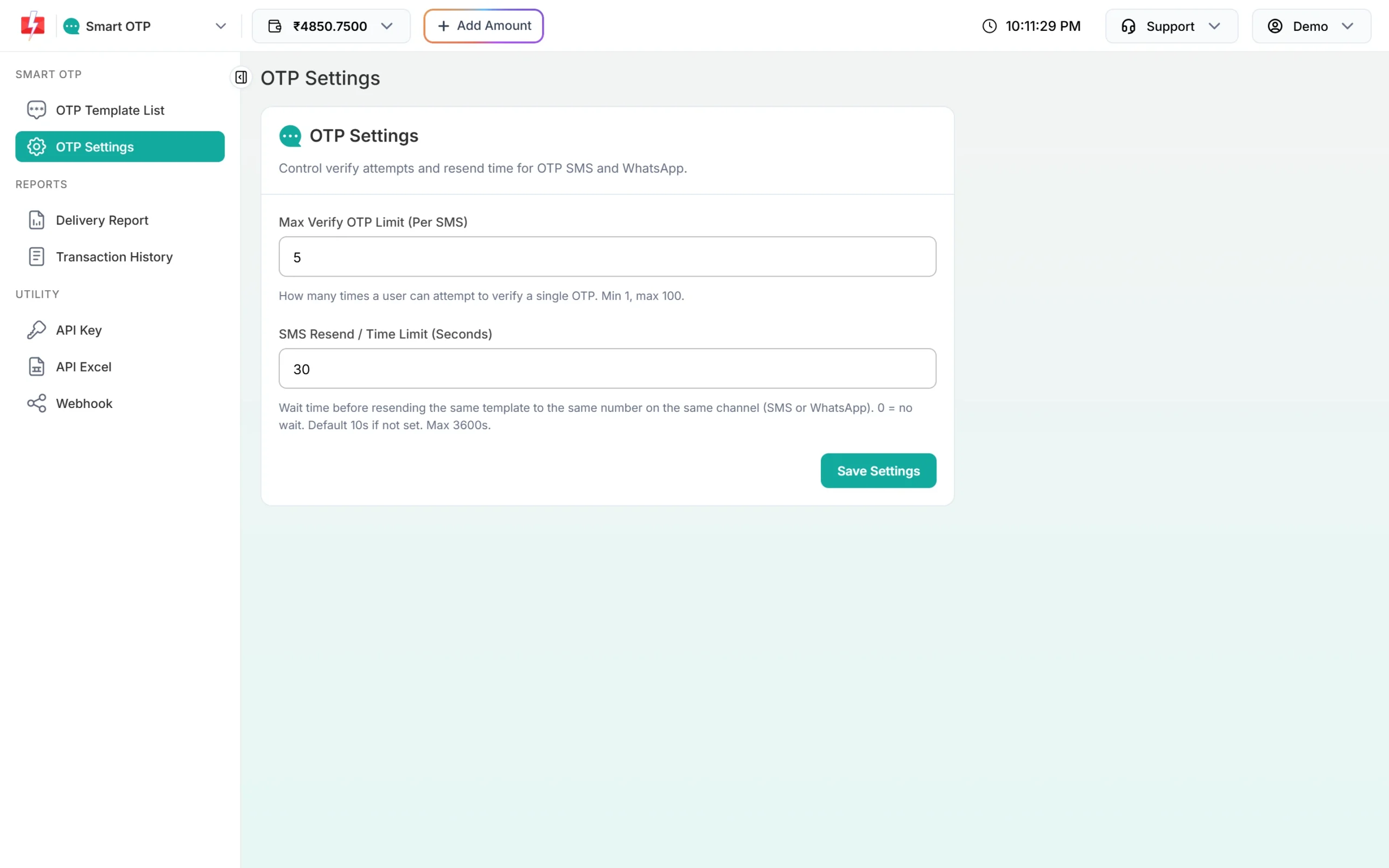
Match your button timer to this wait. -
Call Resend OTP on click
Send only the mobile number. On success, restart the countdown and show “Code sent again”. The user can type the code from any of the messages, because it is the same code.
-
Count the resends
Allow 4 resends at most. After that, hide the button and show a message such as “Too many tries. Please check your number or try again later.”
-
Switch to a new code after 10 minutes
If the resend window error comes back, or the code expired, call Send OTP instead. That gives a fresh code and a fresh limit.
-
Watch your costs
Each resend is a new message and a new debit. You can see every send and resend as its own line in Smart OTP’s Transaction History.
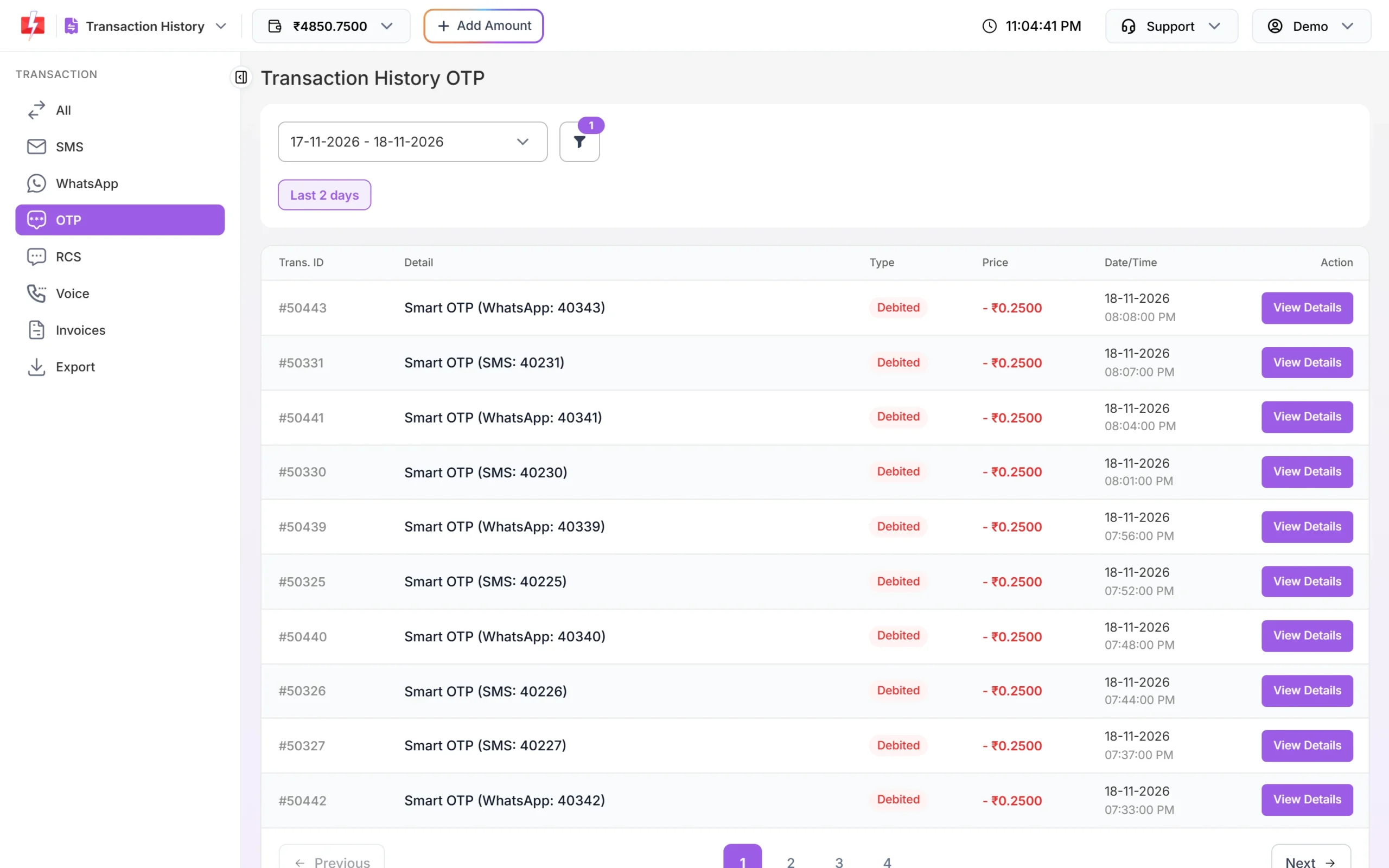
Every OTP message, including resends, is a separate debit.
Frequently asked questions
Does Resend OTP send a new code?
No. It sends the same code as the last send to that number. To get a new code, call Send OTP.
Is resend charged?
Yes. Each resend is a new SMS or WhatsApp message and is charged like a normal OTP.
How many times can I resend an OTP?
4 times. The limit is 5 sends of the same OTP ID to one number in 10 minutes, and the first send counts as one.
Can I resend on WhatsApp if the SMS did not arrive?
Resend uses the same OTP ID, so it goes on the same channel as the first send. For the other channel, add a fallback to the OTP template. A failed message is then sent once on the other channel automatically.
Does resend reset the expiry time?
Yes. The code is valid for the same number of minutes, counted from the latest resend.
Can I change the 10-minute window or the 5-send limit?
No. Both are fixed. You can only change the wait between sends, in OTP Settings.