
You cannot download the WhatsApp Business API. It is not an app or APK file. It is Meta’s official service that businesses use through a provider’s web panel or by connecting their own software. With Fast2SMS you open the panel in your browser, click Login with Facebook and connect your number, with nothing to install. Any file or APK sold as “WhatsApp Business API download” is not the official API.
Why there is nothing to download
The WhatsApp Business API runs on Meta’s servers. Your messages go from the provider’s platform to Meta and then to your customers. So the “app” you use is the provider’s dashboard, which opens in any browser, and the “API” is a web address your software can call. Meta does not publish an installable WhatsApp Business API app for phones or computers.
What people usually mean, and what to use
| If you want to… | Use this |
|---|---|
| Chat with customers from one phone | The free WhatsApp Business app from Google Play or the App Store (a different product from the API) |
| Send bulk campaigns to many customers | The WhatsApp Business API through the Fast2SMS panel (Bulk WhatsApp) |
| Let staff reply from their phones | Live Chat (Inbox), which opens in a mobile layout on a phone browser |
| Send messages from your website or software | The Fast2SMS WhatsApp API with your API key |
How to start using the API without installing anything
-
Sign up and open WhatsApp
Create a Fast2SMS account and switch to the WhatsApp app in the panel. You see the Official WhatsApp Business API Registration Process page.
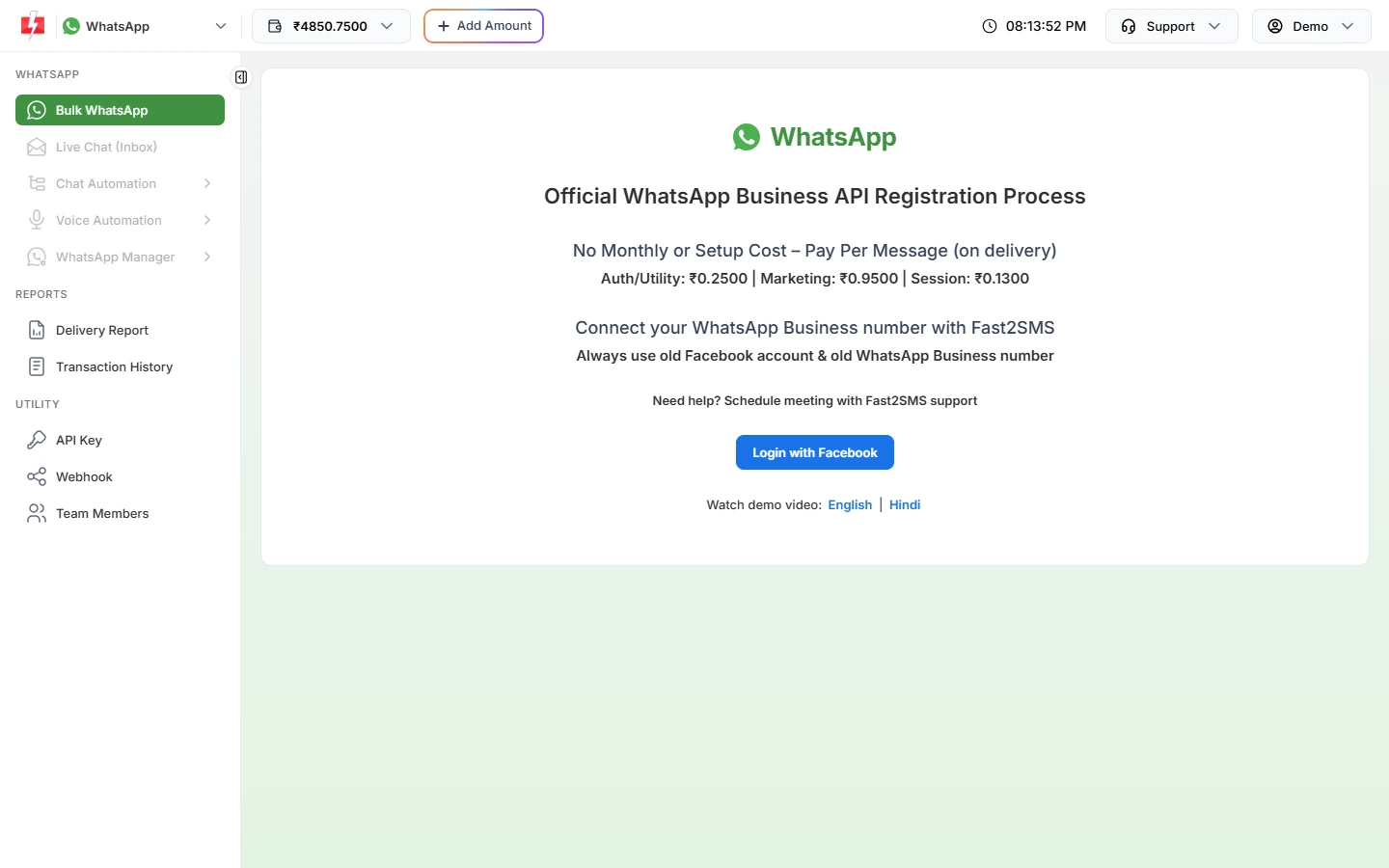
Everything starts in the browser with Login with Facebook. -
Connect your number
Click Login with Facebook, choose your business, enter your number and display name and verify it with Meta’s code.
-
Send and reply from any device
Create a template, send it from Bulk WhatsApp and reply in Live Chat (Inbox). On a phone, Live Chat opens in a mobile layout.
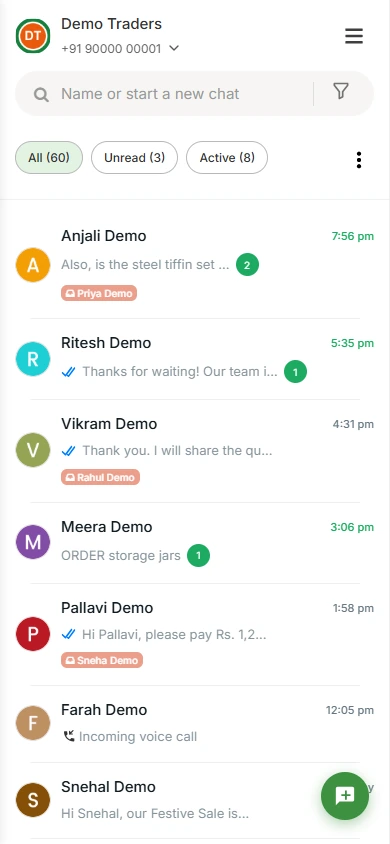
Live Chat on a phone browser, no app install needed.
Cost
Using the panel is free. You pay only per message, with no setup or monthly fee. See current rates on the WhatsApp pricing page.
Sending in bulk? For high WhatsApp volumes our team offers discounted rates. Talk to our team or see WhatsApp pricing.
Frequently asked questions
Is there a WhatsApp Business API APK?
No. Meta does not offer the API as an APK. Files sold under that name are unofficial.
WhatsApp Business API kaise download karen?
WhatsApp Business API download nahi hota. Fast2SMS par sign up karein, browser mein Login with Facebook se number connect karein aur panel se message bhejein.
Can I use the WhatsApp Business API on my phone?
Yes. Open the Fast2SMS panel in your phone’s browser. Live Chat switches to a mobile layout.
Is the WhatsApp Business app the same as the API?
No. The app is for one phone and small-scale chats. The API is for bulk messages, team inboxes, chatbots and integrations.