
Your Fast2SMS API key is on the API Key page under Account Setting. Click View, enter the OTP sent to your registered mobile, and the full key appears so you can copy it. Send it in the authorization header of every API call. This guide also shows how to reset the key if it leaks, how to switch API access off without changing the key, and how to fix the common “Invalid Authentication” errors.
Before you start
- You must log in as the account owner. Team members cannot open Account Setting pages.
- Keep your registered mobile handy. Viewing or resetting the key needs an OTP sent to it by SMS and WhatsApp.
How to find your Fast2SMS API key
-
Open Account Setting and click API Key
On the dashboard, click Account Setting in the Utility row, then API Key under UTILITY in the left menu. You can also use API Key in the apps menu at the top left, or the API Key link inside the SMS, WhatsApp, Smart OTP, RCS and Voice menus.
The page shows a status pill (Enabled or Disabled), the time the key was created, and the Authorization Key with only its first 4 characters visible.
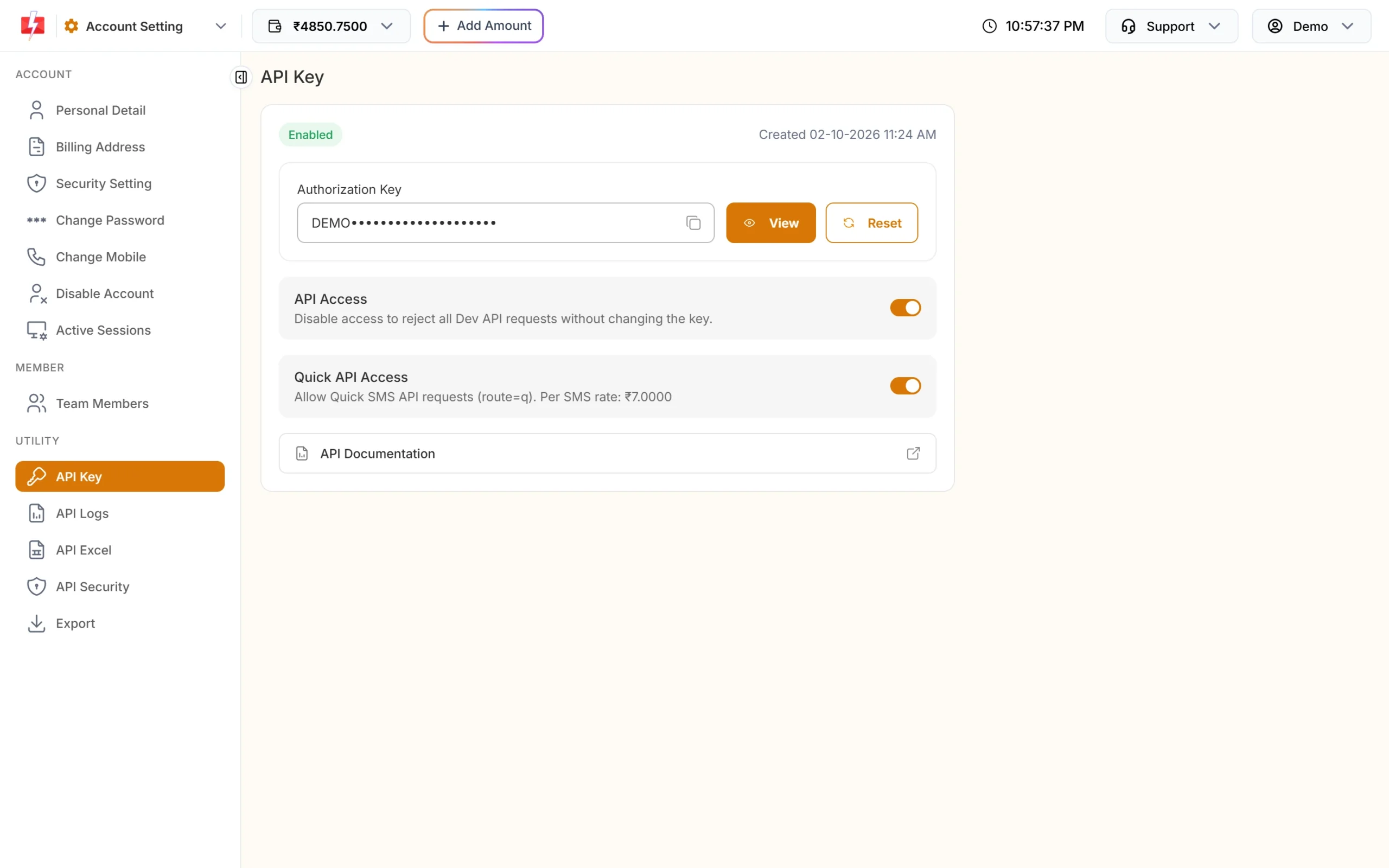
The API Key page in Account Setting. -
Click View and confirm with OTP
Click View. A box asks “View Authorization Key?” and says an OTP will be sent to your mobile. Click Confirm, enter the OTP, and the key is shown with the message “Authorization Key revealed successfully.”
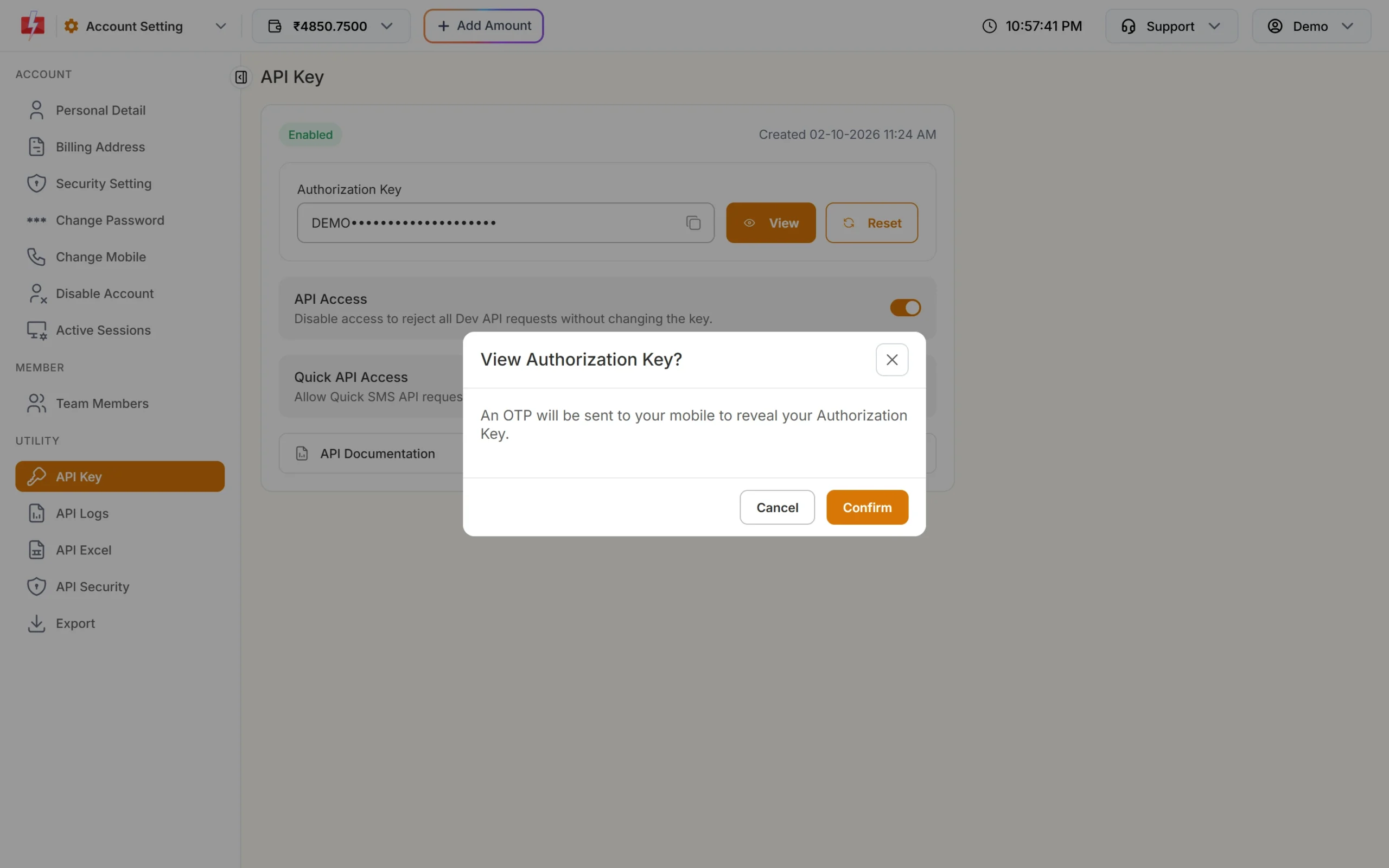
An OTP protects your key. -
Copy the key
Click the copy icon in the key box. If you click it before viewing the key, you see “View the API key first, then copy it.”
After one OTP is verified, other OTP-protected changes on these pages (for example a switch you change straight after) do not ask for a new OTP for the next 5 minutes. The panel then says “Confirm to apply (OTP already verified).”
How to use the API key in a request
Put the key in a header named authorization. Send the key alone, with no quotes, spaces or “Bearer” in front. A quick way to check that your key works is to ask for your wallet balance, which sends no message and costs nothing:
curl -X POST "https://www.fast2sms.com/dev/wallet" \
  -H "authorization: YOUR_API_KEY"
A working key returns something like this:
{"return":true,"wallet":"4850.7500","sms_count":19403}The same check in PHP and Python:
<?php
$ch = curl_init("https://www.fast2sms.com/dev/wallet");
curl_setopt_array($ch, [
    CURLOPT_POST => true,
    CURLOPT_RETURNTRANSFER => true,
    CURLOPT_HTTPHEADER => ["authorization: YOUR_API_KEY"],
]);
echo curl_exec($ch);
curl_close($ch);
import requests
r = requests.post("https://www.fast2sms.com/dev/wallet",
headers={"authorization": "YOUR_API_KEY"})
print(r.json())Keep the key on your server, for example in an environment variable. Never put it in a mobile app, browser JavaScript or a public code repository, because anyone who has it can send messages from your wallet.
Some no-code tools cannot set headers. Only for those, the key can go in the URL as ?authorization=YOUR_API_KEY. Prefer the header wherever you can, since URLs are saved in server and proxy logs.
How to reset (rotate) your API key
Reset the key if it was shared by mistake, if a developer leaves, or as a regular safety step.
-
Click Reset and confirm
On the API Key page, click Reset. The box “Reset API Key?” warns that your current key will stop working. Click Confirm and enter the OTP. You see “API key regenerated successfully.” The new key is 60 characters long. A reset also turns API Access back on.
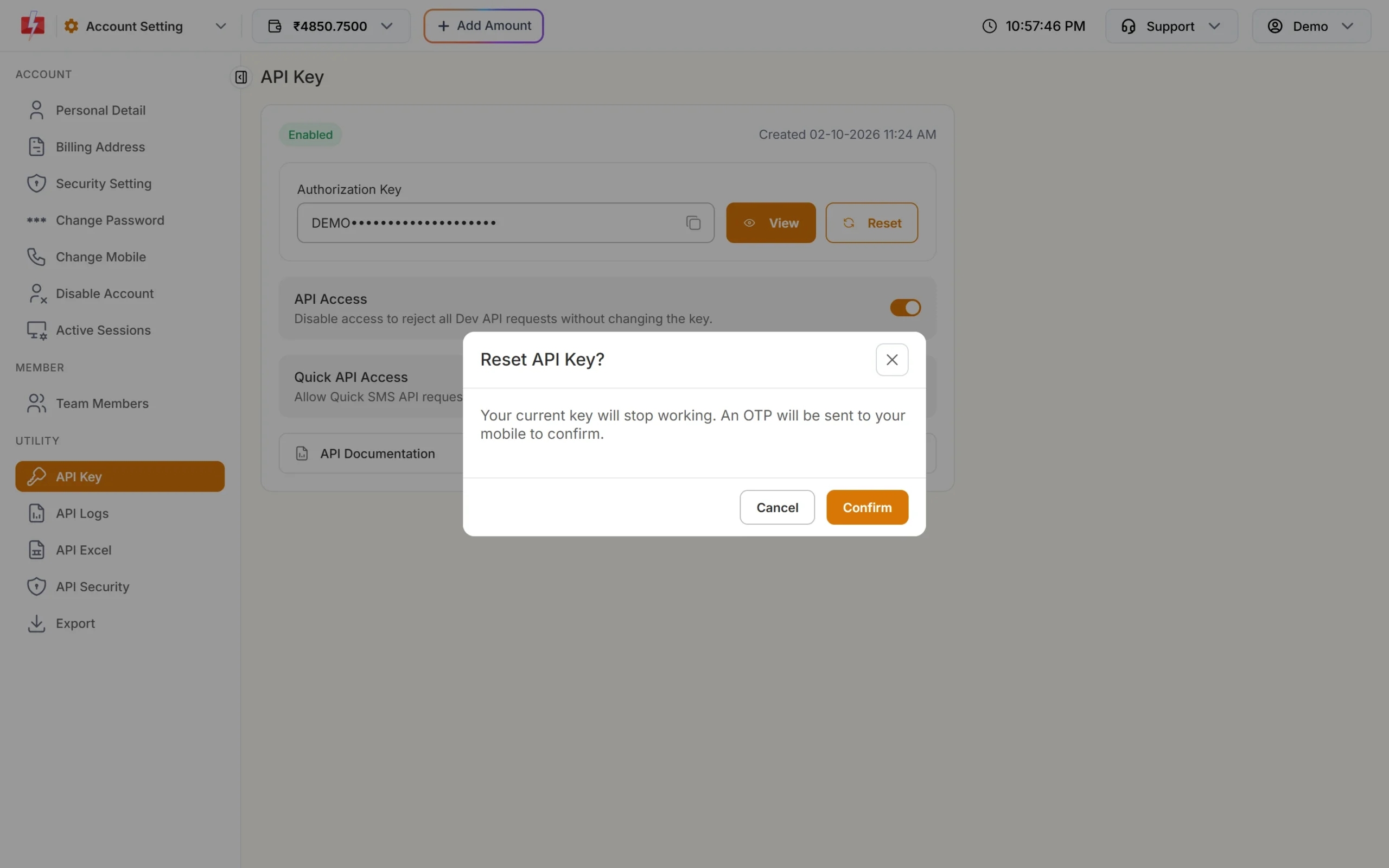
The old key stops working as soon as you reset. -
Update every place that uses the key
The old key stops at once, so update your website, app servers and any plugin that uses it: Shopify, WooCommerce or WordPress, Tally, Google Sheets and other integrations. Then open API Logs to check that new calls succeed.
To keep downtime short, have the new key ready to paste into your systems before you click Reset, and do it at a quiet time of day.
Turn API access off without changing the key
The API Access switch blocks all API calls while keeping the same key. Use it if you suspect misuse and want to stop sending at once. Turning it off needs an OTP and also turns off Quick API Access. While it is off, every call gets error 413 “Invalid Authentication, Authorization Key Disabled”. Turn it back on the same way.
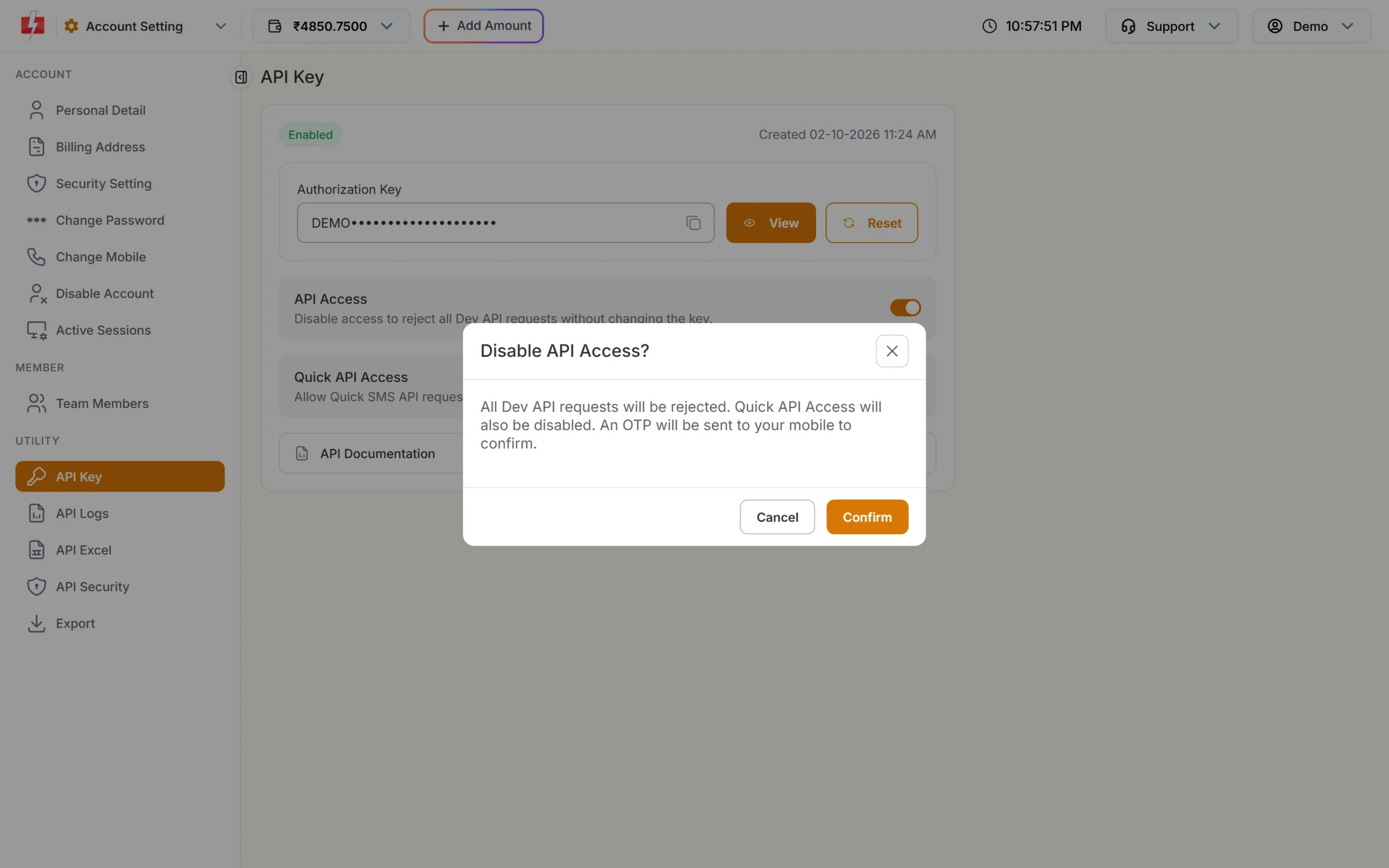
Quick API Access controls only the Quick SMS route (route=q). It can be on only when API Access is on; otherwise you see “Enable API Access first before enabling Quick API Access.”
API key errors and how to fix them
| Error | What it means | Fix |
|---|---|---|
| 412 “Invalid Authentication, Check Authorization Key” | Key missing, wrong, has extra characters, or was reset | View the current key, copy it again and send it in the authorization header |
| 413 “Invalid Authentication, Authorization Key Disabled” | API Access is switched off | Turn on API Access on the API Key page |
| 414 “IP is blacklisted from Dev API section” | API Security is on and your server IP is not whitelisted | Add the server’s public IP in API Security |
| 415 “Account Disabled” | The account is disabled | Contact support |
| 428 “Quick API Access is disabled.” | You called route=q with Quick API Access off |
Turn on Quick API Access |
| “Authorization key required” / “Invalid authorization key” | Smart OTP API: key missing or wrong | Send the bare key in the authorization header, without “Bearer” |
These errors come back with HTTP status 401. Calls with a wrong or missing key are not saved in API Logs, because they cannot be linked to your account.
Common problems and fixes
“Please wait to send new OTP.”
You can ask for one OTP every 30 seconds. Wait and click again.
“Daily OTP limit exhausted. Try again after sometime.”
Too many OTP requests were made today. Try again later, or contact support if you need the key urgently.
The key worked yesterday and fails today
Someone may have reset the key or switched API Access off. Check the status pill and the Created time on the API Key page.
Frequently asked questions
Where is the API key in the Fast2SMS panel?
Account Setting, then API Key under UTILITY. Click View and enter the OTP to see it.
Is the API key free?
Yes. There is no charge for the key. You pay only for the messages you send.
Can I have more than one API key?
The API Key page shows one key per account. Resetting it replaces the old key with a new one.
Should I write “Bearer” before the key?
No. Send the key alone in the authorization header. The Smart OTP API does not accept a “Bearer” prefix.
Can a team member see the API key?
No. The API Key page is only for the account owner.
Why does the key need an OTP to view?
The key gives full access to your wallet for sending. The OTP makes sure only the person with the registered mobile can see or change it.