
WhatsApp errors 131052 and 131053 are media errors. 131053 “Media upload error” means WhatsApp could not use the image, video or document in your message, usually because of the file type, size or link. 131052 “Media download error” means WhatsApp could not download a file that the customer sent you. This page explains both and how to fix them in Fast2SMS.
Error 131053: media upload error
Meta’s description, at the time of writing, is that it was unable to upload the media used in the message. Meta’s advice is to check the media file and confirm its type is supported. The most common causes are:
- The file type is not supported, for example a .webm or .mov video, a GIF, or a HEIC photo from an iPhone.
- The file is too big for its type.
- The link to the file is not public, has expired, needs a login or redirects to a web page instead of the file itself.
- The video uses a codec WhatsApp does not support.
In the Fast2SMS Delivery Report, 131053 shows in the Description column as Meta’s details text followed by “(Error: 131053)”. The details usually say what was wrong with the file.
Supported media types and sizes
These are Meta’s limits at the time of writing:
| Media | File types | Max size |
|---|---|---|
| Image | JPEG, PNG (8-bit, RGB or RGBA); static WebP | 5 MB |
| Video | MP4, 3GP, with H.264 video and AAC audio, one audio track at most | 16 MB |
| Audio | AAC, AMR, MP3, M4A, OGG (Opus) | 16 MB |
| Document | PDF, DOC, DOCX, XLS, XLSX, PPT, PPTX, TXT | 100 MB |
| Sticker | WebP | 100 KB static, 500 KB animated |
How to fix 131053 in Fast2SMS
-
Check the header file in Bulk WhatsApp
For a template with a media header, Bulk WhatsApp shows a Header (Image) (or video or document) field with Choose File. Upload a file of a supported type and size. Convert iPhone photos to JPG and screen recordings to MP4 first.
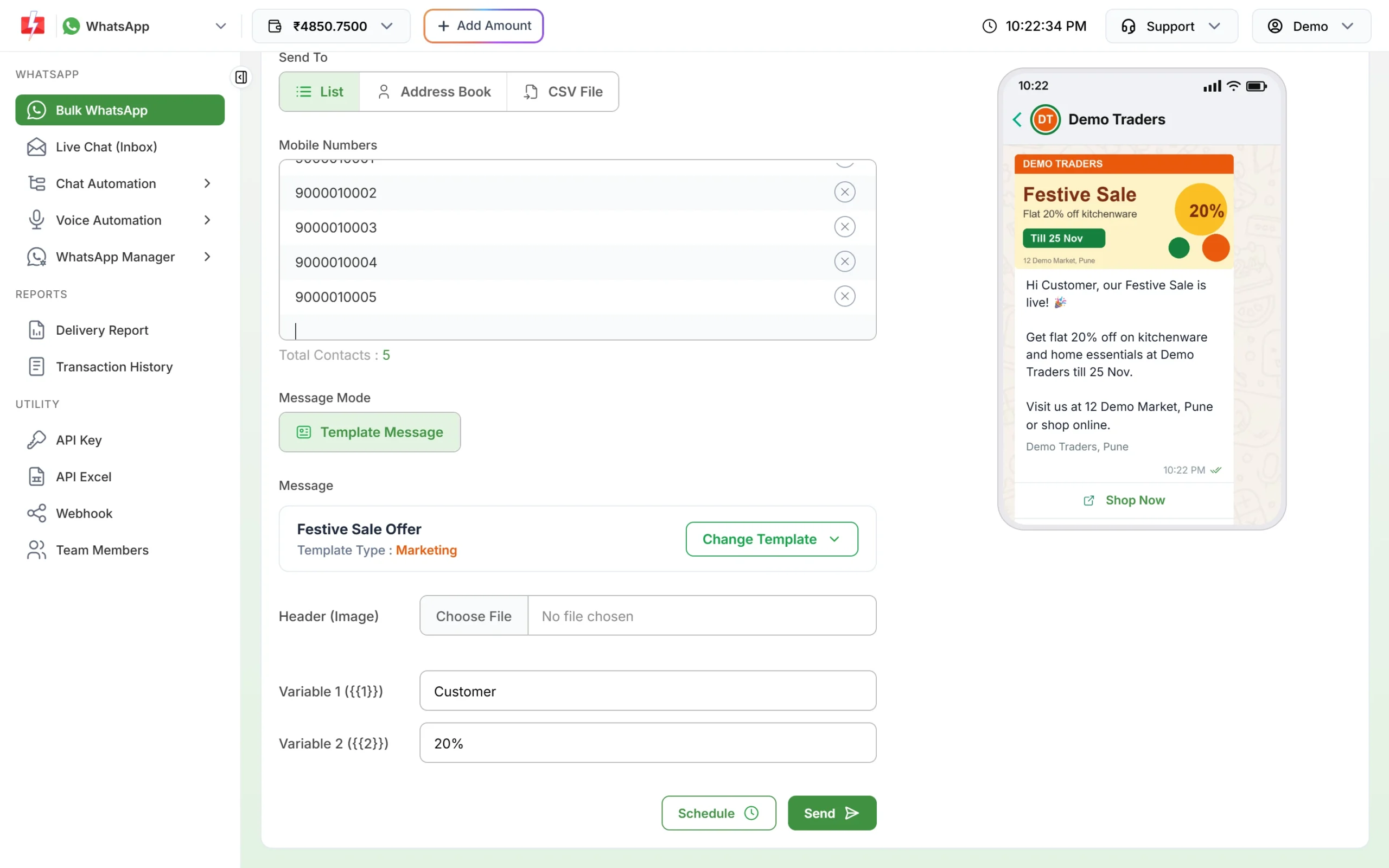
Upload the header file for each campaign. -
For the API, use a public direct link
If you send templates through the API with
media_url, the link must open the file directly for anyone, without a login. Fast2SMS checks it and returns “Media URL is not reachable. Please use a public link.” if it cannot reach it. Share links from cloud drives often open a preview page instead of the file, so they fail. -
Send a test first
Use the Test button on the approved template in WhatsApp Manager > Templates, or send the campaign to your own number first, before sending to everyone.
Error 131052: media download error
131052 is about incoming media. Meta could not download a photo, video, voice note or document that a customer sent to your business number. Meta’s advice is to read the error details and ask the customer to send the file in another way.
- In Live Chat, ask the customer to send the file again, or to share it by email.
- Ask them to send a smaller file, or a photo instead of a document.
- Remember that media in Live Chat stays available for 30 days only, so save important files from customers in time.
Frequently asked questions
What is the maximum image size for WhatsApp templates?
5 MB for JPEG or PNG images, according to Meta at the time of writing. The template upload box in Fast2SMS also shows a 5 MB limit.
Why does my video fail when the size is under 16 MB?
Probably the format. WhatsApp needs MP4 or 3GP with H.264 video and AAC audio. Re-export the video in that format.
Can I send a GIF on WhatsApp Business API?
GIF is not in Meta’s list of supported image types. Convert it to a short MP4 video instead.
Are messages that failed with 131053 refunded?
Yes. Fast2SMS refunds every failed WhatsApp message to your wallet automatically, about two days after sending.
Is 131052 my fault?
No. It happens when WhatsApp cannot download a file a customer sent. Ask the customer to send it again.