
WhatsApp error 131056 “Pair rate limit hit” means your business number sent too many messages to the same customer in a short time. Meta limits how fast one business number can message one person. Messages to other people are not affected, so this error usually shows up in testing, OTP resends or API loops, not in normal campaigns.
What error 131056 means
Meta’s description, at the time of writing, is “too many messages sent from the sender phone number to the same recipient phone number in a short period of time”. The limit is per pair: one business number and one customer number.
Meta’s Cloud API documentation gives these numbers at the time of writing:
| Rule | Limit |
|---|---|
| Normal rate to one customer | 1 message every 6 seconds (about 10 per minute) |
| Short burst | Up to 45 messages in 6 seconds, but you must then wait as long as those messages would have taken at the normal rate |
| Other customers | Not affected, you can keep sending to them |
Common reasons
- Testing on one phone. Sending the same template to your own or a colleague’s number again and again while you build an integration.
- OTP resend loops. A login page that lets users tap “Resend” many times, or retries automatically without a wait.
- API retry loops. Code that retries a failed request straight away, many times in a row.
- Several messages per event. For example an order update, an invoice, a payment message and a review request all sent in the same second.
How to fix error 131056
-
Find which number failed
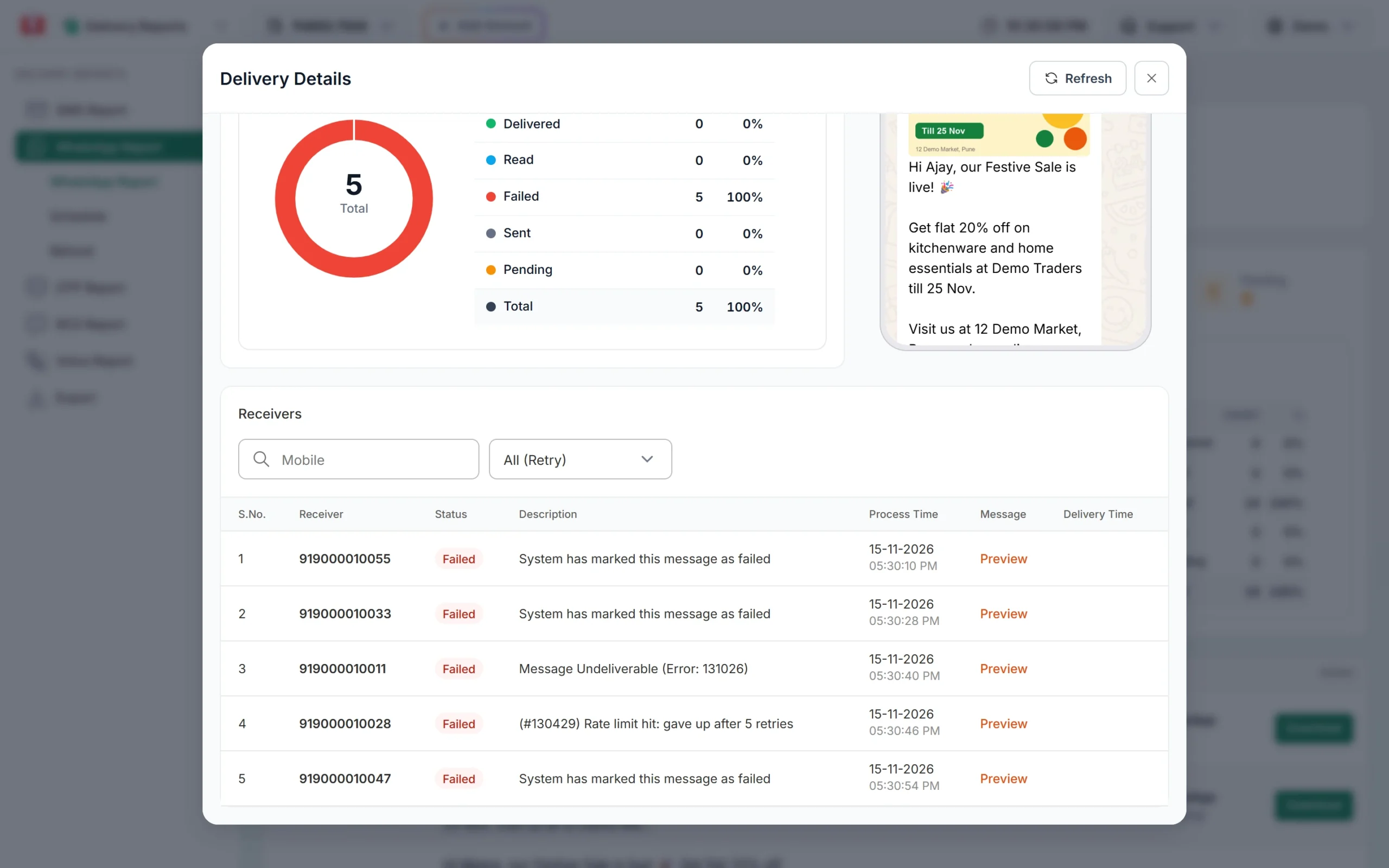
In Delivery Report > WhatsApp Report, filter by Failed and open the message. The Description column of the Delivery Details window shows Meta’s text with “(Error: 131056)”. It will usually be the same number several times.
The Description column shows the error for each receiver. -
Wait, then send again to that customer
Meta’s advice is to wait and retry only if you must reach that same number. A short wait is usually enough. Meta suggests increasing the wait after each failure (1, 4, 16, 64 seconds and so on).
-
Space out messages in your code
If you use the API, add a gap of at least 6 seconds between messages to the same customer, and put several messages into one where you can. One template with the order details and a button often works better than three separate messages.
-
Limit OTP resends
Add a wait before the “Resend” button works again. Smart OTP settings let you set a cooldown and a maximum number of attempts, which stops users from triggering many messages in a row.
How to test without hitting 131056
- Use the Test button on an approved template in WhatsApp Manager > Templates, and wait a few seconds between tests.
- Test with two or three different phone numbers instead of one.
- Repeated numbers in one Bulk WhatsApp campaign are not a problem: Fast2SMS sends each number once and shows the repeats as Duplicate Numbers in the Message Preview & Confirmation window. Watch out for the same customer in several campaigns sent at the same moment.
Frequently asked questions
Does 131056 affect my whole campaign?
No. It applies only to the one customer number that got too many messages. Everyone else in the campaign is sent normally.
Does 131056 hurt my quality rating?
It is a speed limit, not a quality signal. Many messages to one person in a short time can annoy them, though, and blocks do affect quality.
How long should I wait after 131056?
A few seconds is often enough at the normal rate. After a big burst, wait as long as those messages would take at 1 every 6 seconds.
Is 131056 the same as 130429?
No. 130429 is the total speed limit of your number across all customers. 131056 is about one customer only.
Am I charged for messages that failed with 131056?
No. Fast2SMS refunds every failed WhatsApp message to your wallet automatically, about two days after sending.