
WhatsApp error 131064 means Meta has limited how many messages your account can send because some of your templates were put in the wrong category, usually marketing content labelled as utility. The limit lifts by itself after Meta’s enforcement period, but you should fix the templates so it does not happen again. This page explains what triggers it and how to clean up your templates in Fast2SMS.
What error 131064 means
Meta’s description, at the time of writing, is that the message failed because the account has reached its messaging limit due to template classification violations. Meta’s advice is to review and correct your template categories; the restriction lifts automatically after the enforcement period.
Meta charges different prices for each category and treats them differently, so it checks that templates are labelled honestly. Accounts that repeatedly send promotional content as utility or authentication can be limited.
Which category is right?
| Category | Use it for | Not for |
|---|---|---|
| Utility | Order confirmations, delivery updates, payment receipts, appointment reminders, account alerts, triggered by something the customer did | Offers, discounts, “check out our new range”, review requests with a coupon |
| Authentication | One-time passwords and login codes | Anything else |
| Marketing | Offers, sales, new products, festival greetings, win-back messages, newsletters | Nothing; if in doubt, use Marketing |
How to fix your templates in Fast2SMS
-
List your utility and authentication templates
Open WhatsApp Manager > Templates, click the filter button, open the Category tab and choose Utility or Authentication. Read each one and ask: would this message make sense if the customer had not just done something with you?
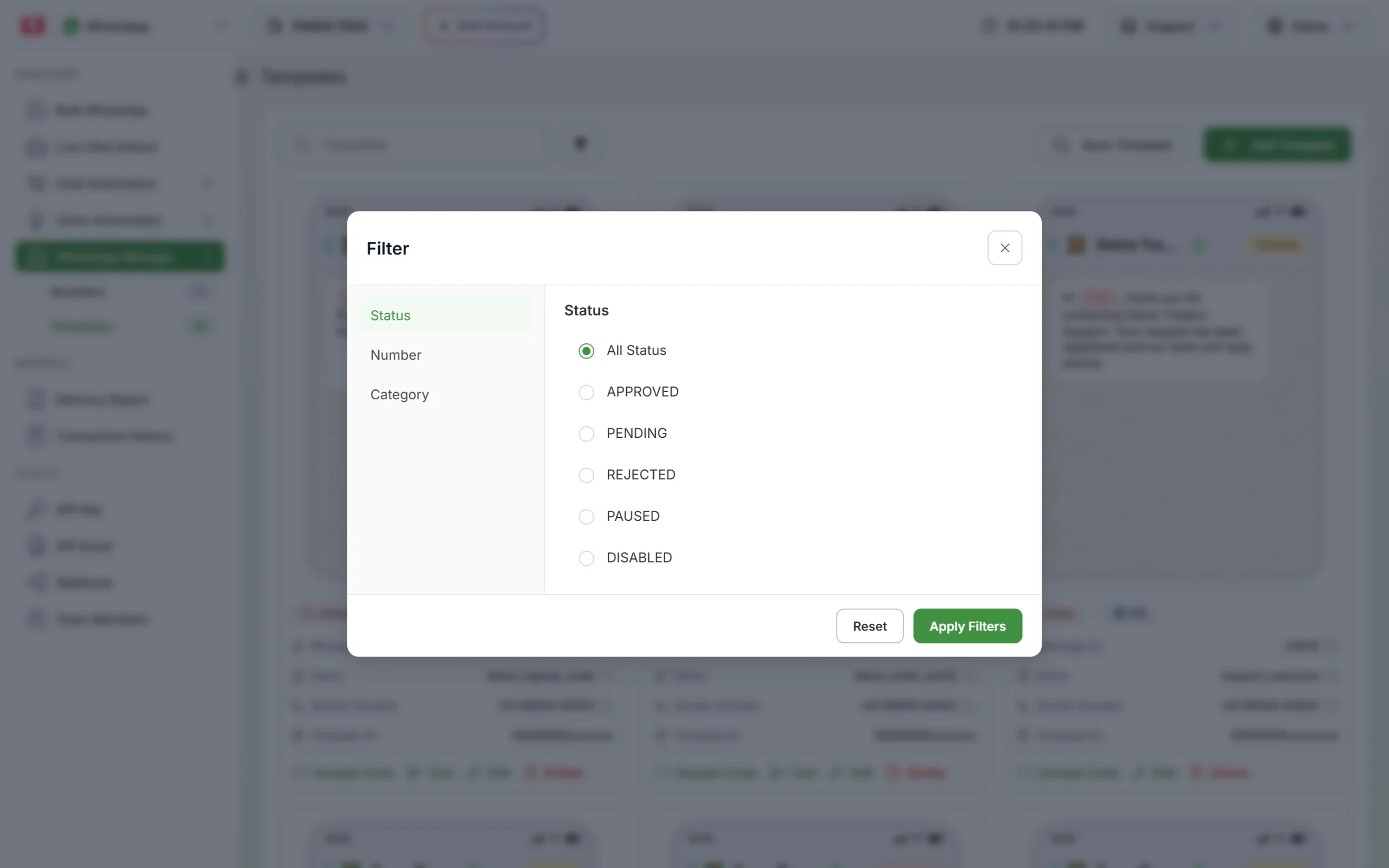
Filter templates by category to review them. -
Change or replace the wrong ones
Click Edit on a template to change its type or content; the change goes back to Meta for review. For a template that mixes an update with an offer, it is often cleaner to remove the offer and create a separate Marketing template for it.
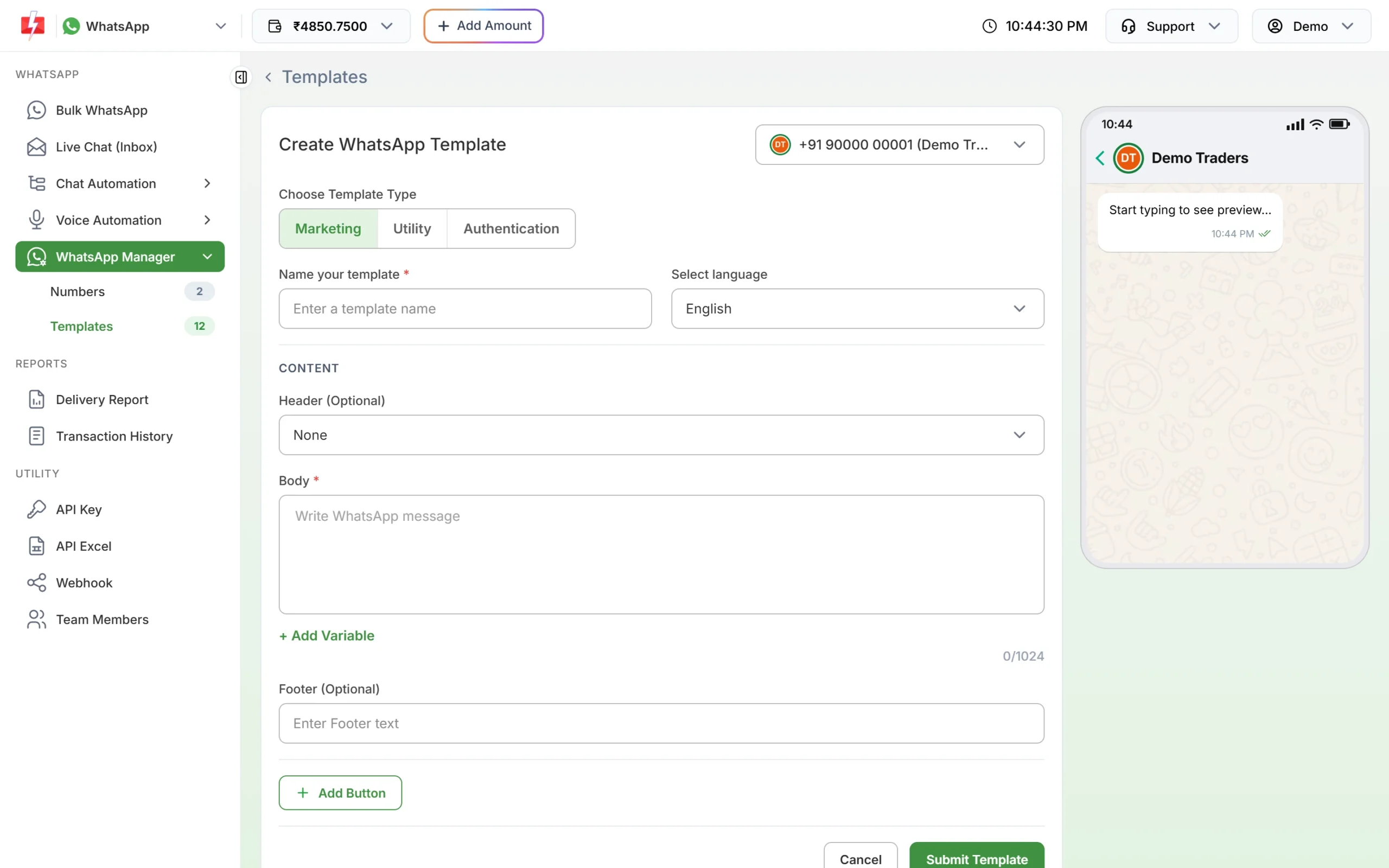
Choose the template type that matches the message. -
Update your campaigns and integrations
If you created new templates, update scheduled campaigns and API calls to use the new Message ID.
-
Wait for the restriction to lift
Meta removes the limit automatically after its enforcement period. Meanwhile, send only messages customers really need.
Frequently asked questions
How long does the 131064 limit last?
Meta says it lifts automatically after the enforcement period and does not publish a fixed length. Fix your templates in the meantime.
How do I see the category Meta has for my template?
Meta checks the category when it reviews a template. Click Sync Template now and then so your template cards show the category Meta has on record.
Is it cheaper to send offers as utility?
Utility costs less, but sending offers as utility breaks Meta’s rules and can lead to errors like 131064. It is not worth the risk.
Are messages that failed with 131064 refunded?
Yes. Fast2SMS refunds every failed WhatsApp message to your wallet automatically, about two days after sending.
Does 131064 affect OTP messages?
The limit applies to the account, so other messages can be affected too. Fixing your templates quickly keeps important messages flowing.