
WhatsApp error 2388072 (body), 2388047 (header) and 2388073 (footer) mean Meta found invalid formatting in that part of your template. The template is not created until you fix that part. The error details usually say what is wrong, so read them first, then use the checklist below.
What the three codes mean
| Code | Meta’s meaning | Where to look |
|---|---|---|
| 2388047 | Message header format is incorrect | Header (Optional) text or media |
| 2388072 | Message body format is incorrect | Body |
| 2388073 | Message footer format is incorrect | Footer (Optional) |
Common formatting mistakes
At the time of writing, Meta’s template review lists these formatting problems, and the components guide adds the header rule:
- Broken placeholders: a variable written as
{1},{{1}or{{ 1 }}instead of{{1}}. - Special characters in a variable: such as
{{#1}},{{$1}}or{{%1}}. - Variables out of order:
{{1}}followed by{{3}}with no{{2}}. - Markdown characters in the header: Meta asks you not to use Markdown special characters, such as
*for bold or_for italics, in the header. - More than one variable in a text header: a text header supports only one.
- Too many emojis in the body: Meta says the number of emojis in the body may be limited.
How to fix it in Fast2SMS
-
Read which part failed
When you click Submit Template, the message on screen starts with “Failed to submit template.” followed by Meta’s reason. It tells you whether the header, body or footer is the problem.
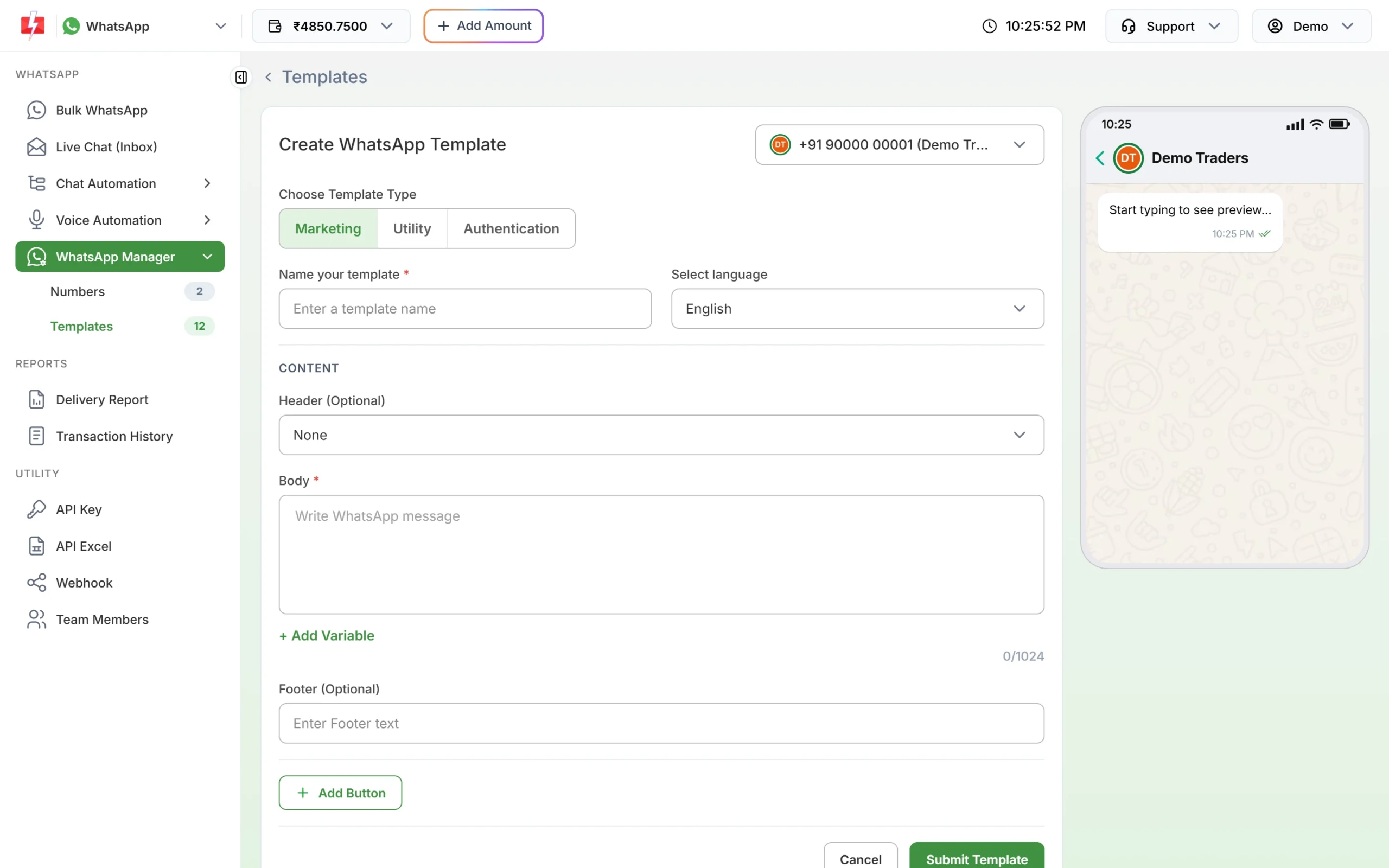
Header, body and footer each have their own box. -
Re-insert variables with + Add Variable
Delete any placeholders you typed by hand and use + Add Variable instead. It inserts the next number in the right format, so braces and order are always correct. Fill in a sample value for each one under Samples for body content.
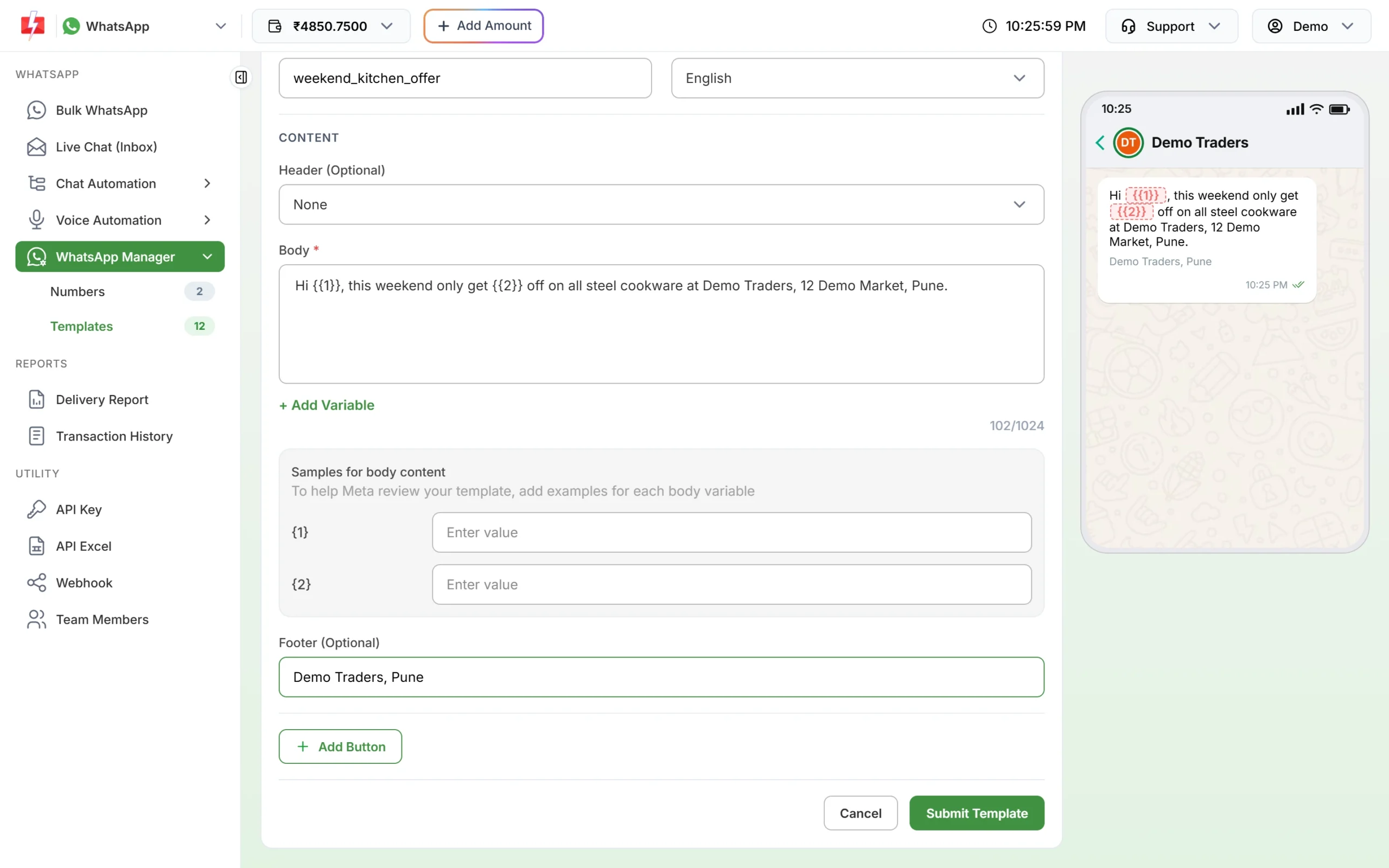
Correct placeholders show highlighted in the preview. -
Clean the header and footer
For a text header, keep plain words with at most one variable and no
*,_or~characters. If the header is an image, video or document, make sure the file type and size match: images JPG or PNG up to 5 MB, video MP4 up to 16 MB, documents PDF up to 100 MB. For the footer, keep one short plain line. -
Check the preview and submit
Look at the phone preview on the right. If it reads well, click Submit Template and confirm with Create Template.
How to avoid it
- Always add variables with the button, never by typing braces.
- Use bold or italics only in the body, not the header.
- Keep emojis to a few in the body.
- Copy text from a plain text editor, not from a formatted document, to avoid hidden characters.
Frequently asked questions
Can I use emojis in a WhatsApp template?
Yes, in the body, but Meta says the number of emojis there may be limited. Keep them few.
Can I make the header bold?
No. Meta asks you not to use Markdown characters in the header. Headers already appear in bold on the phone.
Why does my template fail even though the text looks fine?
Text copied from documents can carry hidden characters, or placeholders typed by hand can be slightly wrong. Retype the text and add variables with + Add Variable.
Can a footer have a variable?
Meta’s guide describes variables for the header and body, not the footer. Keep the footer as fixed text.
Is a formatting error the same as a rejection?
No. A formatting error stops the template being created at all. A rejection happens later, after Meta reviews the content.