
A WhatsApp template can be sent only when its status is APPROVED. PENDING means Meta is still reviewing it (up to 24 hours), REJECTED means Meta refused it, PAUSED means Meta stopped it for a few hours because of low quality, and DISABLED means it is switched off for good. This guide explains every WhatsApp template status in the Fast2SMS panel, how long approval takes and what to do when a template is paused.
Where to see your template status
Go to WhatsApp Manager > Templates. Each template is a card with a phone preview, and the status is shown at the top right of the card. Below the preview you see the category, the language, the Message ID (used in the API), the template name, the sender number and Meta’s Template ID.
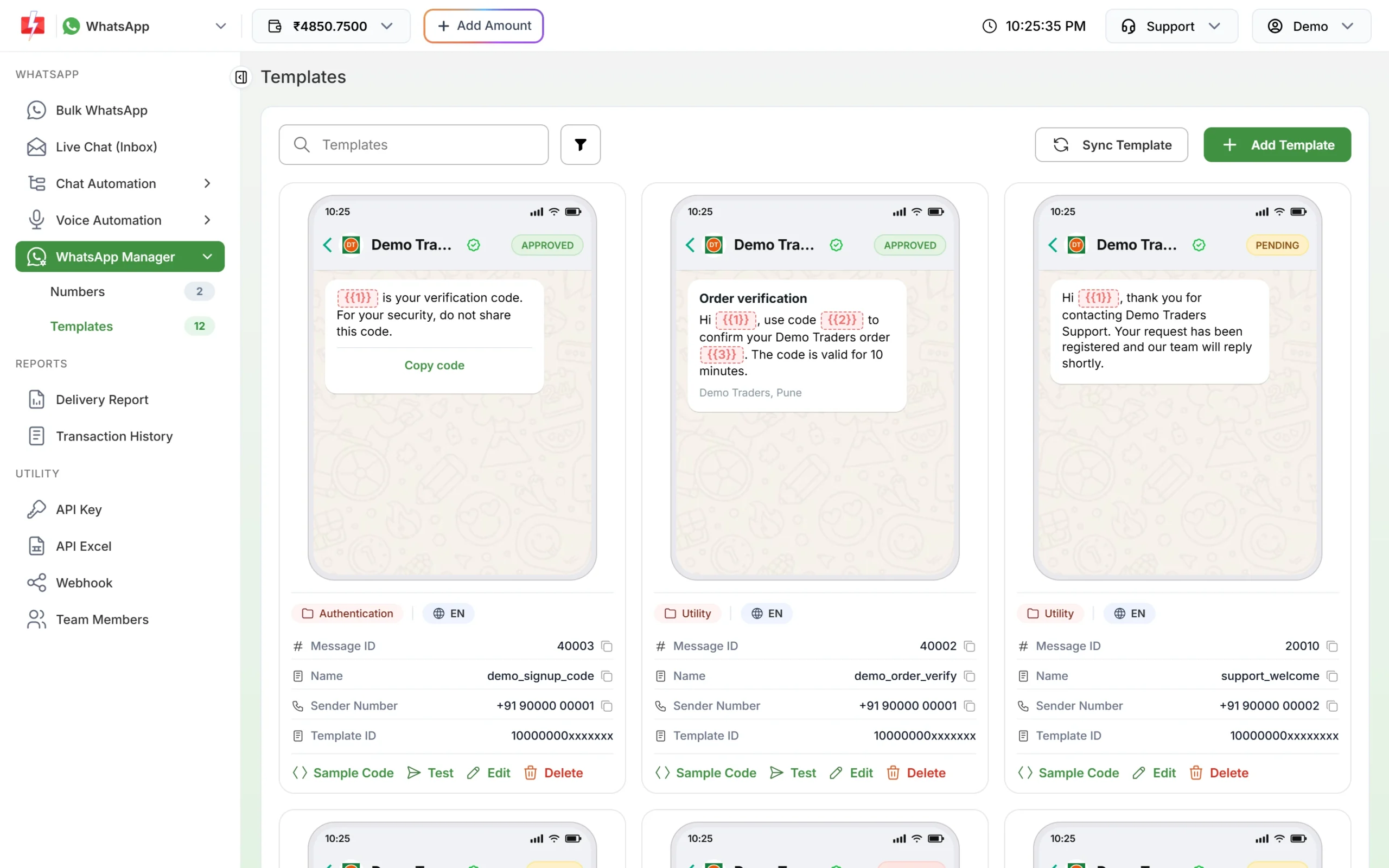
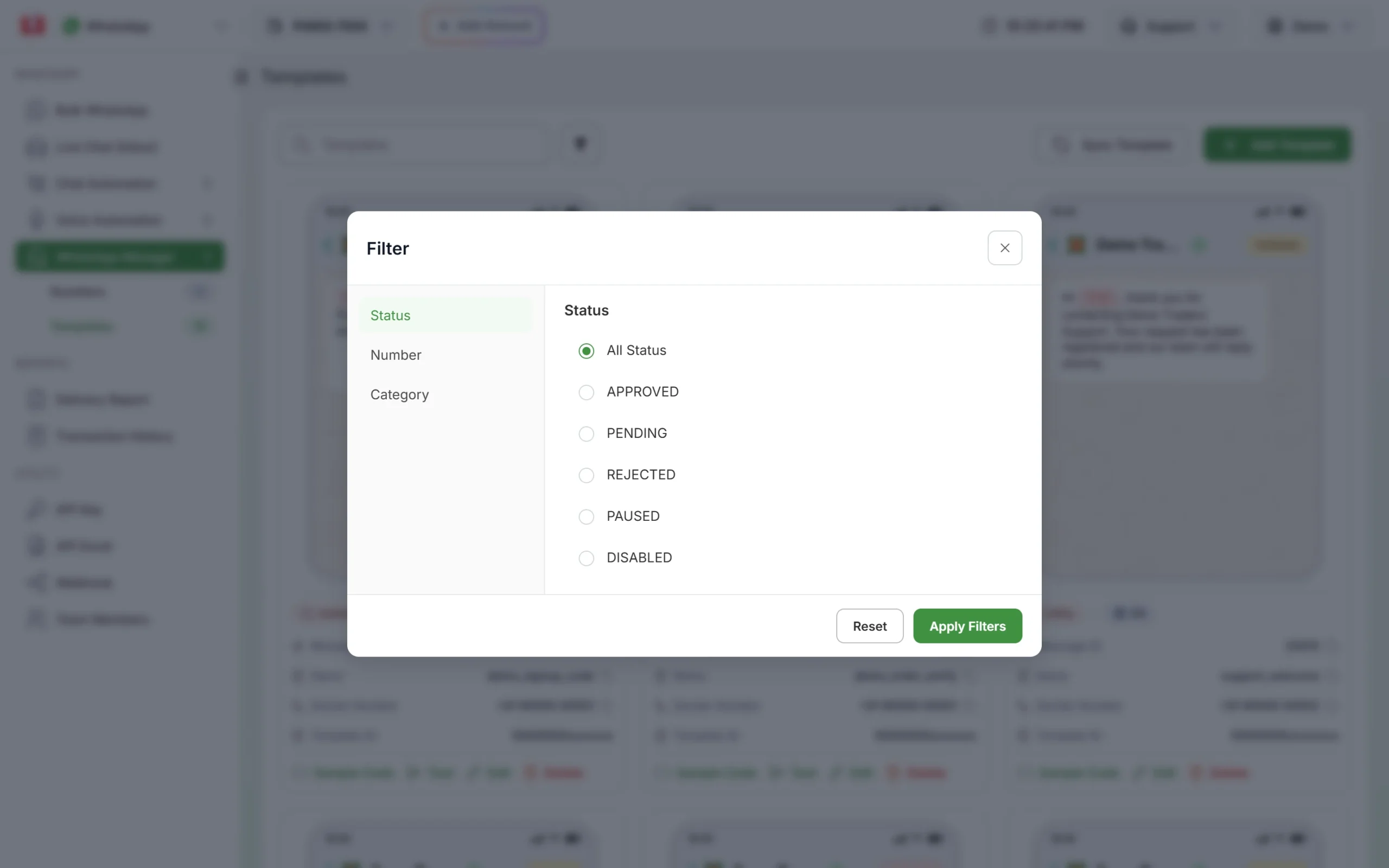
Statuses come from Meta. Click Sync Template to fetch the latest ones. To see only one status, click the filter button, choose Status and pick APPROVED, PENDING, REJECTED, PAUSED or DISABLED, then click Apply Filters.
WhatsApp template status meanings
| Status in Fast2SMS | What it means | Can you send it? | What to do |
|---|---|---|---|
| APPROVED (green) | Meta accepted the template. | Yes. It shows in the Bulk WhatsApp template picker and has a Test button. | Send it. Keep an eye on customer replies and blocks. |
| PENDING (orange) | Meta is reviewing it. A template you edit also goes back to PENDING. | No | Wait. Click Sync Template later. |
| REJECTED (red) | Meta refused it during review. | No | Fix the reason and submit again, or appeal. |
| PAUSED (orange) | Meta paused it for a short time because its quality became low. | No, until it is unpaused | Stop campaigns that use it. Improve the message. |
| DISABLED (orange) | Meta switched it off after it was paused several times. | No | Create a new, better template. |
PAUSED and DISABLED use the same orange colour as PENDING in the panel, so always read the word on the badge, not just the colour. Statuses Meta adds in future are shown exactly as Meta sends them.
How long does WhatsApp template approval take?
Meta says a review can take up to 24 hours. In practice many templates are approved within minutes to a few hours. While a template is PENDING you cannot send it or edit it. If it stays PENDING for more than a day, click Sync Template. If nothing changes, contact support with the template name and Message ID.
Template REJECTED: what it means
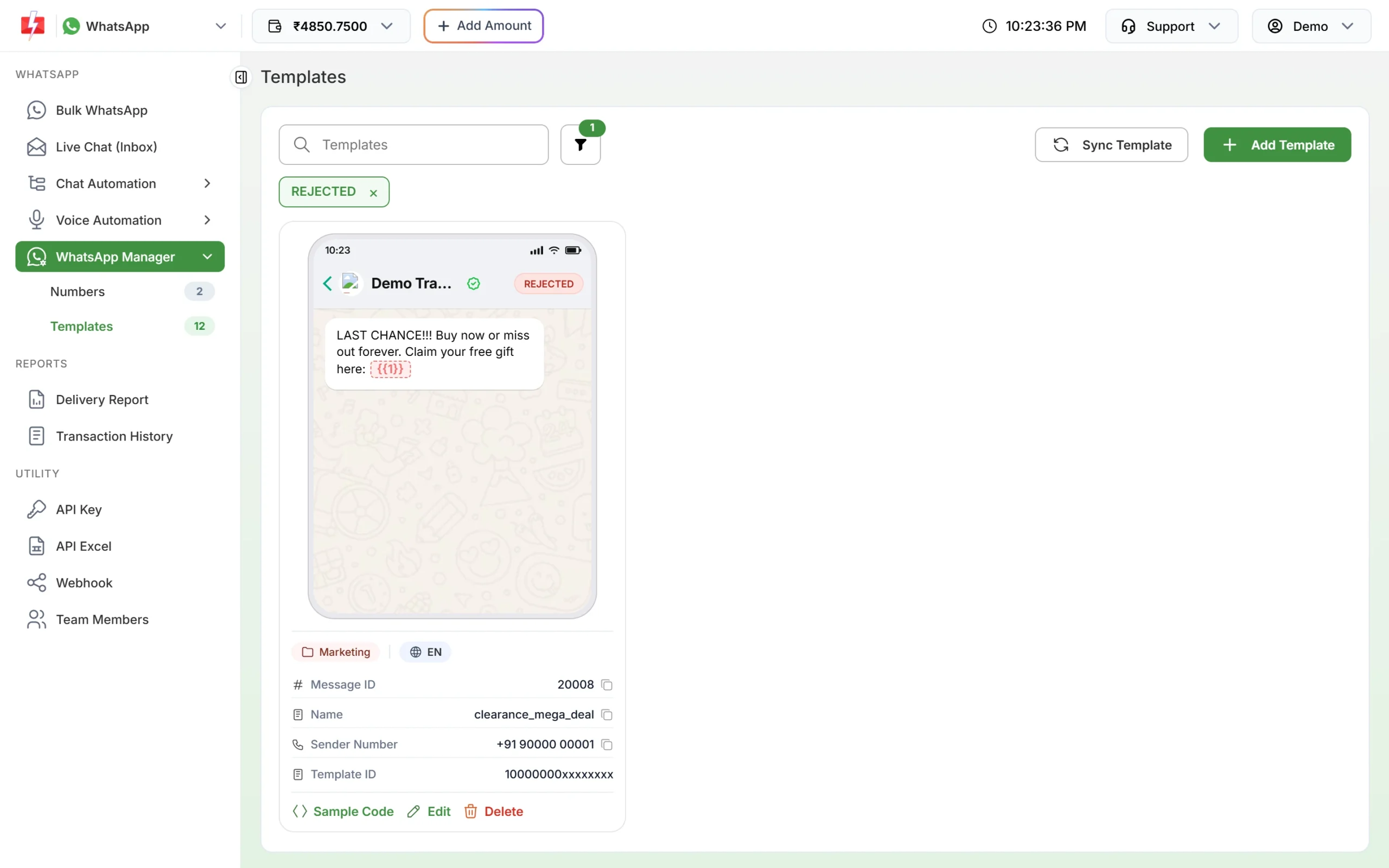
A rejected template has a red badge. The example below was rejected because it reads like spam (an all-capital “LAST CHANCE” with a row of exclamation marks, and “Buy now or miss out forever”) and ends with a variable, which Meta does not allow.
Common fixes:
- Do not start or end the body with a variable such as {{1}}. Put words before and after it.
- Number variables in order: {{1}}, {{2}}, {{3}}.
- Do not use too many variables for a short message.
- Remove spam-like wording, threats and requests for card numbers, bank account numbers or ID numbers.
- Do not copy the exact text of another template you already have.
- Pick the right category. Offers belong in Marketing, not Utility.
To read Meta’s exact reason, open the number menu in Numbers and click Meta Manager. You can then edit the template and submit it again from Fast2SMS with Edit. Meta allows unlimited edits on a rejected template. If you think Meta got it wrong, you can appeal in Meta’s WhatsApp Manager: open Account tools > Message templates, open the template, add sample values with Add Sample and click Submit. Meta says it decides an appeal within 24 hours.
Template PAUSED: why it happens and how to fix it
Meta gives every approved template a quality rating based on how customers react: blocks, reports, and how many people read it. When the rating drops to low, Meta pauses the template automatically. At the time of writing, Meta’s pause rules are:
| Time it happens | Result |
|---|---|
| First time | Paused for 3 hours |
| Second time | Paused for 6 hours |
| Third time | Disabled for good |
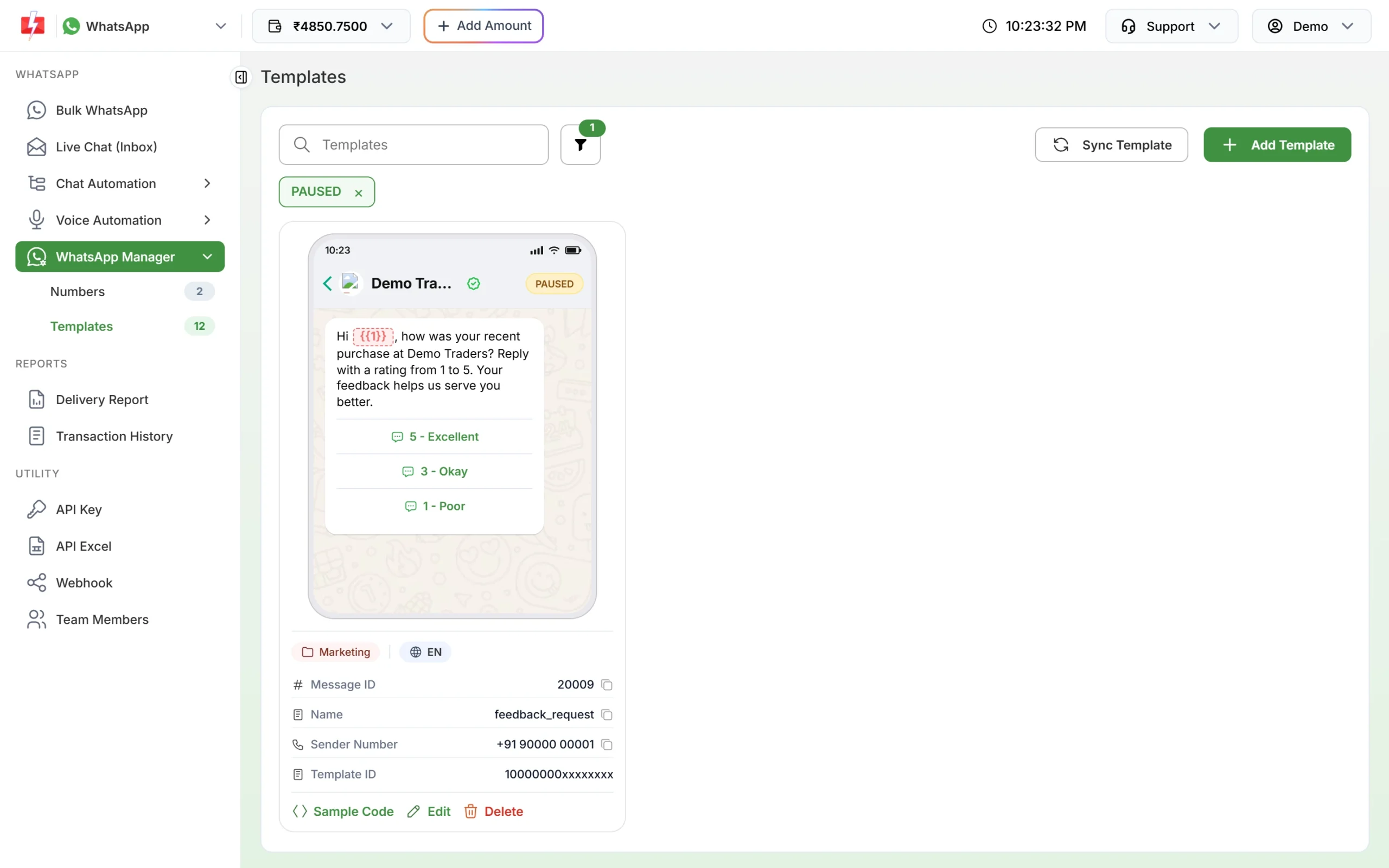
What happens in Fast2SMS while a template is paused:
- It is not listed in the Bulk WhatsApp template picker.
- Messages already queued with it fail with the reason “Template is PAUSED” in the Delivery Report.
- Failed messages are refunded to your wallet automatically, a couple of days later.
A paused template unpauses on its own after the pause time. Meta’s WhatsApp Manager also has an option to unpause it manually. Pausing does not affect your phone number at first, but many low-quality templates can hurt your number’s quality rating.
How to stop a template from being paused again
- Send only to people who agreed to get WhatsApp messages from you.
- Cut how often you send the same promotion to the same people.
- Make the first line useful and personal, and make it easy to stop messages, for example a “Stop offers” quick reply.
- Edit the paused template to improve it. After you edit, it goes back to PENDING and cannot be sent until Meta approves it again.
Template DISABLED: what now?
A disabled template cannot be sent or brought back. Create a new template with clearer, more useful content, test it on a small group of customers who know you, and watch the replies before you send it to everyone. If you delete an approved template, Meta does not let you reuse the same name for 30 days, so pick a new name.
Template quality rating
In Meta’s WhatsApp Manager an approved template shows as “Active” with a quality label: quality pending (no feedback yet), high, medium or low. The Fast2SMS Templates tab shows the status (APPROVED, PAUSED and so on), not this label. To check a template’s quality, open Meta Manager from the number menu. The quality of your phone number is a separate rating and is shown in WhatsApp Manager > Numbers as High, Medium or Low.
Frequently asked questions
Why is my WhatsApp template still pending?
Meta can take up to 24 hours to review a template. Click Sync Template to refresh. If it is still PENDING after a day, contact support with the Message ID.
Can I send a pending template?
No. Only APPROVED templates can be sent from Bulk WhatsApp, the API or Live Chat.
Why did my approved template go back to pending?
You or a team member edited its content. Every content change is reviewed by Meta again.
How long is a WhatsApp template paused?
3 hours the first time and 6 hours the second time. The third time Meta disables it.
Am I charged for messages that failed because the template was paused?
Failed messages are refunded to your wallet automatically, a couple of days after the send.
Why don’t I see the Test button on my template?
The Test button appears only on APPROVED templates.
Can I delete a disabled template?
Meta does not allow deleting templates in disabled status. Leave it and create a new one.