
Yes, Fast2SMS is a real, registered Indian company and safe to use for business SMS, WhatsApp, RCS and voice. Fast2SMS is run by SID Groups Private Limited, established on 21 July 2011 in Bhopal, Madhya Pradesh. It is a DLT-registered telemarketer, shows the Meta Business Partner badge for WhatsApp Business API, and lists ISO/IEC 27001:2022, SOC 2 Type 2, VAPT testing and MSME registration on its certificates page.
This page sets out the facts you can check yourself, the security features in your account, and how to judge any SMS provider before you pay.
Fast2SMS company details
| Detail | What you can check |
|---|---|
| Company | SID Groups Private Limited (shown in the website footer and on every GST invoice) |
| Established | 21 July 2011 |
| Head office | Bhopal, Madhya Pradesh, India. The full address and phone number are on the About Us page |
| DLT | Registered telemarketer on DLT. Your PE-TM binding in the panel links your entity to Fast2SMS’s telemarketer ID |
| Meta Business Partner badge for WhatsApp Business API | |
| Security certifications | ISO/IEC 27001:2022 certified, SOC 2 Type 2 audited, VAPT tested by an external security team (as listed on the certificates page) |
| Registration | MSME (Udyam) registered |
| Billing | GST invoice for every recharge, prepaid wallet, public pricing pages |
Why a DLT-registered provider matters
In India, every business SMS must be sent by a telemarketer registered on DLT, with your registered entity, header and template. SMS sent outside this system get blocked by the operators. With Fast2SMS, you add your own Entity ID, Sender ID and templates in DLT Manager and bind your entity to Fast2SMS through PE-TM Binding. You can see each step and its status in your panel.
Security features in your Fast2SMS account
These settings are in your panel. Turn on the ones you need.
-
Turn on two-factor login and OTP masking
Go to Account Setting > Security Setting. 2F Authentication asks for an OTP on every login. OTP Masking hides OTP values in your reports, so team members cannot read your customers’ codes. Each change asks for your password.
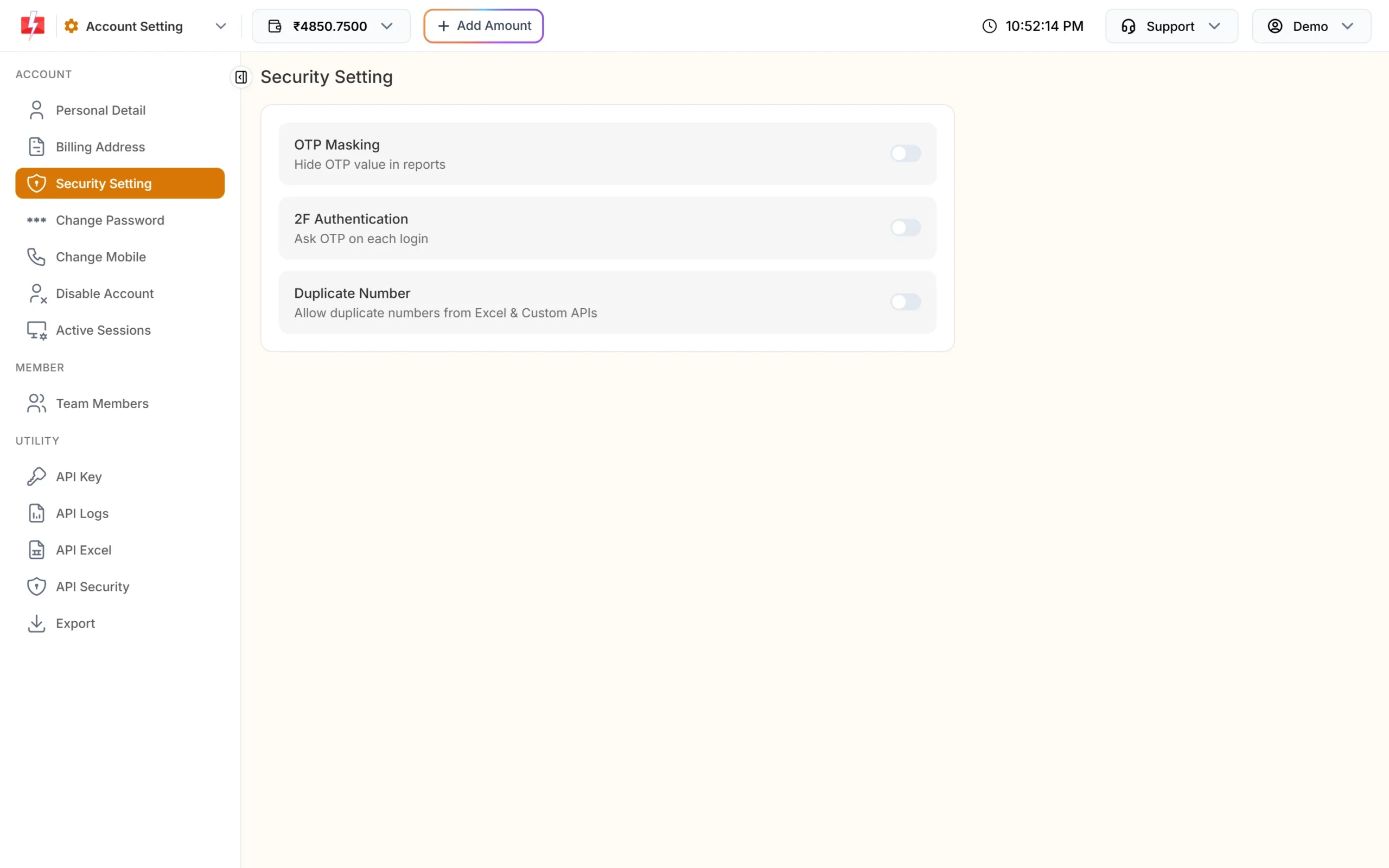
Two-factor login and OTP masking are one switch each. Even with 2FA off, Fast2SMS asks for an OTP if you have not logged in for a month.
-
See and log out devices
Active Sessions lists every device logged in to your account, with browser, IP address and last activity. You can log out any device, or all other devices at once. Devices not used for 48 hours are logged out automatically, and changing your password logs out all other devices.
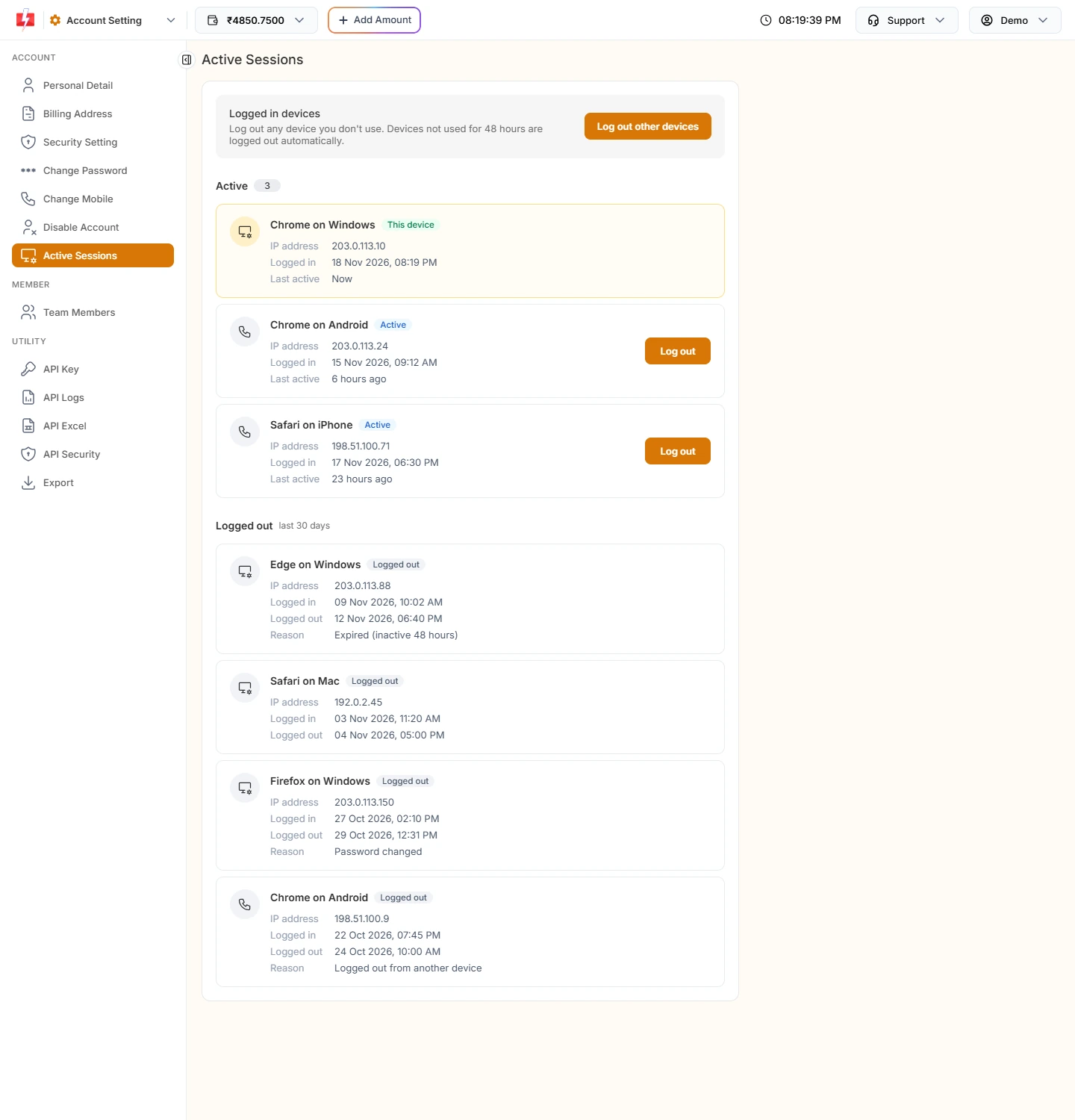
Check where your account is logged in. -
Lock your API to your own servers
In API Security, switch on API Security so that only IP addresses you whitelist can use your API key. The page also lists other IPs that tried to call your API. Viewing or resetting your API key needs an OTP, and you can switch API access off without changing the key.
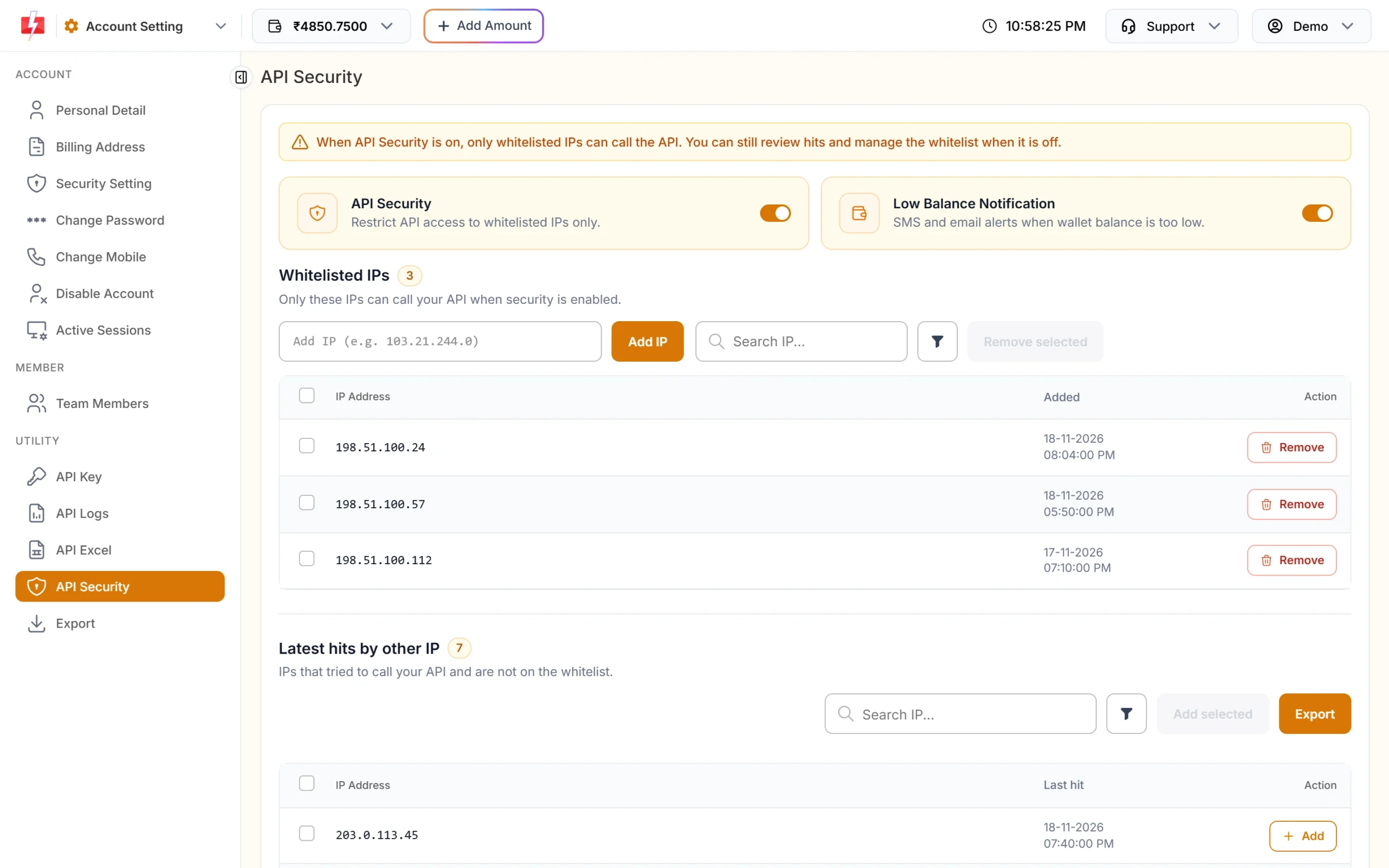
Only whitelisted IPs can call your API when this is on.
You can also add team members with limited access instead of sharing your login, and add a secret header to webhooks so your server can check that a delivery report came from Fast2SMS.
Is your money safe?
- Prepaid wallet. You recharge only what you want to spend. There is no monthly fee or lock-in, and the wallet balance does not expire.
- Cost before you send. The panel shows the per-message cost, number count and total before you confirm a campaign.
- Automatic refunds where the channel allows it. Failed and unreported WhatsApp messages are refunded to your wallet automatically. RCS numbers that fail or cannot receive RCS are refunded within 48 hours. Unanswered and failed voice calls are refunded about 1 hour after the campaign ends. Failed DLT SMS are not refunded.
- Scheduled sends can be cancelled. Cancel a scheduled SMS before it goes out and the amount comes back to your wallet.
- GST invoice for every payment, downloadable from Transaction History.
Is it safe for the people who get your messages?
Fast2SMS checks what goes out. Sender IDs and templates added with a screenshot are checked by our team before use. Quick SMS (sent without DLT) does not allow personal or spam content, and messages can be held for review before delivery. Entities, headers and templates on the block list cannot be used to send.
How to check any SMS provider before you pay
- Find the registered company name, and check it appears on the invoice.
- Ask how they handle DLT. A provider that says you can send bulk promotional SMS without DLT is a warning sign.
- Look for public, dated price pages and a clear refund rule for each channel.
- Test with a small amount and your own numbers first. Check that delivered messages really arrive.
- Check the security options: two-factor login, API IP whitelisting and device logout.
Frequently asked questions
Is Fast2SMS a real company?
Yes. Fast2SMS is run by SID Groups Private Limited, established in 2011, with its head office in Bhopal, Madhya Pradesh.
Is Fast2SMS safe to use?
Yes. It is a DLT-registered telemarketer, lists ISO/IEC 27001:2022 and SOC 2 Type 2 on its certificates page, and gives you 2FA, device logout and API IP whitelisting in your account.
Is Fast2SMS DLT registered?
Yes, Fast2SMS is a registered telemarketer on DLT. You bind your own entity to it through PE-TM binding in the panel.
Is Fast2SMS an official WhatsApp Business API provider?
Fast2SMS shows the Meta Business Partner badge and connects your number to the official WhatsApp Business API, not to a modified WhatsApp app.
Does Fast2SMS share my contacts or data?
Fast2SMS uses the numbers you upload to send your messages. Its information security is covered by the ISO/IEC 27001:2022 certificate and SOC 2 Type 2 audit listed on the certificates page. Read the privacy policy on the website for full details.
Can I try Fast2SMS before paying?
Yes. You get free test credit after signup to try the panel or API before your first recharge.
How do I contact Fast2SMS support?
Use the Support menu at the top of the panel for Contact Support, FAQ, API Docs, the support email, or to schedule a meeting with our team.