
To change the registered mobile number in Fast2SMS, open Account Setting, click Change Mobile, enter the new number and your password, then type the two OTPs: one sent to the new number and one sent to your old number. To change your email, click the pencil icon next to Email on Personal Detail. This guide covers both, plus changing the account name, and what happens to your logins after the change.
Before you start
- Log in as the account owner.
- Have your current password ready.
- For a mobile change, keep both phones with you: the old registered number and the new one. Each gets its own OTP.
How to change your registered mobile number
-
Open Change Mobile
On the dashboard, click Account Setting, then Change Mobile in the left menu. Your current number shows with a Verified badge.
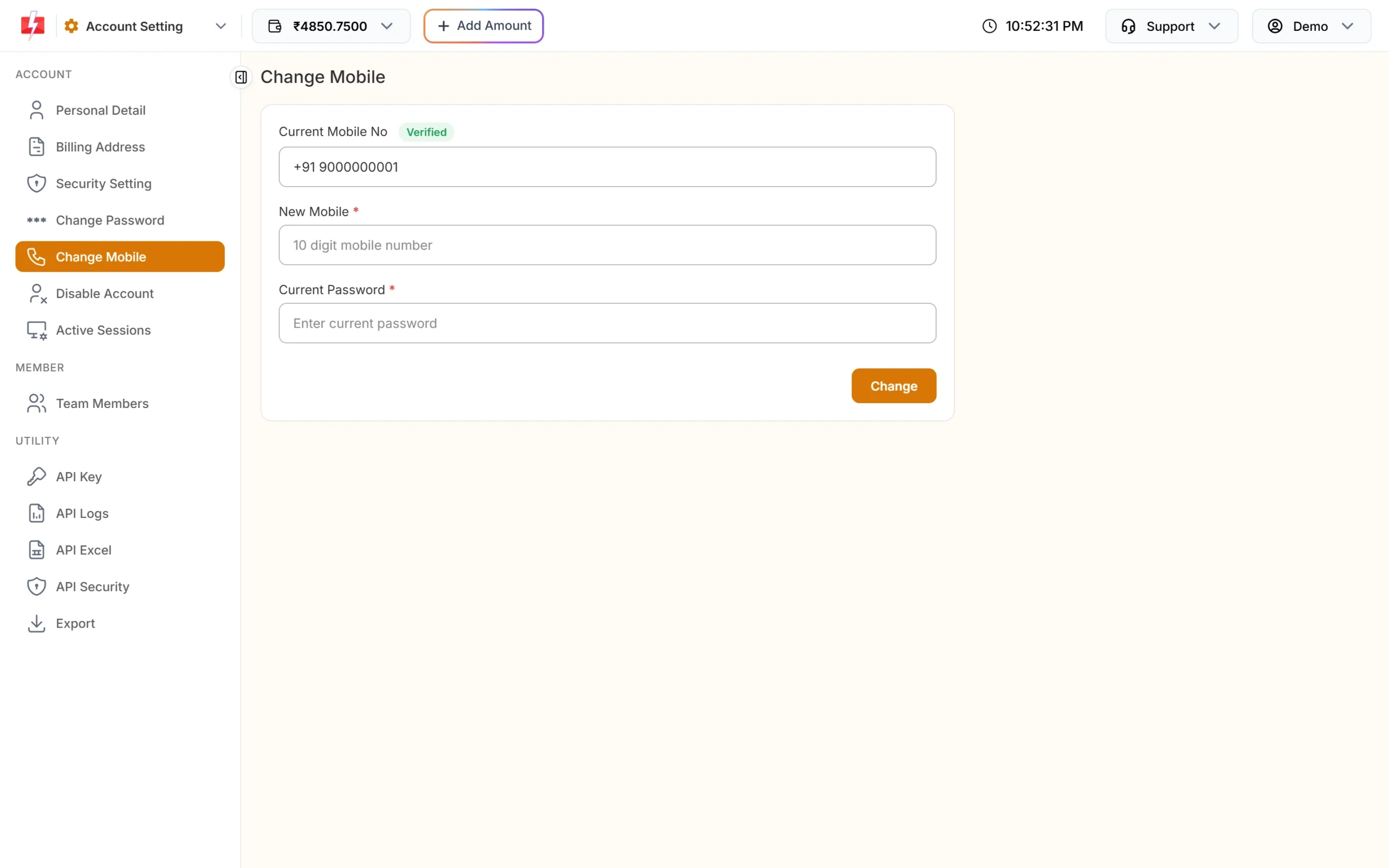
The Change Mobile form. -
Enter the new number and your password
Type the new 10-digit mobile number (it must start with 6, 7, 8 or 9) in New Mobile and your Current Password. Click Change. You see “OTP sent successfully to old mobile and” the new number.
-
Enter both OTPs
The Verify Mobile Change box asks for the OTP sent to new mobile and the OTP sent to old mobile. Enter both and click Verify OTP. If the new number’s OTP did not arrive, click Resend OTP; it re-sends to the new number.
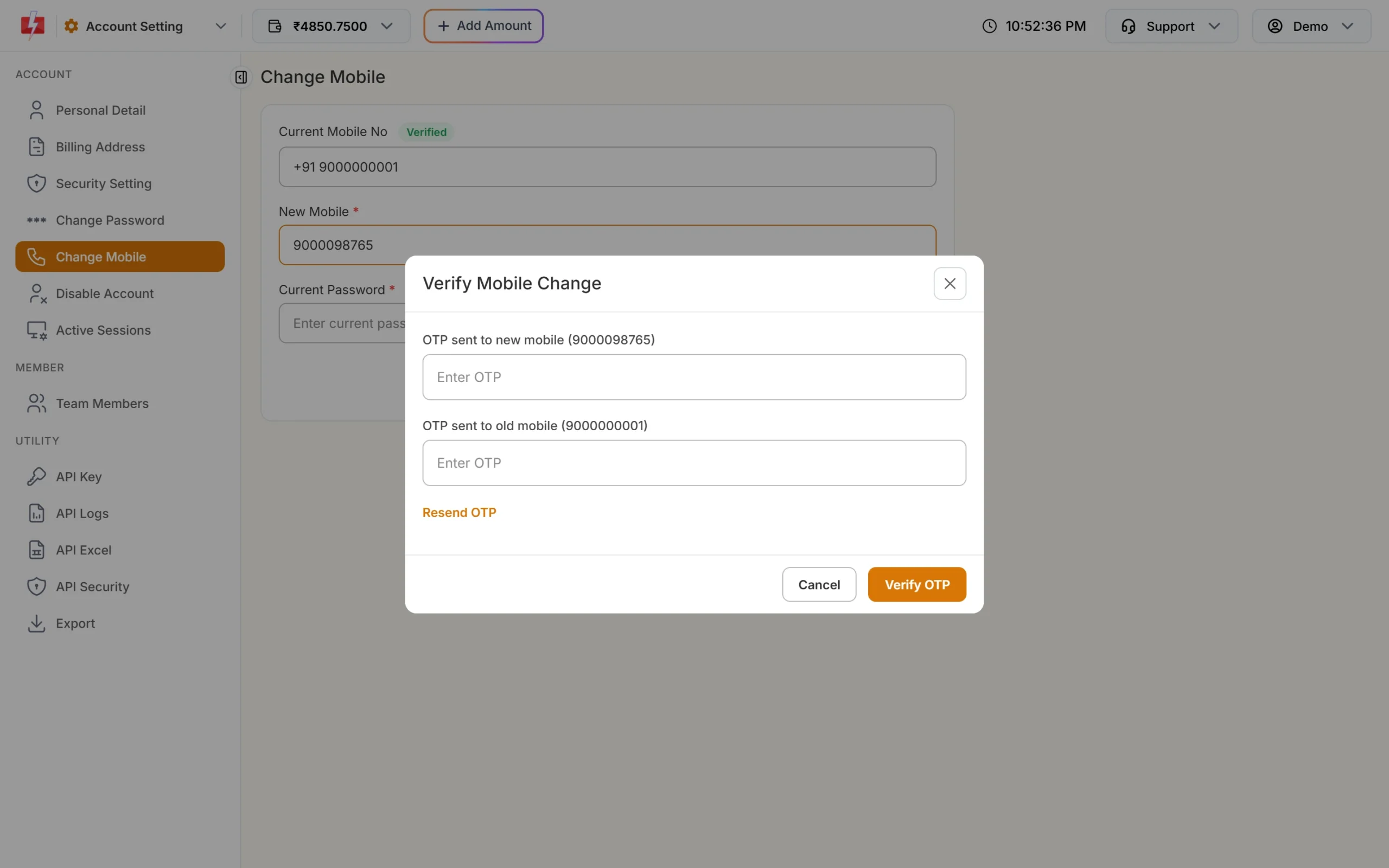
Both numbers must confirm the change. -
Log in again on your other devices
You see “Mobile number changed”. Your account now uses the new number for login OTPs and alerts. All your other logged-in devices are signed out, and the Fast2SMS mobile app logs out too, so sign in again where you need to.
Both OTPs are needed so that nobody can move your account to their own number with just your password. If you no longer have the old number, you cannot finish this yourself. Write to [email protected] or use Contact Support in the panel.
How to change your email address
-
Open Personal Detail
Click Personal Detail in Account Setting. You see your Full Name, Email (with a Verified badge if it is confirmed) and Mobile No.
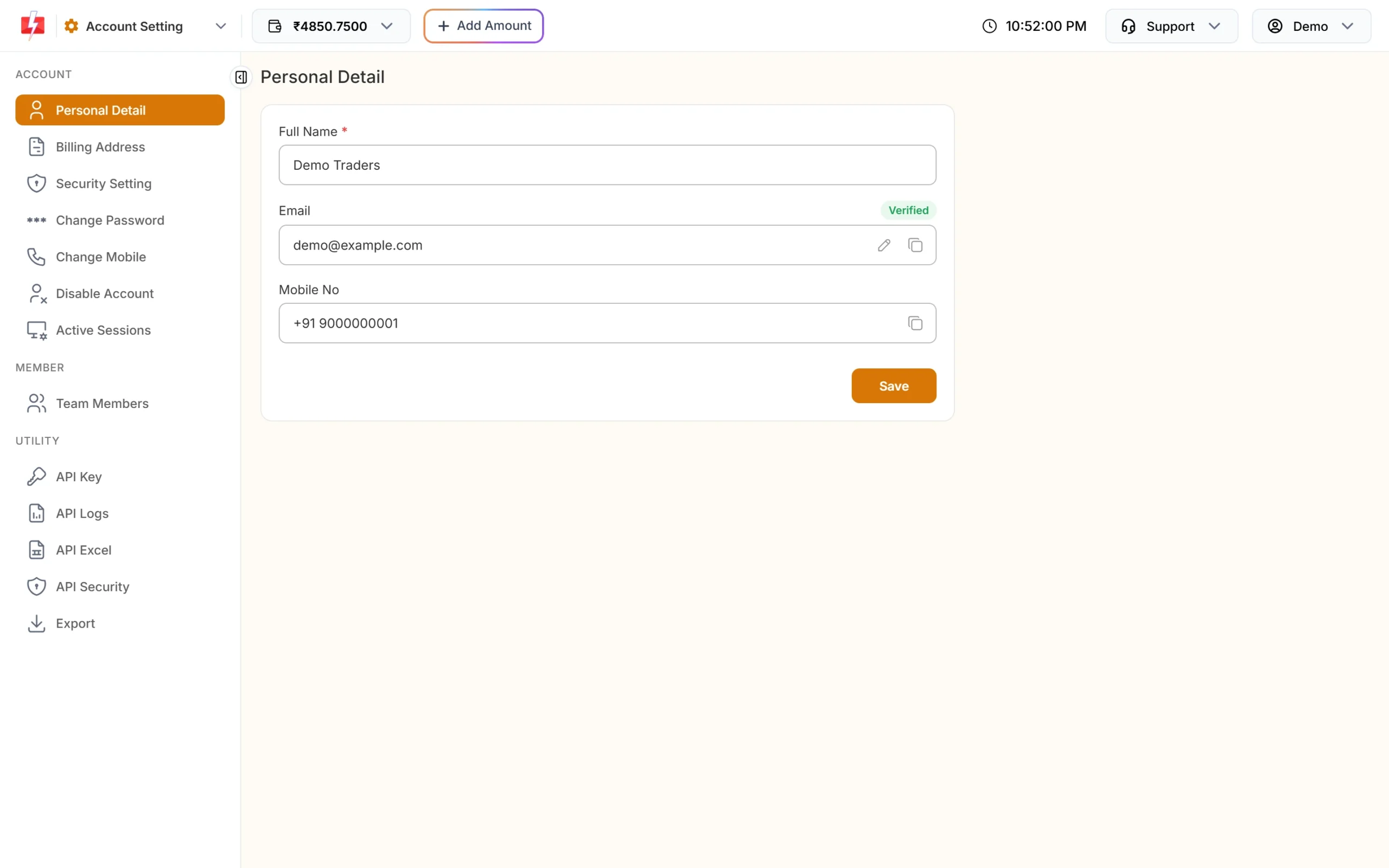
Click the pencil icon next to Email. -
Enter the new email and your password
Click the pencil icon in the Email box. In Change Email, type the New Email and your Current Password, then click Change Email.
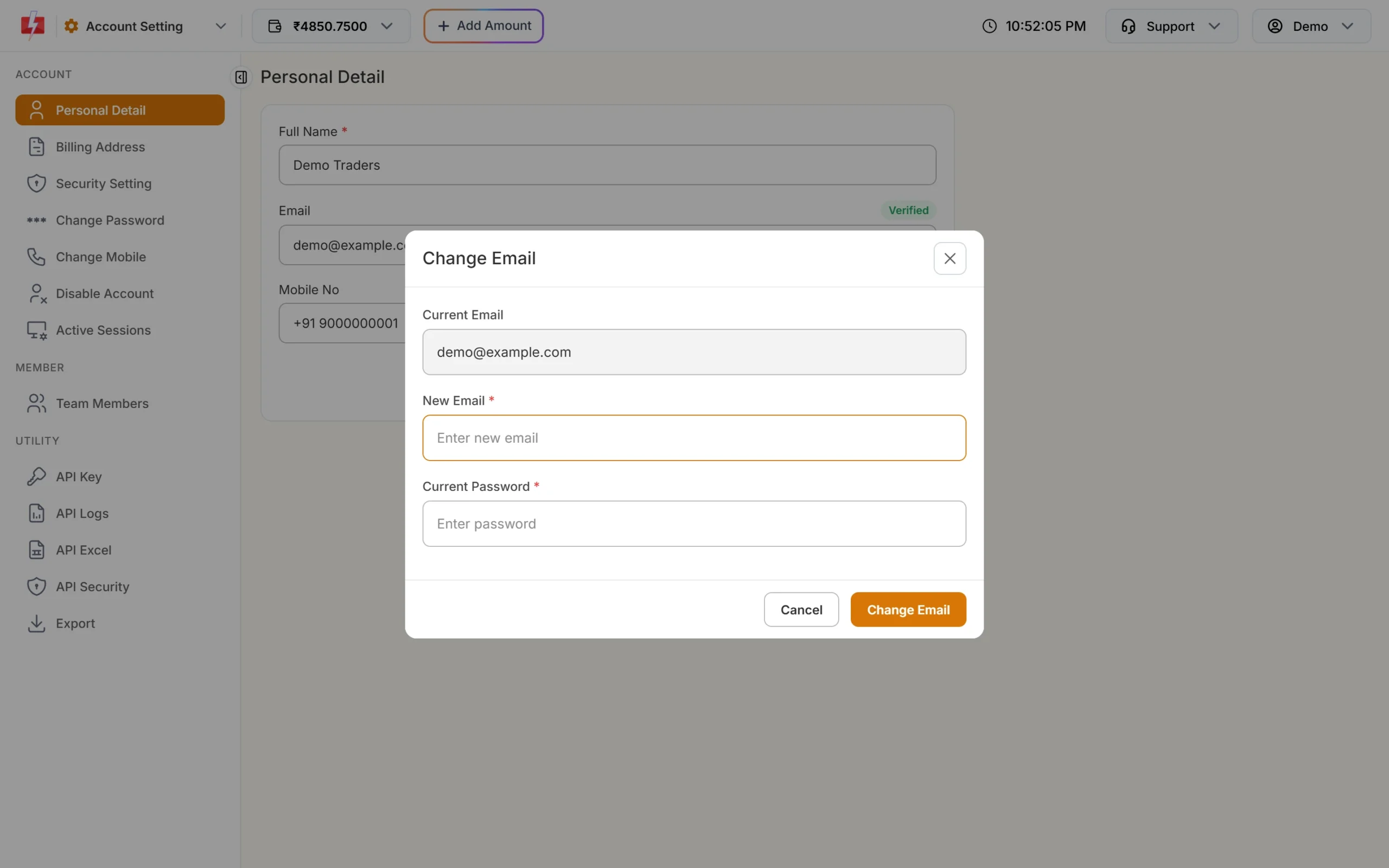
The Change Email box. -
Verify the new email
The email changes at once and shows as not verified. We send a link with the subject “Email Verification Link – Fast2SMS.com” to the new address. Open it to verify. If it does not arrive, use the resend link button next to the email on Personal Detail.
Invoices and support replies go to your registered email, so verify the new one soon after the change.
How to change your account name
On Personal Detail, edit Full Name (5 to 50 characters) and click Save. The name is saved with each word starting in a capital letter. If your account is Aadhaar KYC verified, the name box is locked and cannot be edited here.
The company name and GST number on your invoices are not set here. Change them in Billing Address.
Common problems and fixes
“Enter a valid 10 digit mobile number.”
Type only the 10 digits, without +91 or 0. The number must start with 6, 7, 8 or 9.
The new number is already used
A mobile number can be linked to only one Fast2SMS account. Use a different number, or contact support if the number belongs to an old account of yours.
“Please wait to send new OTP”
Wait 30 seconds between OTP requests.
“You have cross your daily OTP limit.” or “Daily OTP limit exhausted.”
Too many OTPs were requested today. Try again tomorrow.
“Invalid OTP for old mobile number.” or “Invalid OTP for new mobile number.”
Check that you typed each OTP in the right box. After 3 wrong tries you see “Maxium attempt reached. Please resend OTP.” Start again with a new OTP.
“Current Password is wrong.”
Enter the password you use to log in to the panel.
“Daily email limit exhausted. Try again after sometime.”
You changed the email too many times today. Try again later.
Frequently asked questions
Can I change my registered mobile number in Fast2SMS myself?
Yes. Use Account Setting, Change Mobile. You need your password and OTPs on both the old and the new number.
What if I lost my old mobile number?
The change needs an OTP on the old number, so contact support at [email protected] to update it.
Will my wallet balance, templates and DLT data stay the same?
Yes. Only the login number changes. Your account, balance and settings stay as they are.
Will I be logged out after changing my mobile number?
Your other devices and the mobile app are logged out. The browser you used for the change stays logged in.
Why does my new email show “Not verified”?
Open the verification link sent to the new email. Until then it shows as not verified.
Why can’t I edit my name?
The name is locked after Aadhaar KYC verification, so it matches your KYC record.