
The Fast2SMS DLT Manager API lets your software read your sender IDs and templates, with their Message IDs, and add new entities, sender IDs and content templates without opening the panel. It is useful for resellers, ERP and CRM tools, and anyone who manages many DLT templates. This page covers the list and add endpoints, their fields and replies, the Excel upload option and the rate limits.
Before you start
- Your API key from API Key, with API Access on.
- For the add endpoints: your DLT records approved on the DLT portal, and the DLT screenshots or Excel exports hosted at a public URL your server controls.
Endpoints
| Endpoint | What it does |
|---|---|
/dev/dlt_manager?type=sender |
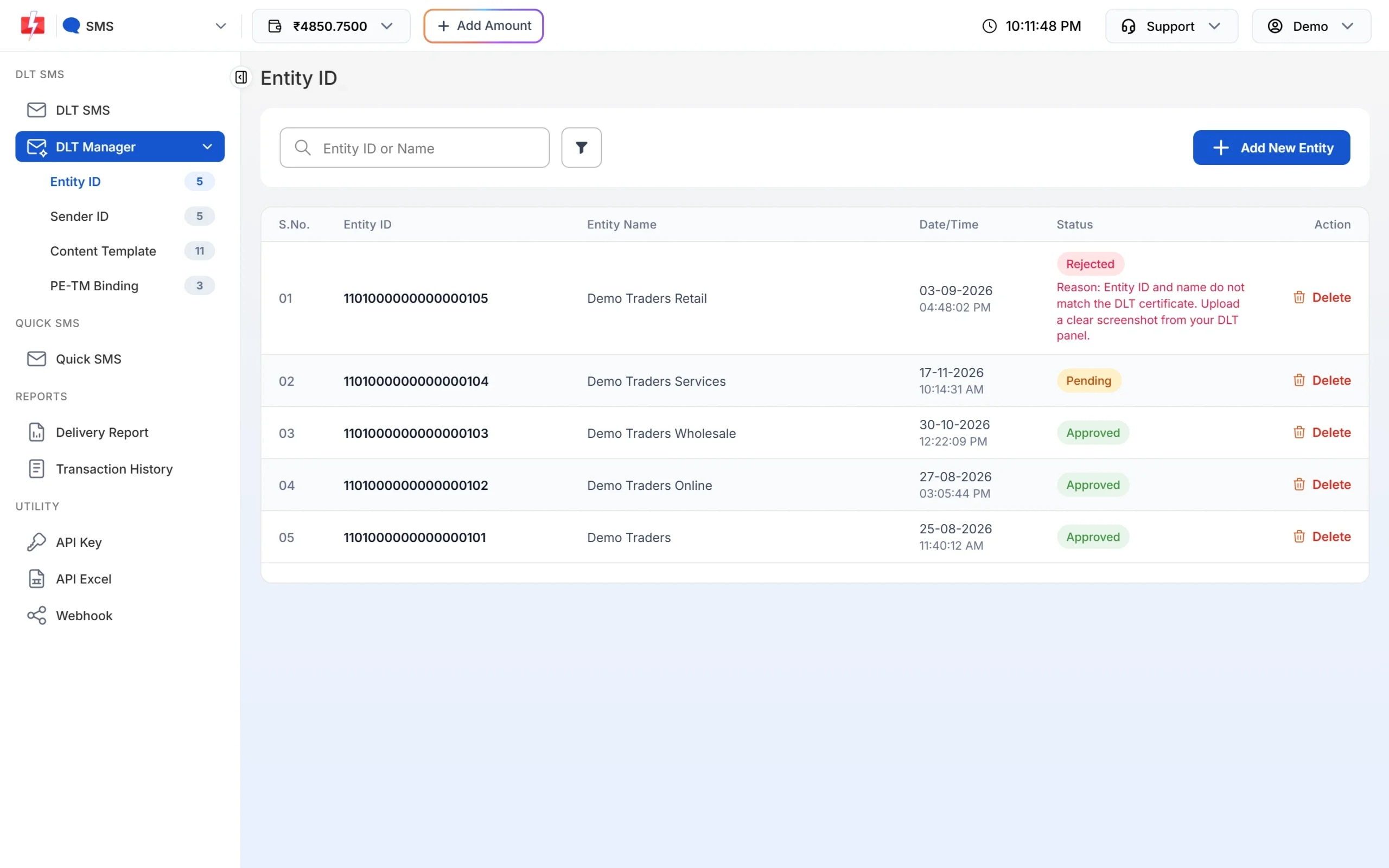
Lists your sender IDs (rejected ones are left out) |
/dev/dlt_manager?type=template |
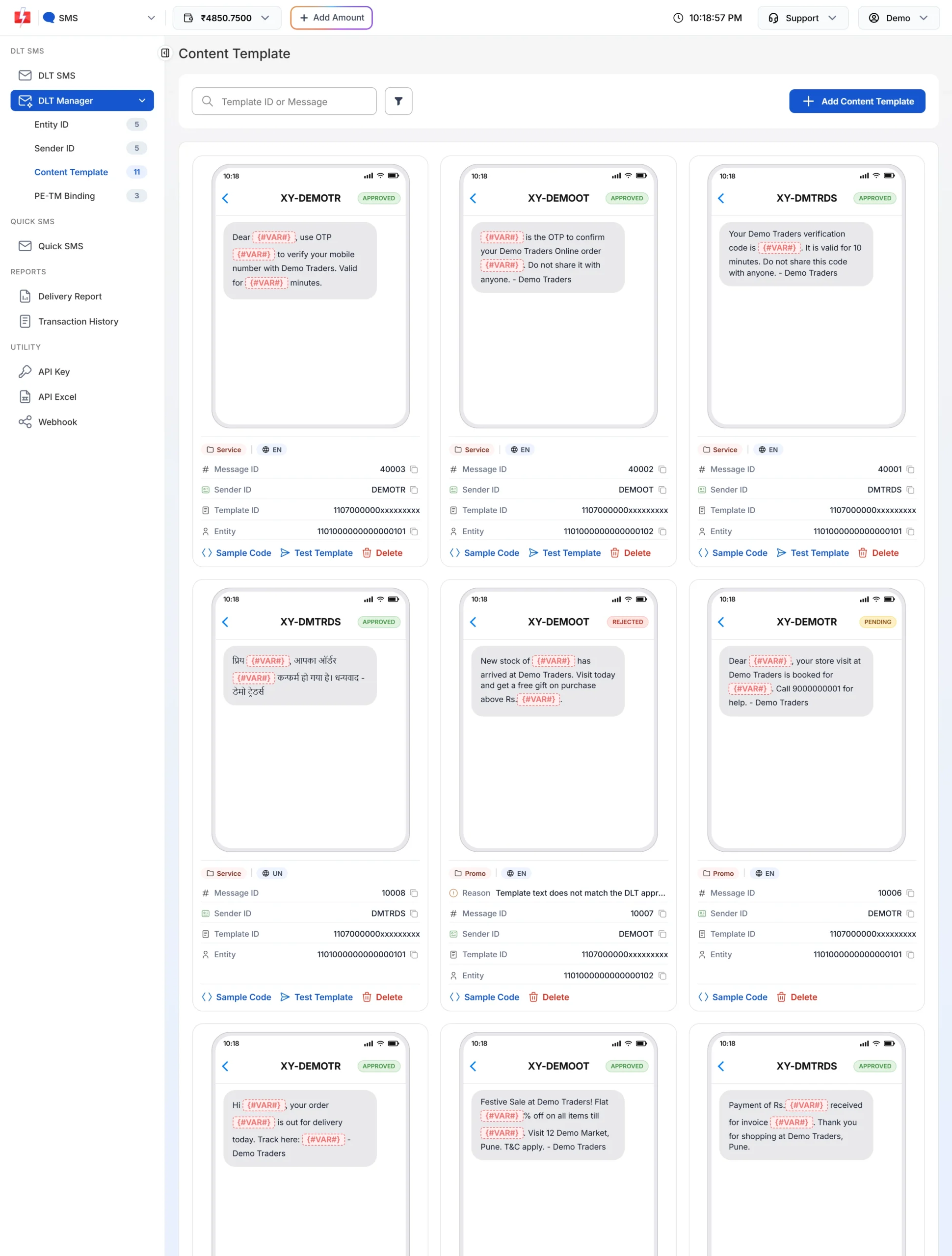
Lists your senders, each with its templates and Message IDs |
/dev/dlt_manager/add_entity |
Adds a Principal Entity |
/dev/dlt_manager/add_sender |
Adds one sender ID |
/dev/dlt_manager/add_sender_excel |
Adds sender IDs from a DLT-exported Excel file at a URL |
/dev/dlt_manager/add_template |
Adds one content template |
/dev/dlt_manager/add_template_excel |
Adds templates from a DLT-exported Excel file at a URL |
Base URL https://www.fast2sms.com. All of them accept GET or POST, with the key in the authorization header. Use POST for the add endpoints.
List your templates and Message IDs
curl "https://www.fast2sms.com/dev/dlt_manager?type=template" \
  -H "authorization: YOUR_API_KEY"
{
"success": true,
"data": [{
"sender_id": "DEMOTR",
"entity_id": "1101xxxxxxxxxxxxxxx",
"entity_name": "Demo Traders",
"entity_status": "Approved",
"templates": [{
"message_id": 10001,
"message": "Dear {#VAR#}, your order {#VAR#} of Rs.{#VAR#} is confirmed and will be delivered by {#VAR#}. - Demo Traders",
"status": "Approved",
"var_count": 4
}]
}]
}| Field | Use it for |
|---|---|
sender_id |
The sender_id of your DLT SMS request |
templates[].message_id |
The message of your DLT SMS request |
templates[].var_count |
How many values to send in variables_values |
templates[].status |
Approved, Not approved, Rejected or Unknown. Only send Approved templates. |
entity_status |
Whether the entity is approved in Fast2SMS |
These are the same records you see in the panel under DLT Manager.
Python: cache the list
import requests

r = requests.get("https://www.fast2sms.com/dev/dlt_manager",
                 headers={"authorization": "YOUR_API_KEY"},
                 params={"type": "template"}, timeout=20)

lookup = {}
for s in r.json().get("data", []):
    for t in s.get("templates", []):
        if t["status"] == "Approved":
            lookup[(s["sender_id"], t["message_id"])] = t["var_count"]
print(lookup)
Refresh the cache when you add or delete templates, not before every SMS.
Add DLT records by API
The add endpoints work like the forms in DLT Manager. New records go through the same checks as in the panel. The screenshot fields take a public URL to a file you host (jpg, png, svg, jpeg, gif, pdf, doc or docx).
add_entity
| Field | Required | Notes |
|---|---|---|
entity_id |
Yes | Your DLT Principal Entity ID (longer than 11 digits) |
entity_name |
Yes | As registered at DLT |
screenshot |
Yes | URL of your DLT entity screenshot |
curl -X POST "https://www.fast2sms.com/dev/dlt_manager/add_entity" \
  -H "authorization: YOUR_API_KEY" -H "Content-Type: application/json" \
  -d '{"entity_id":"YOUR_ENTITY_ID","entity_name":"Demo Traders","screenshot":"https://example.com/dlt/entity.png"}'
Reply: {"return":"true","message":"Entity approved"}, or a message that the entity is pending for approval.
add_sender
| Field | Required | Notes |
|---|---|---|
entity_id |
Yes | An entity already in your DLT Manager |
sender_id |
Yes | 3 to 6 characters, exactly as approved |
screenshot |
Yes | URL of your DLT header screenshot showing it approved |
curl -X POST "https://www.fast2sms.com/dev/dlt_manager/add_sender" \
  -H "authorization: YOUR_API_KEY" -H "Content-Type: application/json" \
  -d '{"entity_id":"YOUR_ENTITY_ID","sender_id":"DEMOTR","screenshot":"https://example.com/dlt/header.png"}'
Reply message: “Sender ID is pending for approval”.
add_template
| Field | Required | Notes |
|---|---|---|
entity_id |
Yes | The template’s entity |
sender_id |
Yes | A list of one or more senders to link, for example ["DEMOTR"] |
template_id |
Yes | The DLT Content Template ID |
message_text |
Yes | The approved text with {#var#} for each variable |
template_type |
Yes | n = Service Implicit, y = Service Explicit or Promotional |
screenshot |
Yes | URL of your DLT template screenshot |
curl -X POST "https://www.fast2sms.com/dev/dlt_manager/add_template" \
  -H "authorization: YOUR_API_KEY" -H "Content-Type: application/json" \
  -d '{"entity_id":"YOUR_ENTITY_ID","sender_id":["DEMOTR"],"template_id":"YOUR_TEMPLATE_ID",
       "message_text":"Dear {#var#}, your order {#var#} of Rs.{#var#} is confirmed and will be delivered by {#var#}. - Demo Traders",
       "template_type":"n","screenshot":"https://example.com/dlt/template.png"}'
Reply message: “Content Template is pending for approval.” Once approved, the template gets a Message ID you can read with type=template.
add_sender_excel and add_template_excel
If you have many records, export them from your DLT portal as Excel and host the .xlsx file at a public URL.
| Endpoint | Fields |
|---|---|
add_sender_excel |
entity_id, sender_excel (URL of the .xlsx file) |
add_template_excel |
entity_id, content_excel (URL of the .xlsx file) |
curl -X POST "https://www.fast2sms.com/dev/dlt_manager/add_template_excel" \
  -H "authorization: YOUR_API_KEY" -H "Content-Type: application/json" \
  -d '{"entity_id":"YOUR_ENTITY_ID","content_excel":"https://example.com/dlt/templates.xlsx"}'
Node.js: add a template
const res = await fetch("https://www.fast2sms.com/dev/dlt_manager/add_template", {
  method: "POST",
  headers: { authorization: "YOUR_API_KEY", "Content-Type": "application/json" },
  body: JSON.stringify({
    entity_id: "YOUR_ENTITY_ID",
    sender_id: ["DEMOTR"],
    template_id: "YOUR_TEMPLATE_ID",
    message_text: "Dear {#var#}, your order {#var#} of Rs.{#var#} is confirmed and will be delivered by {#var#}. - Demo Traders",
    template_type: "n",
    screenshot: "https://example.com/dlt/template.png",
  }),
});
console.log(res.status, await res.json());
Rate limits
| Endpoint | Limit per IP |
|---|---|
add_entity |
10 per day |
add_sender, add_sender_excel |
100 per day |
add_template, add_template_excel |
300 per hour |
Over the limit you get HTTP 429 with {"status":false,"message":"Rate limit exceeded.","code":429}. Wait and try again later, or use the Excel endpoints to add many records in one call.
Common problems
- Entity refused: the Entity ID must be longer than 11 digits, and it cannot already be in your account.
- Duplicate sender or template: a record that is already approved or pending is not added again.
- Blocked records: entities, senders or templates on the DLT block list are refused. Contact support.
- Screenshot link: host the file at a public URL that opens without a login, so it can be fetched and checked.
- Template not in the list yet: new templates are pending until approved. Check DLT Manager > Content Template.
Frequently asked questions
Can I delete DLT records by API?
No delete endpoint is offered. Delete entities, senders and templates in the panel under DLT Manager.
Are templates added by API approved instantly?
No. Sender IDs and templates are saved as pending and checked first. Entities found on the DLT platform can be approved at once.
Why does type=sender not show some senders?
Rejected senders are left out. Fix the reason and add the sender again.
Can I upload the screenshot file directly?
The API takes a URL to a file you host. In the panel you can upload the file instead.
Which template_type should I use?
Use n for Service Implicit (transactional and service) templates and y for Service Explicit or Promotional ones, as registered at DLT.
Does the list include WhatsApp templates?
No. WhatsApp numbers and templates have their own endpoint, /dev/dlt_manager/whatsapp.