
DLT content templates fall into a few types: Transactional for OTPs and alerts right after a customer’s own transaction, Service Implicit for updates to existing customers, Service Explicit for messages sent with the customer’s explicit consent, and Promotional for offers and ads. The type you choose decides when the SMS can go out and whether it reaches DND numbers. This page explains each DLT template type in plain words, with examples, so you pick the right one the first time.
The DLT template types at a glance
| Type | Use it for | Consent needed | DND numbers | Sending time |
|---|---|---|---|---|
| Transactional | OTPs, transaction alerts, payment confirmations, refund information | No (the customer started the transaction) | Delivered | Any time |
| Service Implicit | Order and delivery updates, warranty, product recall, balance alerts, appointment reminders to existing customers | No (inferred from the relationship) | Delivered | Any time |
| Service Explicit | Messages to people who gave explicit consent to receive them | Yes, explicit consent | Depends on consent | Follows promotional rules on many portals now (see below) |
| Promotional | Offers, sales, discounts, new launches, ads | Number not blocked on DND, or consent given | Not delivered (unless the person gave explicit consent) | 10 AM to 9 PM only |
There is also a separate Government category for messages sent on the directions of the central or state government or TRAI. Businesses do not register under it.
What is a transactional SMS template?
Under TRAI’s commercial communication rules (as amended in February 2025), a transactional message is sent to your own customer in response to a transaction the customer started, within thirty minutes of that transaction. The rules give examples: OTPs from banks and from non-bank businesses such as e-commerce sites and app logins, transaction alerts and confirmations, balance alerts after a transaction, and refund information. It must not contain anything promotional.
Example: {#numeric#} is your OTP to log in to Demo Traders. Valid for 10 minutes. Do not share it with anyone. - Demo Traders
What is a Service Implicit template?
A service message gives your existing customer information about a product or service they use: delivery of goods, warranty, product recall, software upgrades, safety alerts or periodic balance alerts. Because the customer already has a relationship with you, their consent is inferred and no separate opt-in is needed. On DLT portals this is the Service Implicit type.
The rules also say that a transactional message carrying service information is treated as a service message. So an order update is Service Implicit, not Transactional.
Example: Hi {#alphanumeric#}, your order {#alphanumeric#} is out for delivery today. Track here: {#url#} - Demo Traders
What is a Service Explicit template?
A Service Explicit message helps a person complete a purchase or use your service after that person gave you explicit consent to receive it. The rules say this explicit consent lasts seven days, unless TRAI directs otherwise. It must not be promotional.
Fast2SMS has published a notice that Service Explicit templates are being merged into Promotional on the DLT portals: existing Service Explicit templates move to Promotional and new ones are registered as Promotional. Check the category options on your own portal when you register.
What is a promotional SMS template?
A promotional message carries promotional material or an advertisement of a product or service. The 2025 rules add two points:
- The message must give the recipient a way to opt out, in the manner TRAI specifies.
- If promotional content is mixed into a transactional or service message, the whole message is treated as promotional.
Promotional SMS reach only people who have not blocked that category on the Do Not Disturb (DND) register, or who gave consent. They can be sent only between 10 AM and 9 PM.
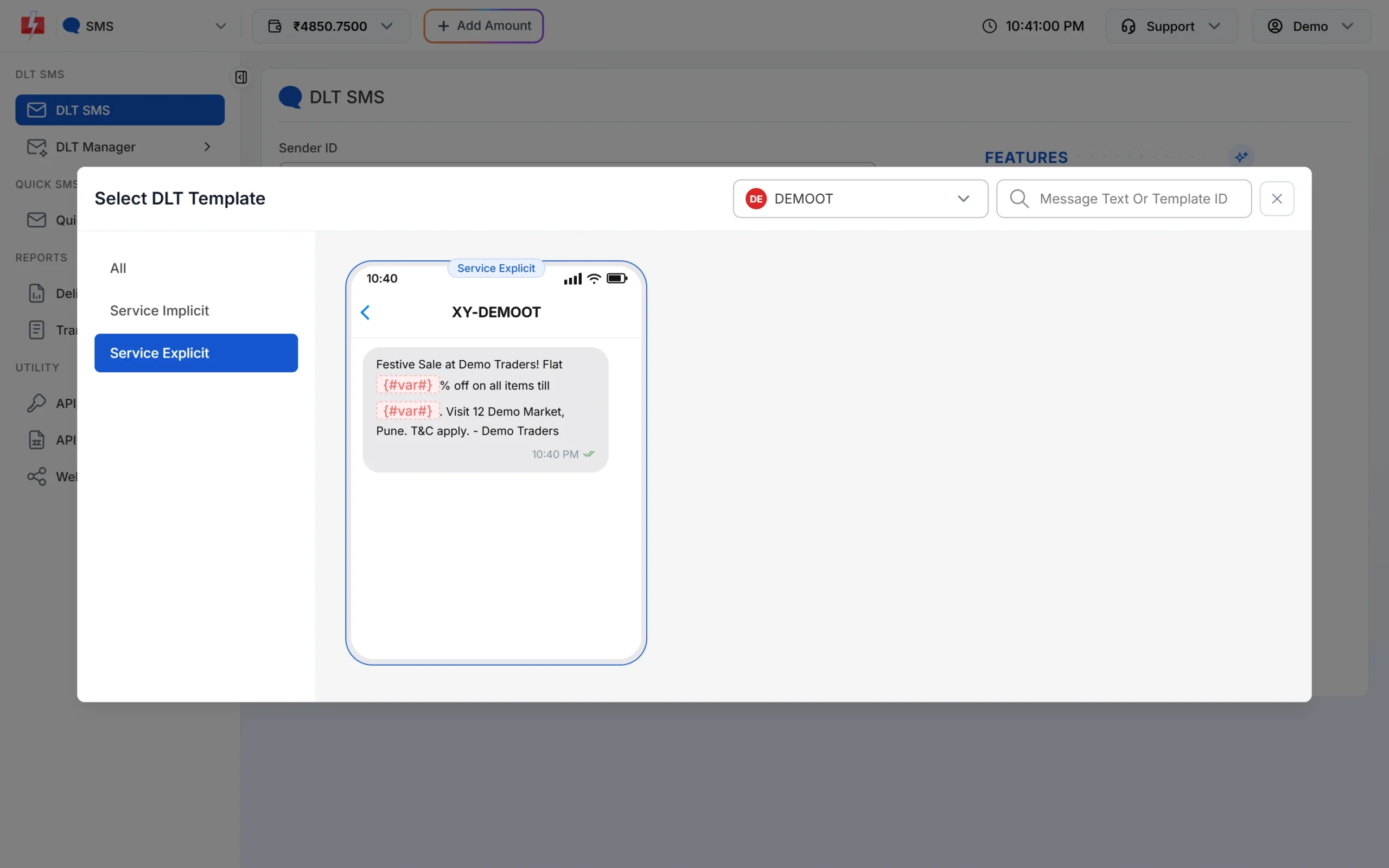
Example: Festive Sale at Demo Traders. Flat {#numeric#}% off on all items till {#alphanumeric#}. Visit 12 Demo Market, Pune. T&C apply. - Demo Traders
Which type should I choose?
- OTP for login, sign-up or payment: Transactional.
- Payment received, refund processed: Transactional, when sent right after the customer’s transaction.
- Order confirmed, shipped, out for delivery, appointment reminder, bill due: Service Implicit.
- Sale, discount code, new arrivals, festive greetings with an offer: Promotional.
- Order update with “use code SAVE10 on your next order”: Promotional, because the offer line makes the whole message promotional. Split it into two messages instead.
How the template type works in Fast2SMS
When you add an approved template in DLT Manager > Content Template, the Template Type has two choices:
- Service Implicit: choose this for templates registered on DLT as Transactional or Service Implicit.
- Service Explicit or Promotional: choose this for templates registered as Service Explicit or Promotional.
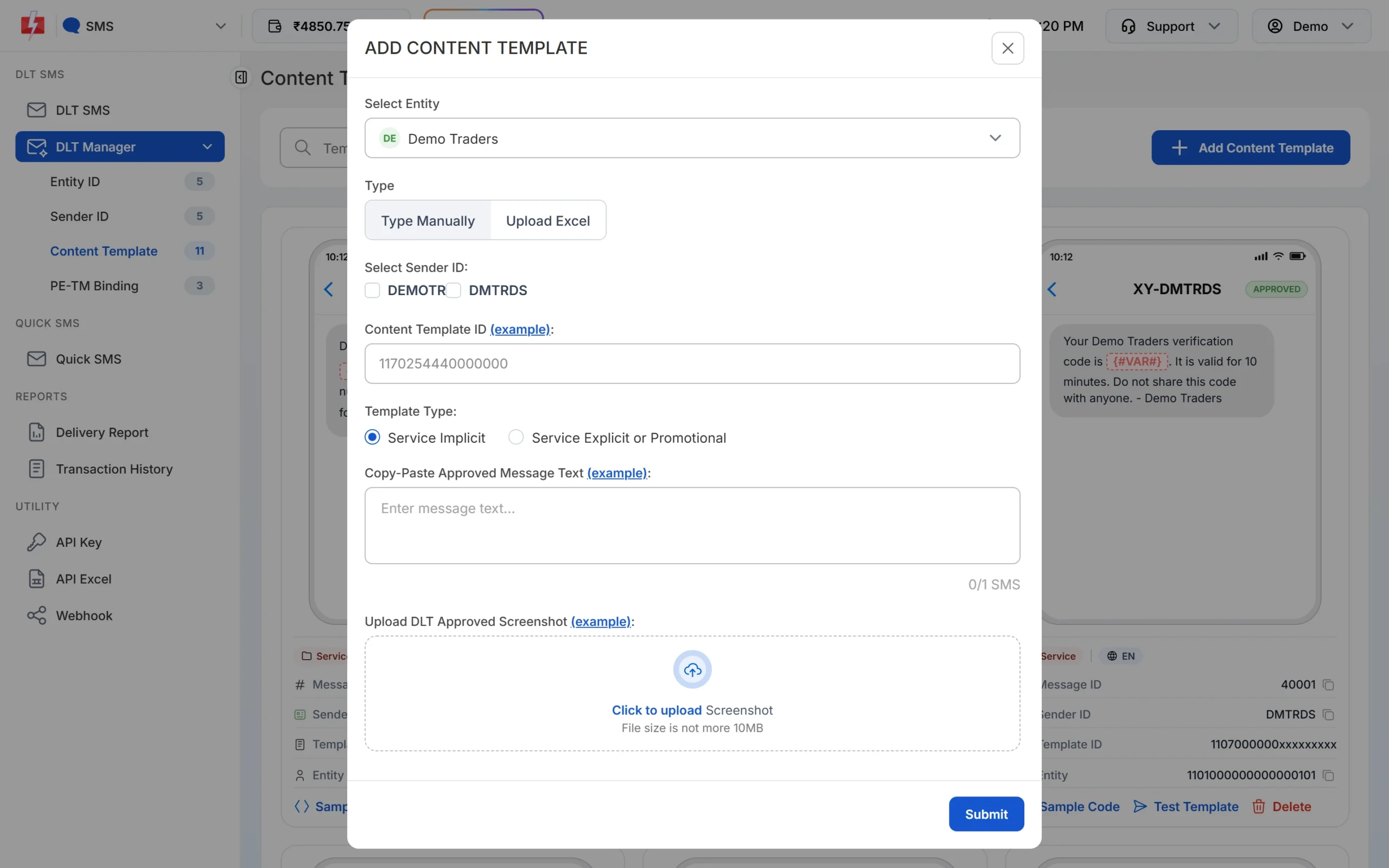
If the first Sender ID you tick is a 6-digit numeric header, the template is saved as Service Explicit or Promotional automatically. When you upload your DLT Excel export, rows whose type says “transactional” or “implicit” are saved as Service Implicit and all others as Service Explicit or Promotional.
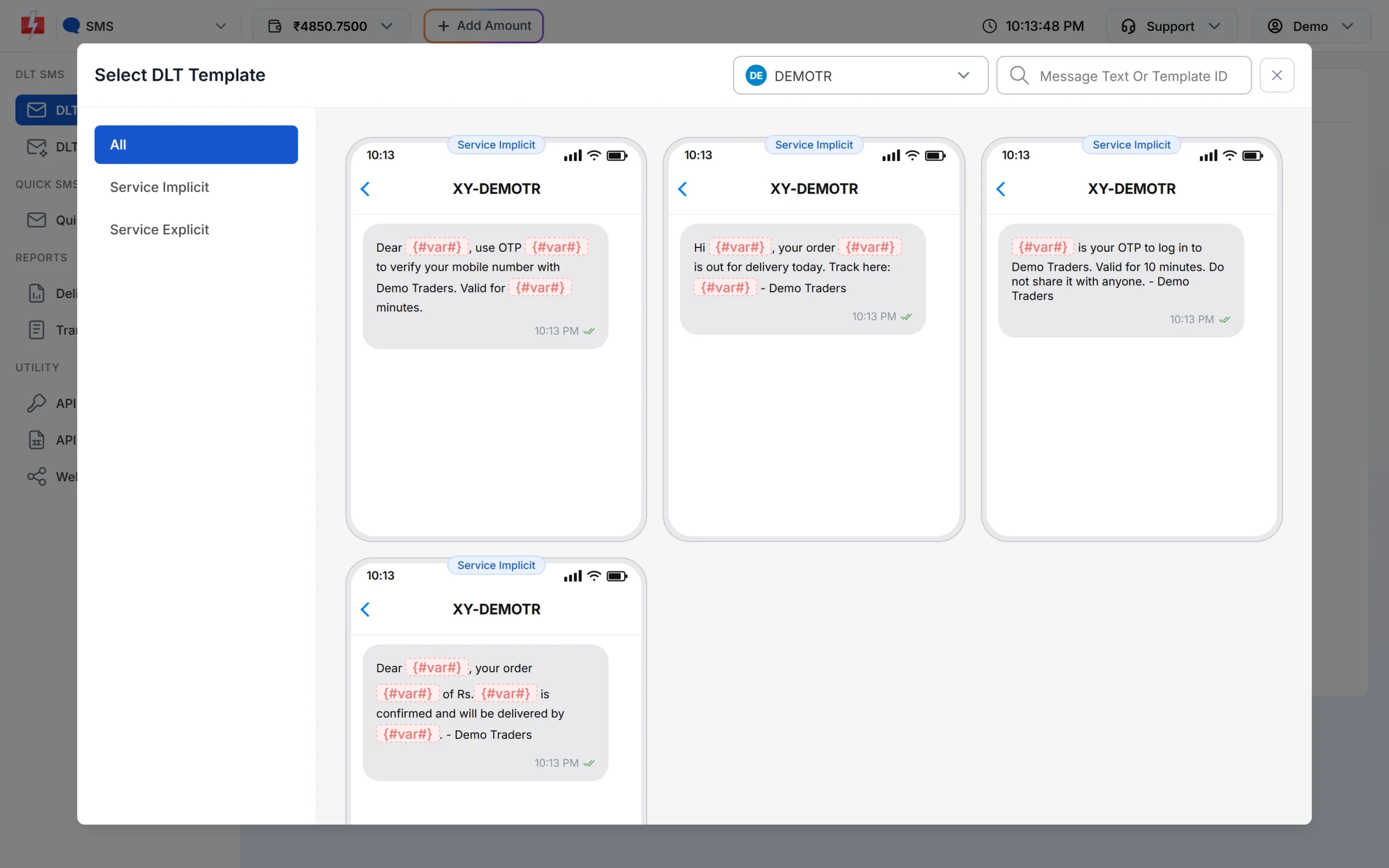
On the template cards, Service Implicit templates show a Service badge and the others a Promo badge. On the DLT SMS page, the template picker has Service Implicit and Service Explicit tabs so you can find the right one quickly.
What happens at night with promotional templates?
If you send a Service Explicit or Promotional template (or use a numeric header) late at night, Fast2SMS holds the campaign and sends it the next morning, so it goes out inside the allowed window. Service Implicit templates are not held and go out at any hour.
Common mistakes
| Mistake | What happens | Fix |
|---|---|---|
| Offer line inside an order update | Rejected, or treated as promotional | Keep service messages free of offers. Send the offer separately. |
| Order updates registered as Transactional | Possible rejection | Use Service Implicit for updates that are not tied to a just-completed transaction. |
| Wrong type picked in Fast2SMS | Template may be held at night or checked wrongly | Pick the same category the template has on DLT. |
Frequently asked questions
Which DLT category is used for OTP SMS?
Transactional. It now covers OTPs from banks and non-bank businesses such as online stores and apps.
Can transactional and service SMS reach DND numbers?
Yes. Transactional and Service Implicit messages are delivered to DND numbers, at any time of day. Promotional messages are not.
What is the difference between Service Implicit and Service Explicit?
Service Implicit goes to existing customers without separate consent. Service Explicit needs the person’s explicit consent, which lasts seven days under the 2025 rules.
Is Service Explicit still available?
DLT portals are moving Service Explicit templates into Promotional. In Fast2SMS, both are added with the single option Service Explicit or Promotional.
What time can promotional SMS be sent?
Between 10 AM and 9 PM. Fast2SMS holds late-night promotional campaigns and sends them the next morning.
Can I change the category of an approved template?
Not usually. Register a new template in the right category and use its new template ID.