
If your Hindi or emoji SMS reaches customers as ???, the text was broken before it was sent. Somewhere on the way, usually in an Excel or CSV file or a database that is not saved as UTF-8, the Hindi letters were replaced with question marks. If customers see empty boxes instead, the SMS arrived correctly but their phone has no font to draw those characters.
This page helps you tell the two cases apart, find where the text broke, and fix it in the panel, in your files and in your API code.
What you see and what it means
| Customer sees | Where it went wrong | Fix |
|---|---|---|
| ???? in place of Hindi letters | The text lost its characters before it reached us: a CSV saved in the wrong format, or a database or app that is not UTF-8 | Save files as CSV UTF-8 and store text as UTF-8 end to end |
| Only the emoji turn into ?? | A database column that cannot store 4-byte characters, for example MySQL utf8 (utf8mb3) | Change the column and connection to utf8mb4, or drop emoji from SMS |
| Strange letters like रा | UTF-8 text was opened as another encoding, often a UTF-8 CSV opened directly in Excel and saved again | Go back to the original file and import it as UTF-8 |
| English letters that make no sense | The Hindi was typed in an old non-Unicode font such as Kruti Dev. It only looks like Hindi on your screen. | Retype or convert the text to Unicode Hindi |
| Empty boxes or blank squares | The SMS arrived fine, but the phone has no font for that script or emoji | Avoid emoji in SMS and test on a basic phone |
How to find where the text broke
-
Check the template in DLT Manager
Open DLT Manager > Content Template and look at the template card. A Hindi template should show the Hindi text clearly and the UN (Unicode) badge. If the card already shows question marks or odd symbols, the text was broken when it was pasted. Delete it and add the template again by pasting the approved text straight from your DLT portal.
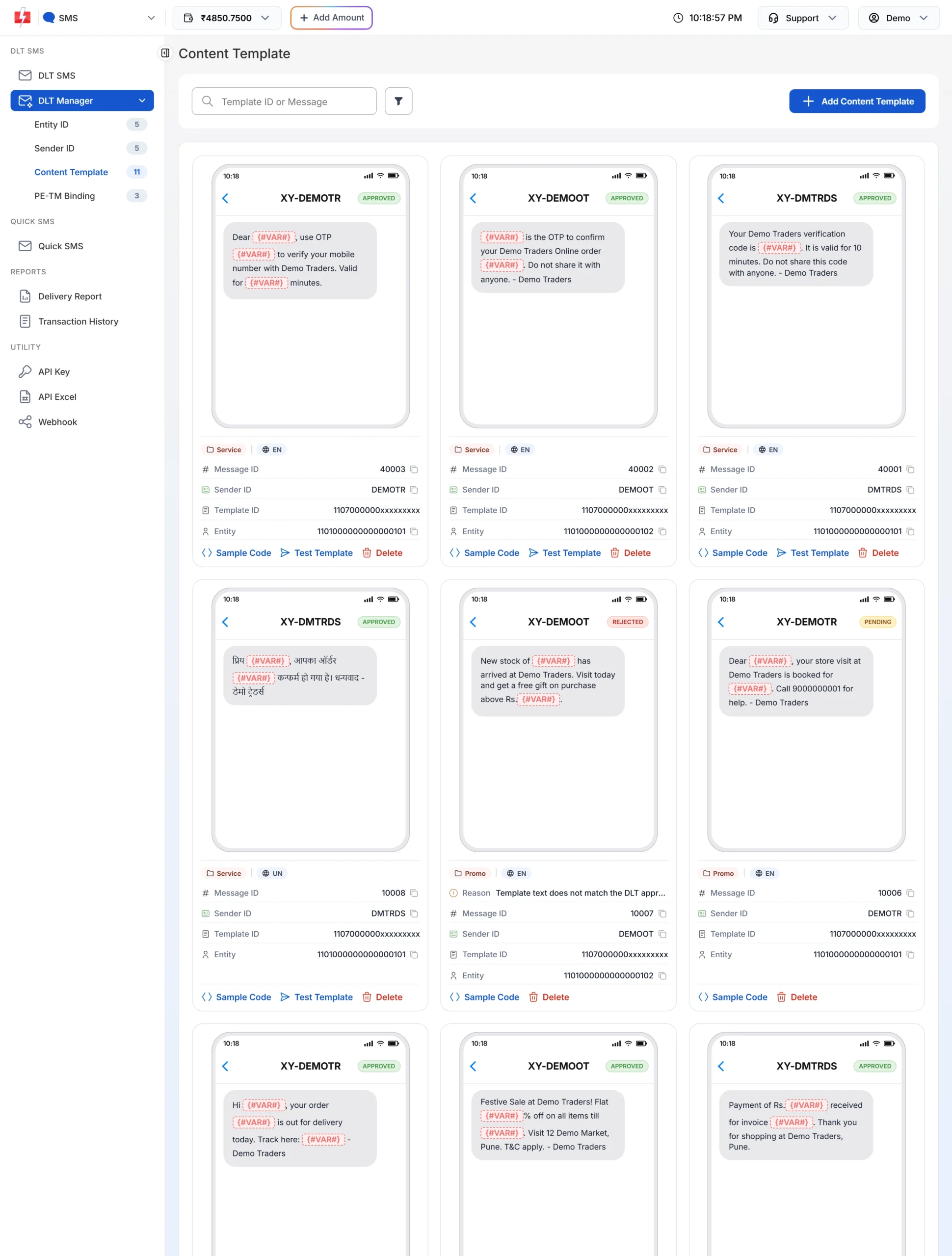
A Hindi template shows the real Hindi text and the UN badge. -
Check your CSV file
If you send from DLT SMS > CSV File with Hindi names or values, open the file in Excel and use Save As > CSV UTF-8 (Comma delimited). Other CSV formats can turn Hindi letters into question marks. In Google Sheets, File > Download > Comma-separated values already gives UTF-8.
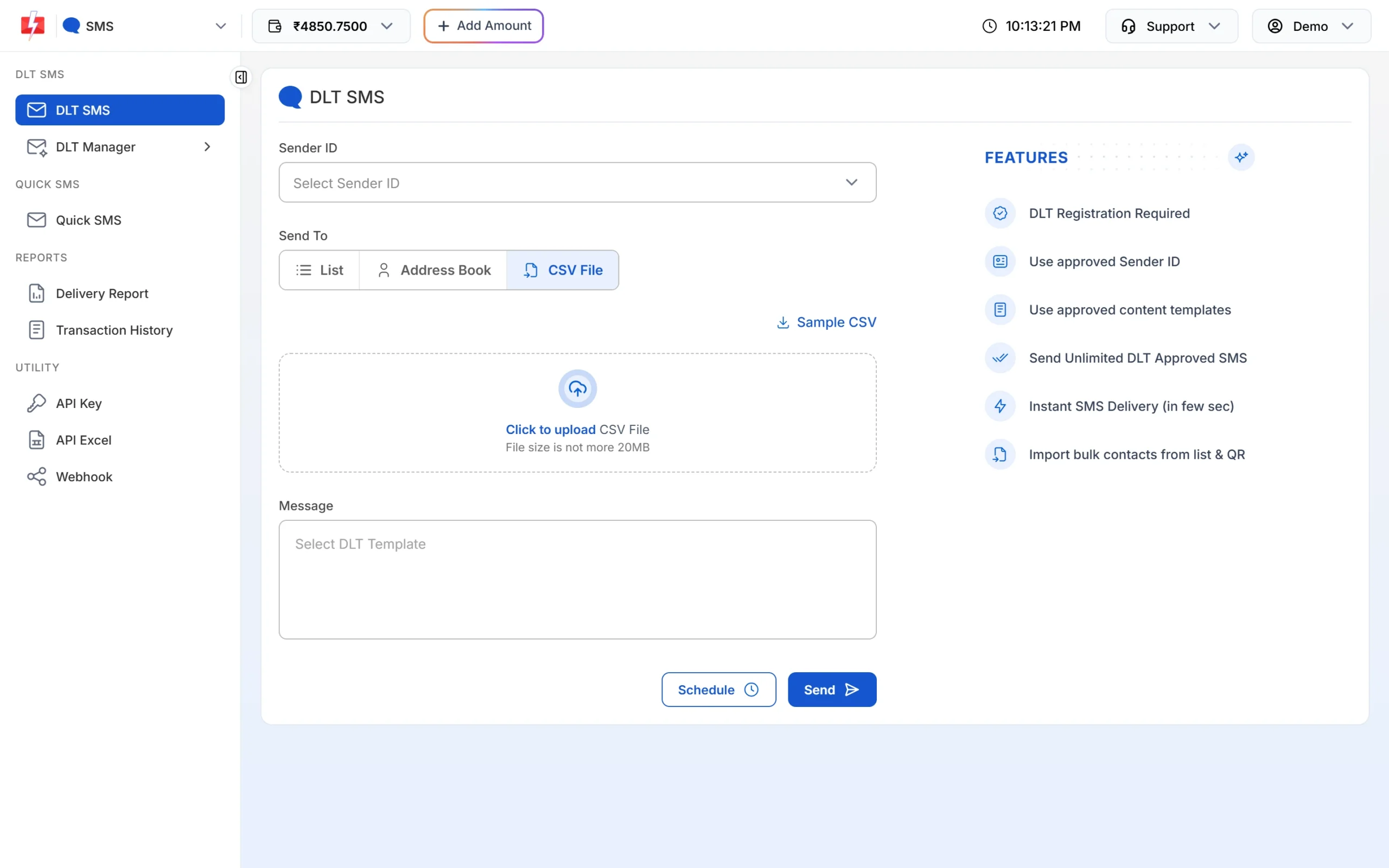
Upload the CSV after saving it as CSV UTF-8. -
Check what your API sent
Open Account Setting > API Logs, click the three dots on the request and choose View Details. The request data shows the values exactly as they reached Fast2SMS. If the Hindi is already “????” there, the problem is in your code, database or form, not in the SMS. API logs are kept for 7 days.
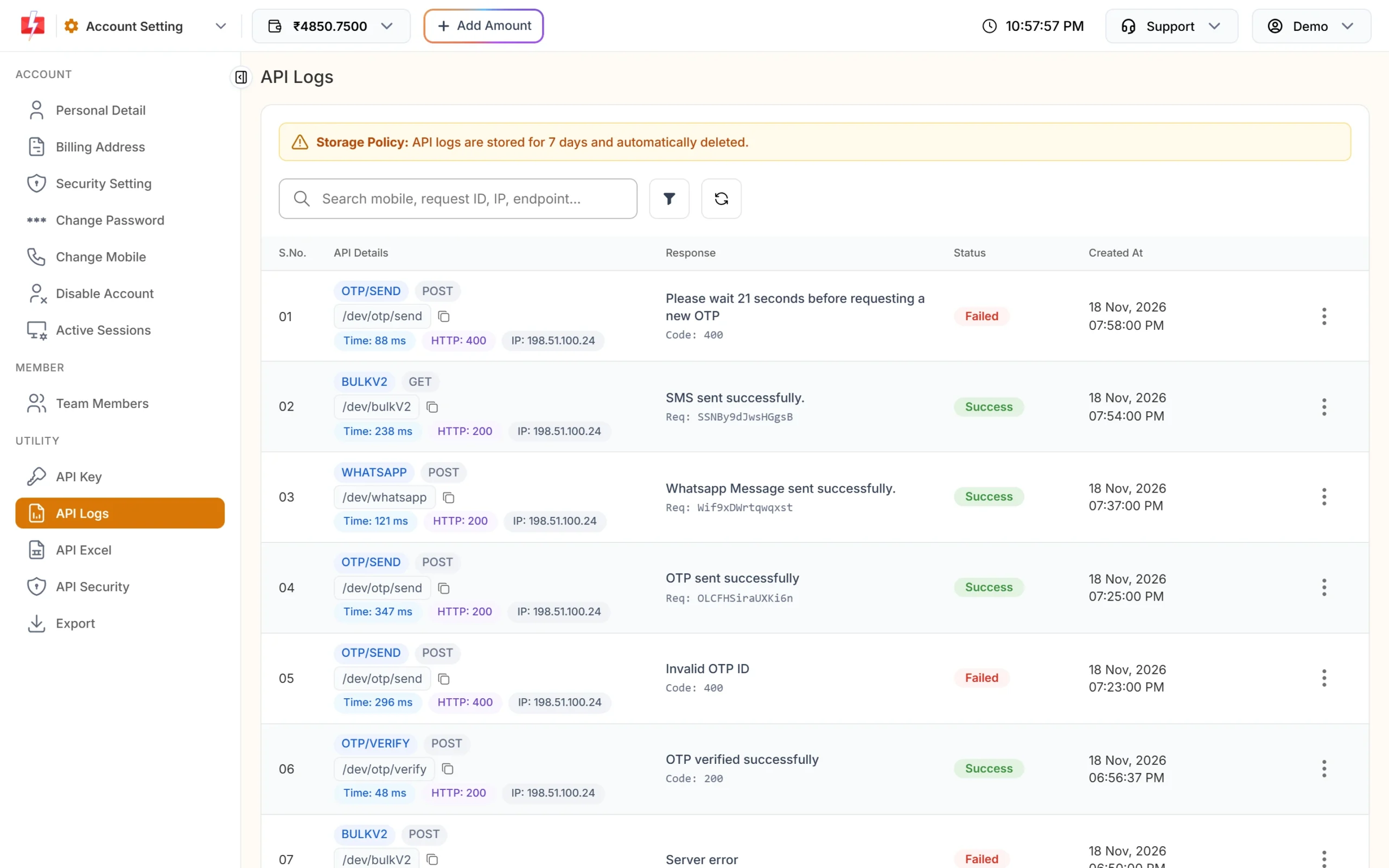
Each API call is listed with its response and status. -
Fix the source
Use the table above to fix the step that broke the text, then send one test SMS to your own phone before the full campaign.
Fixes for developers
- Send UTF-8. Send the request as UTF-8 JSON with POST, or URL-encode every value in a GET request. If the text is not valid UTF-8, the API refuses it with status_code 429 (“Invalid characters in …”), and nothing is sent or charged. Our Hindi and URL encoding guide has code for cURL, PHP, Python and JavaScript.
- Keep the whole chain UTF-8. Form pages, the database, the database connection and any export script all need to use UTF-8. One step in another encoding is enough to turn Hindi into question marks.
- For emoji, use utf8mb4 in MySQL. The older utf8 type in MySQL stores up to 3 bytes per character, and most emoji need 4.
- No language setting is needed. Fast2SMS detects the language from the text. Any character outside the basic English set makes the SMS Unicode.
When customers see boxes
Boxes mean the characters arrived but the phone cannot draw them. Most smartphones sold in India show Hindi and other Indian scripts. Basic phones and older handsets may not, and many of them do not show emoji at all. You cannot change the customer’s phone, so:
- Keep emoji out of SMS. They also make the SMS Unicode, which means 70 characters per SMS instead of 160.
- If many of your customers use basic phones, send a short English or Hinglish version in Roman letters, registered as its own DLT template.
- Test new Hindi templates on one basic phone and one smartphone before a big campaign.
Panel messages you may see
| Message | Meaning | Fix |
|---|---|---|
| “Only English alphabets are allowed in message text or select Unicode SMS.” | You typed Hindi or an emoji into a variable of an English template | Use a Hindi (Unicode) template for Hindi values |
| “Only Unicode are allowed in message text or select English SMS.” | The template is Unicode but the values do not match it | Use the template in the same language as your values |
Frequently asked questions
Why is my Hindi SMS showing question marks?
The Hindi letters were replaced with question marks before the SMS was sent, most often by a CSV not saved as UTF-8 or a database that is not UTF-8. Fix the file or database and send again.
Why does my SMS show boxes on some phones?
Those phones do not have a font for the characters, usually emoji or a regional script on an older handset. The SMS itself was delivered correctly.
Can the operator change my Hindi text into question marks?
A Unicode SMS is delivered as Unicode. If the text was correct when it reached Fast2SMS, check the handset next. If API Logs already show question marks, the problem is before the API.
How do I save Excel as UTF-8?
In Excel, choose Save As and pick CSV UTF-8 (Comma delimited). Then upload that file in DLT SMS.
Do I need to set language=unicode in the API?
No. Fast2SMS detects the language from the text on its own.
Why does my Hindi look like random English letters?
It was typed in a non-Unicode Hindi font such as Kruti Dev. Retype it with a Unicode Hindi keyboard or convert it to Unicode first.
Am I charged if the API refuses non-UTF-8 text?
No. With error 429 nothing is sent and nothing is charged.