
OTP fraud and SMS pumping happen when bots press your “Send OTP” button thousands of times. You pay for every message, real users may get flooded with codes they never asked for, and your wallet can drain overnight. This page explains how SMS pumping works, the signs to watch for, and the layers of protection to add: CAPTCHA, rate limits, country limits and the safety settings in Fast2SMS.
What SMS pumping and OTP abuse look like
- SMS pumping: bots request OTPs for long lists of numbers so that someone earns from the message traffic. You pay for messages that no real user wanted.
- OTP bombing: one person’s number is sent code after code from your form to harass them.
- Wallet drain: someone finds your API key and uses it from their own server.
Signs to watch for:
- A sudden jump in OTP sends that does not match signups or logins.
- Many OTPs that are never verified.
- Numbers in a series, for example the same first 6 or 7 digits.
- Many requests from a few IP addresses, or API calls from an IP you do not know.
Country limits: Smart OTP sends only to Indian numbers
Much SMS pumping around the world targets costly foreign numbers. The Smart OTP API accepts only a 10-digit Indian mobile number. It removes a leading +91 or 91, and any number that is not 10 digits after that is refused with an error. So a bot cannot use your Smart OTP template to send to foreign numbers. If you only serve India, also fix the country code to +91 in your form so bad input is stopped before it reaches your server.
Protection layers to add in your app
| Layer | What it stops | Example rule |
|---|---|---|
| CAPTCHA or human check | Simple bots on public forms | Show it before “Send OTP” on signup, login and reset pages |
| Limit per IP | One bot sending to many numbers | 10 to 20 OTP requests per IP per hour |
| Limit per number | OTP bombing of one person | 5 OTP requests per number per hour |
| Limit per session or device | One session trying many numbers | 1 or 2 numbers per session |
| Number check | Junk input | 10 digits starting with 6, 7, 8 or 9 |
| Daily cap | A runaway attack | Stop sending and alert you above a set number per day |
The numbers above are starting points. Tune them to your normal traffic.
Turn on the Fast2SMS safety settings
-
Set the resend wait and try limit
In Smart OTP, open OTP Settings. SMS Resend / Time Limit (Seconds) sets the wait before the same number can get another OTP on the same channel. Max Verify OTP Limit (Per SMS) sets how many wrong codes are allowed. The Resend API also stops after 5 sends in 10 minutes.
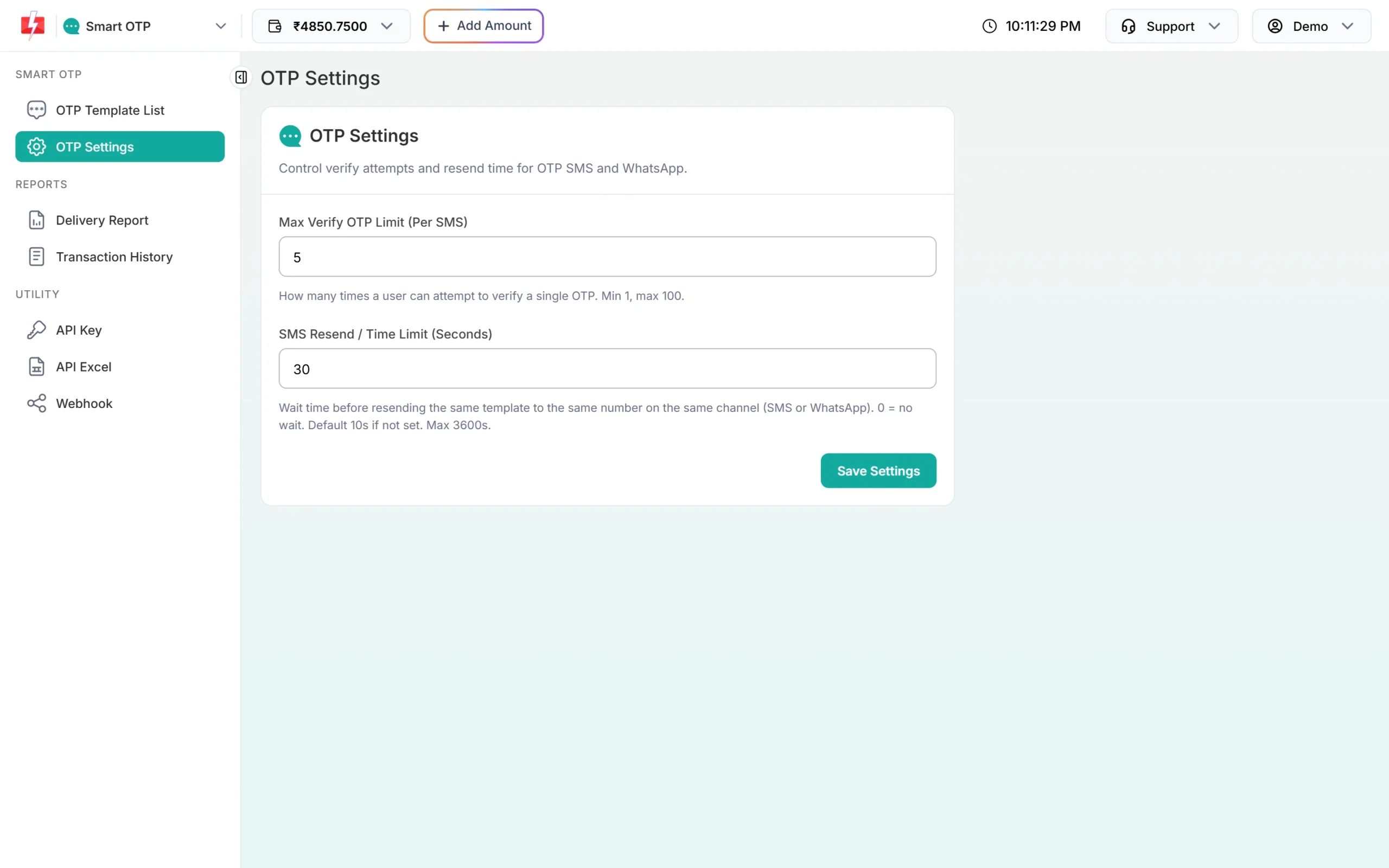
A 30-second wait between sends to the same number. -
Lock your API key to your servers
In Account Settings, open API Security. Add your server IPs with Add IP and switch API Security on. A stolen key then fails from any other IP. Switch on Low Balance Notification too, so a sudden drain sends you an SMS and email alert.
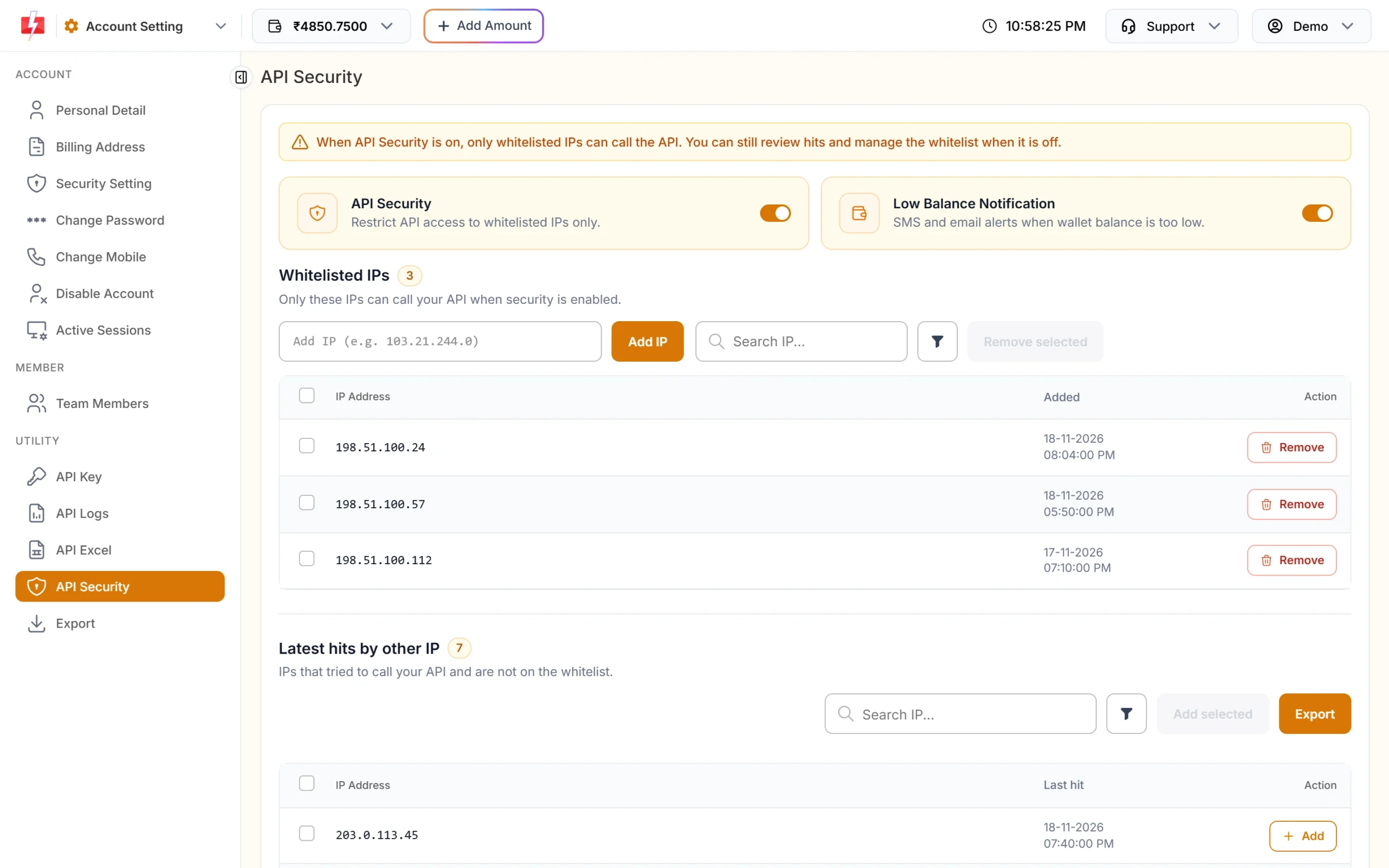
Latest hits by other IP shows who else tried to use your key. -
Watch the OTP report for spikes
Open Delivery Report. The OTP Activity chart shows sends over time. A sudden climb that does not match your signups is a warning sign. Export the report to see the share of OTPs that were verified.
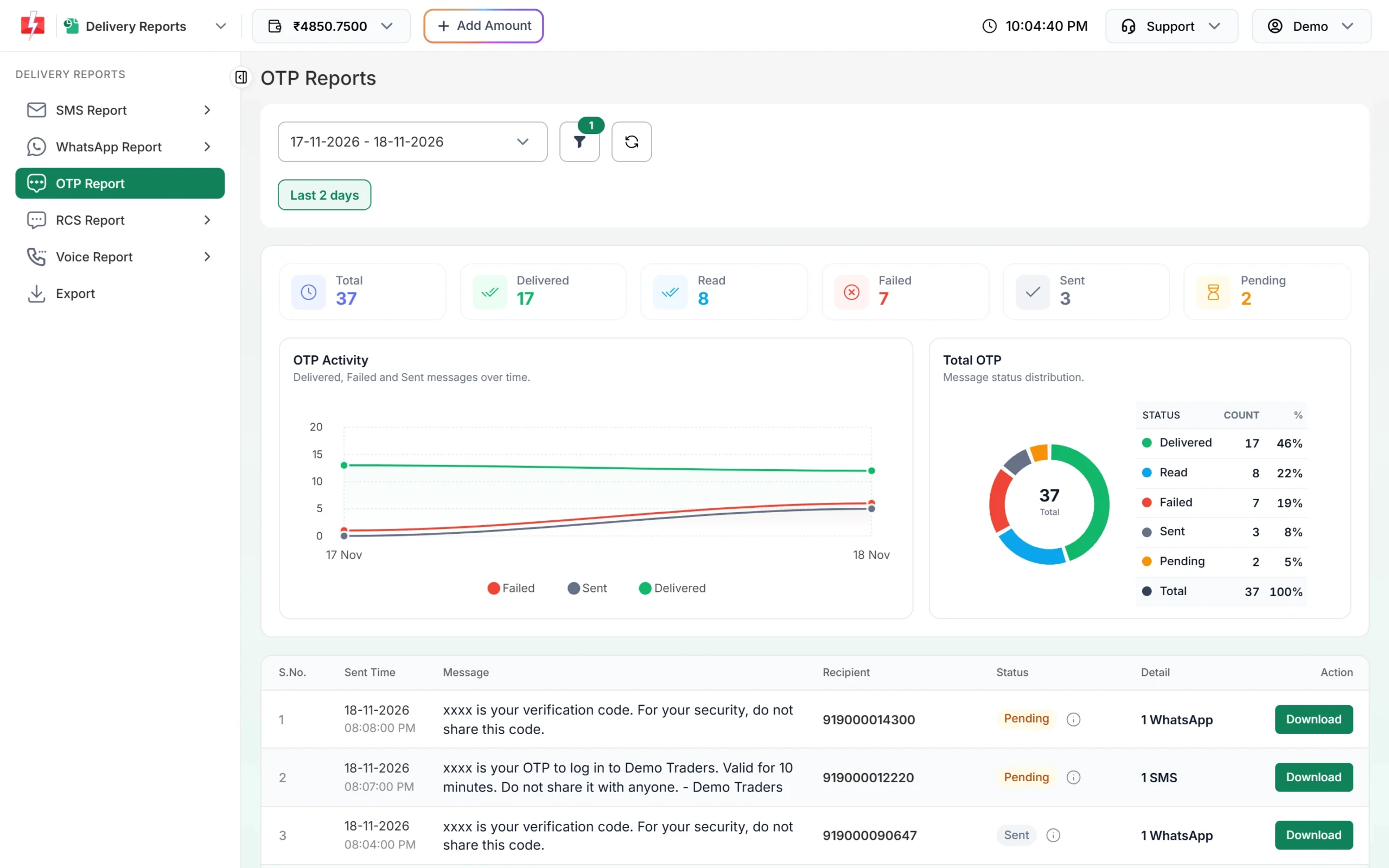
Compare sends with your real signups and logins. -
Check API Logs for strange IPs
API Logs show every call with its IP, endpoint and answer for the last 7 days. Search by IP or mobile to see what an attacker sent.
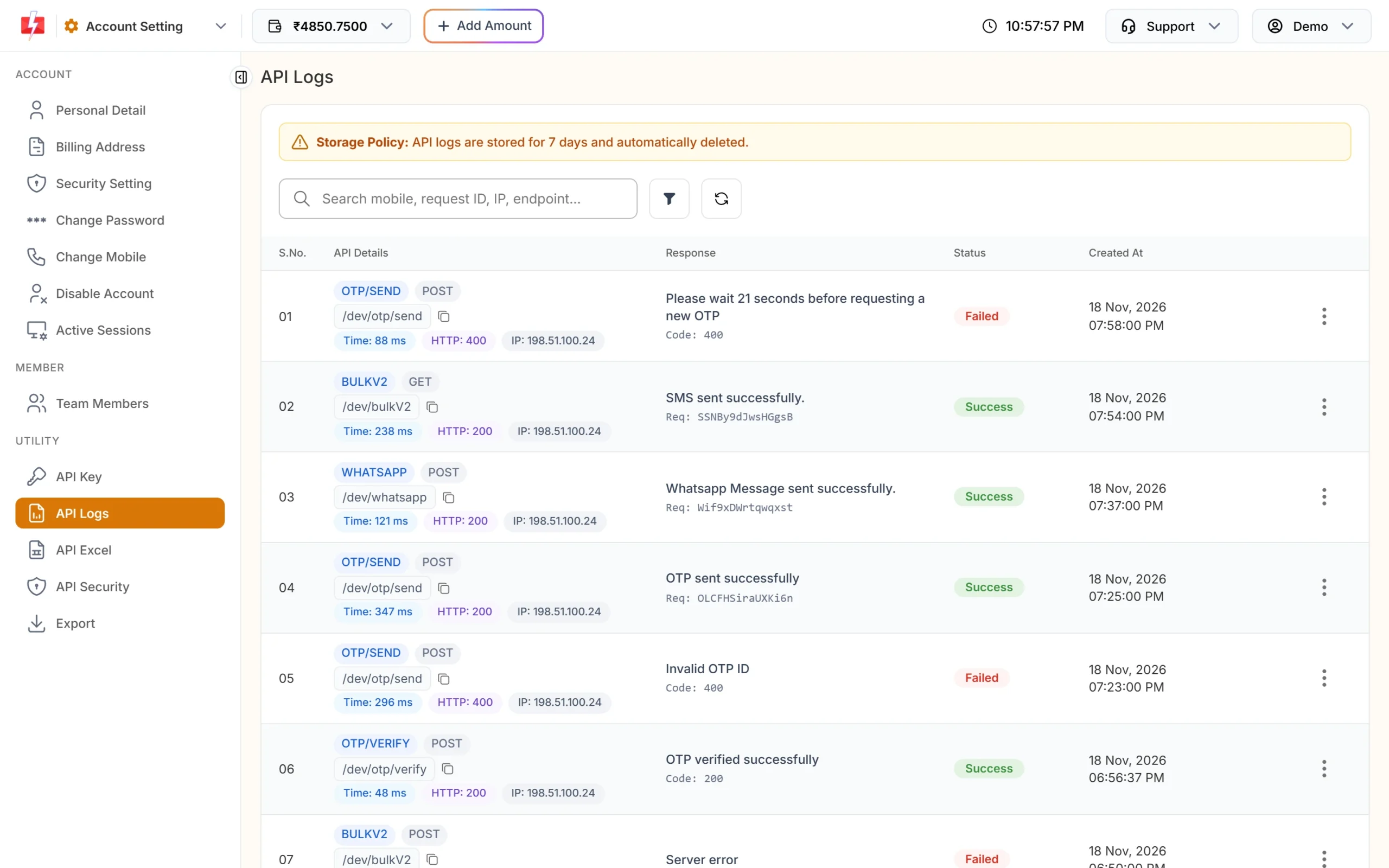
Each row shows the IP that made the call.
If you are under attack right now
- Add a CAPTCHA or turn off the public “Send OTP” form for a while.
- Raise the resend wait in OTP Settings.
- Block the attacking IPs in your app or firewall.
- If calls come from IPs that are not yours, click Reset on the API Key page and turn on API Security. To stop every API call at once, switch API Access off. This stops all your API sending, not only OTP.
- Keep only the wallet balance you need until things are calm.
Frequently asked questions
What is SMS pumping fraud?
Bots trigger OTP or other SMS to many numbers so that someone earns from the traffic. The business sending the SMS pays for it.
Can SMS pumping send OTPs to foreign numbers from my account?
Not through Smart OTP. The API accepts only 10-digit Indian mobile numbers.
Does a CAPTCHA stop all OTP abuse?
No. It stops simple bots. You still need limits per IP, per number and per session on your server.
Does Fast2SMS limit how many OTPs go to one number?
Yes. The resend wait in OTP Settings applies per number, OTP ID and channel. The Resend API allows 5 sends in 10 minutes.
How do I know if my API key leaked?
Check Latest hits by other IP in API Security and the IP column in API Logs. Calls from IPs you do not own mean the key is in someone else’s hands. Reset it.