
Need a lead or enquiry form where every phone number is real, but have no website or server? This kit builds a form on Google Apps Script that verifies the visitor’s mobile number with an OTP (SMS or WhatsApp) and saves each entry to a Google Sheet. Google hosts the page and the code. You share the link, or embed the form in any site with an iframe.
Download the Google Sheets form OTP widget kit (zip)Download .zip
Code.gs and the form page in Node.js with stand-ins for the Apps Script services, against a mock copy of the Fast2SMS API, and drove the page in Chrome: 17 of 17 checks passed. It has not been run on Google’s servers yet, so real quotas and permission prompts were not tested. Test it with your own number before you share it.What you get
- A form page (by default: name, email, message and mobile number) with the OTP widget built in.
- A new row in your Sheet for each submission: the time, the verified mobile number and the form fields.
- Your Fast2SMS API key in Script Properties, which visitors cannot see.
Before you start
- A Fast2SMS account with wallet balance, and an approved DLT OTP template (SMS) or WhatsApp Authentication/Utility template.
- A Google account.
Set up the OTP form in Google Sheets
-
Create a Smart OTP template and copy its OTP ID
In the panel, open Smart OTP > OTP Template List and click Add OTP Template. On the SMS Channel tab, pick your DLT entity, sender and approved OTP template, then click the variable that should carry the code. For WhatsApp, use the WhatsApp Channel tab with an approved Authentication or Utility template. Tick SET FALLBACK TEMPLATE if you want the other channel as a backup, then click Assign OTP Template.
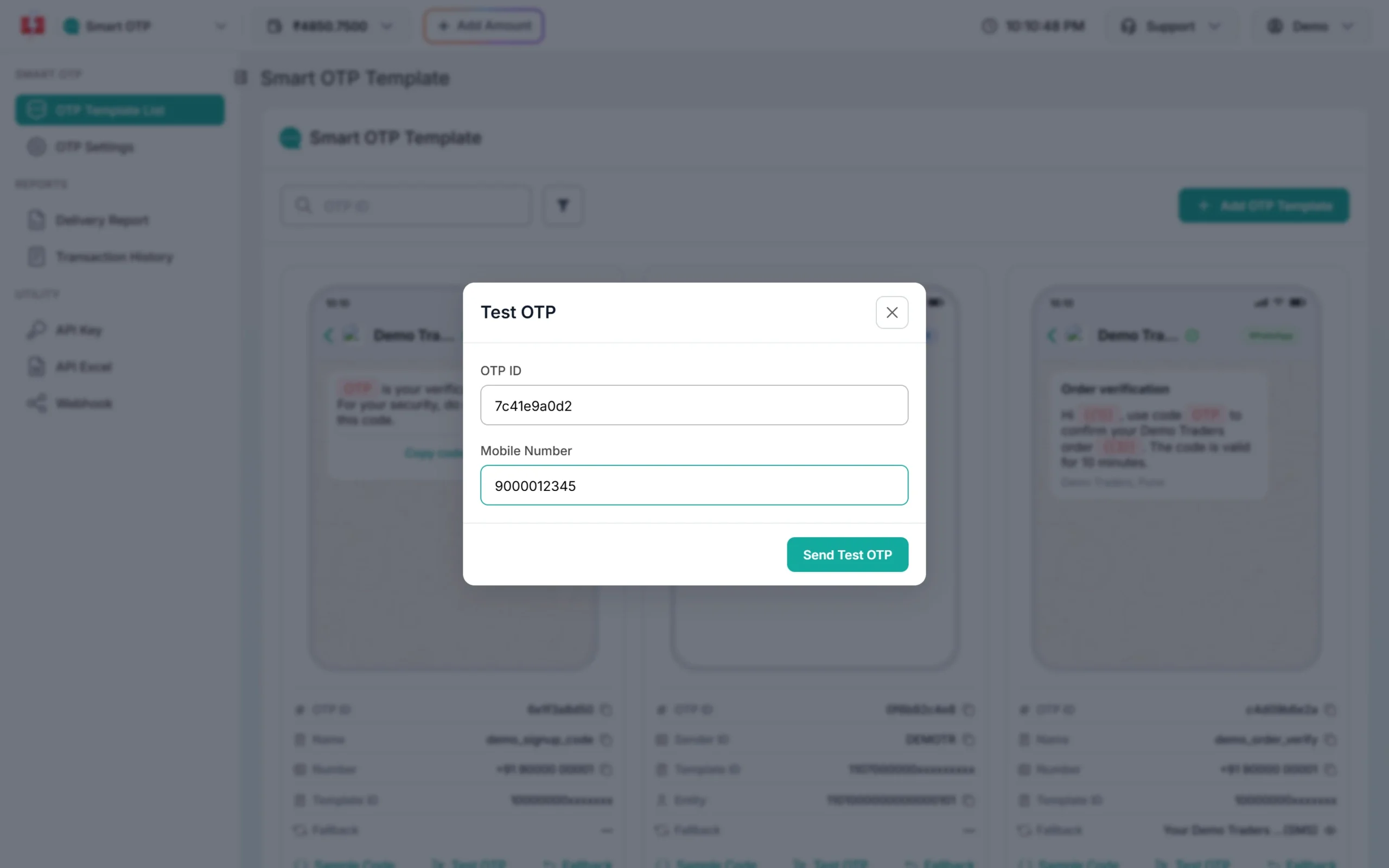
Copy the 10-character OTP ID from the new card. It decides the channel, the template and the fallback for every code the widget sends. Before you build the form, use Test OTP on the card to check that the template reaches your phone.
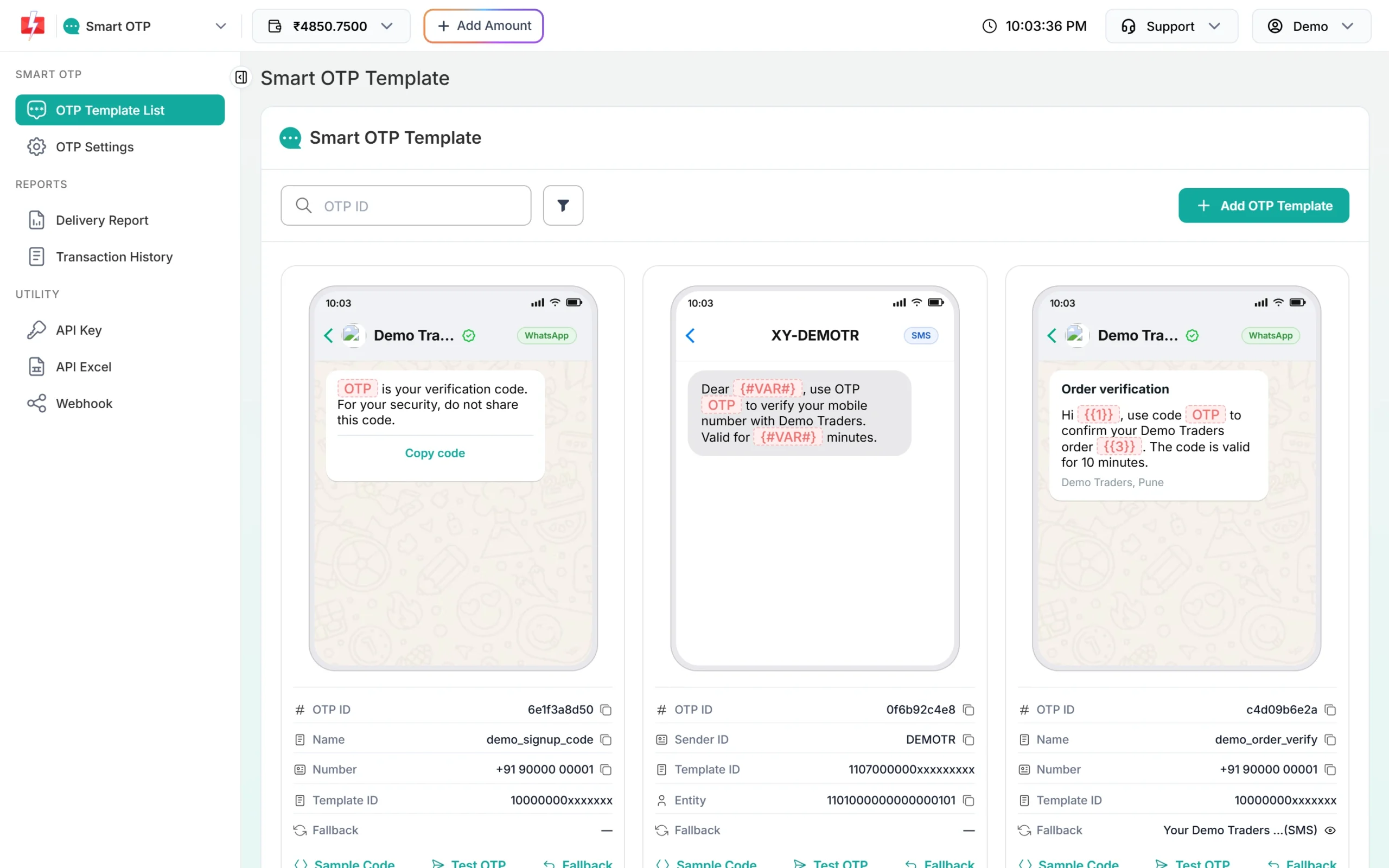
Each template card shows its 10-character OTP ID with a copy icon. -
Copy your API key
Under Utility in the left menu, click API Key. Click View (the panel first asks for an OTP sent to your registered mobile) and copy the Authorization Key. Check that API Access is switched on. This key will live only in your backend’s settings, never in a page or an app.
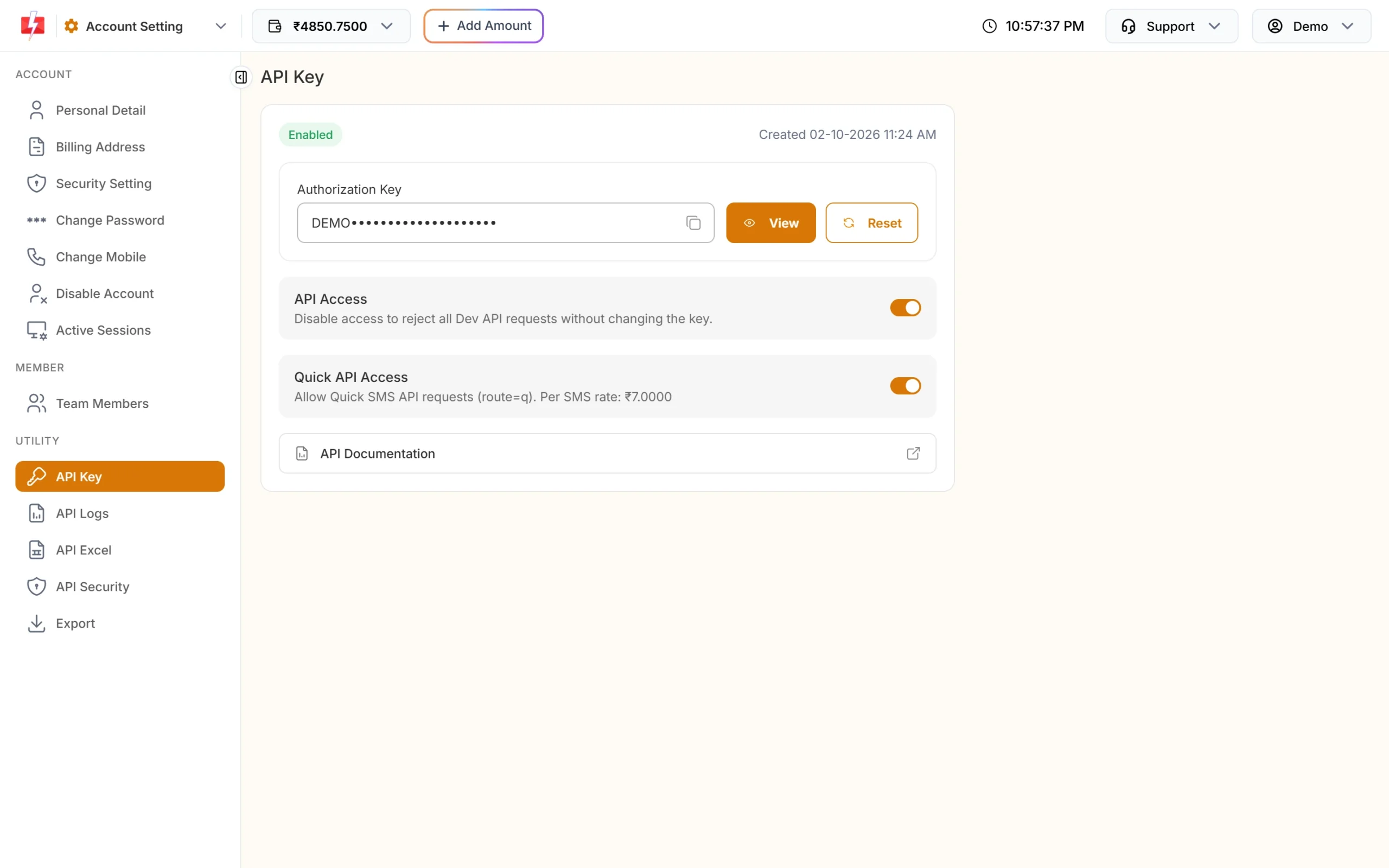
Copy the Authorization Key. API Access must be on. -
Paste the code into a Sheet
Create a Google Sheet, then open Extensions > Apps Script.
- Replace the contents of
Code.gswith the kit’sCode.gs. - Add two HTML files (+ > HTML) named
IndexandWidget, and paste inIndex.htmlandWidget.html. - In Project Settings, tick Show “appsscript.json” manifest file in editor, then paste the kit’s
appsscript.json.
- Replace the contents of
-
Make a secret and fill in Script Properties
Select the function
makeSecretand click Run once. Copy the value it prints in the execution log.In Project Settings > Script Properties, add:
FAST2SMS_API_KEY: your API keyF2S_OTP_ID: your OTP IDF2S_TOKEN_SECRET: the value frommakeSecret- optional:
FORM_TITLE(default “Contact us”) andSHEET_NAME(default “Responses”)
Do not type the key into the code. Script Properties stay with the script and are not shown to visitors.
-
Deploy as a web app
Click Deploy > New deployment > Web app. Set Execute as: Me and Who has access: Anyone. Google asks you to allow two permissions: connecting to an external service (Fast2SMS) and editing your spreadsheet.
-
Share or embed the form
Copy the web app link that ends in
/execand share it, or embed it in any site:<iframe src="https://script.google.com/macros/s/YOUR_DEPLOYMENT_ID/exec" style="width:100%;max-width:520px;height:720px;border:0"></iframe>
Change the form fields
Edit the fields in Index.html, and add each new field’s name to FORM_FIELDS in Code.gs. For example, to add a city:
<label class="field">City <input name="city" maxlength="100"></label>// at the top of Code.gs: the form fields saved to the sheet, besides the verified mobile
var FORM_FIELDS = ['name', 'email', 'message', 'city'];The header row (Time, Mobile (verified) and your field names) is written when the sheet is empty. After a change, create a new deployment version so visitors get the new form.
How it stays safe
- The mobile number comes from the token, not from the form.
submitForm()saves a row only with a fresh, unused token from a correct OTP. - No public URL endpoint. The widget calls the script through
google.script.run, so only this script’s own page can ask for an OTP. - Limits: Apps Script cannot see a visitor’s IP address, so instead of a per-IP limit there is a cap for the whole form,
F2S_LIMIT_GLOBAL(200 sends per hour by default), next to the per-number limit (5 per hour) and the 30-second resend wait. - Spreadsheet safety: a value that starts with
=,+,-or@is saved as text, so nobody can plant a formula in your sheet. - Logs in the Apps Script Executions page show masked numbers only, never the OTP or the key.
Sending, resending and cost
A new code for a number cancels the older one. “Code sent” means Fast2SMS accepted it; delivery shows in Smart OTP > Delivery Report.
Resend sends the same code again, it does not make a new one. Fast2SMS allows it within 10 minutes of the first send, and up to 5 sends to one number in that time, counting the first.
Every send and every resend is charged at your Smart OTP rate, and a fallback message on the second channel is charged too. Verify is free. The Test OTP button on a template card is also a real, charged send. See the current rates on the OTP SMS page.
Sending in bulk? For high OTP volumes our team offers discounted rates. Talk to our team or see OTP pricing.
Common problems and fixes
| What you see | Why | Fix |
|---|---|---|
| The form page shows an error instead of the form | A Script Property is missing or wrong | Check FAST2SMS_API_KEY, F2S_OTP_ID (10 characters) and F2S_TOKEN_SECRET (32 or more), then reload. |
| Google says the app is not verified, or asks for permissions | First run of a script under your account | Review the two permissions (external requests and the spreadsheet) and allow them. |
| “We could not send the code right now.” | An account or setup problem | Open Executions in Apps Script for the real reason, for example a wrong OTP ID or low balance. |
| “Too many requests” | The per-number limit or the whole-form cap was hit | Wait an hour, or raise F2S_LIMIT_PER_NUMBER / F2S_LIMIT_GLOBAL in Script Properties. |
| New fields are not saved | The field is missing from FORM_FIELDS, or the deployment was not updated |
Add the field name to FORM_FIELDS and deploy a new version. |
| The code never arrives | Sent is not the same as delivered | Check Smart OTP > Delivery Report, and use Test OTP on the template card. |
Frequently asked questions
Can I verify phone numbers in a Google Form?
Google Forms cannot run an OTP step. This kit gives you a similar form page, hosted by Google Apps Script, that verifies the number with an OTP and writes each entry to your Google Sheet.
Do I need a website or hosting?
No. Google hosts the page and the script. You can share the /exec link on its own, or embed it in a site with an iframe.
Can visitors see my API key?
No. The key is in Script Properties and is used only on Google’s side. The page never receives it.
Is there a limit on how many people can fill the form?
The kit caps OTP sends at 200 per hour for the whole form by default (F2S_LIMIT_GLOBAL), and Google has its own daily Apps Script quotas.
Can I send an SMS from the sheet too?
Yes, with a separate script. See Send SMS from Google Sheets with Apps Script.
Is verify charged?
No. Each send and each resend is charged; verify is free.