
OTP login works the same way on a website and in a mobile app: the user enters a mobile number, your server asks Fast2SMS to send a code, the user types it, and your server verifies it. The differences are in where the code is typed, how autofill works, and how you stop abuse. This page explains OTP for website login vs app login so you can plan both with one Smart OTP setup.
The flow is the same on both
- The user enters a mobile number on your site or in your app.
- The site or app calls your server, not Fast2SMS.
- Your server calls
/dev/otp/sendwith the number and your OTP ID. - The user types the code. The site or app sends it to your server.
- Your server calls
/dev/otp/verifyand logs the user in only on “OTP verified successfully”.
curl -X POST "https://www.fast2sms.com/dev/otp/verify" \
  -H "authorization: YOUR_API_KEY" \
  -H "Content-Type: application/json" \
-d '{"mobile":"9999999999","otp":"482913"}'Website login vs app login: the differences
| Website login | App login | |
|---|---|---|
| Code autofill | Add autocomplete="one-time-code" to the code field so the phone keyboard can suggest the code |
Android apps can read the SMS with the SMS Retriever API (the app hash must be in your DLT template text) |
| WhatsApp OTP | Copy code button. The user pastes the code. | Copy code, or one-tap and zero-tap autofill for Android apps |
| Who can call your “send OTP” endpoint | Anyone with a browser, including bots | Mostly your app, but the endpoint can still be found and called |
| Abuse controls | CAPTCHA, limits per IP and per session | Limits per device and per number, app integrity checks |
| Staying logged in | Session cookie, “remember this device” | Long-lived token, so users rarely need a new OTP |
Tips for website OTP login
- Use one input for the code with
inputmode="numeric"andautocomplete="one-time-code". - Show a resend countdown that matches the resend wait in OTP Settings.
- Add a CAPTCHA or a similar check before “Send OTP”. Public forms are the main target of OTP abuse.
- After a correct code, start a fresh session for the user.
<input type="text" name="otp" inputmode="numeric"
       autocomplete="one-time-code" maxlength="6">
Tips for app OTP login
- For Android SMS autofill, add your app’s 11-character hash to the DLT OTP template text before you register it.
- For WhatsApp one-tap or zero-tap, add the package name and signature hash to the WhatsApp Authentication template.
- Keep users signed in with a token, and ask for a new OTP only on a new device or a sensitive action.
Set it up once for both
-
Create one Smart OTP template
Open Smart OTP, then OTP Template List, and add a template for SMS or WhatsApp. Each card shows the OTP ID your server uses. Web and app can share the same OTP ID, or you can make separate templates if the message text differs.
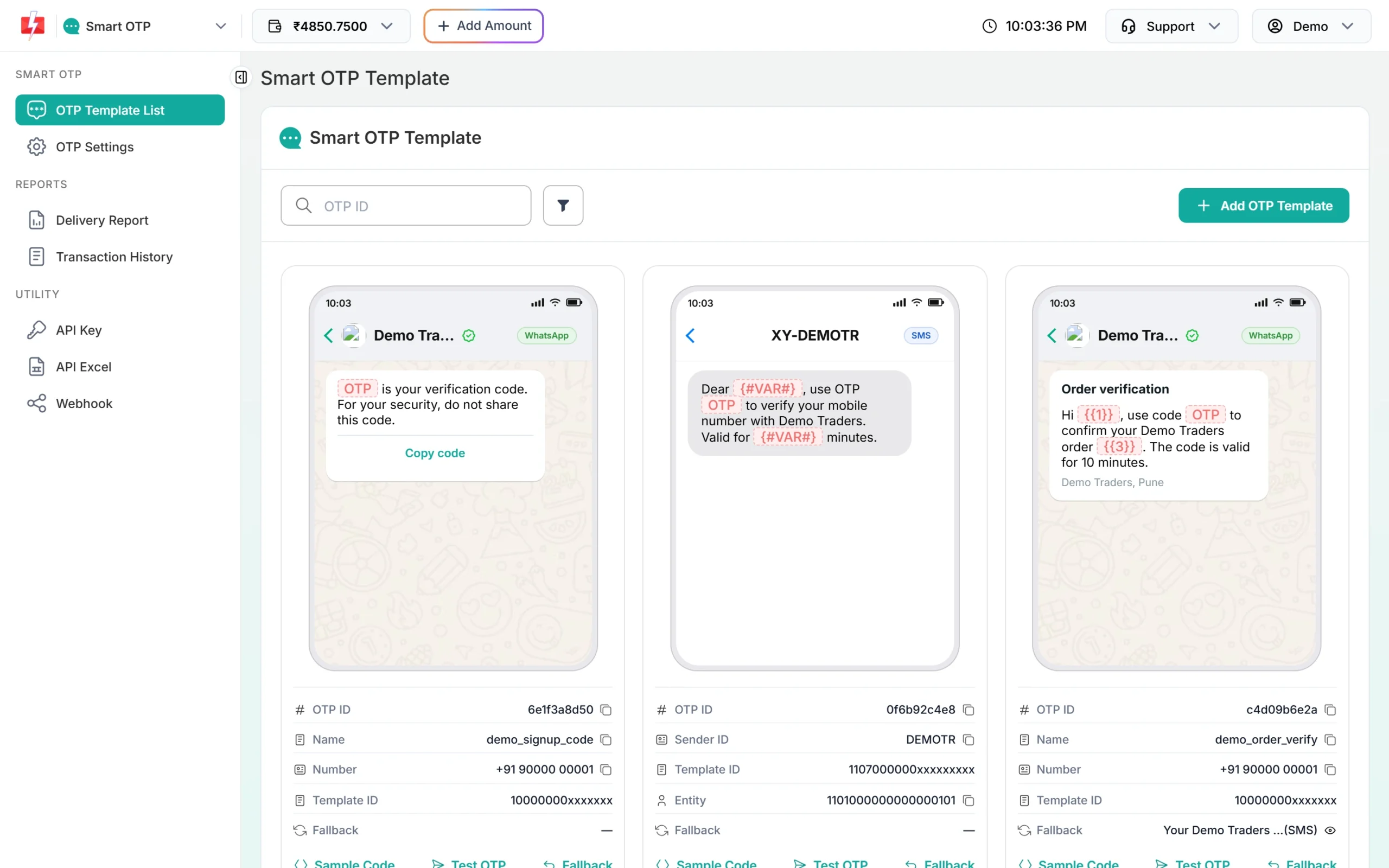
Each template has its own OTP ID. -
Set verify and resend limits
In OTP Settings, set Max Verify OTP Limit (Per SMS) and SMS Resend / Time Limit (Seconds). These apply to every send from your account.
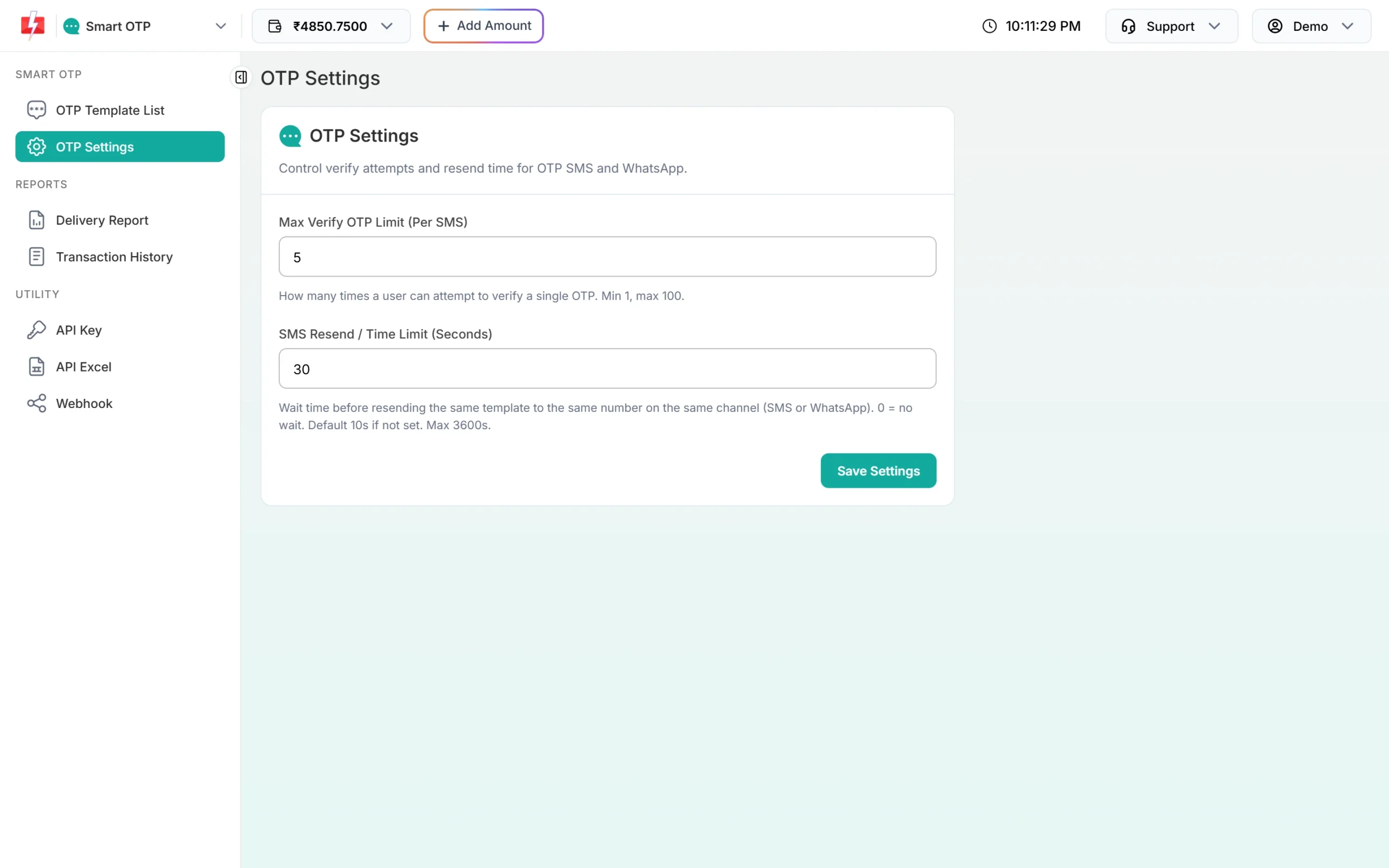
One set of limits for web and app. -
Lock the API key to your server
In Account Settings, open API Security, add your server IPs under Whitelisted IPs and switch API Security on. Calls from other IPs are refused.
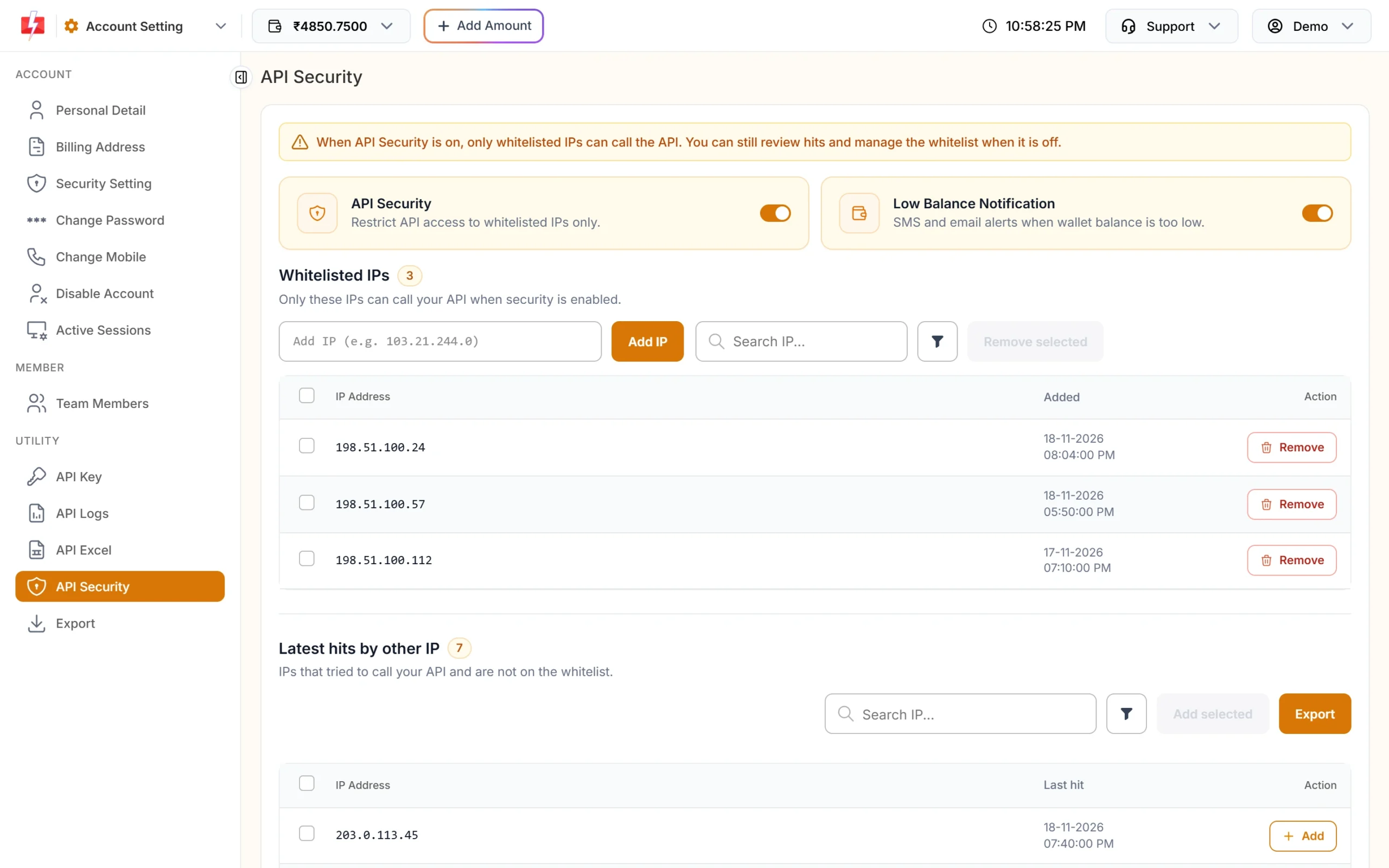
Only your servers can use the key.
Frequently asked questions
Can I use the same OTP API for my website and app?
Yes. Both call your server, and your server calls the same Smart OTP send and verify endpoints.
Can I tell which OTPs came from the app and which from the website?
Yes. Pass a label in udf1, udf2 or udf3 when you send. These values are stored with the OTP and sent in OTP webhooks.
Does SMS autofill work on websites?
Many phones suggest the code above the keyboard when the field uses autocomplete="one-time-code". The user taps the suggestion.
Which is safer, website or app OTP?
The OTP itself is the same. Safety depends on your server: keep the key there, limit requests and verify only on the server.
Should I send the OTP by WhatsApp for app users?
If your users use WhatsApp, yes, with an SMS fallback. Android apps can use one-tap or zero-tap autofill with WhatsApp Authentication templates.