
If money left your bank but your Fast2SMS wallet was not credited, there are only two outcomes: the payment is captured late and Fast2SMS credits your wallet on its own, or the payment really failed and your bank returns the money within 3 to 5 working days. This page shows how to tell which one happened, what each payment message means, and when to contact support.
Quick answer
- You saw “Payment successful”: the wallet is credited. Check the balance at the top of the panel.
- You saw “Payment failed” but your bank shows a debit: wait. If the payment gateway captured the money late, Fast2SMS re-checks such orders automatically and credits your wallet. If the payment really failed, your bank refunds it within 3 to 5 working days.
- Nothing happened after 5 working days: contact support with the payment details listed below.
What you see after a successful payment
A successful recharge ends on the “Payment successful” page: “The amount has been credited to your Fast2SMS wallet.” It shows the Transaction ID, Amount Credited, Transaction Status, Per SMS Cost and Cost Validity, with Download Invoice, Go to Dashboard and Transaction History buttons.
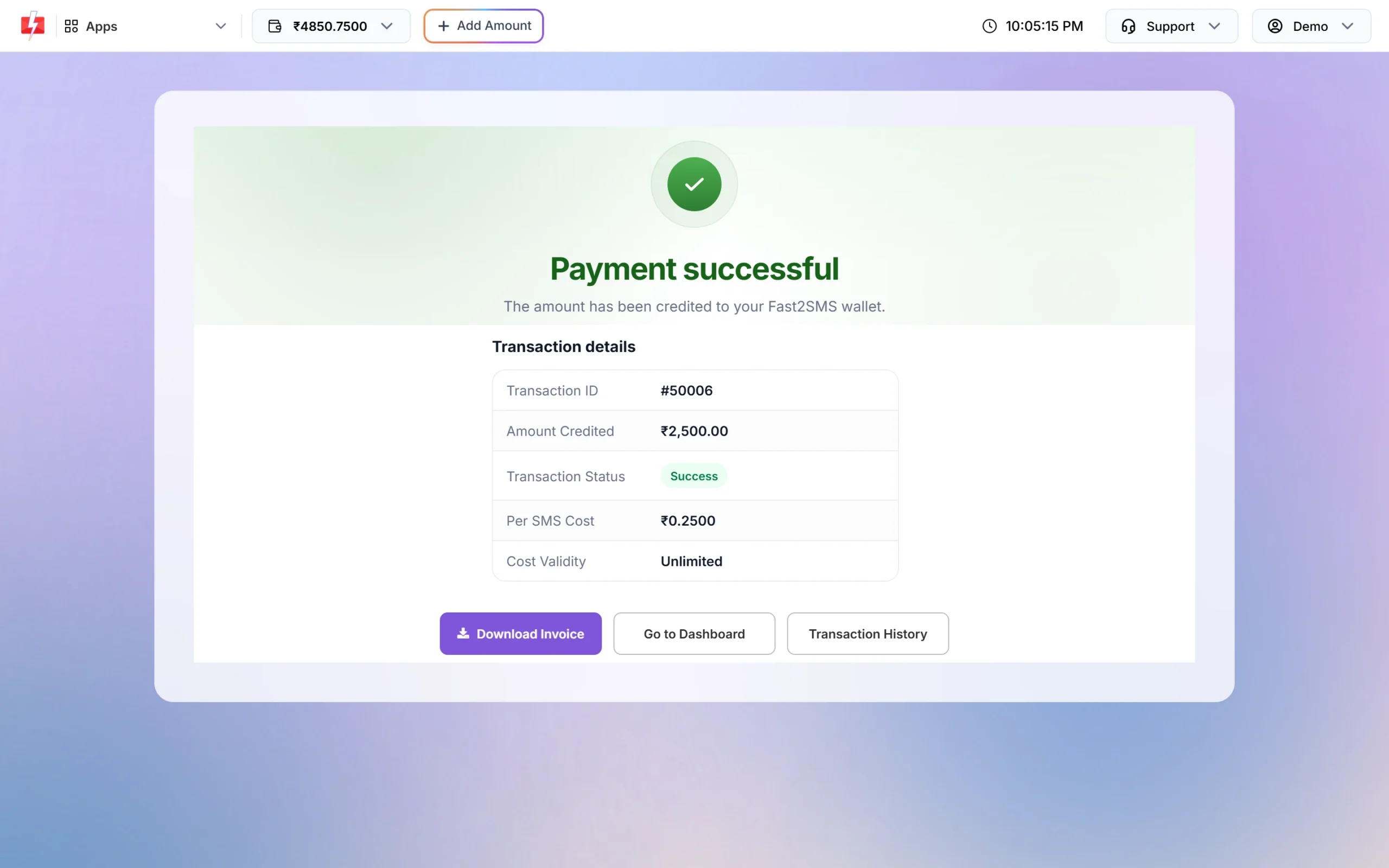
You also get an SMS: “Rs: X credited successfully into your Fast2SMS wallet. Current wallet balance is Rs: Y.” If your email is verified, the invoice is emailed to you too.
The wallet is credited with the amount you entered. The 18% GST you paid on top is not added to the wallet, so a ₹1,000 recharge costs ₹1,180 and adds ₹1,000 to the wallet.
Sending in bulk? For high SMS volumes our team offers discounted rates. Talk to our team or see SMS pricing.
What you see when a payment fails
A failed payment ends on the “Payment failed” page with the reason from the payment gateway. The usual texts are:
- “Your payment could not be completed. Please try again.” (the default reason)
- “User has not completed the transaction.” (the payment window was closed or the payment was not finished)
The page also says: “If any amount was debited from your account, it will be refunded within 3-5 working days.” It has Try Again and Go to Dashboard buttons.
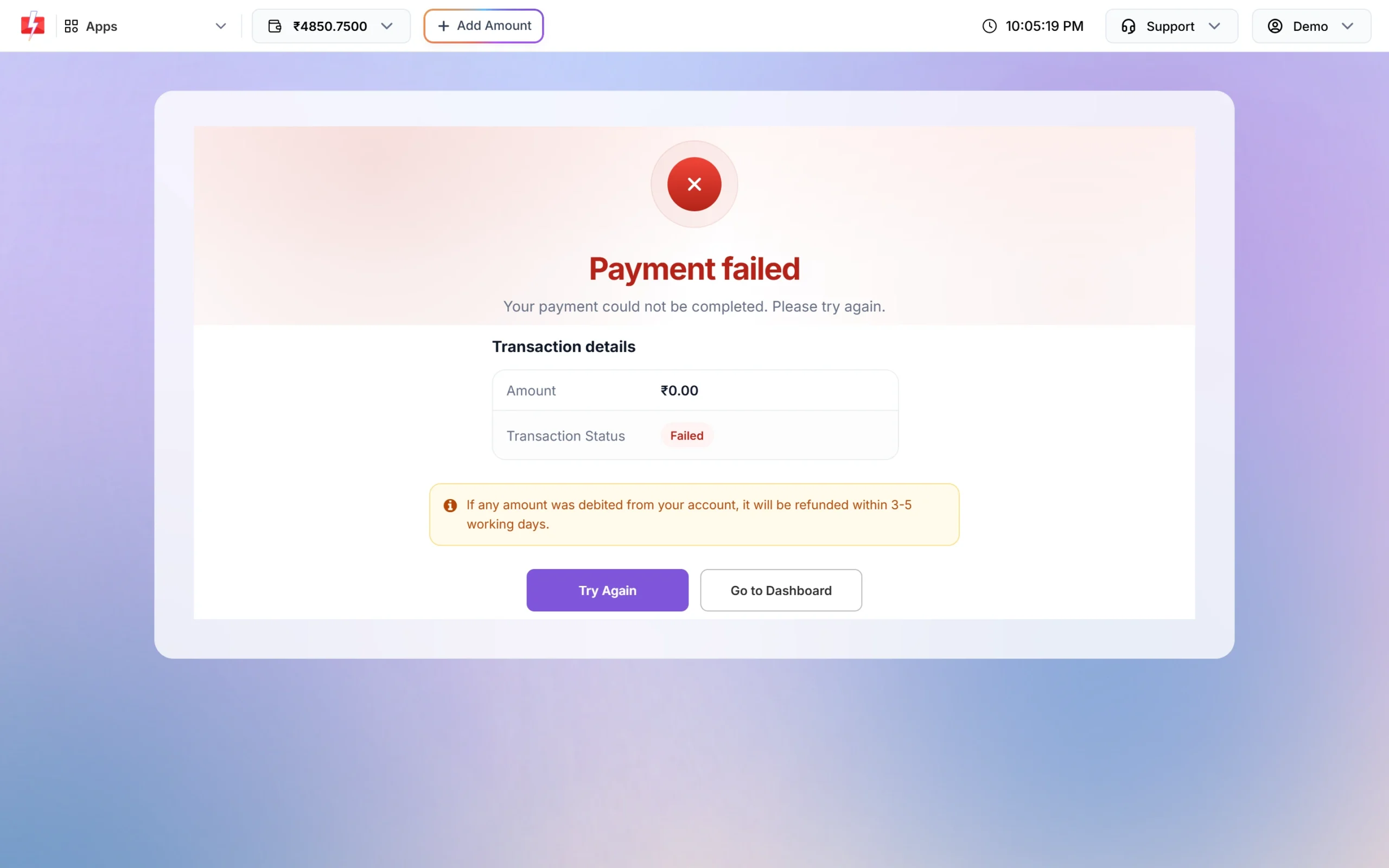
You also get one SMS: “Your last transaction of Rs: X was failed. If amount is debited you’ll get refund in 3-5 working days.”
What to do when money is debited but the wallet is not credited
-
Check your wallet balance and SMS
Look at the wallet amount at the top of the panel, next to Add Amount. Then check your phone for the “credited successfully” SMS. Either one tells you the recharge went through.
-
Check Transaction History for the recharge
Open Transaction History, click the filter button, choose Credited and a date range. A successful recharge shows as “Via Payment Gateway” with a green Credited label and the amount without GST. Failed payment attempts are not listed here, so an empty result means the payment did not succeed yet.
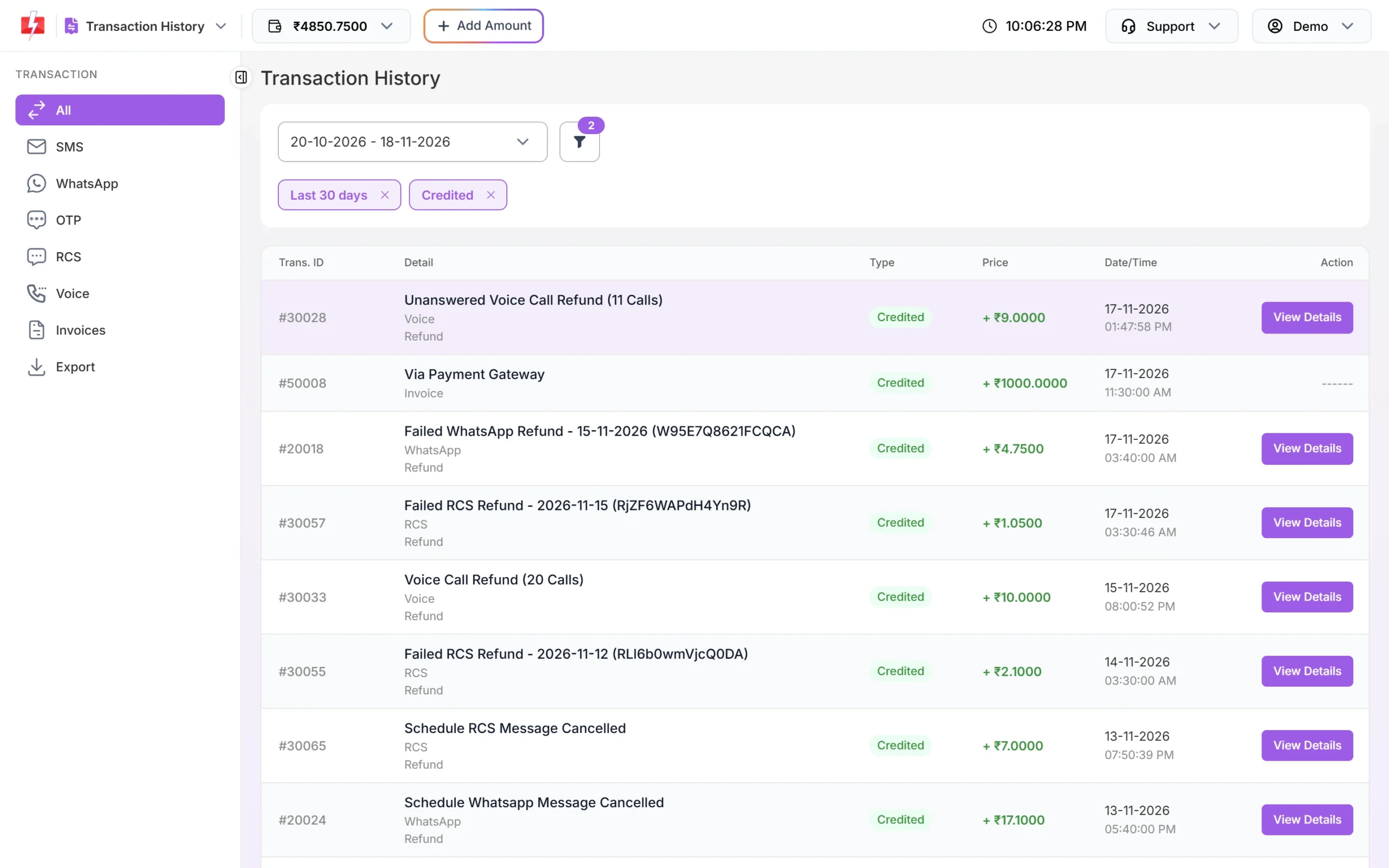
A successful recharge appears as “Via Payment Gateway”. -
Wait for the automatic re-check
Sometimes the bank debits you but the gateway confirms the payment late. Fast2SMS re-checks such orders with the payment gateway automatically, and a payment that is captured late is still credited to your wallet. You then get the “credited successfully” SMS. You do not need to pay again.
-
If it really failed, the bank returns the money
If the payment did not go through, the refund goes back to your bank account or card within 3 to 5 working days. Check your bank statement for the reversal.
-
Contact support if neither happens
If after 5 working days the wallet is not credited and your bank has not refunded the money, open Support in the panel header and choose Contact Support, or write to [email protected]. Send the date and time of the payment, the amount, the payment method, and the bank reference or UTR number from your bank statement.
Before you pay a second time for the same recharge, check Transaction History and your SMS first. A late-captured payment is credited automatically, so paying again may add the amount twice.
Errors before you reach the payment page
Some messages appear on the Add Credits form before any money is taken. Nothing is debited when you see these.
| Message | What it means | What to do |
|---|---|---|
| “Enter an amount of ₹{min} or more” (₹100 at the time of writing) | The amount is below the minimum recharge. | Enter the minimum amount or more. |
| An error saying “Minimum transaction amount must be X Rs.” | The amount check at Pay Now failed. | Go back and raise the amount. |
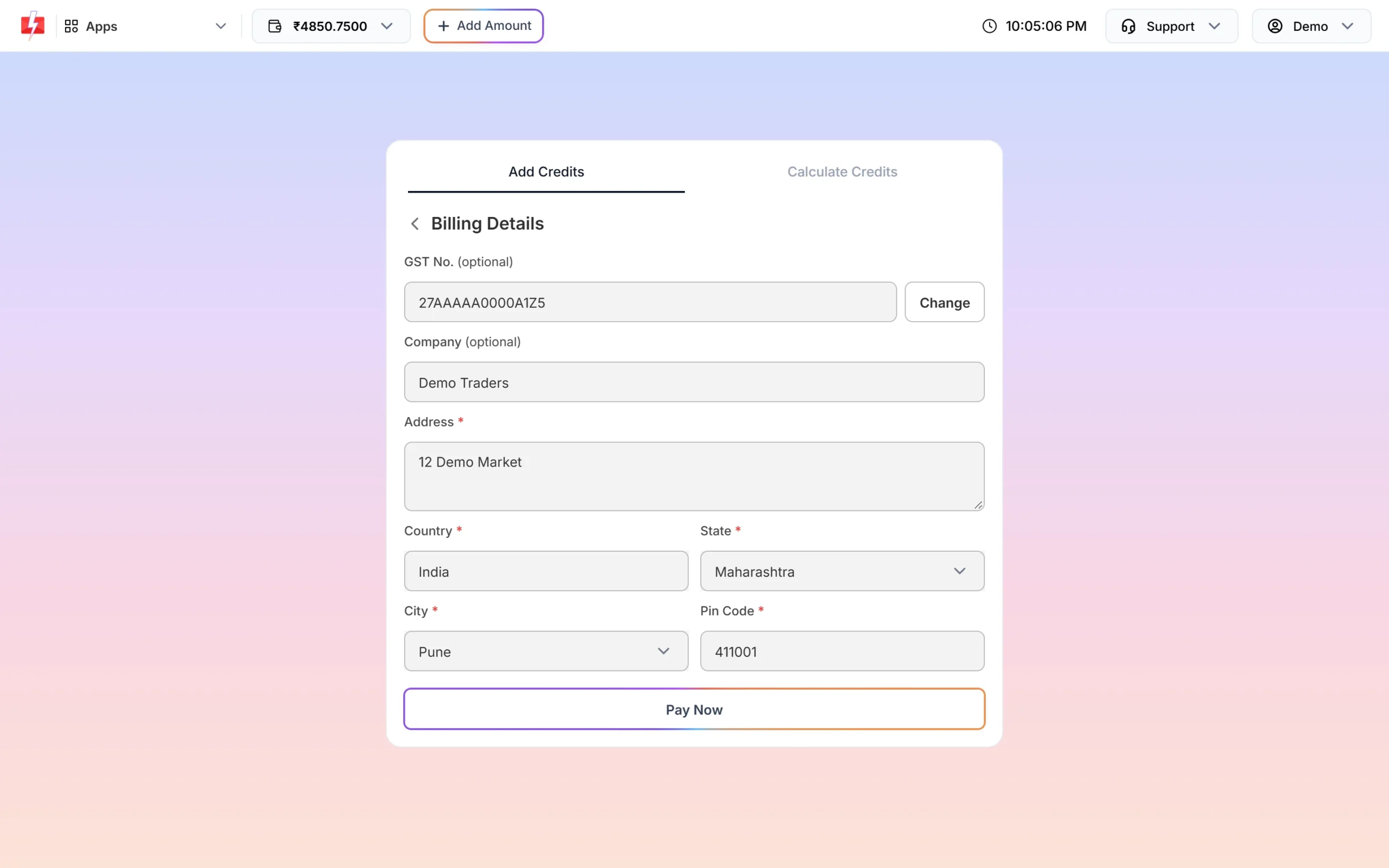
| “Please enter a valid 6-digit pin code.” | The Pin Code in Billing Details is not 6 digits. | Enter your 6-digit PIN code. |
| “Please enter a valid GST number” | The GST number format is wrong. | Check the 15-character GSTIN, or leave the field empty if you have none. |
| “GST details could not be verified. Please check the GST number.” | The GST lookup did not find the number. | Correct the GST number. GST No. is optional, so you can also leave it empty. |
| “This payment method is no longer available. Please choose another payment method.” | You picked a payment method that Fast2SMS has removed. | Choose one of the options shown in Select Payment Gateway. |
Payment options
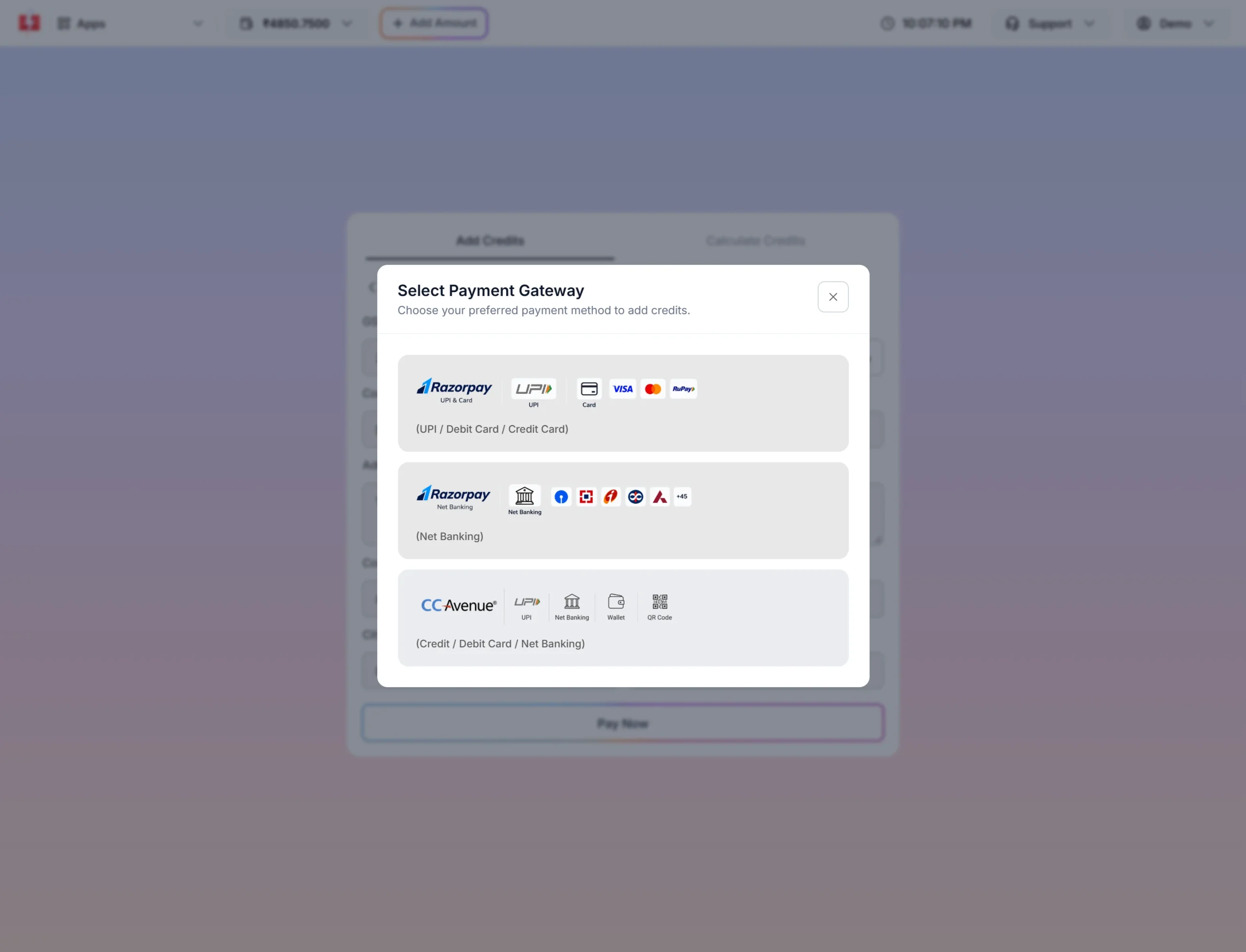
After Pay Now, the Select Payment Gateway box lists the options available, for example Razorpay (UPI / Debit Card / Credit Card), Razorpay Net Banking and CCAvenue (Credit / Debit Card / Net Banking). If one method keeps failing, try another option from this list.
Frequently asked questions
Money is debited from my bank but the Fast2SMS wallet is not updated. Is my money lost?
No. If the payment was captured late, Fast2SMS credits the wallet automatically after its re-check. If the payment failed, your bank returns the money within 3 to 5 working days.
How long does a failed payment refund take?
The Payment failed page says any debited amount is refunded within 3 to 5 working days. The refund goes back to your bank account or card, not to the wallet.
Why don’t I see my failed payment in Transaction History?
Failed payment attempts are not shown in Transaction History. Only successful recharges appear, as “Via Payment Gateway”.
Why is my wallet credited with less than I paid?
18% GST is added on top of the amount you enter. The wallet gets the amount you entered and the GST appears on your invoice.
Should I pay again if the payment failed?
First check the wallet balance, Transaction History and your SMS. If nothing shows a credit, you can use Try Again, but a late-captured earlier payment would also be credited.
What details should I send to support?
The payment date and time, the amount, the payment method and the bank reference or UTR number. Write from your registered email or use Contact Support in the panel.
Where do I download the invoice for my recharge?
Use Download Invoice on the success page, or open Transaction History and click Invoice on the recharge row.