
Fast2SMS does not switch an RCS message to SMS automatically today. Campaigns, our multi-channel flow launching soon, will add this. When a phone cannot receive RCS, the number is marked Non-RCS in the report and the amount is refunded to your wallet automatically within 48 hours. If those customers must still get the message, you send them an SMS yourself. This guide shows two simple ways to do that: from the panel and with the API.
It is for businesses that send RCS and want every customer covered, including people whose phones do not support RCS.
What happens when RCS cannot be delivered
| Status in the report | What it means | Money | Send an SMS? |
|---|---|---|---|
| Non-RCS | “Number is unreachable / not RCS enabled”. The phone cannot receive RCS. | Refunded within 48 hours | Yes |
| Failed: Not Reachable | The phone did not come online within 6 hours, so the message expired. | Refunded within 48 hours | Yes, if the message is still useful |
| Failed: Monthly Limit Reached (4 Promo RCS Allowed) | The number already got 4 promotional RCS this month. | Refunded within 48 hours | Only with a promotional DLT SMS, within promotional SMS hours |
| Sent | The network accepted it, but the phone has not confirmed delivery yet. | Charged | Wait. It may still be delivered |
| Delivered / Read | The customer got the RCS message. | Charged | No |
Why is the fallback not automatic today? RCS needs no DLT template, but an SMS in India does. Fast2SMS cannot turn your RCS card into an SMS without your approved DLT header and template, so for now you choose the SMS text and send it. Campaigns (multi-channel flows, launching soon) will add an SMS fallback.
Before you start
- DLT approval for SMS: an approved sender ID (header) and a DLT template whose text matches what you want to say. Use a promotional template for offers and a service template for updates.
- Wallet balance for the SMS. The SMS is charged at your normal SMS rate.
- The RCS campaign has finished. Messages can stay Pending or Sent for a while. Give it time before you pick the numbers.
Method 1: send SMS to Non-RCS numbers from the panel
-
Open the RCS report and filter
Go to Delivery Report > RCS Report. Click the filter icon, choose the Date Range, then under Delivery Status pick Non-RCS (and Failed if you want those too). You can also filter by RCS Bot or Request ID to see just one campaign. Click Apply Filters.
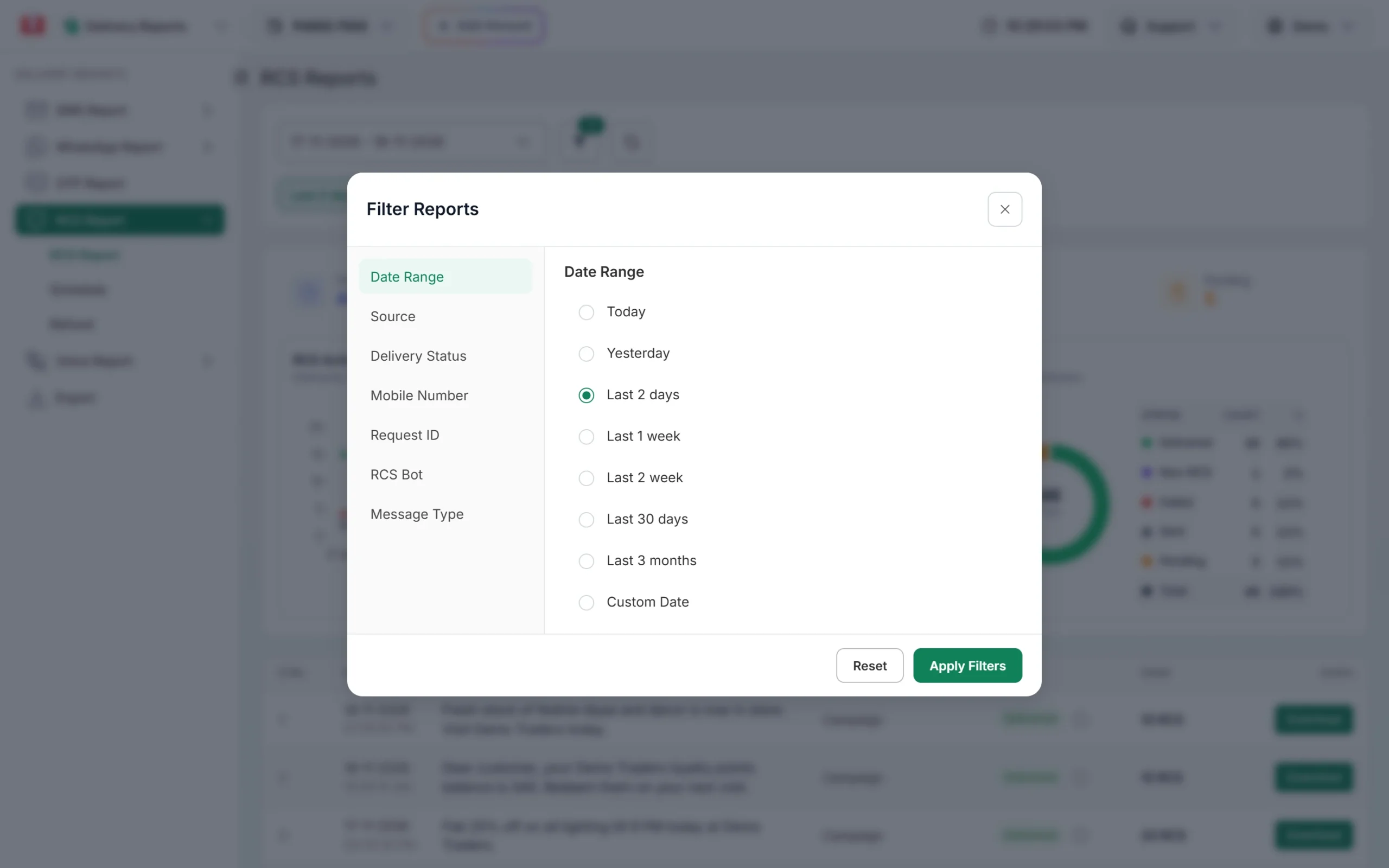
Filter the RCS report by status and date. -
Check the numbers in Delivery Details
Click the campaign to open Delivery Details. The donut shows how many numbers were Delivered, Non-RCS, Failed, Sent and Pending. In the Receivers table, Non-RCS rows have the description “Number is unreachable / not RCS enabled”. Click Refresh to get the latest status.
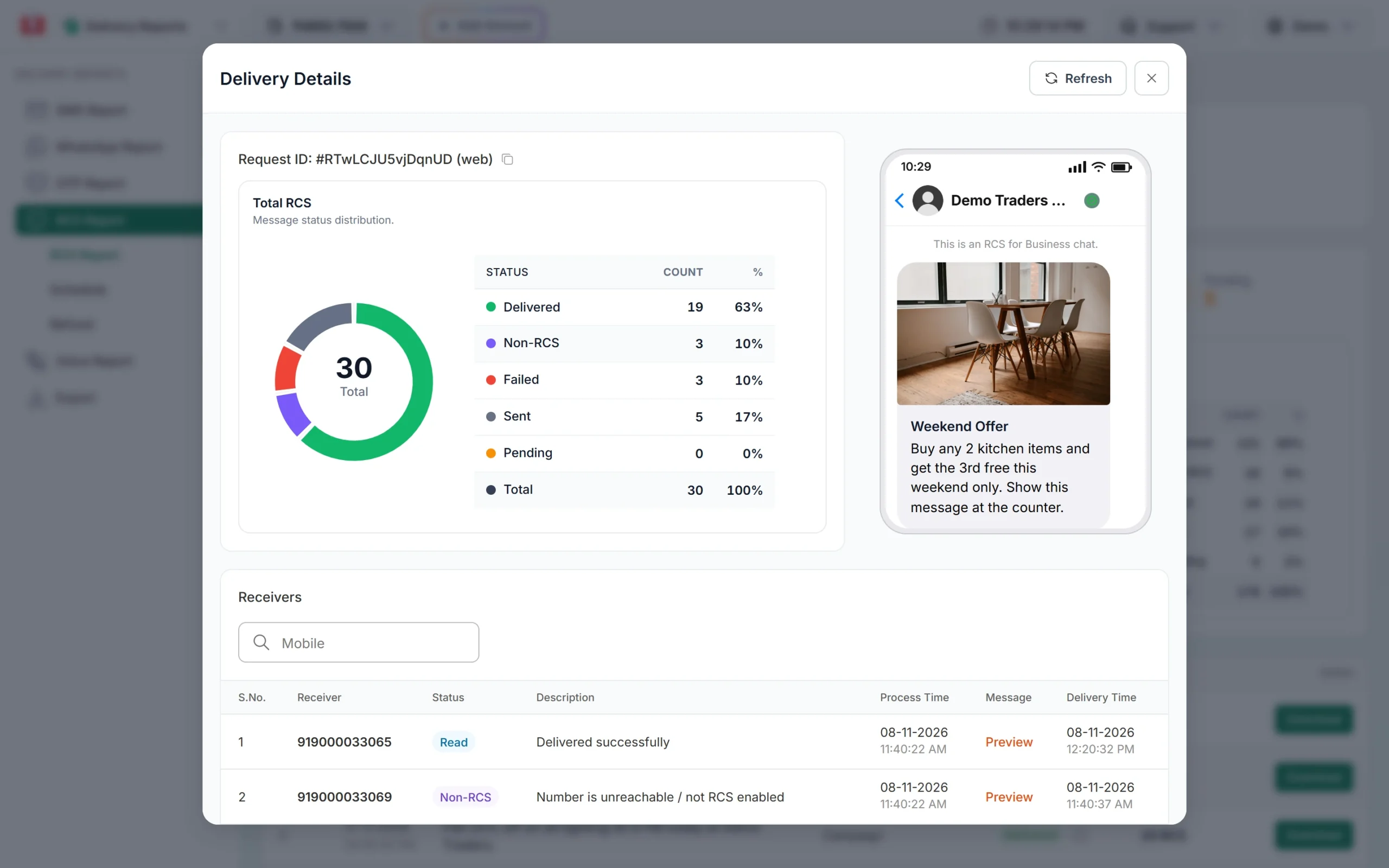
Non-RCS numbers in a campaign. -
Download the list
Close the popup and click Download on the campaign row to get the numbers with their status in a file. Keep only the Non-RCS (and Failed) numbers.
-
Send them a DLT SMS
Switch to SMS and open DLT SMS. Pick your sender ID and the matching DLT template, fill the variables, and upload or paste the numbers. Check the cost in the confirmation popup and send. Keep the SMS short and add your website link (if your template allows it) so customers can see the full offer.
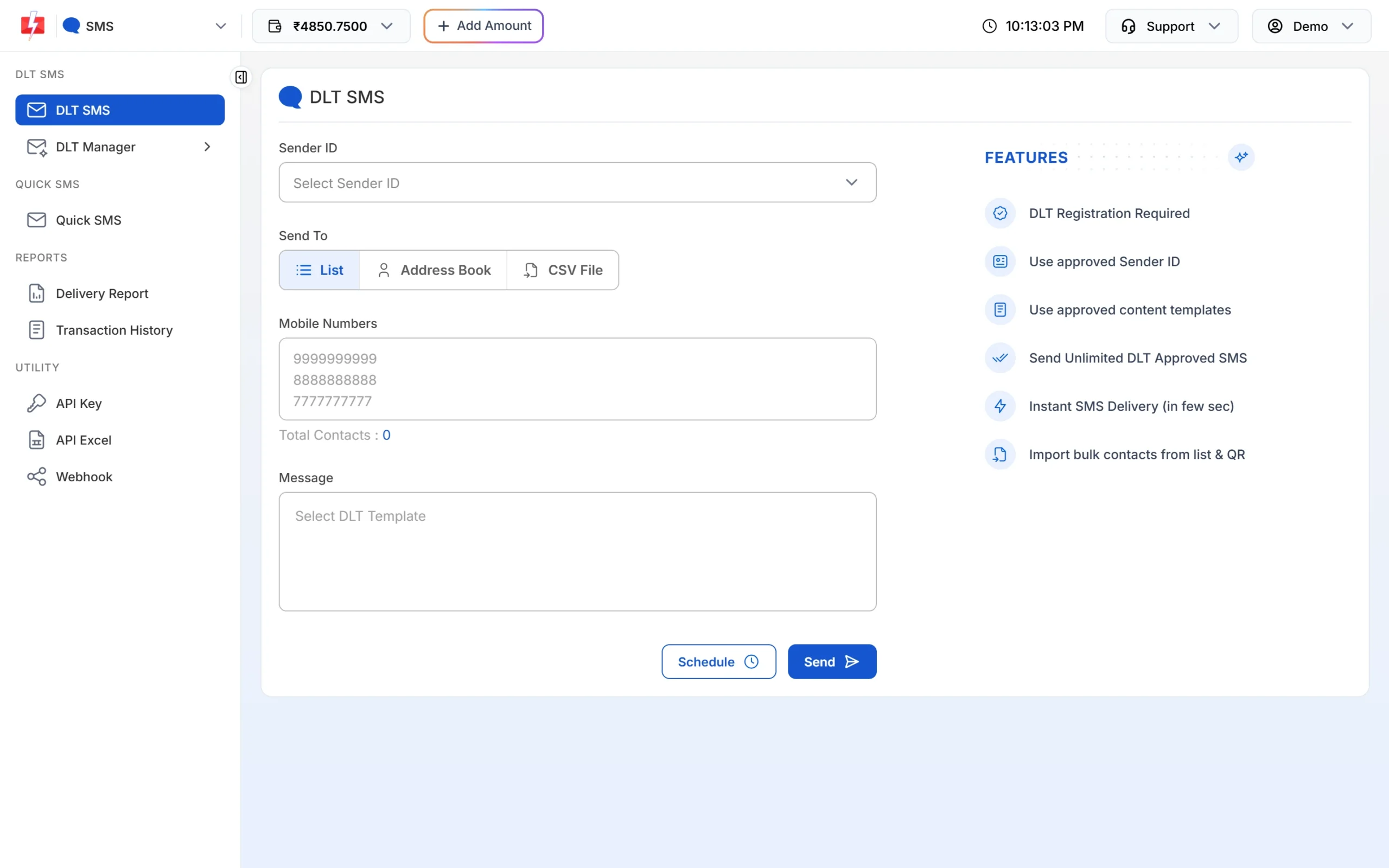
Send the SMS version from DLT SMS.
Method 2: build your own fallback with the API and a webhook
If you send RCS from your own software, you can build the fallback yourself:
- Send the RCS message with the RCS API and save the
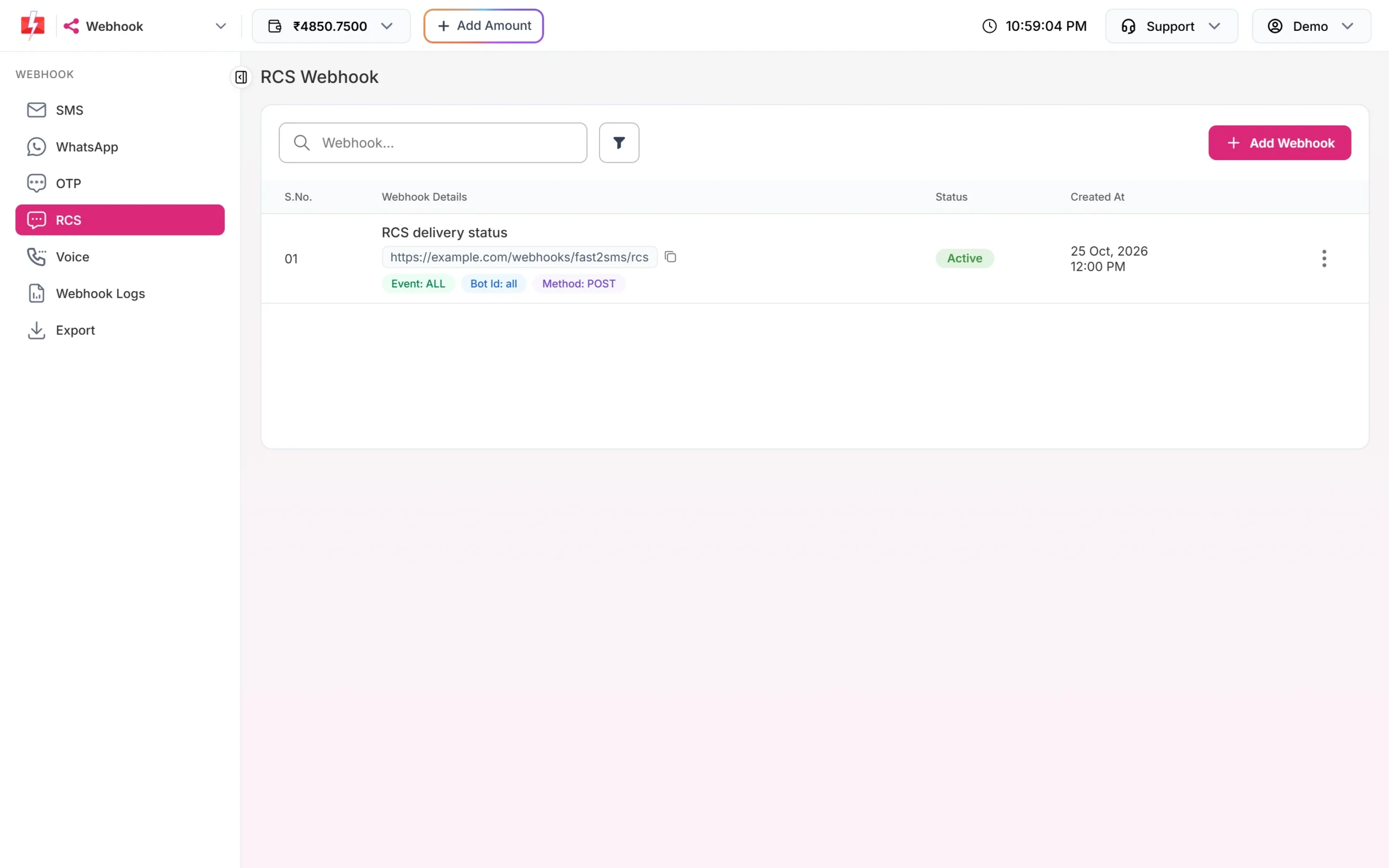
request_idit returns. - Go to Webhook > RCS and click Add Webhook. Choose the event On Failed (or all events) and your bot.
- Fast2SMS posts each final status to your URL. A Non-RCS number arrives under the failed event with
statusset tonon_rcsand the description “Number is unreachable / not RCS enabled”. An expired or failed message arrives withstatusfailedand the reason. - When your server gets one of these, send the SMS version to that
mobilewith the DLT SMS API (route=dlt, your sender ID, the DLT Message ID and the variable values).
Here is a sample DLT SMS call your server can make for each Non-RCS number:
curl -X POST "https://www.fast2sms.com/dev/bulkV2" \
  -H "authorization: YOUR_API_KEY" \
  -H "Content-Type: application/json" \
  -d '{"route":"dlt","sender_id":"YOUR_SENDER_ID","message":"YOUR_DLT_MESSAGE_ID","variables_values":"value1|value2","numbers":"9999999999"}'
Do not resend on Sent. Sent is not a final status. Only send the SMS on non_rcs or failed, or the customer may get both messages.
What it costs
Every RCS number is charged when the campaign is sent. Numbers that fail or cannot receive RCS are refunded automatically within 48 hours, and the credit shows in Transaction History as “Failed RCS Refund”. The SMS you send to those numbers is charged at your normal SMS rate. See the current rates on the RCS pricing page and the bulk SMS pricing page.
Sending in bulk? For high RCS volumes our team offers discounted rates. Talk to our team or see RCS pricing.
Frequently asked questions
Does Fast2SMS send an SMS automatically if RCS fails?
Not automatically today. A number that cannot get RCS is marked Non-RCS and refunded. You can send those numbers an SMS from DLT SMS or by API. Campaigns, launching soon, will add an SMS fallback.
Am I charged for Non-RCS numbers?
The amount is taken when you send, and Non-RCS and failed numbers are refunded automatically within 48 hours.
Do I need DLT to send the fallback SMS?
Yes. Every business SMS in India needs an approved DLT header and template. RCS itself does not need a DLT template.
Can I check which numbers support RCS before sending?
Fast2SMS does not have a separate check. Send the campaign and use the Non-RCS status from the report. You pay nothing for Non-RCS numbers after the refund.
Should I send the SMS to numbers that show Sent?
No, not right away. Sent means the network accepted the message and it may still be delivered. A message that is not delivered within 6 hours becomes Failed.
Can I fall back to WhatsApp instead of SMS?
Yes, if you have WhatsApp Business API set up and an approved template. The steps are the same: take the Non-RCS numbers and send them from Bulk WhatsApp or the WhatsApp API.