
The RCS delivery report in Fast2SMS shows what happened to every RCS message you sent: Delivered, Read, Sent, Pending, Failed or Non-RCS. Every number is charged when you send. Failed and Non-RCS messages are refunded to your wallet automatically within 48 hours. This guide explains where to find the report, what each status means, and how to check your refunds.
Where to find the RCS delivery report
-
Open RCS Report
Click Delivery Report in the sidebar, then RCS Report. The page opens on the last 2 days. At the top you see cards for Total, Delivered, Failed, Sent and Pending, an RCS Activity chart and a Total RCS donut. Below them, every send is one row with Sent Time, Message, Recipient, Status, Detail and a Download button.
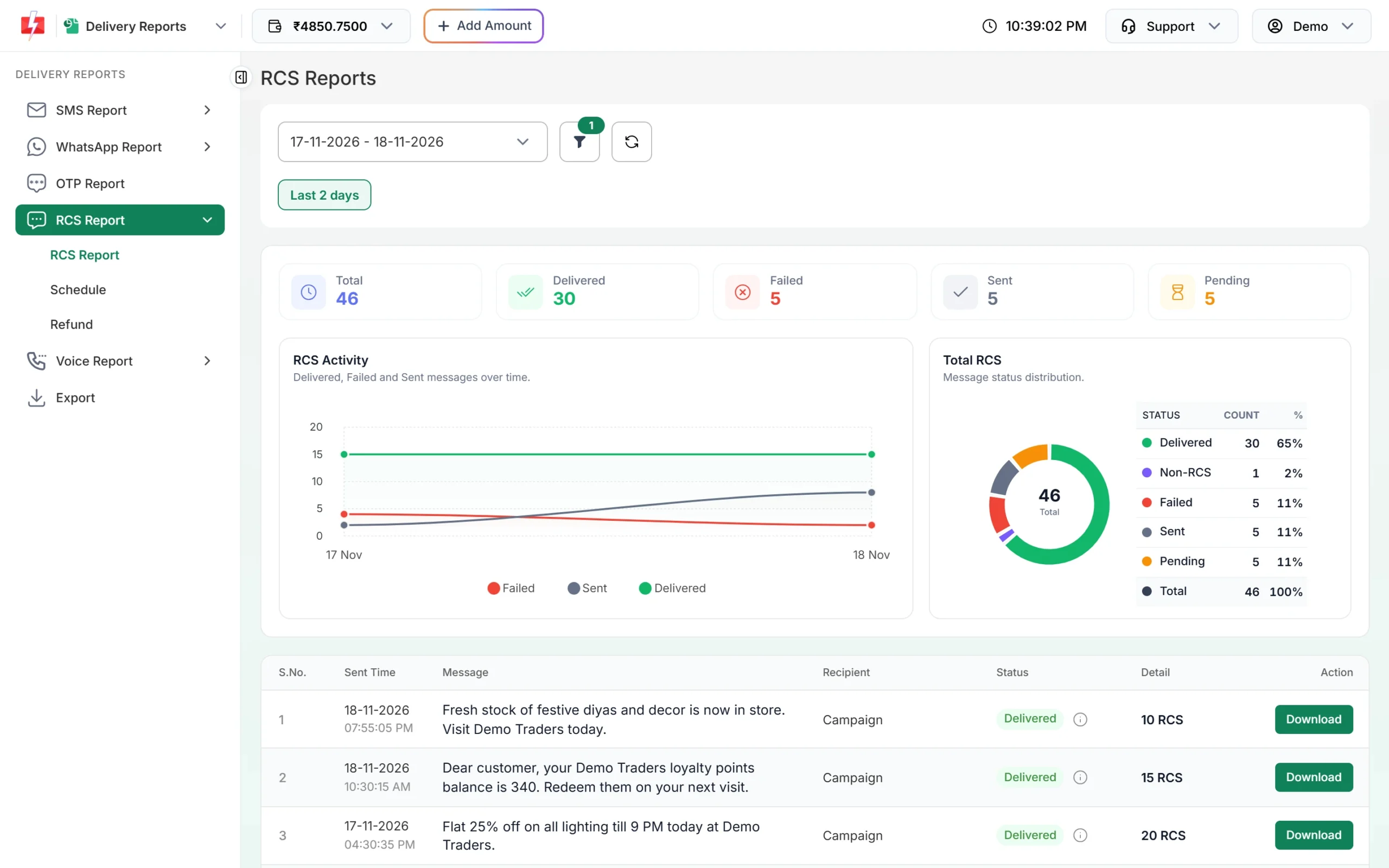
The RCS report with totals for the selected dates. -
Change the dates or filter
Click the filter icon to open Filter Reports. You can pick a Date Range (Today up to Last 3 months, or Custom Date), the Source (web panel or API), a Delivery Status, a Mobile Number, a Request ID, an RCS Bot or a Message Type. Click Apply Filters.
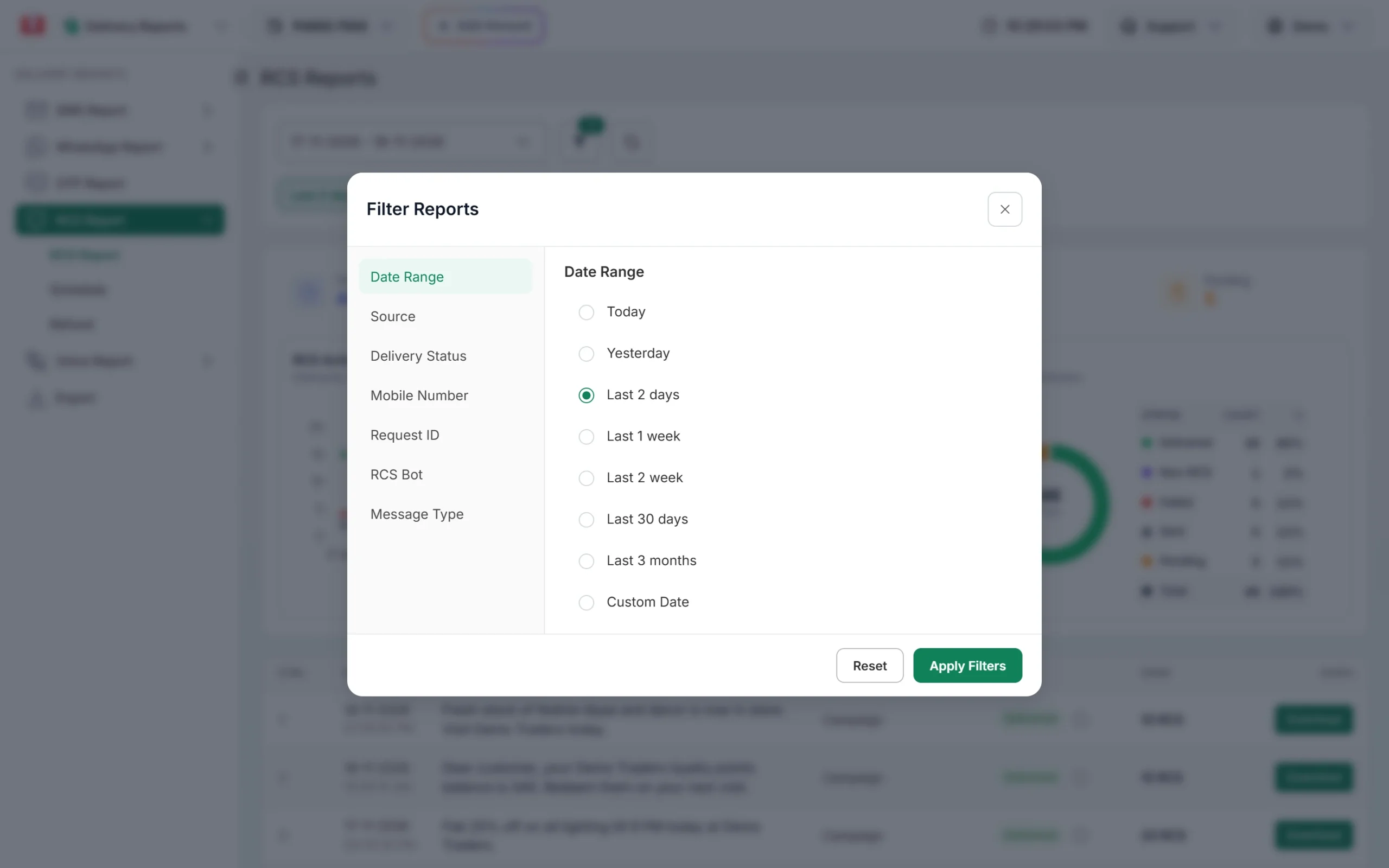
Search one number across all campaigns with Mobile Number. -
Open a campaign to see each number
Click a row to open Delivery Details. It shows the Request ID, a status breakdown, a phone preview of the message and the Receivers table: Receiver, Status, Description, Process Time, a Preview link and Delivery Time. Use the Mobile box to find one customer. Click Download on the main list to get the full report as a file.
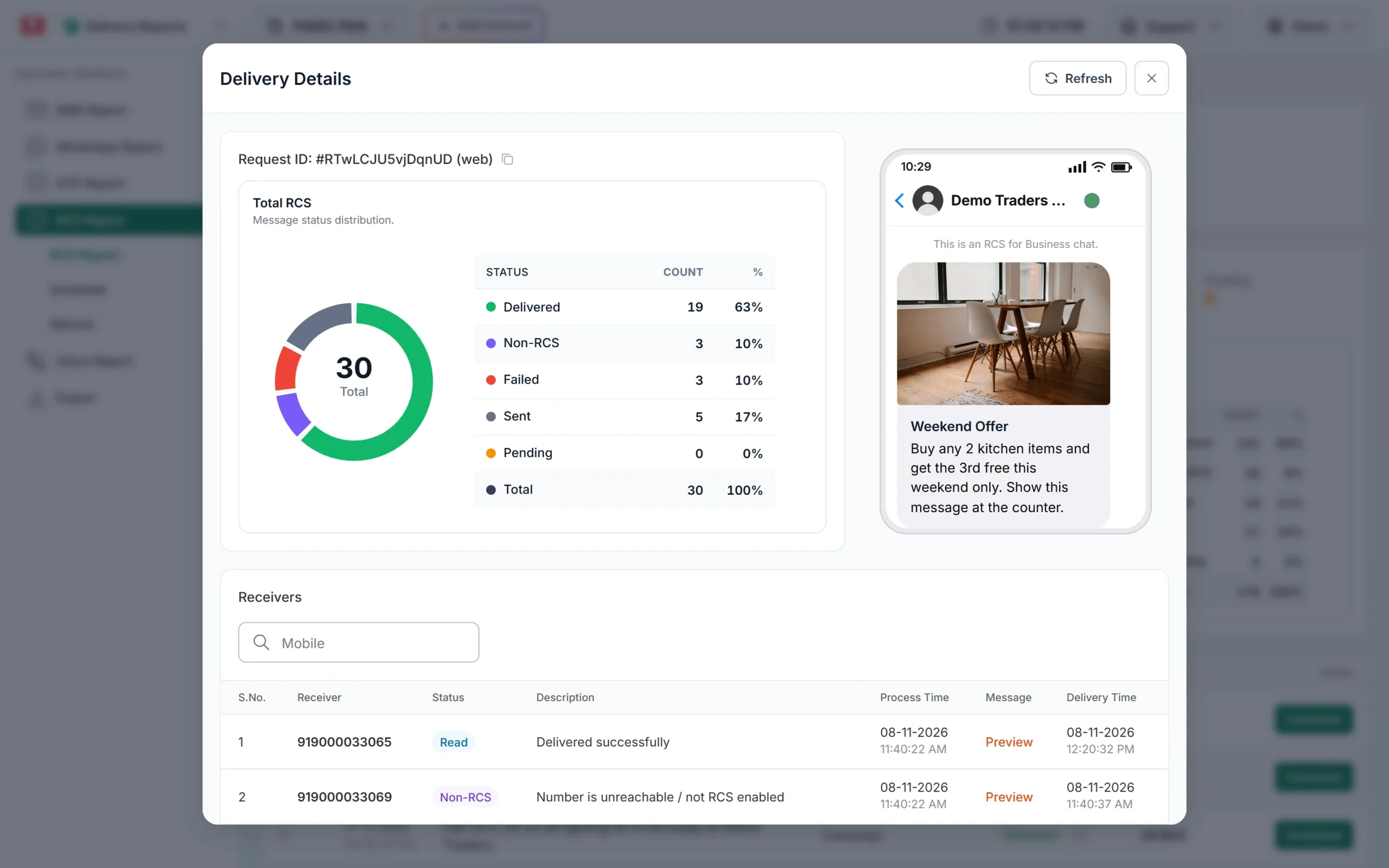
Per-number status, with the reason in Description.
What does each RCS status mean?
| Status | Meaning | Charged? |
|---|---|---|
| Pending | The message is still being processed. | Yes, held until a final status |
| Sent | Accepted by the RCS network, but the phone has not confirmed delivery yet. | Yes |
| Delivered | The message reached the customer’s phone. Description shows “Delivered successfully”. | Yes |
| Read | Delivered and opened by the customer. Read messages are counted inside Delivered. | Yes |
| Non-RCS | “Number is unreachable / not RCS enabled”. The phone cannot receive RCS. | No, refunded |
| Failed | Not delivered. Description shows the reason, for example “Not Reachable” or “Monthly Limit Reached (4 Promo RCS Allowed)”. | No, refunded |
A message that cannot be delivered within 6 hours expires and is marked Failed with “Not Reachable”. This usually means the phone was switched off or had no internet for that time.
No SMS fallback: When a number shows Non-RCS, Fast2SMS does not send an SMS in its place. If those customers must get the message, send it to them by SMS or WhatsApp separately.
How do RCS refunds work?
The full amount for a campaign is taken from your wallet when you send it. Then:
- Failed and Non-RCS messages are refunded automatically within 48 hours of sending. The credit appears in Transaction History as “Failed RCS Refund – date (Request ID)”.
- Messages that stay at Sent are not refunded, because the network accepted them.
- Duplicate and invalid numbers are removed before sending, so they are never charged.
- A scheduled campaign you cancel is credited back in full as “Schedule RCS Message Cancelled”.
-
Check refunds month by month
Go to Delivery Report > RCS Report > Refund. Pick a month. The cards show Total Messages, Amount Debited, Amount Refunded and Net Amount. Each row shows a campaign with its Total, Failed, Debited, Refunded and final Amount. Click Export CSV to save it.
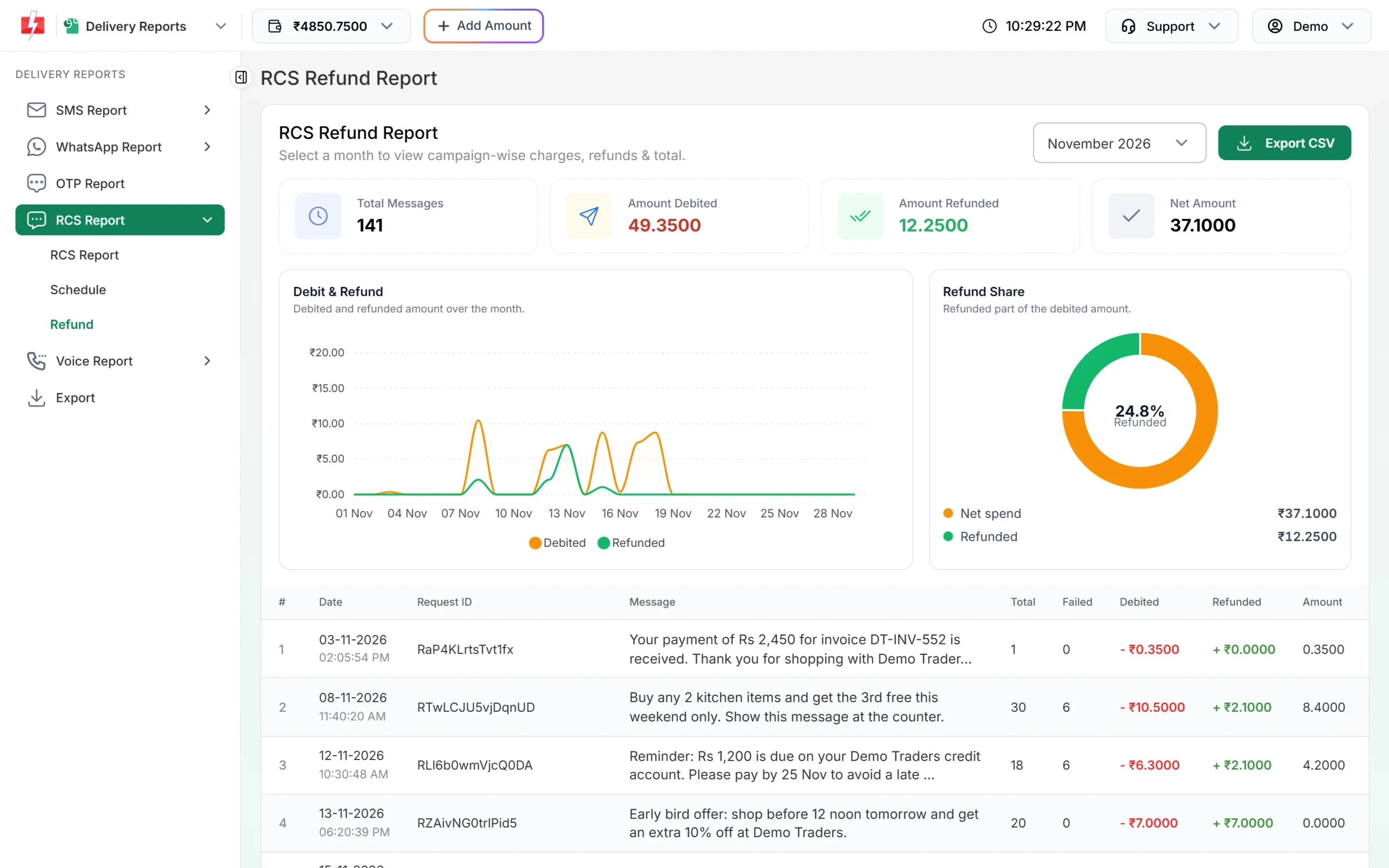
Campaign-wise charges and refunds for the month. -
See the wallet entries
Open Transaction History > RCS. Each send is a “RCS (N Message)” debit and each refund is a “Failed RCS Refund” credit.
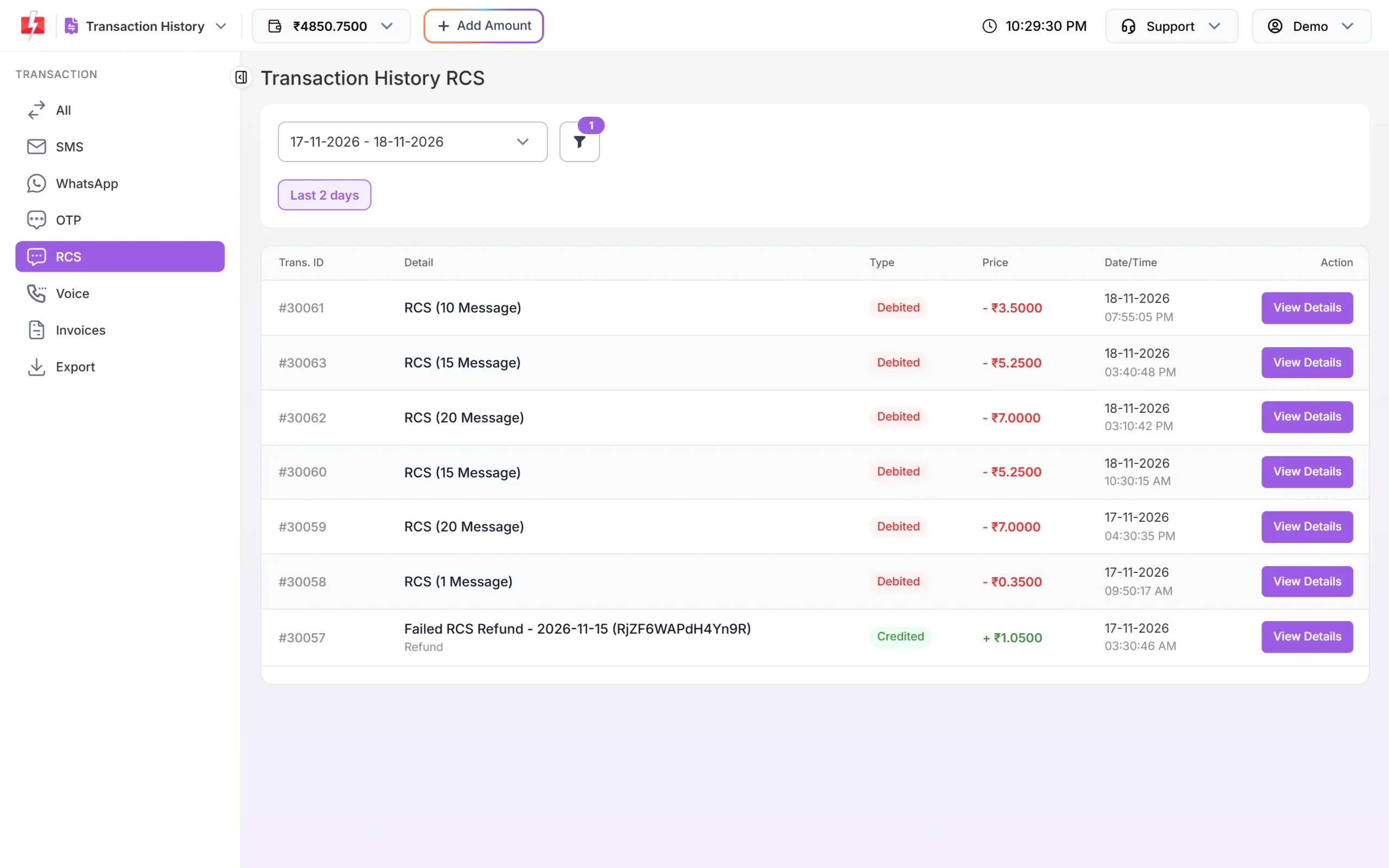
RCS debits and refunds in your wallet history.
Common problems and fixes
| What you see | Why | What to do |
|---|---|---|
| Many Non-RCS numbers | Those phones do not have RCS turned on or do not support it. | Reach them by SMS or WhatsApp. The amount is refunded. |
| Failed: Monthly Limit Reached (4 Promo RCS Allowed) | The number already got 4 promotional RCS this month. | Wait for next month, or use a transactional bot only for real service updates. |
| Failed: Not Reachable | The phone did not come online within 6 hours. | Send again later. |
| Status stays Sent | The phone has not confirmed delivery. | Click Refresh in Delivery Details later. Sent is not refunded. |
| Refund not visible yet | Refunds are made within 48 hours of sending. | Check the Refund tab after 48 hours. |
Frequently asked questions
Does RCS have read receipts?
Yes. When a customer opens your message, its status changes to Read in Delivery Details. Read messages are counted inside Delivered in the totals.
What does Non-RCS mean in the Fast2SMS report?
It means the number is unreachable or not RCS enabled, so the message could not be delivered as RCS. It is charged when you send and refunded automatically within 48 hours.
When will I get the refund for failed RCS messages?
Within 48 hours of sending. It is added to your wallet automatically, with no request needed.
Is a Sent RCS message refunded?
No. Sent means the RCS network accepted the message, so it is charged even if the phone never confirms delivery.
Does Fast2SMS send an SMS if RCS fails?
No. There is no automatic SMS fallback for RCS. Failed and Non-RCS numbers are only refunded.
Can I get RCS delivery status on my own server?
Yes. Add a webhook under Webhook in the RCS menu to receive status updates as they come in.
How far back can I see RCS reports?
The filter goes up to Last 3 months, and Custom Date lets you choose your own range.