
To send WhatsApp messages to many unsaved numbers at once, use the WhatsApp Business API: paste the numbers or upload them in an Excel or CSV file, pick a Meta-approved template and send. Neither you nor your customers need to save each other’s numbers. In Fast2SMS this is the Bulk WhatsApp page. The customers should still have agreed to hear from you.
Why broadcast lists do not work for unsaved numbers
A broadcast from the WhatsApp Business app reaches only people who have saved your number in their phone, and each list holds up to 256 contacts. Saving hundreds of numbers by hand, or using a tool that does it for you, does not fix the first problem and can get your number banned. Templates sent through the API do not depend on saved contacts at all.
How to send WhatsApp to unsaved numbers in bulk
-
Connect your number and get a template approved
Connect your WhatsApp number with Login with Facebook, then create a template in WhatsApp Manager > Templates. Use variables like
{{1}}for the customer’s name so each message feels personal. -
Add the numbers
Open Bulk WhatsApp and choose your number in Select Sender Number. Under Send To:
- List: paste numbers, one per line or separated by commas.
- CSV File: upload an .xlsx, .xls or .csv file up to 20MB and choose the column with mobile numbers.
- Address Book: pick saved Fast2SMS contact groups.
Numbers should be 10-digit Indian mobile numbers. Repeated numbers are sent once and invalid ones are dropped.
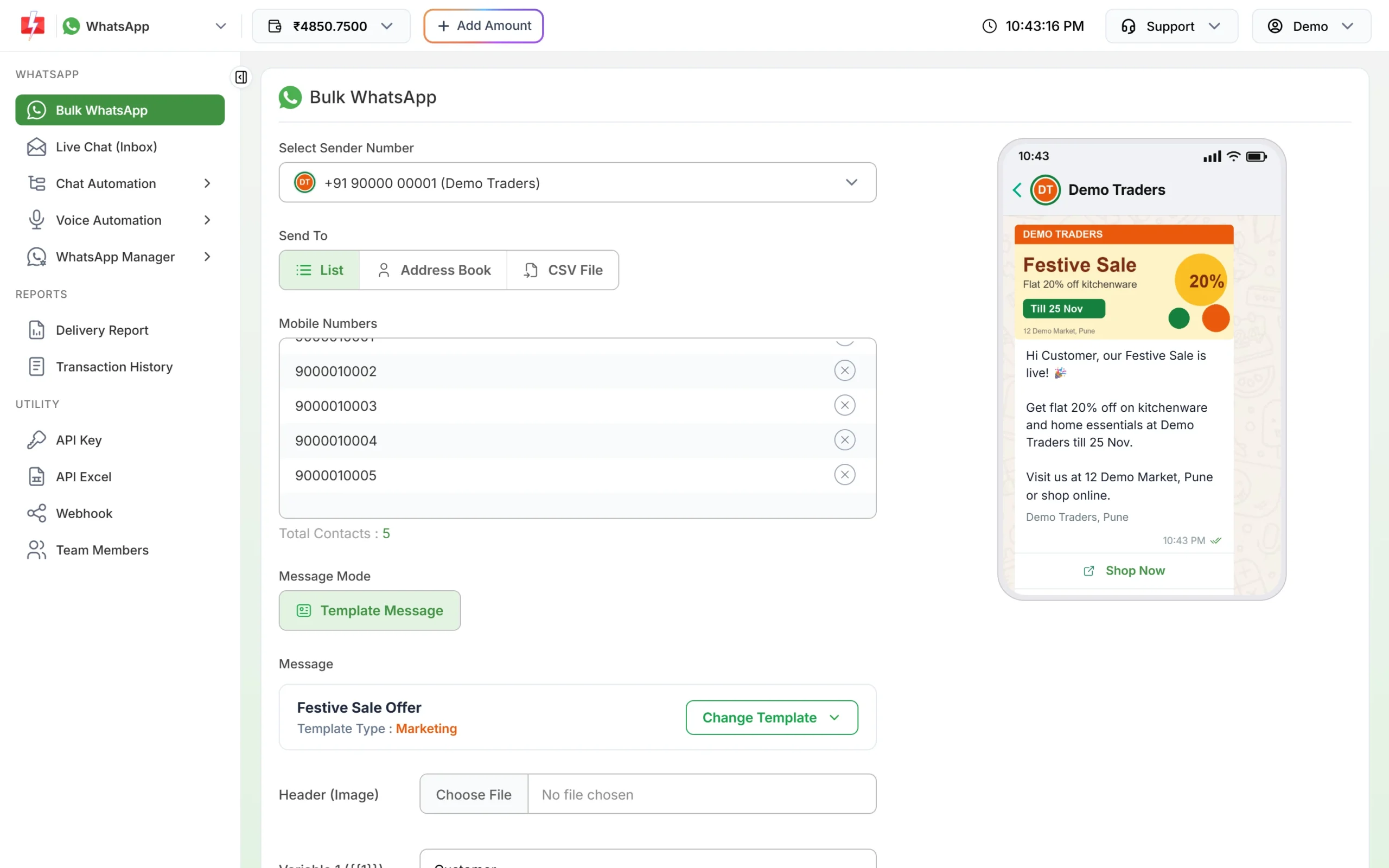
Numbers pasted in the List tab. None of them need to be saved. -
Choose the template and send
Click Select WhatsApp Template, fill the variables (or map them to columns of your file) and click Send. Check the totals and cost in Message Preview & Confirmation, then click Confirm & Send.
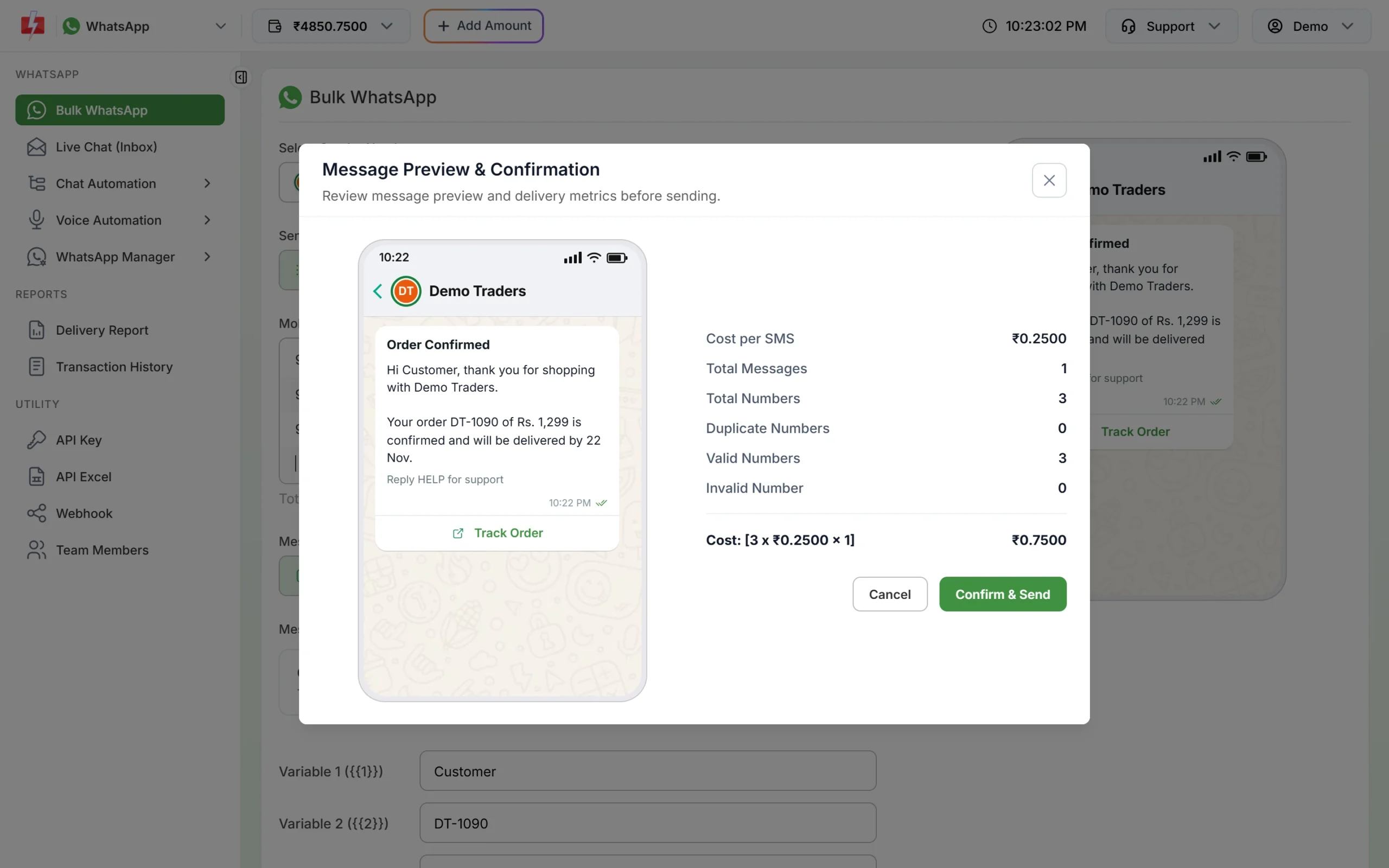
Duplicates and invalid numbers are counted before you confirm.
Limits and cost
Limits start at the tier Meta gives your business: often 250 unique customers per 24 hours for a new, unverified business and 2,000 (2K) once the business is verified (at the time of writing), and Meta raises the limit as you send good-quality messages. At the time of writing a marketing message costs ₹0.95 and a utility message ₹0.25 on Fast2SMS, with no setup or monthly fee. Failed messages are refunded to your wallet automatically.
Sending in bulk? For high WhatsApp volumes our team offers discounted rates. Talk to our team or see WhatsApp pricing.
Frequently asked questions
Can I send a WhatsApp message without saving the number?
Yes. On the API, templates go to any WhatsApp number. For a single chat you can also use a wa.me link.
Will customers see my business name if they have not saved my number?
Yes. Messages from an API number show your approved display name and business profile.
Can I reply to unsaved customers?
Yes. Their replies arrive in Live Chat (Inbox), and you can answer freely for 24 hours after their last message.
Is there a limit on how many numbers I can upload?
The file can be up to 20MB. What you can deliver in a day depends on your messaging limit.