
“Absent subscriber” means the operator could not find the phone on its network when it tried to deliver your SMS. The phone was switched off, out of coverage, or the SIM had not connected to the network for a long time, so the SMS was not delivered.
In the Fast2SMS SMS report, such a number shows the status Failed. The Description gives the operator’s reason, for example “Number switch off or low signal”, “Number not reachable” or the operator’s own wording such as “Absent subscriber”.
What causes absent subscriber
| Cause | What it usually means |
|---|---|
| Phone switched off | The most common case. The SMS fails if the phone stays off until the operator stops trying. |
| No signal or out of coverage | The customer was travelling, underground or in an area with no network. |
| Phone not seen on the network for a long time | Some operators add words like “deregistered” or “purged”. The SIM may be unused, or the customer has moved to another number. |
Absent subscriber is a problem with the receiving phone, not with your template, sender ID or DLT setup. A DLT problem shows a different reason in the report.
How to find these numbers in your report
-
Filter the report by Failed
Open Delivery Report in the SMS app, click the filter button, open Delivery Status, tick Failed and click Apply Filters.
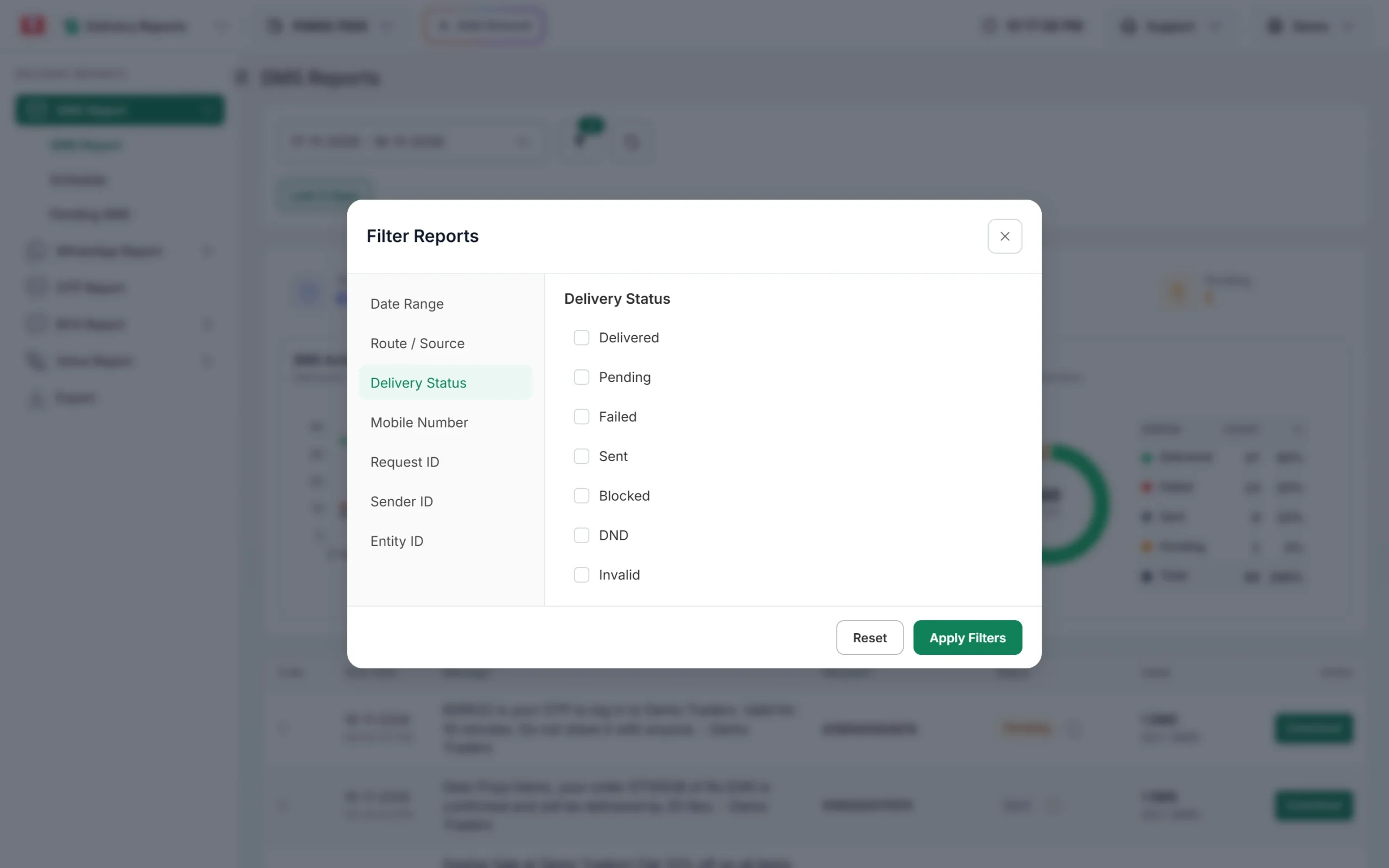
Tick Failed to see only campaigns with failed numbers. -
Read the Description for each number
Click the message text to open Delivery Details. In the Receivers table, the Description column shows the reason for each number, along with the process time and delivery time.
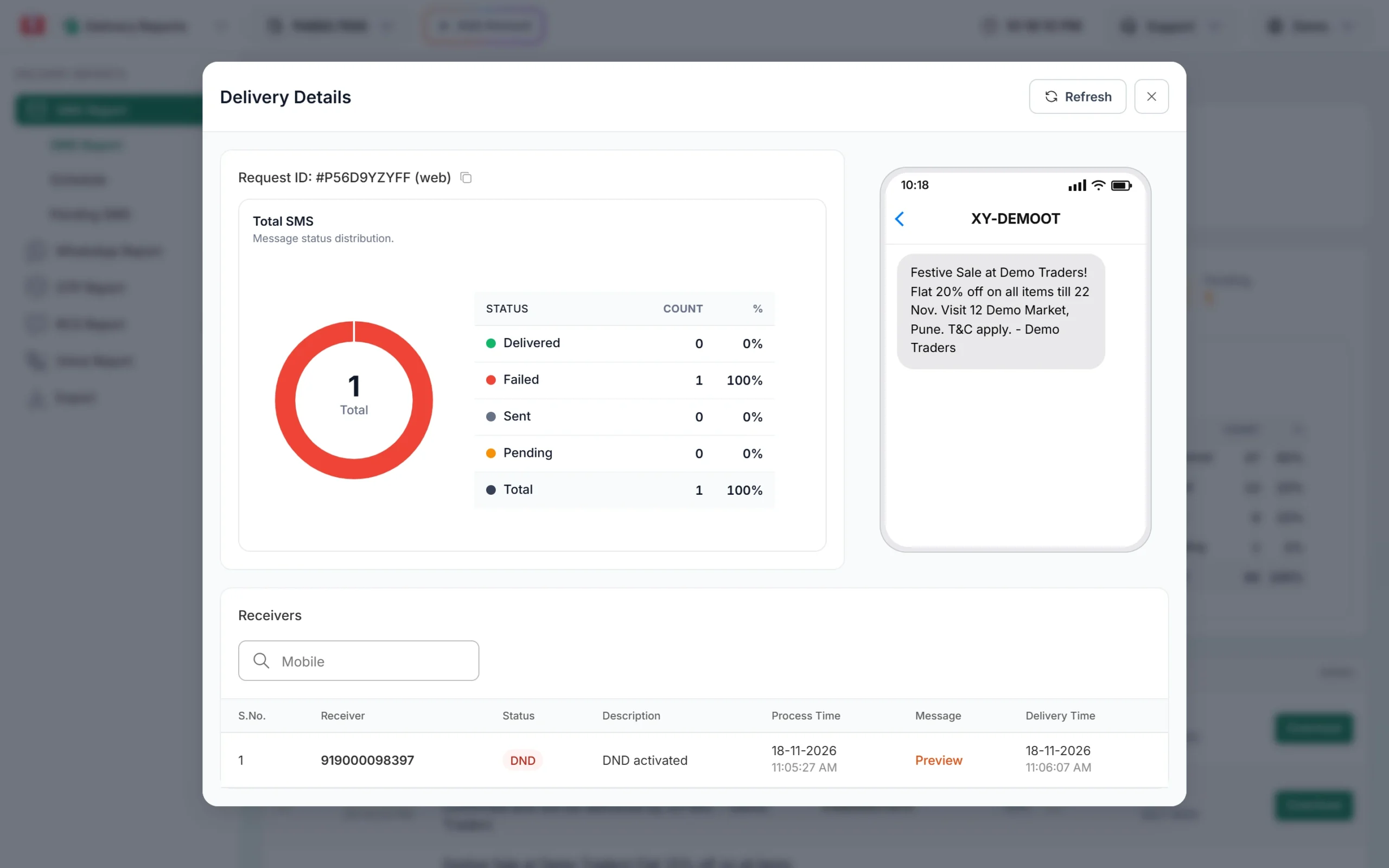
The Description column gives the reason for each number.
What you can do
- Send again later. If the message still matters, resend to these numbers after a few hours, when the phone may be back on.
- Use a second channel. For OTPs, Smart OTP can fall back to WhatsApp when the SMS does not get through.
- Clean old lists. If many numbers in an old list keep failing with this reason, those customers may no longer use the number.
- Check the number. A wrong digit can point to a SIM that is never switched on.
Frequently asked questions
Am I charged for an absent subscriber SMS?
Yes. DLT SMS are charged when the campaign is created, and failed numbers are not refunded automatically.
Will the SMS be delivered when the phone is switched on?
Only if the phone comes back while the operator is still retrying. Once the report shows Failed, the operator has stopped, so send it again if needed.
Is absent subscriber the same as DND?
No. DND means the customer blocked promotional messages. Absent subscriber means the phone could not be reached at all.
Can I stop sending to these numbers automatically?
Download the campaign report from the Download button, filter the failed numbers and remove them from your next list.