
To see why an SMS failed in Fast2SMS, open Delivery Report, click the message, and read the Description column in Delivery Details. It gives the reason for each number, such as “DND activated”, “Number switch off or low signal” or “Operator rejected”. Most failures are caused by the customer’s phone or number. If every number fails with the same reason, the problem is usually in your DLT setup.
यह गाइड हिंदी में पढ़ें: SMS डिलीवर नहीं हो रहा (SMS delivery nahi ho raha)? DLT और ऑपरेटर की वजहें और समाधान
This guide lists every failure reason you can see in the Fast2SMS SMS report, what it means in simple words, and what you can do about it.
How to find the failure reason for each number
-
Open the SMS Report and find your message
Click Delivery Report in the SMS menu. The SMS Report page lists your sends with a status for each row. Hover the small info icon next to the status to see how many numbers were Delivered, Failed, DND, Invalid and so on.
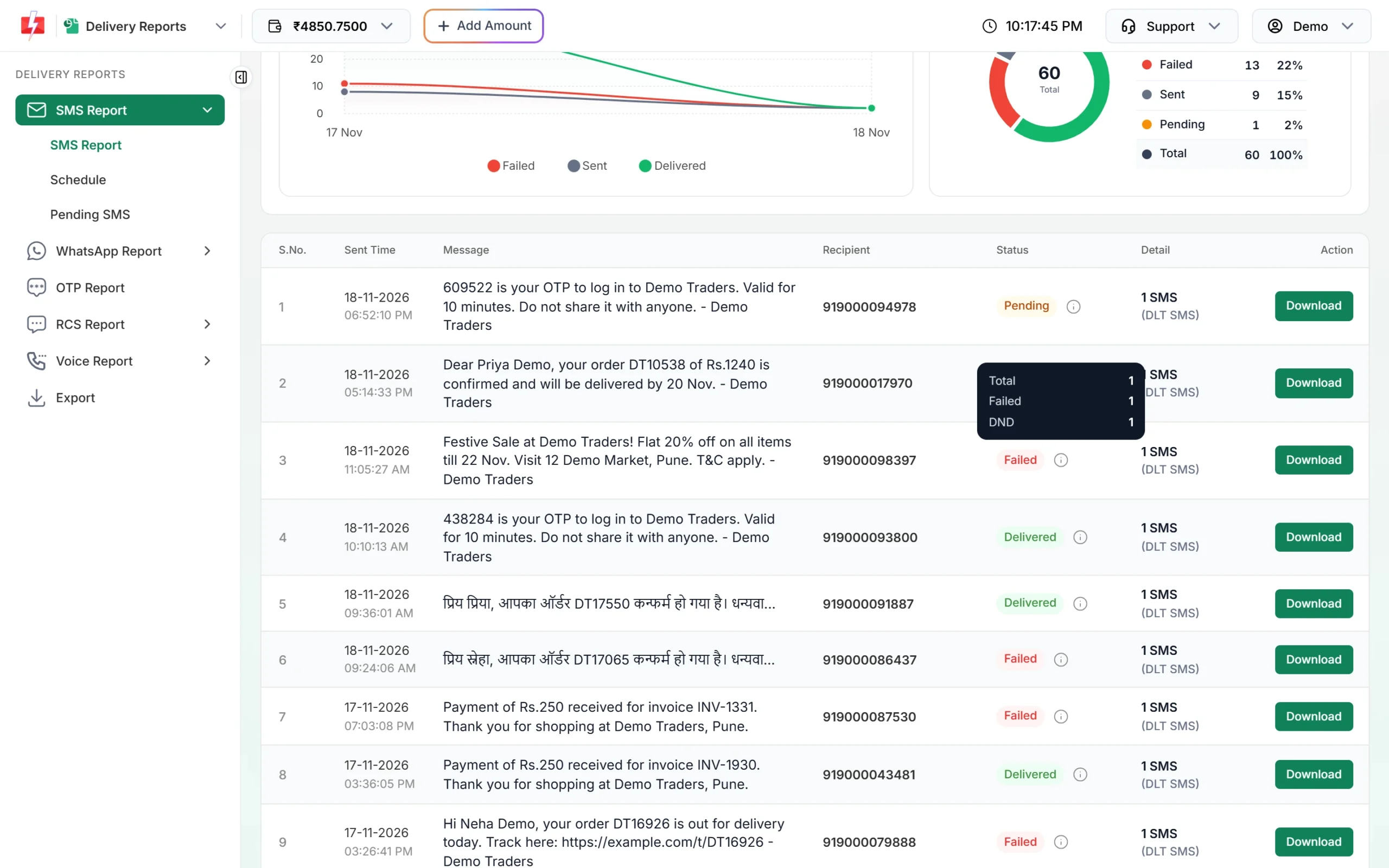
Hover the info icon for the count of each status. -
Click the message to open Delivery Details
Click the message text. The Delivery Details window shows the Request ID, a chart of Delivered, Failed, Sent and Pending numbers, the message preview, and a Receivers table.
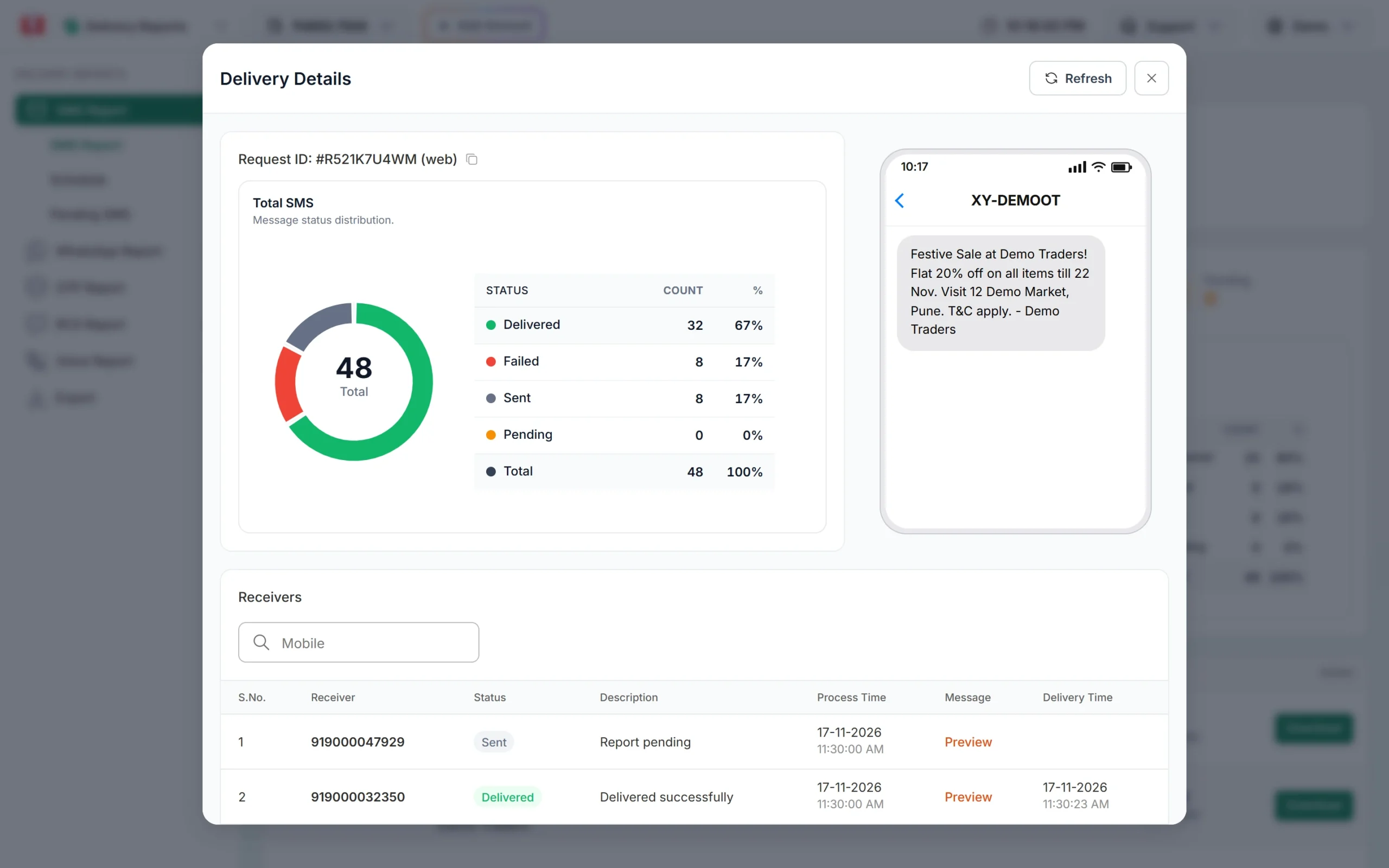
Delivery Details for one campaign. -
Read the Status and Description for each number
In Receivers, each row shows the number, its Status, the Description (the reason), the process time and the delivery time. Type a number in the Mobile search box to find one customer.
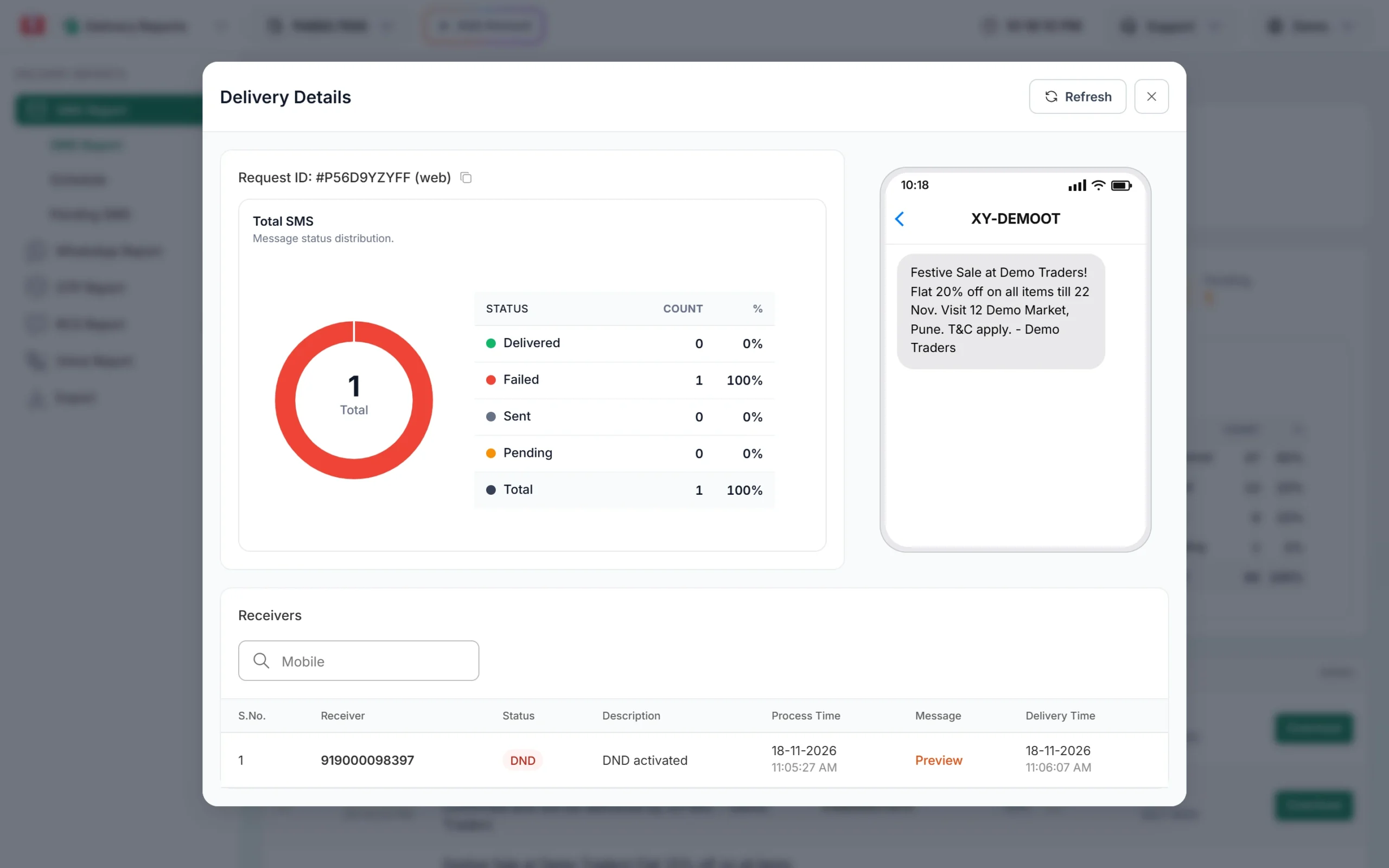
This number failed because DND is active on it. To see only failed numbers across all your sends, use the filter button on the SMS Report page, open Delivery Status and tick Failed, Blocked, DND or Invalid.
SMS failure reasons and what they mean
| Status / Description | What it means | What you can do |
|---|---|---|
| DND / DND activated | The customer has blocked promotional SMS by registering on DND (Do Not Disturb) | Do not send offers to this number by SMS. Use WhatsApp, or send only genuine service messages with a service template. |
| Invalid / Number invalid | The number is not a real or working mobile number | Correct or remove it from your list. |
| Blocked / Number blocked | The number is blocked from getting this SMS | Remove it from your list. Contact support with the Request ID if you need the exact reason. |
| Failed / Number switch off or low signal | The phone was off or had no network, and the operator stopped trying | Send again later if the message is still useful. |
| Failed / Number not reachable | The network could not reach the phone | Try again later, or reach the customer on WhatsApp. |
| Failed / Number not exist or Unknown subscriber | The number is not in use, or was disconnected | Remove it from your list. |
| Failed / Number suspended by operator | The operator has suspended this connection | Remove it or ask the customer for a new number. |
| Failed / Handset memory full or Handset error | The phone could not store the SMS | Ask the customer to delete old messages, then send again. |
| Failed / Operator rejected | The operator refused the SMS. This can be a DLT check failure (template, header, entity or PE-TM) or another operator rule | If many numbers show this, check your DLT setup. See the template mismatch guide below. |
| Failed / Operator error, Operator not responding, Operator time out, Operator congestion, Service temporary not available | A problem on the operator’s side at that moment | Wait and send again. If it keeps happening, contact support with the Request ID. |
| Failed / Unknown reason | The operator did not give a clear reason | Contact support with the Request ID. |
Two statuses are not failures: Sent (“Report pending”) means the operator has not sent the final report yet, and Pending (“Message pending”) means the SMS is still being processed.
One number failed or all of them?
Only a few numbers failed
This is normal in every campaign. Some phones are off, some numbers are old, some customers are on DND. Look at the Description for those numbers and clean your list. Failures like “switch off” can deliver if you send again later.
All or most numbers failed with the same reason
This points to your setup, not your customers. Common causes:
- the text does not match your approved DLT template,
- the Sender ID is not linked to the template on DLT, or is inactive,
- your PE-TM binding is missing on an operator, or
- a promotional template was sent to DND numbers.
Send one SMS to your own phone with Test Template in DLT Manager. If that fails too, fix the template or header first.
Failures only on one operator
If failed numbers are all Jio, or all Airtel, check that your PE-TM chain is approved on the DLT portal where your business is registered (one chain works for all operators), and read the failure reason in the report. If the chain is fine, send a few failed numbers and the Request ID to Fast2SMS support.
Are failed SMS refunded?
DLT SMS are charged when the campaign is created, for every valid number and SMS part. Numbers that later fail at the operator are not refunded automatically. Duplicate and invalid numbers caught before sending are not charged at all: you see them in the confirmation popup before you confirm.
Frequently asked questions
Why does my SMS say DND activated?
The customer has turned on DND on their number, so they do not get promotional SMS. Service and transactional messages still reach DND numbers.
What does absent subscriber mean?
It is another name for a phone that is off or out of network when the SMS was sent. The operator retries for a while and then stops. Send again later if the message still matters.
What does expired mean for an SMS?
The operator kept trying to deliver, but the phone stayed off or out of reach until the message validity ended. In Fast2SMS such numbers show as Failed with the operator’s reason.
Why does the campaign show Delivered when some numbers failed?
The list shows one status for the whole campaign. It shows Delivered when at least 30% of the numbers are delivered. Open Delivery Details to see each number.
How do I get the exact operator reason for a failure?
Copy the Request ID from Delivery Details and share it with Fast2SMS support. They can check the operator response for that send.
Can I resend only to failed numbers?
Click Download on the campaign row to get its report as Excel, filter the failed numbers, and send to them again as a new campaign.
Why are my SMS failing on all numbers?
When everything fails, check your DLT template text, Sender ID link, entity and PE-TM binding. Test the template with your own number first.