
One SMS holds 160 characters in English and 70 characters in Hindi or any other Unicode text. A longer message is split into parts, and each part is charged as one SMS. A single emoji, curly quote or Hindi letter turns the whole message into Unicode, so a 100-character message can suddenly cost two SMS instead of one.
This guide explains the SMS character limit, how Fast2SMS counts parts for English and Hindi SMS, which characters count double, and how to send Hindi and other regional-language SMS.
What is the character limit of one SMS?
| Message type | 1 SMS | 2 SMS | 3 SMS | Each extra SMS | Longest message |
|---|---|---|---|---|---|
| English (plain text) | up to 160 characters | up to 306 | up to 459 | +153 | 1,530 characters (10 SMS) |
| Unicode (Hindi, regional languages, emoji) | up to 70 characters | up to 133 | up to 199 | +66 | 859 characters (13 SMS) |
Text longer than the last limit is cut off. Spaces, full stops and line breaks count as characters too.
Why does a long SMS hold fewer characters per part?
When a message is split, each part carries a small hidden header so the phone can join the parts back in the right order. That header uses some space. So one English SMS holds 160 characters, but in a long message each part holds 153. For Unicode it is 70 for a single SMS and about 66 per part after that. The customer sees one normal message on the phone.
How are SMS parts charged?
Every part is charged as one SMS. The cost of a campaign is:
Valid numbers x SMS parts x rate per SMS
For example, a 200-character English message is 2 SMS parts. Sent to 1,000 numbers, that is 2,000 SMS. The same idea in Hindi, at 150 characters, is 3 parts, so 3,000 SMS. Your rate per SMS depends on your plan. See the current rates on the bulk SMS pricing page.
Which characters make an SMS cost more?
Characters that switch the message to Unicode
Any character outside basic English letters, numbers and common symbols makes the whole message Unicode, with the 70-character limit. Common examples:
- Hindi, Marathi, Tamil, Bengali, Gujarati or any other Indian script
- Emoji
- Curly quotes and apostrophes (“ ” ‘ ’) copied from Word or WhatsApp
- The ₹ sign. Write “Rs.” instead to stay in English.
- Long dashes and other special symbols
Characters that count as two in English SMS
In an English SMS, these characters use two places each: { } [ ] | ^ ~. A message with a few of them can go over 160 and become 2 SMS.
How to check the SMS count in Fast2SMS
-
Watch the counter as you type
On the DLT SMS page, after you pick a template and fill the variables, the counter under the phone preview shows characters and parts. For example 107/1 SMS means 107 characters in 1 SMS part. The count includes the values you typed in the variables.
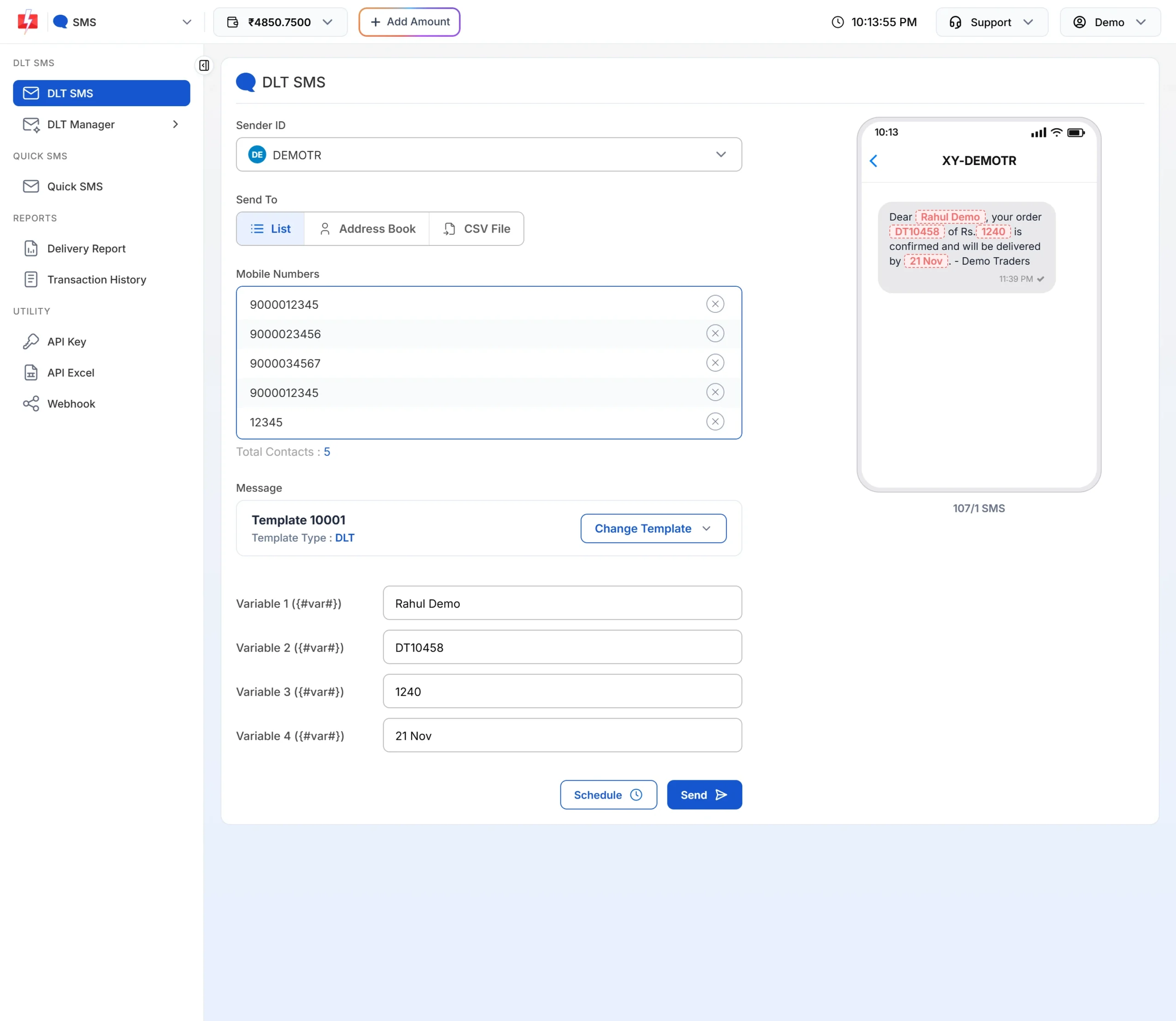
The counter under the preview: 107 characters, 1 SMS. -
Check Total Messages in the confirmation popup
When you click Send, the Message Preview & Confirmation popup shows Total Messages, which is the number of SMS parts per number. For Quick SMS it also shows Total Character. The cost line multiplies numbers, rate and parts.
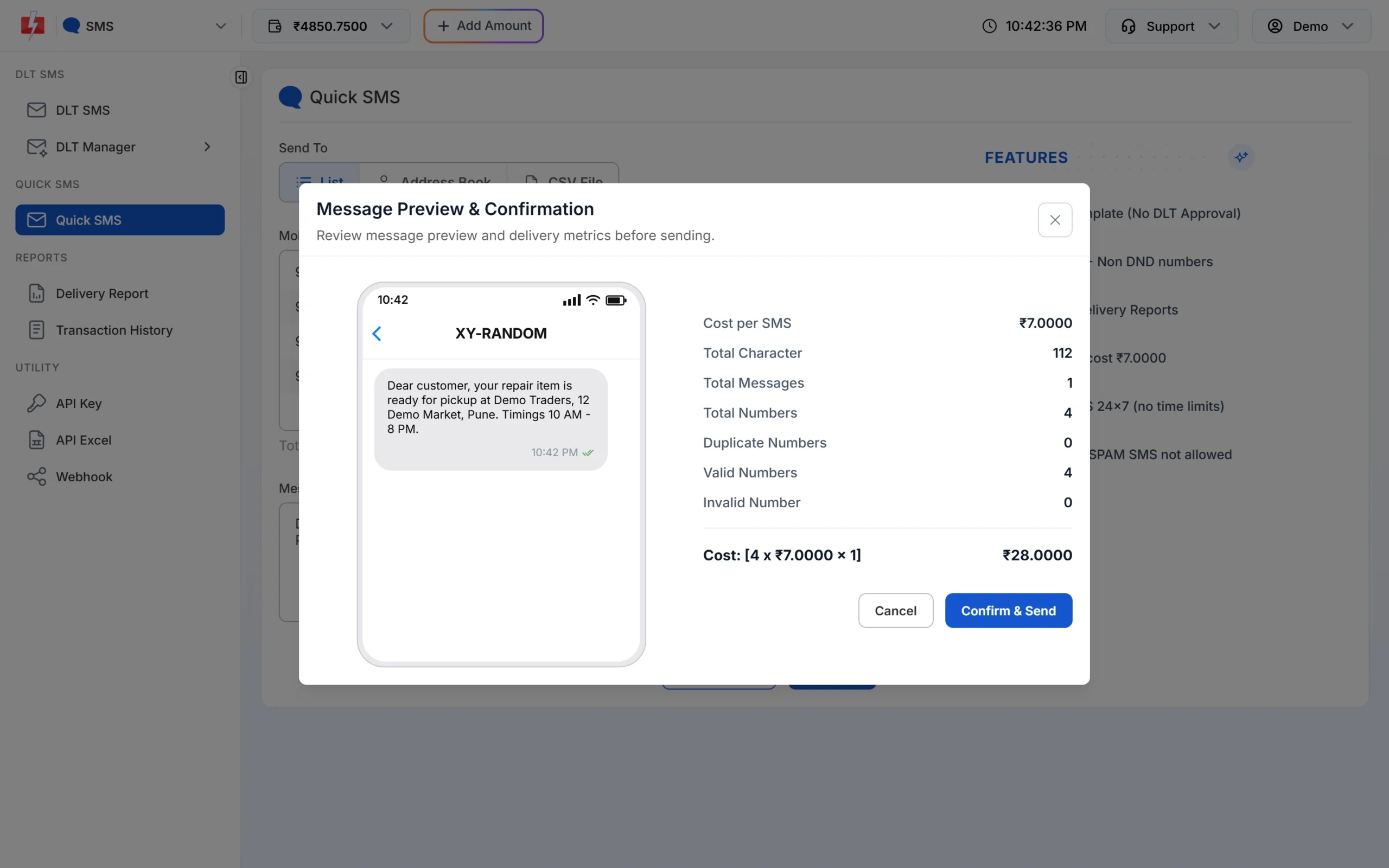
A 112-character English Quick SMS is 1 SMS per number. If Total Messages is higher than you expected, click Cancel, shorten the text or the variable values, and check again.
How to send Hindi and regional-language SMS
Hindi DLT SMS
- Register the template in Hindi (or your language) on your operator’s DLT portal, with Unicode as the content type.
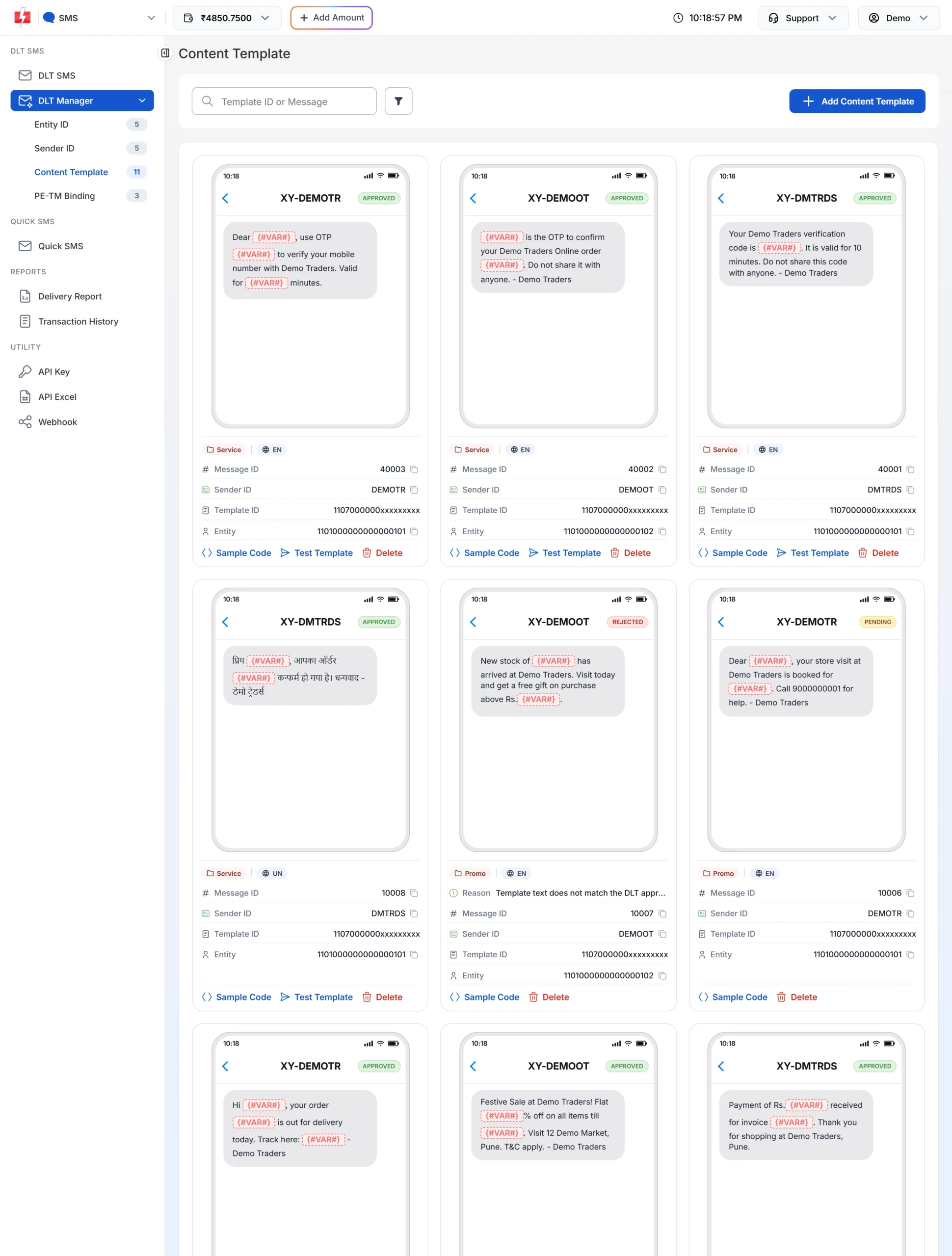
- Add it in DLT Manager > Content Template by pasting the approved Hindi text. Fast2SMS detects the language from the text, and the card shows the badge UN (Unicode) instead of EN.
- Send it from the DLT SMS page like any other template. Variable values can be in Hindi.
If you put Hindi values into an English template, the panel stops you with “Only English alphabets are allowed in message text or select Unicode SMS.” The reverse case shows “Only Unicode are allowed in message text or select English SMS.” Use a template in the same language as your values.
Hindi Quick SMS
On the Quick SMS page, just type or paste your Hindi text. The message is sent as Unicode and the 70-character rule applies.
Hindi SMS from Excel
Save your Excel file as CSV UTF-8 before uploading. Other CSV formats can turn Hindi letters into question marks.
How to keep your SMS short and cheap
- Remove words that add nothing, like “kindly” and “please note that”.
- Write “Rs.” instead of ₹, and avoid emoji in English messages.
- Keep variable values short: first name only, short order numbers, dates like 21 Nov.
- Use a short link instead of a long web address, if your DLT template allows a link.
- For long Hindi content, think about WhatsApp, where length is not split into parts.
Frequently asked questions
How many characters are in one SMS?
160 characters for English text and 70 characters for Unicode text like Hindi. Longer messages are split into parts of 153 (English) or about 66 (Unicode) characters.
Why is my 120-character SMS charged as 2 SMS?
The message probably has a Unicode character, like an emoji, a curly quote or the ₹ sign. That makes the whole SMS Unicode with a 70-character limit per SMS.
Do spaces count as characters in SMS?
Yes. Spaces, line breaks and punctuation all count.
What is the maximum length of one SMS in Fast2SMS?
Up to 10 parts (1,530 characters) for English and 13 parts (859 characters) for Unicode. Text beyond that is cut.
Can I send Hindi SMS without a Hindi DLT template?
Not by DLT SMS. The DLT template must be registered in Hindi as Unicode. Quick SMS does not need a DLT template, so you can type Hindi there.
Will the customer get one message or many?
Most phones join the parts and show one message. You are still charged for each part.
Do emojis work in SMS?
They can, but they make the message Unicode, so it holds only 70 characters per SMS, and some basic phones may not show them.