
Two-factor authentication (2FA) with OTP asks a SaaS user for two things: their password and a one-time code sent to their phone. A stolen password alone is then not enough to get in. This guide explains how to add two-factor authentication with OTP to a SaaS product using Fast2SMS Smart OTP: when to ask for the code, the server flow, remembered devices, recovery and the settings to use.
When to ask for the OTP
Asking for a code on every login annoys users. Most SaaS products ask at these moments:
- New device or browser: the first login from a device that has not been seen before.
- Sensitive actions: changing the email, mobile number or password, adding a team member, changing billing, downloading data, or viewing API keys.
- Risky logins: many failed passwords, or a login long after the last one.
- Admin roles: owners and admins can be asked every time.
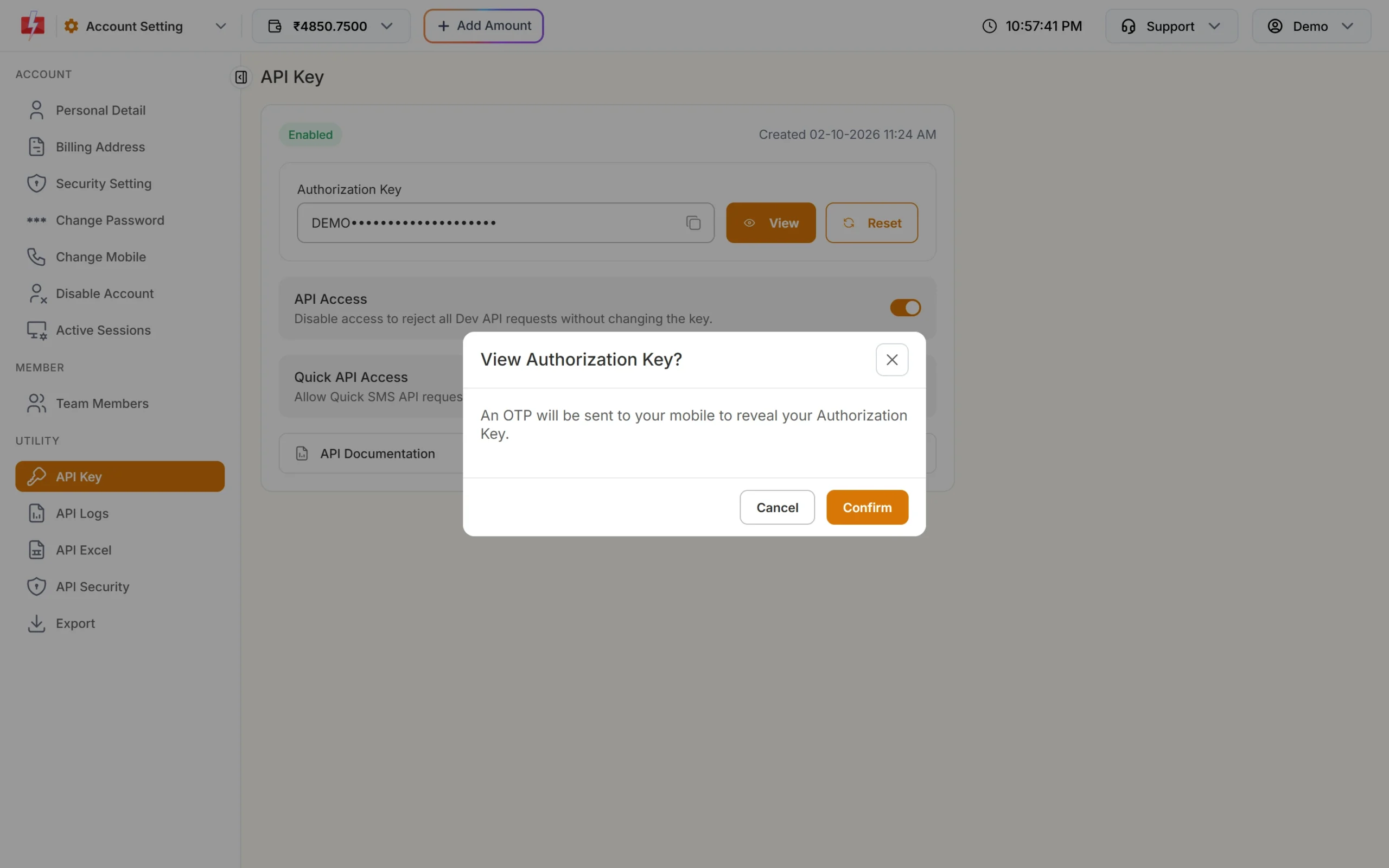
Asking again for a sensitive action is often called step-up authentication. Fast2SMS uses it in its own panel: viewing or resetting your API key needs an OTP sent to your mobile.
The 2FA flow on your server
-
Check the password first
Only after the password is correct, decide if a code is needed. Do not send an OTP to anyone who just types a mobile number. That would let strangers spend your wallet.
-
Send the OTP to the saved number
Call Send OTP with the mobile number saved on the account, never one typed on the 2FA screen. Mark the user’s session as “waiting for code”.
curl -X POST "https://www.fast2sms.com/dev/otp/send" \ -H "authorization: YOUR_API_KEY" \ -H "Content-Type: application/json" \ -d '{"mobile":"9999999999","otp_id":"YOUR_OTP_ID","otp_expiry":5,"udf1":"2fa-login"}' -
Verify, then finish the login
Call
/dev/otp/verifywith the number and the code. Only on “OTP verified successfully” mark the session as fully logged in. Start a new session ID at this point. -
Remember the device if the user asks
Offer “Trust this device for 30 days”. Store a random, signed token in a secure cookie and on your server. Skip the OTP while the token is valid, and let users remove trusted devices from their security page.
Smart OTP settings for 2FA
| Setting | Where | Suggested for 2FA |
|---|---|---|
| Code length | otp_length in Send OTP |
6 digits (the default) |
| Expiry | otp_expiry in Send OTP |
5 minutes |
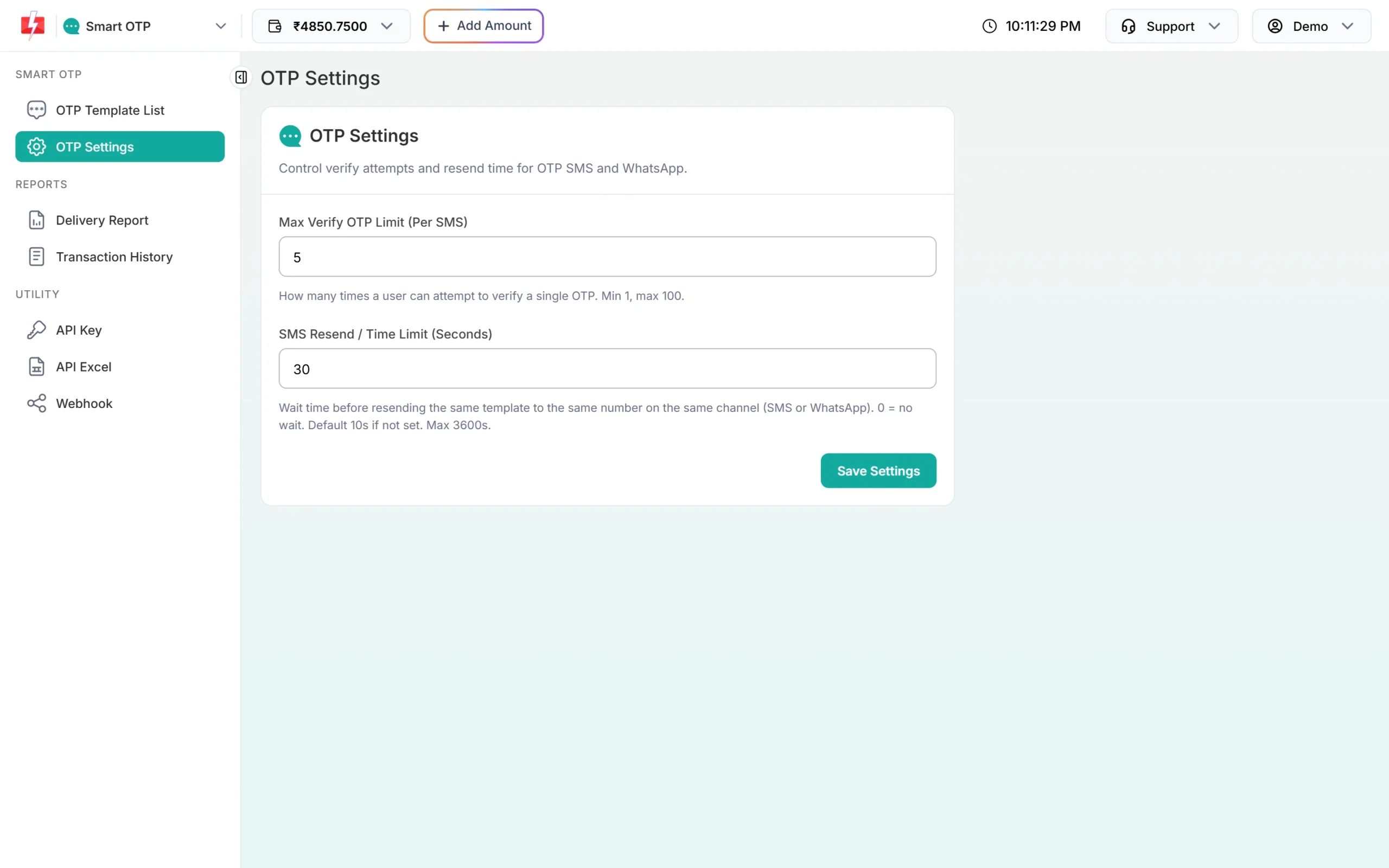
| Wrong tries per code | Max Verify OTP Limit (Per SMS) in OTP Settings | 3 to 5 |
| Wait between sends | SMS Resend / Time Limit (Seconds) in OTP Settings | 30 to 60 seconds |
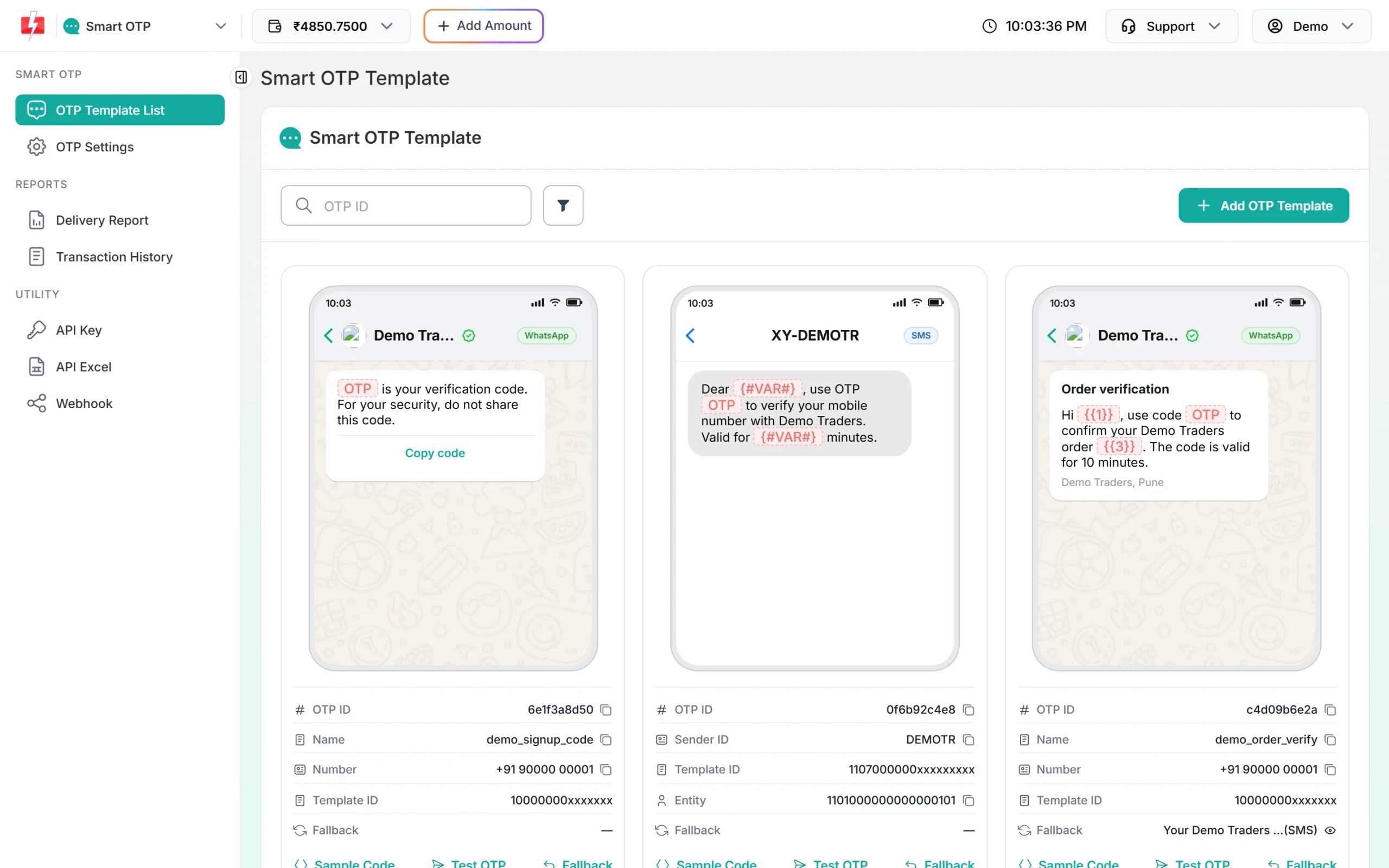
| Second channel | Fallback on the template | WhatsApp fallback for SMS, or the other way round |
Plan for lost phones
- Give users one-time backup codes when they turn on 2FA, and ask them to keep them safe.
- Let a team owner or admin reset 2FA for a member, with a log entry.
- When a user changes their mobile number, send an OTP to both the old and the new number, or ask for a backup code.
- Do not let support staff turn off 2FA on a phone call alone.
Keep the 2FA itself safe
- Call Fast2SMS only from your server, and turn on API Security so only your server IPs can use the key.
- Write the OTP message so it says what the code is for and “Do not share this code”.
- Track 2FA sends with
udf1toudf3so you can tell them apart from signup OTPs in reports and webhooks. - Export the OTP report to see how many 2FA codes were verified, expired or never used.
Frequently asked questions
Is SMS OTP good enough for SaaS 2FA?
It is far better than a password alone and works for every user with a phone. For high-risk admin accounts you can offer an authenticator app as well.
Can I send 2FA codes on WhatsApp?
Yes. Create a Smart OTP template on the WhatsApp channel with an approved Authentication template, and add an SMS fallback for users without WhatsApp.
Should 2FA be on by default?
Many SaaS products make it optional for members and required for owners and admins. Start there and tighten later.
Do I need to store the OTP?
No. Smart OTP stores and checks it. Store only the session state and trusted-device tokens.
What happens when the user sends a wrong code too many times?
After the limit, verify answers “Maximum verification attempts reached. OTP is no longer valid.” Send a new code, and consider locking the account for a short time.