
WhatsApp error 0 and error 190 mean Meta could not accept the access token sent with an API request. Error 190 says the token has expired. Error 0 says the token could not be authenticated at all, usually because it was invalidated or access was removed. Error 200 is a close cousin: no token was sent.
The fix is a new, valid token. If you send WhatsApp through Fast2SMS, you never handle a Meta token yourself, and this page shows what to check instead.
What WhatsApp error 0, 190 and 200 mean
| Code | Meta’s meaning | Fix |
|---|---|---|
| 0 | Unable to authenticate the app user. The token expired, was invalidated, or a user setting blocked it. | Get a new access token |
| 190 | The access token has expired | Get a new access token |
| 200 | No access token was provided (seen on some read requests, such as the business profile) | Send a valid token with the request |
Why it happens
- Short-lived token: tokens copied from the Meta developer dashboard for testing stop working after a short time.
- Password or session change: a token tied to a person’s login can be invalidated when that person changes their password or logs out of Facebook.
- Access removed: someone removed the app’s or partner’s access to the WhatsApp Business Account in Meta Business settings.
- Missing header: the request was sent without the authorization header, or with an empty one.
How to fix error 0 or 190 when you use Fast2SMS
With Fast2SMS you connect your number once with Login with Facebook, and Fast2SMS looks after the connection to Meta. Your own requests use your Fast2SMS API key, not a Meta token.
-
Check the key in your request
Open Account Setting and click API Key. The status should show Enabled, and the API Access switch should be on. Copy the Authorization Key and send it in the
authorizationheader, for both the simple WhatsApp API and the META Format endpoints.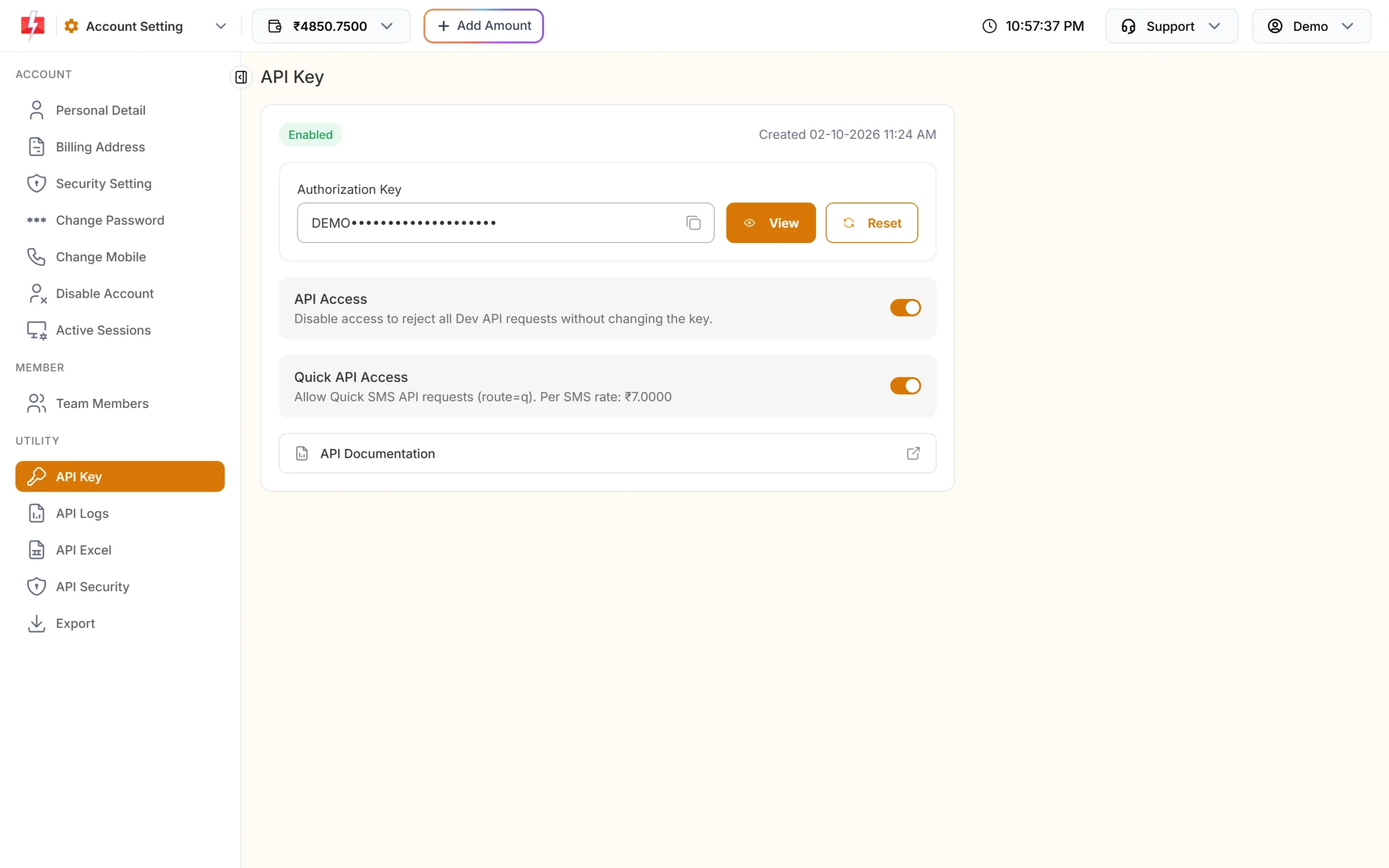
Your Fast2SMS key replaces a Meta token in API calls. -
Check that your number is still connected
Go to WhatsApp Manager and open Numbers. The number you send from should show Connected. If you removed partner access in Meta Business settings, connect the number again with Add New Number, which opens the same Login with Facebook step.
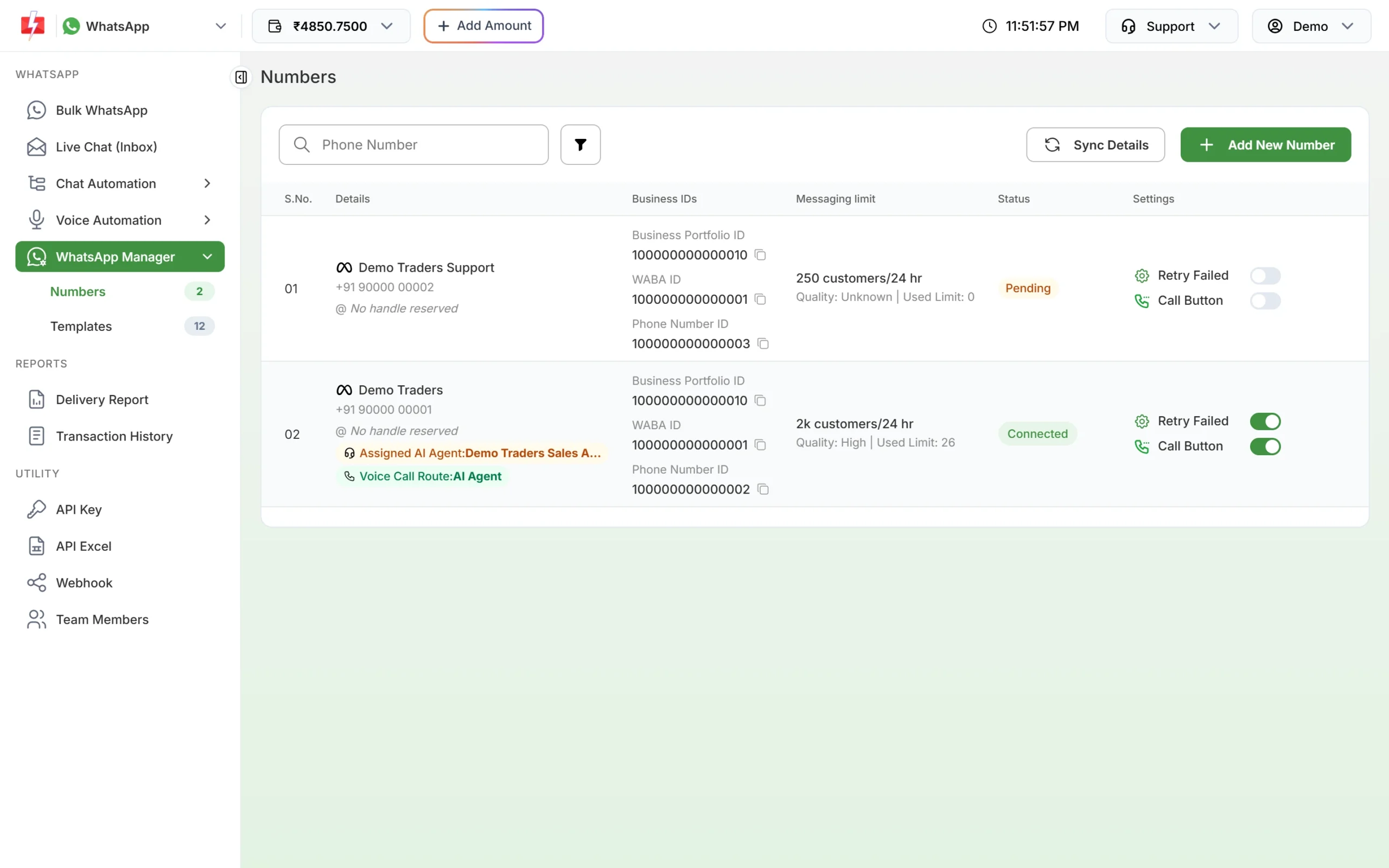
The Status column shows whether a number is Connected. -
Contact support with the request ID
If your key is right and the number is connected but the error still shows, send the Request ID from the delivery report to Fast2SMS support so the team can check the Meta connection.
How to fix it on your own Cloud API app
If you call Meta directly with your own app, create a long-lived token for a system user in Meta Business settings instead of a personal or temporary one. Give it the WhatsApp permissions your requests need, replace the old token in your code, and check the new one in Meta’s access token debugger.
How to avoid it
- Never put a temporary testing token into a live app.
- Keep tokens and API keys in one config place, so a change is made once.
- Do not remove partner or app access in Meta Business settings unless you mean to stop sending.
- Log the full error response, including
fbtrace_id, so support can trace it.
Frequently asked questions
Do I need a Meta access token to use the Fast2SMS WhatsApp API?
No. You authenticate with your Fast2SMS API key in the authorization header. Fast2SMS handles the Meta side for numbers connected through Login with Facebook.
Is error 190 the same as error 0?
They are close. 190 says the token has expired. 0 is wider: the token could not be authenticated, for example because it was invalidated or access was removed.
Why did my token stop working after a day?
Tokens taken from the developer dashboard for testing are short-lived. Use a system user token for anything that runs every day.
What is error 200 “Provide valid app ID”?
Meta returns 200 on some read requests, such as fetching a business profile, when no access token is sent. Add a valid token to the request.
Will messages that failed with these errors be charged?
No. On Fast2SMS every failed WhatsApp message is refunded to your wallet automatically.