
You can test the Fast2SMS SMS API in Postman or cURL in about ten minutes, before you write any code. Start with calls that send nothing (your wallet balance and your template list), then send one real DLT SMS to your own number and read its delivery report. There is no sandbox or test mode: every SMS you send in a test is a real SMS from your account.
This guide is for developers and anyone who wants to check their API key, sender ID and template before connecting a website, app or software.
Before you start
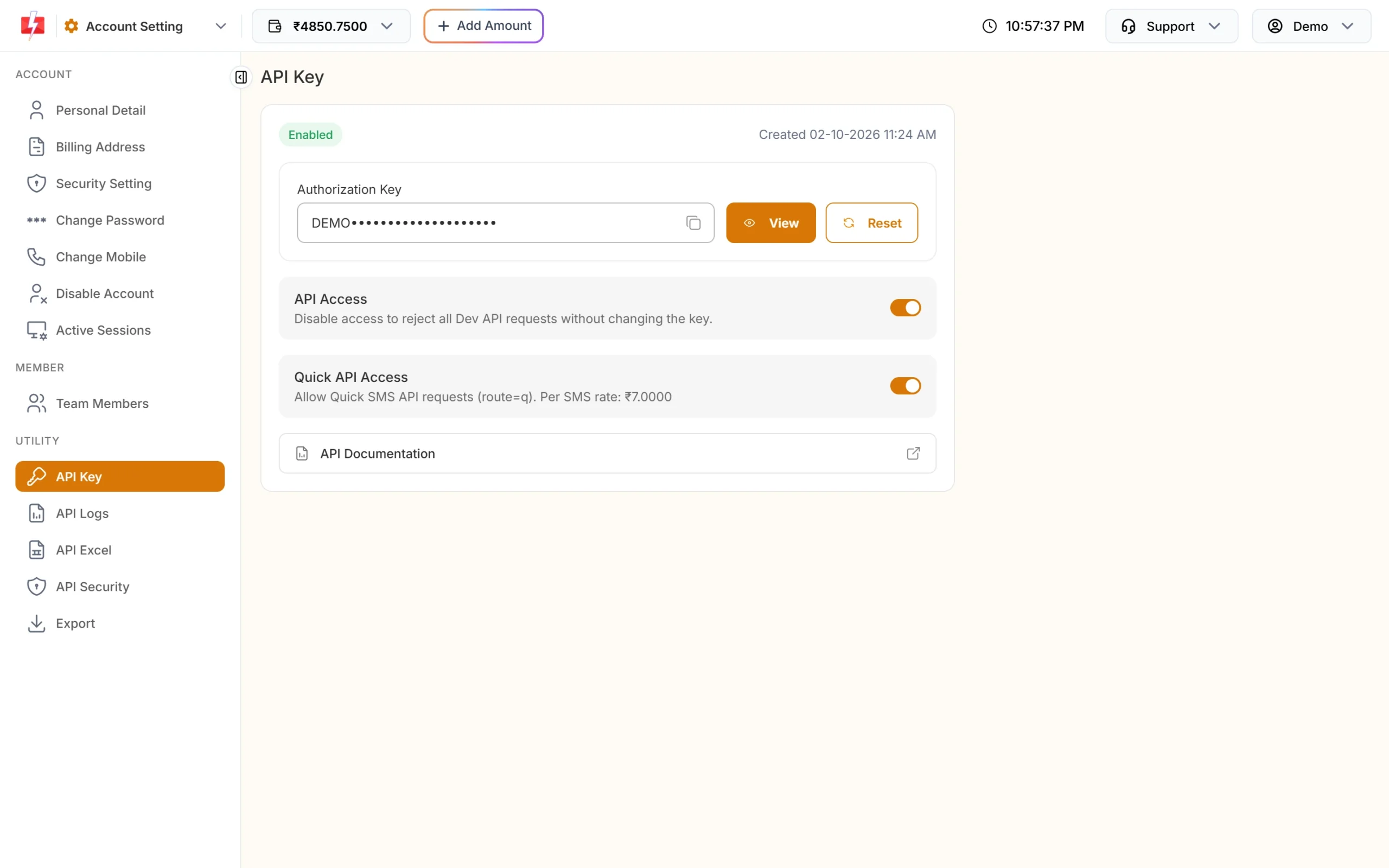
- Your API key. In the panel, go to Account Setting > API Key, click View and confirm with the OTP. API Access must be on.
- An approved sender ID and template in DLT Manager, linked to each other.
- Some wallet balance for the test SMS.
- API Security. If it is on, calls from your laptop are refused with error 414 until you whitelist your laptop’s IP. Either add it for the test or run the test from your server.
Test the API step by step with cURL
Replace YOUR_API_KEY with your key and 9999999999 with your own mobile number. Always use the full address https://www.fast2sms.com. A URL without www, or with http, is redirected, and many tools resend a redirected POST as a GET without your data.
-
Check your key with a wallet call (sends nothing)
curl -X POST "https://www.fast2sms.com/dev/wallet" \
  -H "authorization: YOUR_API_KEY"
A working key returns your balance, for example
{"return":true,"wallet":"5566.0100","sms_count":27830}. If you get 412, the key is wrong or was reset. 413 means API Access is off. 414 means API Security is on and your IP is not whitelisted. -
Get the Message ID of your template (sends nothing)
curl "https://www.fast2sms.com/dev/dlt_manager?type=template" \
  -H "authorization: YOUR_API_KEY"
The reply lists your sender IDs, each with its templates. Note the
message_idand thevar_countof the template you want to test. You pass this Message ID in the API, not the 19-digit DLT Template ID. You can also see it on the template card in DLT Manager > Content Template, where Sample Code gives a ready cURL command.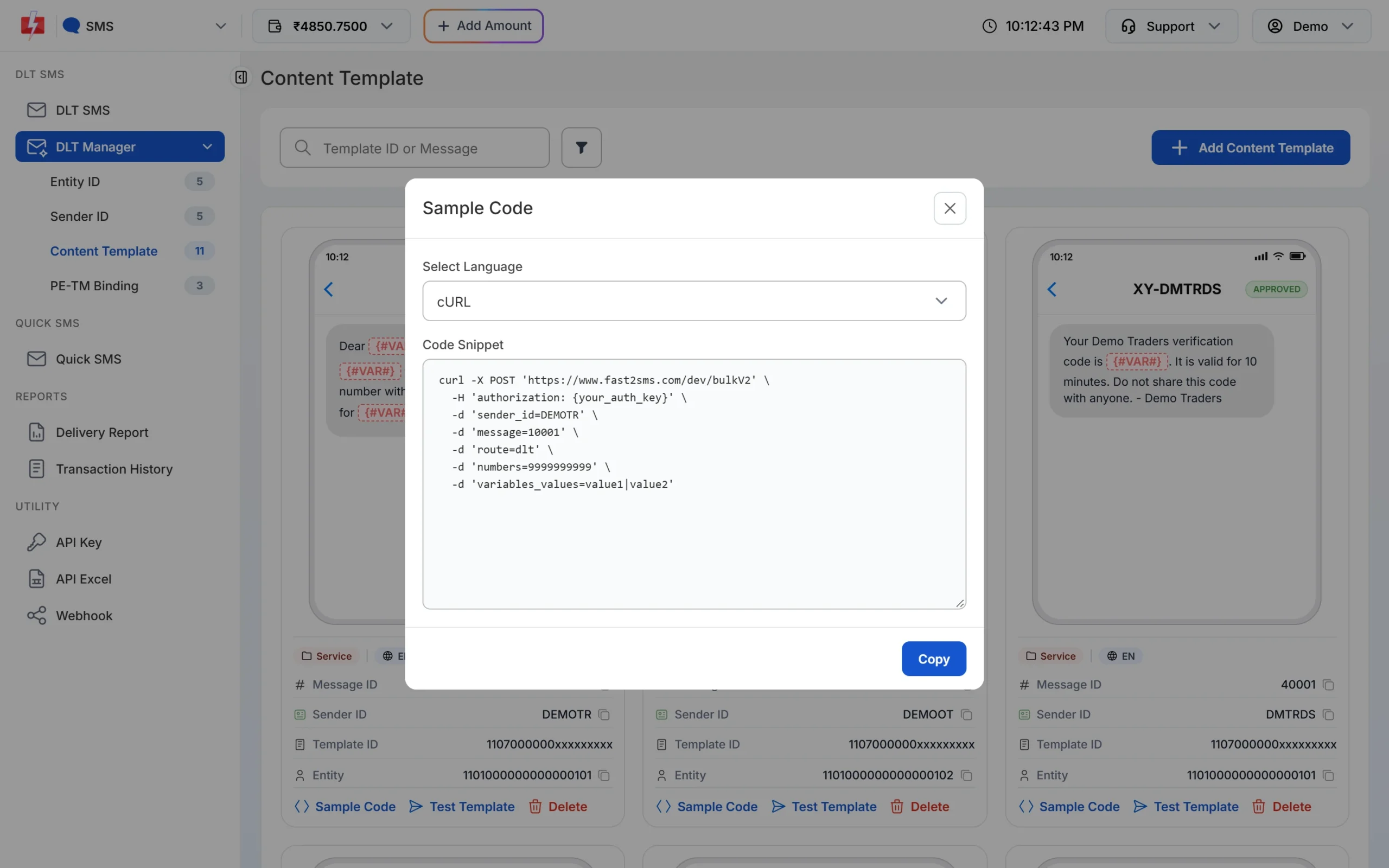
Sample Code fills in your sender ID and Message ID for you. -
Send one SMS to your own number
curl -X POST "https://www.fast2sms.com/dev/bulkV2" \
  -H "authorization: YOUR_API_KEY" \
  -H "Content-Type: application/json" \
  -d '{"route":"dlt","sender_id":"DEMOTR","message":"10001","variables_values":"Rahul|DT10458|1240|21 Nov","numbers":"9999999999","sms_details":"1"}'
Use your own sender ID (exact case) and Message ID, and one value per variable, separated by a pipe. A success reply looks like
{"return":true,"request_id":"Sa1B2c3D4e5F6g7","message":["SMS sent successfully."]}. Withsms_detailsset to 1, the reply also shows the character count, SMS parts, valid numbers and the amount debited. Keep therequest_id. -
Check the delivery report
curl "https://www.fast2sms.com/dev/dlr/Sa1B2c3D4e5F6g7" \
  -H "authorization: YOUR_API_KEY"
“SMS sent successfully” only means Fast2SMS accepted the request. The delivery report shows what happened next:
Sentmeans the operator report is not back yet,Deliveredmeans the operator confirmed delivery, andFailedcomes with a reason. If you also set up webhooks, pick one method for the same messages, polling or webhooks, not both. -
Look at the call in API Logs
Open Account Setting > API Logs. Each call shows the endpoint, method, HTTP code, response, the IP it came from and the time. This is the quickest way to see what your tool really sent.
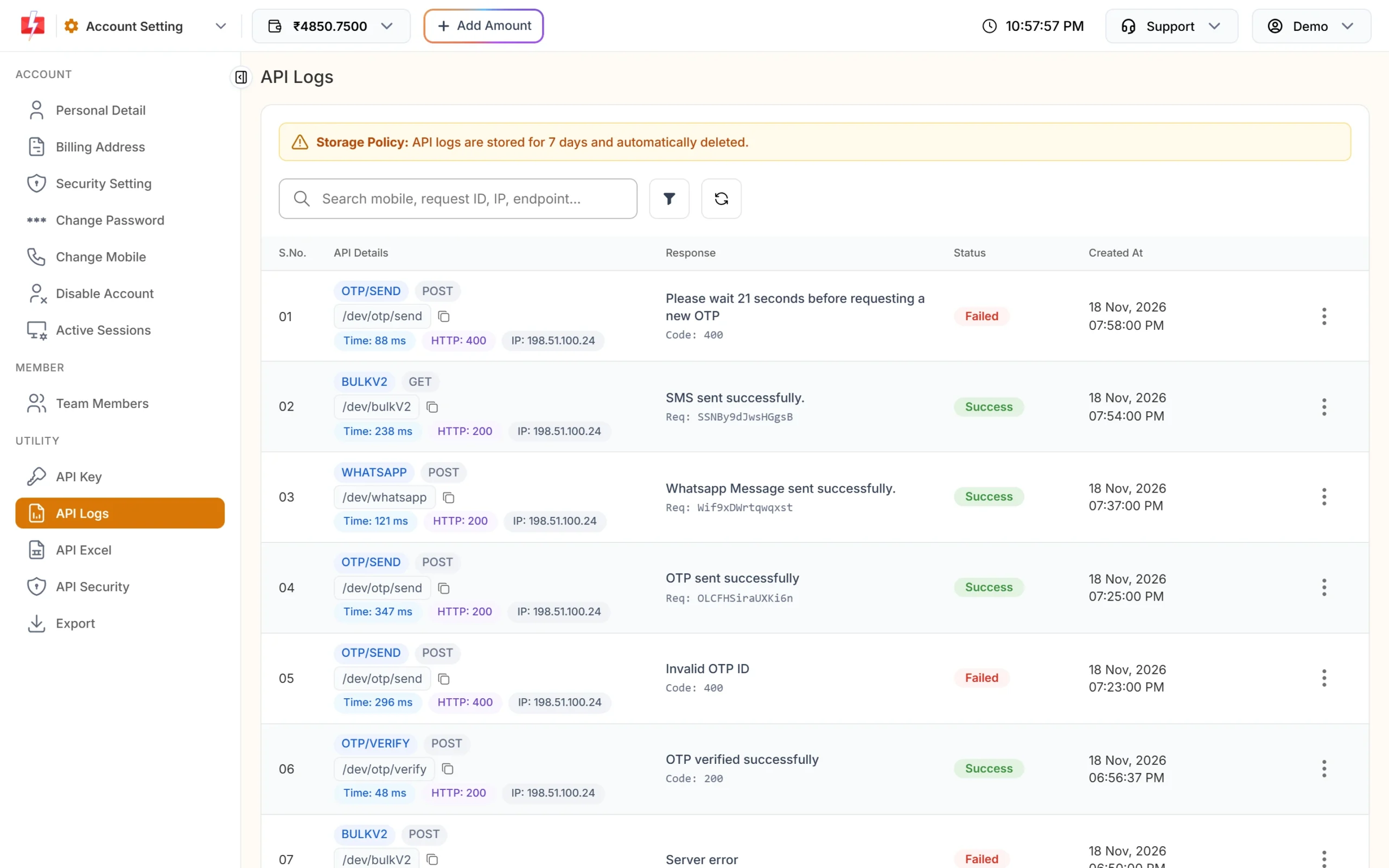
API Logs show each call with its response and caller IP. Logs are kept for 7 days.
The same test in Postman
- Create a new request. Set the method to POST and the URL to
https://www.fast2sms.com/dev/bulkV2. - Under Headers, add
authorizationwith your API key as the value. Save the key as an environment variable rather than typing it into shared requests. - Under Body, choose raw and JSON, and paste the JSON from step 3 above. Postman adds the Content-Type header for you.
- Click Send and read the reply. Then make a GET request to
/dev/dlr/followed by your request ID, with the same header.
The API also accepts GET with the values in the query string. For tests and for code, prefer POST with the key in the header, because URLs with keys end up in browser history and server logs.
Common errors in a first test
| Code | Message | Fix |
|---|---|---|
| 412 | Invalid Authentication, Check Authorization Key | Copy the current key again. No quotes or spaces. A reset key replaces the old one. |
| 413 | Authorization Key Disabled | Turn on API Access on the API Key page. |
| 414 | IP is blacklisted from Dev API section | Whitelist the IP you are testing from in API Security, or test from your server. |
| 406 | Invalid Sender ID | Use your approved sender ID in the exact same case. |
| 424 | Invalid Message ID (or Template, Entity ID) | Send the Message ID, not the DLT Template ID, and make sure the template is linked to that sender. |
| 411 | Invalid Numbers | Send 10-digit Indian mobile numbers starting with 6 to 9. |
| 416 | You don’t have sufficient wallet balance | Recharge. This reply can come with HTTP 200, so always check return, not only the HTTP code. |
For the full list, see Fast2SMS API error codes.
What a test costs
A test SMS is charged like any other DLT SMS: your plan rate for each SMS part, for each valid number. The wallet and template list calls are not charged. See the current rates on the bulk SMS pricing page.
Sending in bulk? For high SMS volumes our team offers discounted rates. Talk to our team or see SMS pricing.
Testing OTPs
For OTP logins, test the Smart OTP API (send and verify) instead of building your own OTP flow on the SMS API. The steps are in Fast2SMS Send OTP API.
Frequently asked questions
Does Fast2SMS have a sandbox or test mode for the SMS API?
No. Every SMS sent through the API is a real SMS and is charged. Use the wallet and template list calls to check your setup without sending anything, then send one SMS to your own number.
Why does the API say “SMS sent successfully” but I got nothing?
That reply means the request was accepted. Check the delivery report with the request ID. Sent means the operator has not reported yet, and Failed shows a reason.
Can I test the SMS API from my laptop?
Yes, if API Security is off or your laptop’s public IP is whitelisted. Otherwise you get error 414.
Should I use GET or POST?
Both work. POST with the key in the authorization header is safer, because the key does not appear in URLs and logs.
Why do I get “Invalid Message ID”?
You probably sent the 19-digit DLT Template ID. The DLT SMS API needs the Message ID shown on the template card in DLT Manager.
Can I call the API directly from a web page to test it?
Do not put your API key in browser code. Anyone can read it from the page. Call the API from your server.