
WhatsApp error 131037 “Display name approval needed” means the business number you are sending from does not have an approved display name yet. Meta does not let a number send messages under a name it has not reviewed. Once the display name is approved, the error stops. This page explains how to check the name in Fast2SMS and what to do while you wait.
What error 131037 means
Every WhatsApp Business API number has a display name: the business name customers see. Meta reviews it against its display name rules. At the time of writing, Meta’s error list describes 131037 for the free “555” test numbers that some businesses get during sign-up, when that number has no approved display name. The same idea applies to any number: no approved name, no messages.
Common reasons the name is not approved:
- The number was connected recently and the name is still under review.
- The name was rejected, for example because it does not match your business, uses only generic words, or includes extra words like a slogan.
- You asked to change the name and the new one is still under review.
How to check the display name in Fast2SMS
-
Look at the Numbers tab
Open WhatsApp Manager > Numbers. Under Details, each number shows its business name. A red Unverified badge next to the name means Meta has no approved name status for it. Click Sync Details to fetch the latest status from Meta.
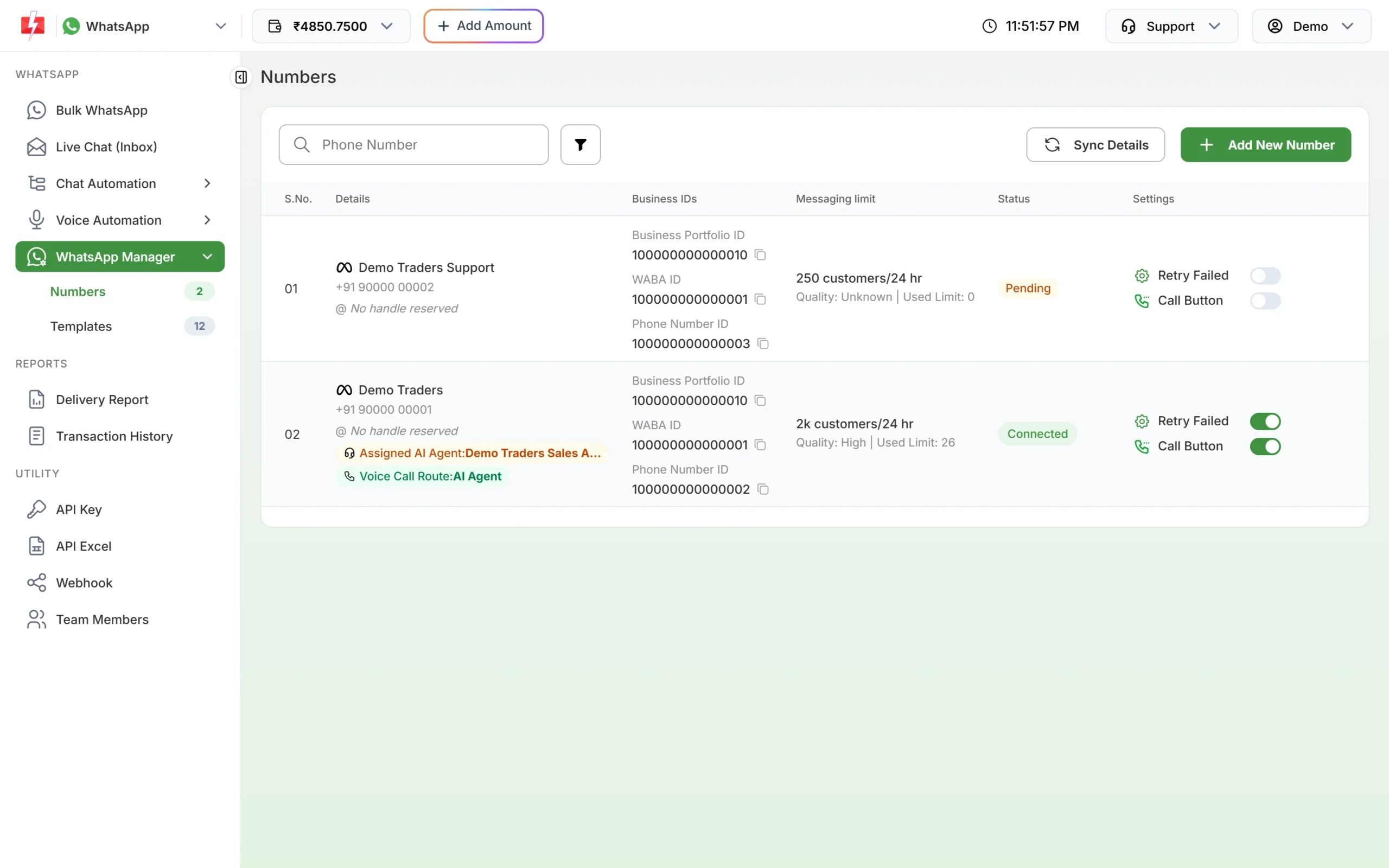
Business name and status for each number. -
Open the business profile
From the number’s action menu, choose Edit Profile. The Business Information page shows the display name with its status badge. The name cannot be edited here; the Change Display Name link opens Meta’s help page with the steps.
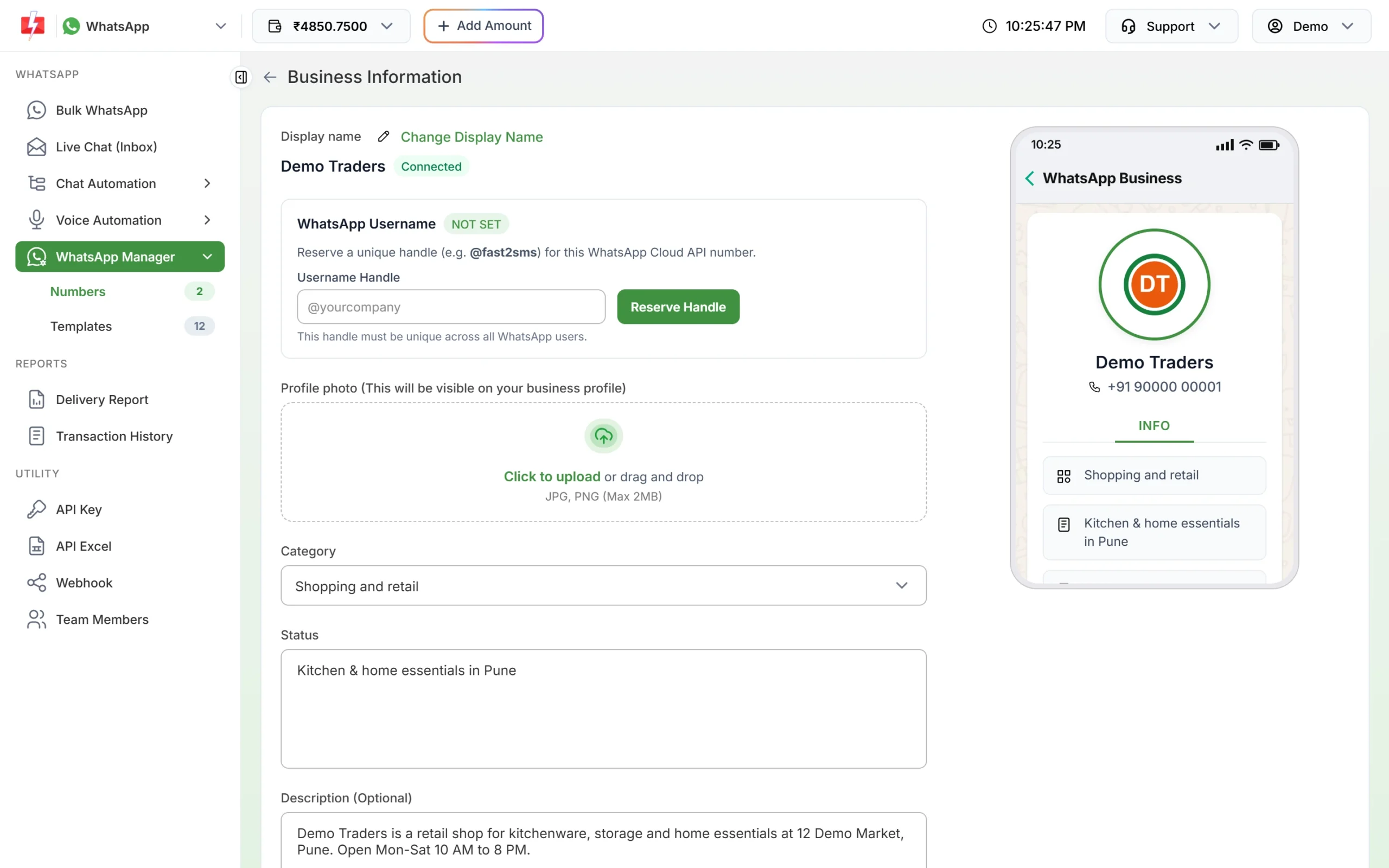
Display name and its status on the Business Information page.
How to fix error 131037
- If the name is under review: wait for Meta’s decision, then click Sync Details. Do not send campaigns until it shows as approved.
- If the name was rejected: pick a name that matches your business, as shown on your website, GST certificate or shop board, and request the change in Meta’s WhatsApp Manager. See our guide to display name rules.
- If you used a 555 test number: set and get approval for a display name for that number, or send from your own business number instead.
Frequently asked questions
How long does display name approval take?
Meta reviews names itself and does not promise a fixed time. Click Sync Details now and then to see the latest status.
Can I change my display name from Fast2SMS?
No. The Business Information page shows the name, and the Change Display Name link takes you to Meta’s steps.
Does 131037 affect only one number?
Yes. It is about the display name of the sending number. Other numbers with approved names keep working.
Are messages that failed with 131037 charged?
No. Fast2SMS refunds every failed WhatsApp message to your wallet automatically, about two days after sending.
Is display name approval the same as the green tick?
No. Display name approval lets you send messages. The green tick (verified badge) is a separate, optional request.