
WhatsApp error 131050 means the customer has chosen to stop receiving marketing messages from your business on WhatsApp. Meta will not deliver your marketing templates to that person, and sending again will not help. This page explains what to do with these numbers in Fast2SMS and how to keep opt-outs low.
What error 131050 means
Meta’s description, at the time of writing, is: unable to deliver the message because this recipient has chosen to stop receiving marketing messages on WhatsApp from your business. WhatsApp gives users a way to turn off marketing messages from a business. Once they do, your marketing templates to them fail with 131050.
Meta’s advice is clear: do not retry. These messages will not be received.
How to find these numbers in Fast2SMS
-
Filter failed messages
Go to Delivery Report > WhatsApp Report. Click the filter button, choose your date range, then Delivery Status = Failed. You can also use the Template Type tab to show only Marketing campaigns.
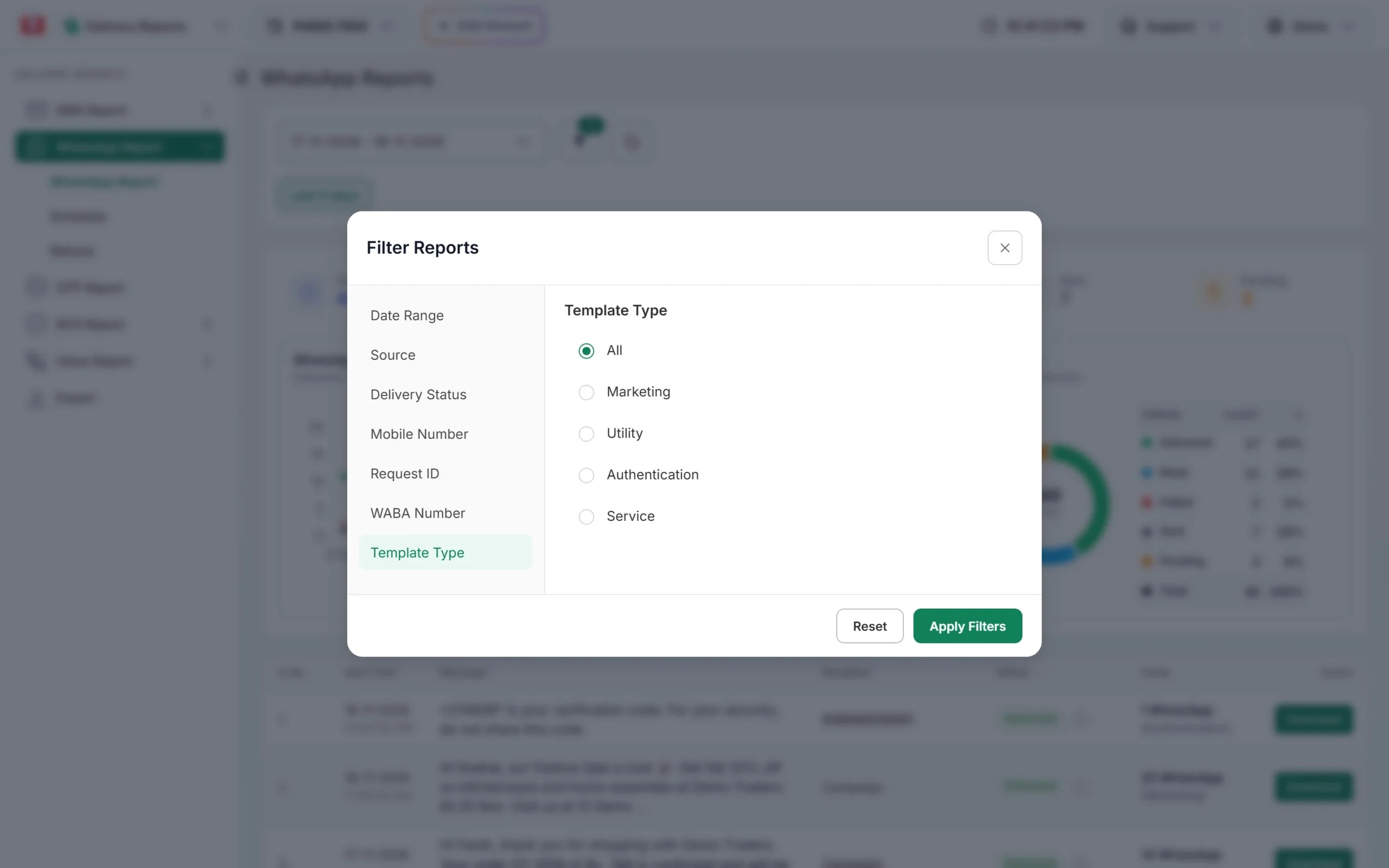
Filter the report to marketing campaigns. -
Open the campaign and read the Description
Click the campaign message to open Delivery Details. Numbers that opted out show Meta’s text with “(Error: 131050)” in the Description column.
-
Export the list
For a big campaign, open Export under Delivery Reports, choose WhatsApp and the dates, and click Submit. When the file is ready, click Download (files stay available for 48 hours) and filter it for 131050.
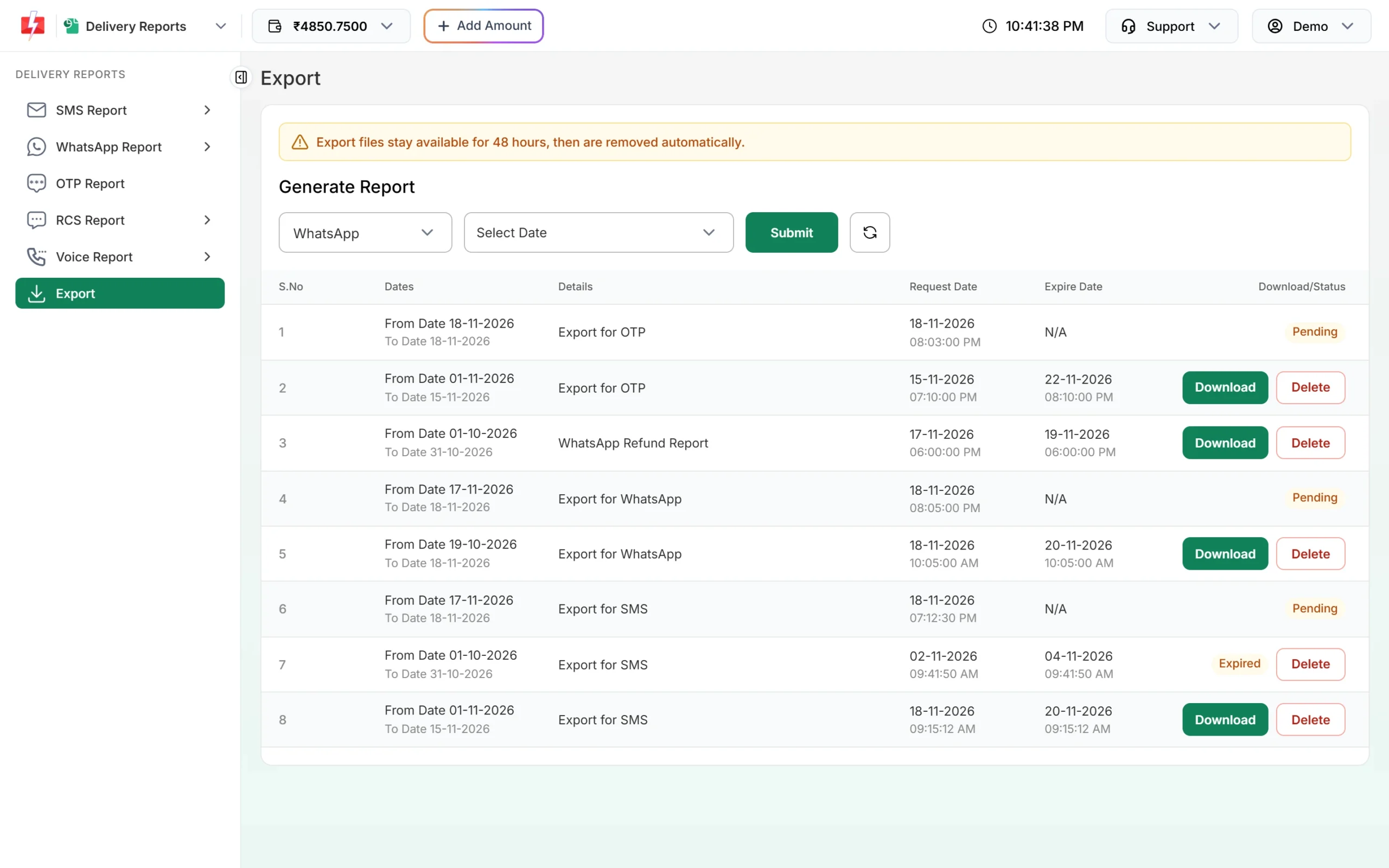
Export the full report to find every opted-out number. -
Remove them from marketing lists
Take these numbers out of the groups or files you use for offers, for example in your Address Book groups or your CSV. Keep them in lists for order and service updates if they are still your customers.
Why customers stop marketing messages
- Too many offers in a short time.
- Offers that do not match what they bought or asked about.
- Messages that do not say who is writing or why they got the message.
- They never agreed to get offers on WhatsApp in the first place.
How to keep opt-outs low
- Ask for WhatsApp consent clearly when you collect numbers, and say you will send offers.
- Send fewer, better campaigns. Split your list by interest and send only what fits.
- Add a “Stop offers” quick reply button to your marketing templates and honour it. People who can say no politely are less likely to block or report you.
- Do not disguise offers as utility messages to get around opt-outs. Meta checks template categories and can limit accounts that misuse them.
Frequently asked questions
Can I send to a number after it gave error 131050?
Not marketing messages, unless the customer turns marketing messages from you back on. Messages about their orders or account should be sent as genuine utility templates.
Should I retry 131050 messages?
No. Meta says these messages will not be received. Retrying only wastes your time.
Am I charged for 131050 failures?
No. Fast2SMS refunds every failed WhatsApp message to your wallet automatically, about two days after sending.
Does 131050 mean the customer blocked me?
No. It means they turned off marketing messages from your business. A block is a separate action.
How can my system know about opt-outs in real time?
Meta has a “user_preferences” webhook for marketing opt-outs. A simple approach with Fast2SMS is to check your delivery report after each campaign, save every number that failed with 131050, and leave those numbers out of future offers.