
WhatsApp error 132015 “Template is paused” means Meta has paused your template because of low quality, so it cannot be sent for now. Error 132016 “Template is disabled” means the template was paused too many times and is now switched off for good. This page explains what to do with each, and how the errors show in Fast2SMS.
What the two errors mean
| Code | Meaning (Meta, at the time of writing) | What to do |
|---|---|---|
| 132015 | The template is paused because of low quality, so it cannot be sent | Wait for the pause to end, or edit the template and send it after it is approved again |
| 132016 | The template was paused too many times for low quality and is now permanently disabled | Create a new template with different content |
A template’s quality drops when many people who receive it block your number, report it or ignore it. Meta pauses it to protect users and to warn you before the problem affects your whole number.
How it shows in Fast2SMS
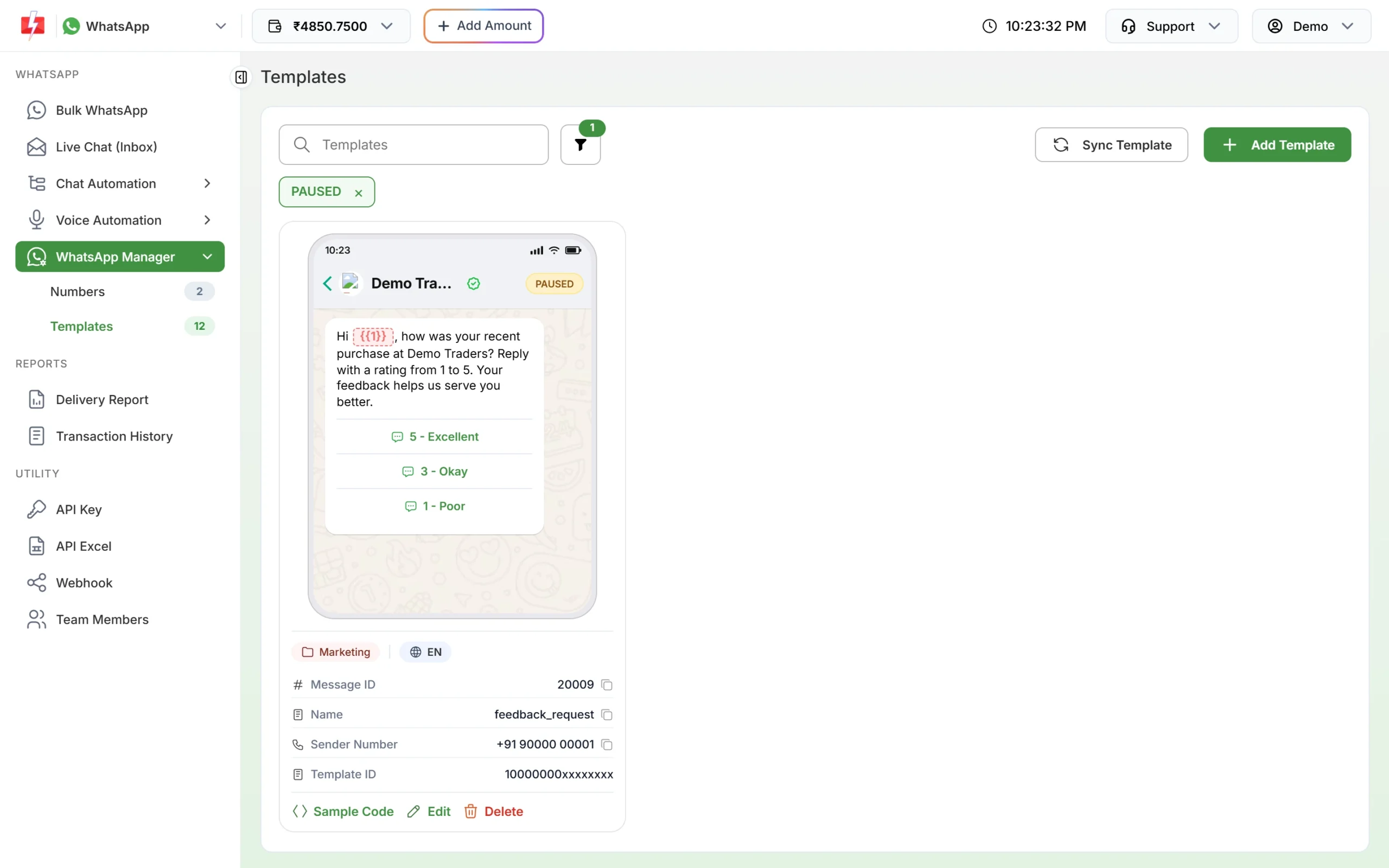
- In WhatsApp Manager > Templates, the card shows a PAUSED or DISABLED badge after a sync. Use the filter to list them. There is no Test button on these cards.
- Paused and disabled templates do not appear in the Bulk WhatsApp template picker, which lists only approved templates.
- If a campaign was already queued when the template was paused, its messages fail with “Template is PAUSED” in the Delivery Report.
- If you send through the Meta-format API, Meta returns 132015 or 132016 directly.
How to fix error 132015 (paused)
-
Find out why customers reacted badly
Look at who received the template. Was the list opted in? Was it sent too often, or at odd times? Was the first line clear about who you are?
-
Edit the template
Click Edit on the card. The name and language cannot be changed, but you can improve the text, header and buttons. Add a “Stop offers” quick reply for marketing templates. When you click Update Template, it goes back to Meta for review and shows as PENDING.
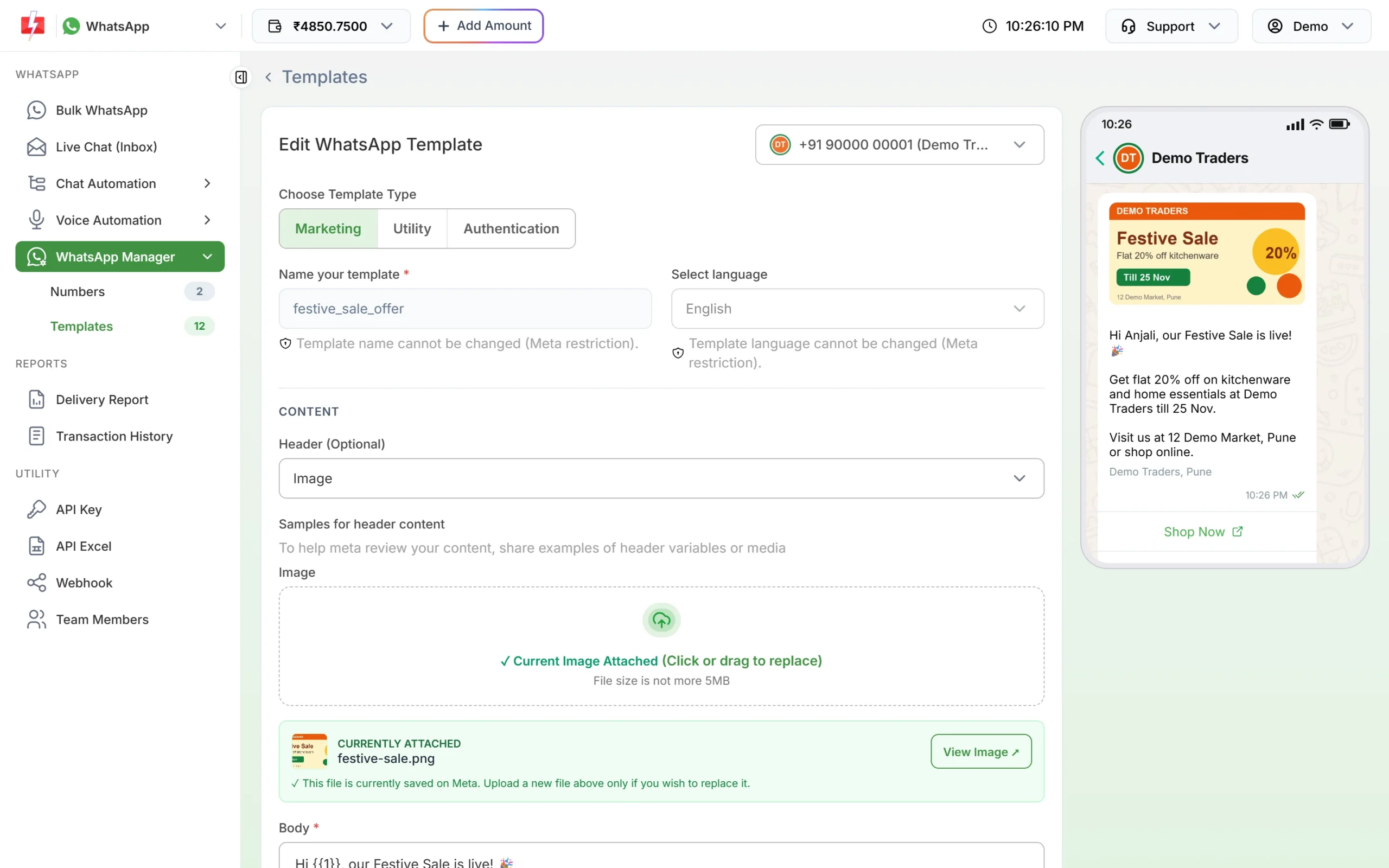
Edit the content; name and language stay locked. -
Send again after approval, to a better list
Once the card is APPROVED again, start with customers who know you and engage with your messages, then widen the audience.
How to fix error 132016 (disabled)
A disabled template cannot be brought back. Create a new template with a new name and clearly different, more useful content. Sending the same text under a new name is likely to get the same reactions again. Update your API integration or saved campaigns to use the new template’s Message ID.
Frequently asked questions
How long is a WhatsApp template paused?
Meta pauses templates for a few hours, longer each time it happens, before disabling them. See our template status guide for the current pause times.
Does a paused template affect my phone number?
Not directly at first, but the same customer reactions that paused it can lower your number’s quality rating.
Can I send a paused template through the API?
No. The Fast2SMS template API accepts only approved templates, and Meta rejects paused ones with 132015.
Can I delete a disabled template?
Yes. Click Delete on the card and confirm with your account password. It is removed from your template list; create a new template for future sends.
Are messages that failed because of a paused template refunded?
Yes. Fast2SMS refunds every failed WhatsApp message to your wallet automatically, about two days after sending.