
WhatsApp error 2388103 means Meta could not migrate your phone number from one WhatsApp Business Account to another. You see it when moving a number, for example from another provider to Fast2SMS. The same code covers several different reasons, so the text that comes with it tells you what to fix. Errors 2388091 and 2388093 are related: they say the number is not being migrated at all.
What errors 2388103, 2388091 and 2388093 mean
Error 2388091 or 2388093 means the number is not in a migration, so it cannot receive or verify a migration code. Meta’s fix is to register and verify the number the normal way.
Error 2388103 comes with one of these messages (at the time of writing):
| Message with 2388103 | What to do |
|---|---|
| Please add this phone number in your WhatsApp account | No migration is needed. Add, register and verify the number directly. |
| Registered name should be present and approved | Get the display name approved, and make sure no display name change is pending, then try again. |
| There was an error migrating this phone number | A general failure. Try again later and contact support if it keeps happening. |
| Cannot migrate phone number (new account model) | Meta does not support this migration for accounts on its new model. |
| The account is not set up correctly / has no payment account | The receiving account is not ready for migration. |
| This phone number belongs to a different Business Manager account | The number is owned by another business. |
| Your WhatsApp account must be approved / “Messaging For” request must be approved | The account or its approval is not in place yet. |
For the last four rows Meta lists no fix you can apply yourself. They need the account set-up to change, so talk to support before you try again.
Why it happens
- The number does not need a migration and can simply be added.
- The number’s display name is not approved, or a name change is still waiting for review.
- The old and new accounts are not set up the way Meta’s migration needs.
- A temporary problem at Meta.
How to fix it with Fast2SMS
-
Read the full error text
Note the exact message that came with 2388103 and match it to the table above. The fix depends on it.
-
Check the display name
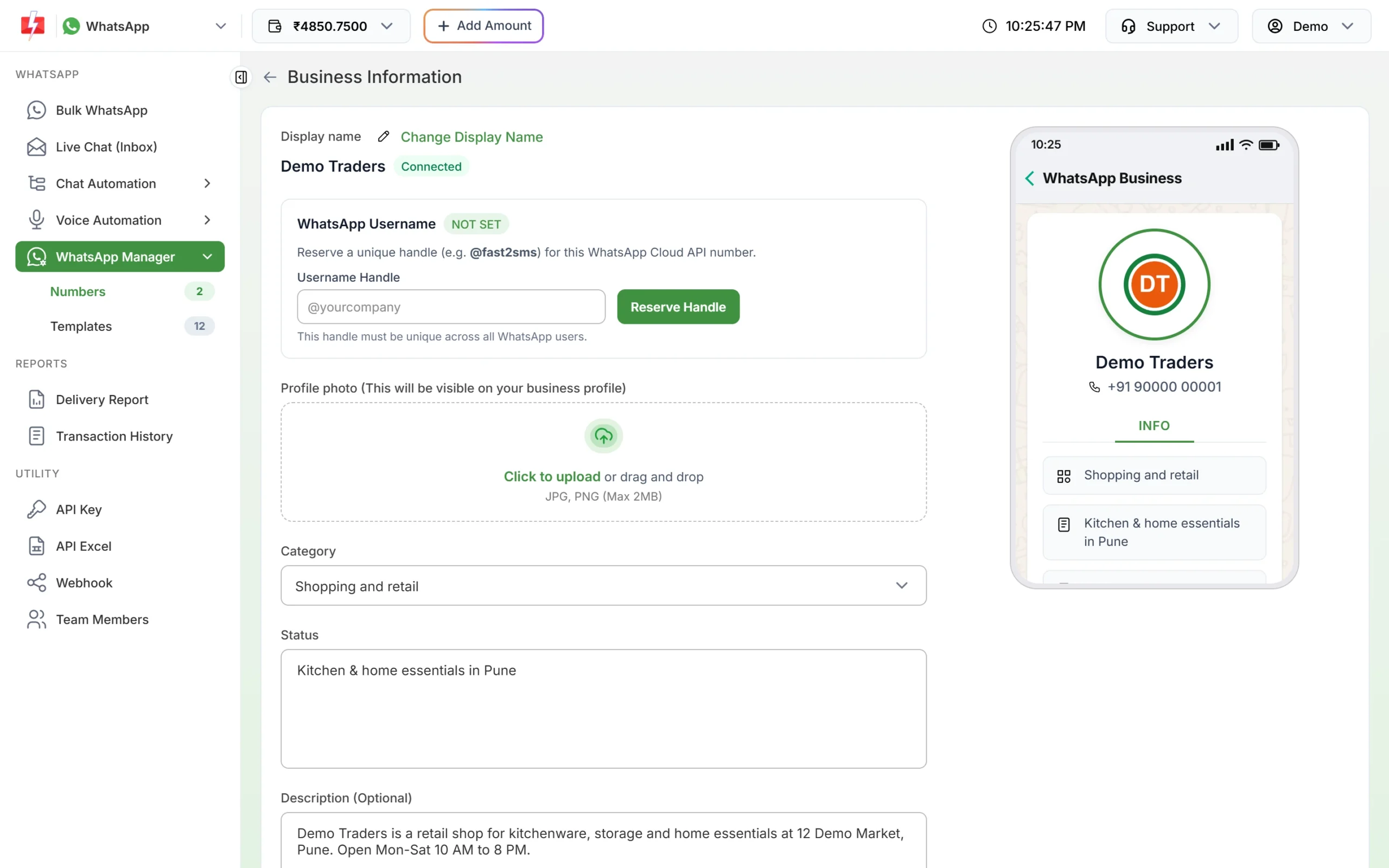
For the “registered name” message, make sure the display name is approved. If the number is already in Fast2SMS, open WhatsApp Manager > Numbers. A red Unverified badge next to the business name means the name is not approved yet. You can see the current name under Edit Profile.
The display name and its status in Edit Profile. -
Connect normally when no migration is needed
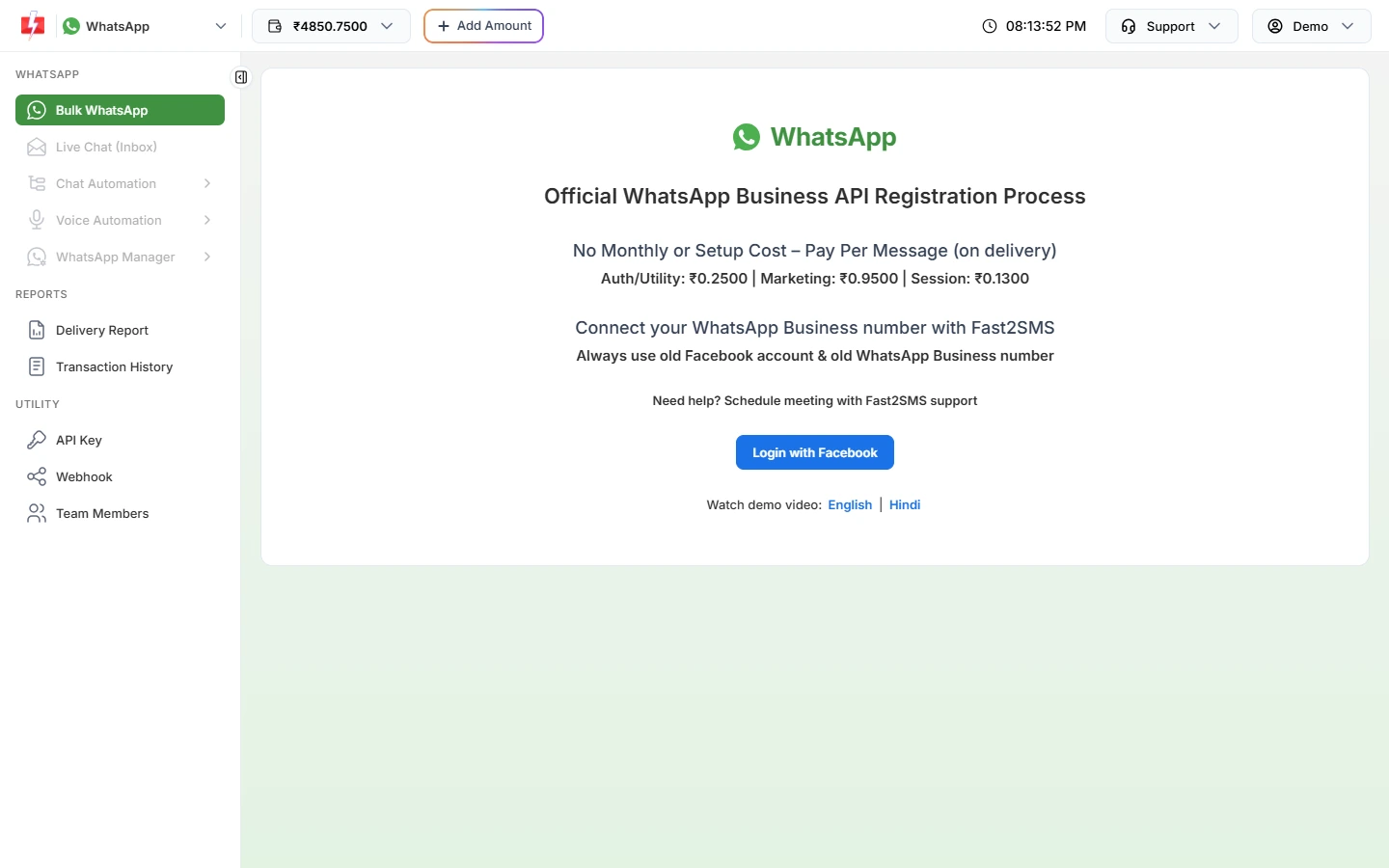
For 2388091, 2388093 or the “add this phone number” message, connect the number the normal way: in WhatsApp Manager connect the number the normal way: open the WhatsApp connect page in Fast2SMS and clickgt; Numbers click Add New Number, then Login with Facebook.
Connect the number through Login with Facebook. -
Book a call for the other cases
For any other 2388103 message, or if a retry fails, use Need help? Schedule meeting with Fast2SMS support on the same page. Moving a live number has to be planned so you do not lose sending time.
How to avoid it
- Get the display name approved before you plan a move, and do not request a name change during it.
- Plan the move with Fast2SMS support before you touch the old provider.
- Keep access to the Facebook account that owns the business.
Frequently asked questions
Can I move my WhatsApp API number from another provider to Fast2SMS?
Talk to Fast2SMS support first. The steps depend on how the number and account are set up today.
Why does Meta say “registered name should be present and approved”?
The number needs an approved display name, with no name change pending, before it can be migrated.
What does “please add this phone number in your WhatsApp account” mean?
The number does not need a migration. Add and verify it directly, for example through Login with Facebook in Fast2SMS.
Is error 2388103 permanent?
Not always. The general “error migrating” message can clear on a later retry. Others need the account set-up to change first.
Will I lose my green tick or quality rating?
Meta decides what carries over. Ask support before you start a move.