
The Marketing Messages API for WhatsApp (formerly called MM Lite) is Meta’s separate route for marketing template messages. It has its own error codes: 131063, 134100, 134101, 134102, 131055 and 132018. This page explains what each one means, which ones Fast2SMS handles for you, and what to do if you see them.
What the Marketing Messages API is
Meta offers a dedicated API for marketing templates. It accepts only marketing templates, and a WhatsApp Business Account must be onboarded before it can use it. Utility and authentication templates still go through the normal Cloud API.
In Fast2SMS, when a WhatsApp Business Account is onboarded to Meta’s Marketing Messages API, marketing templates are sent through it automatically, with a fallback to the normal Cloud API. Utility and authentication templates are always sent the normal way. You do not choose the route yourself.
Marketing Messages API error codes
| Code | Meaning (Meta, at the time of writing) | What to do |
|---|---|---|
| 131063 | The template is Marketing, but marketing templates are switched off for the account on the normal Cloud API | Send it through the Marketing Messages API, or switch marketing back on for Cloud API |
| 134100 | Only marketing messages can be sent on this API (a utility or authentication template was sent) | Use a MARKETING-category template, or send the template through the normal API |
| 131055 | Only marketing template messages are supported (a non-template message or a non-marketing template was sent) | Resend with a marketing template |
| 134101 | A newly created template is still syncing, which can take up to 10 minutes | Wait 10 minutes, then send again |
| 134102 | Template not available: sync failed or the account is not eligible | Check eligibility; if the account is onboarded and it continues, contact support |
| 132018 | There is a problem with the template’s parameters | Check the variable values and resend |
| 131009 | A value is invalid, or the template’s sync has not finished | Fix the value, or wait 10 minutes for the sync |
What you can do in Fast2SMS
-
Find the error in the report
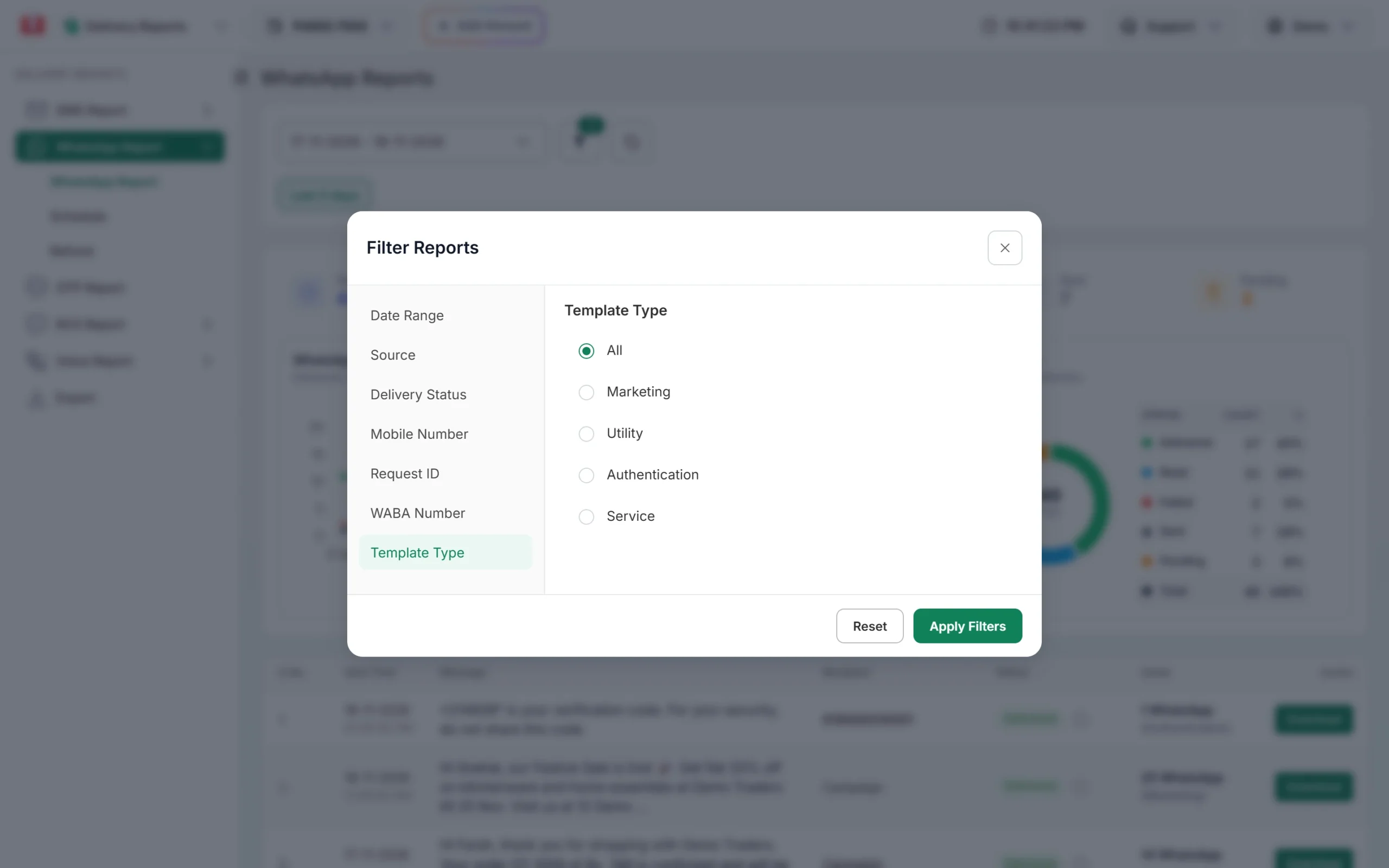
Open Delivery Report > WhatsApp Report, filter by Failed and, under Template Type, by Marketing. Click the campaign to see the reason for each number in the Description column.
Filter the report to marketing campaigns. -
Wait after a new template is approved
If the error is 134101 or a sync-related 131009, the template was too new. Wait about 10 minutes after approval before a big campaign, then send the failed numbers again.
-
Use the right category
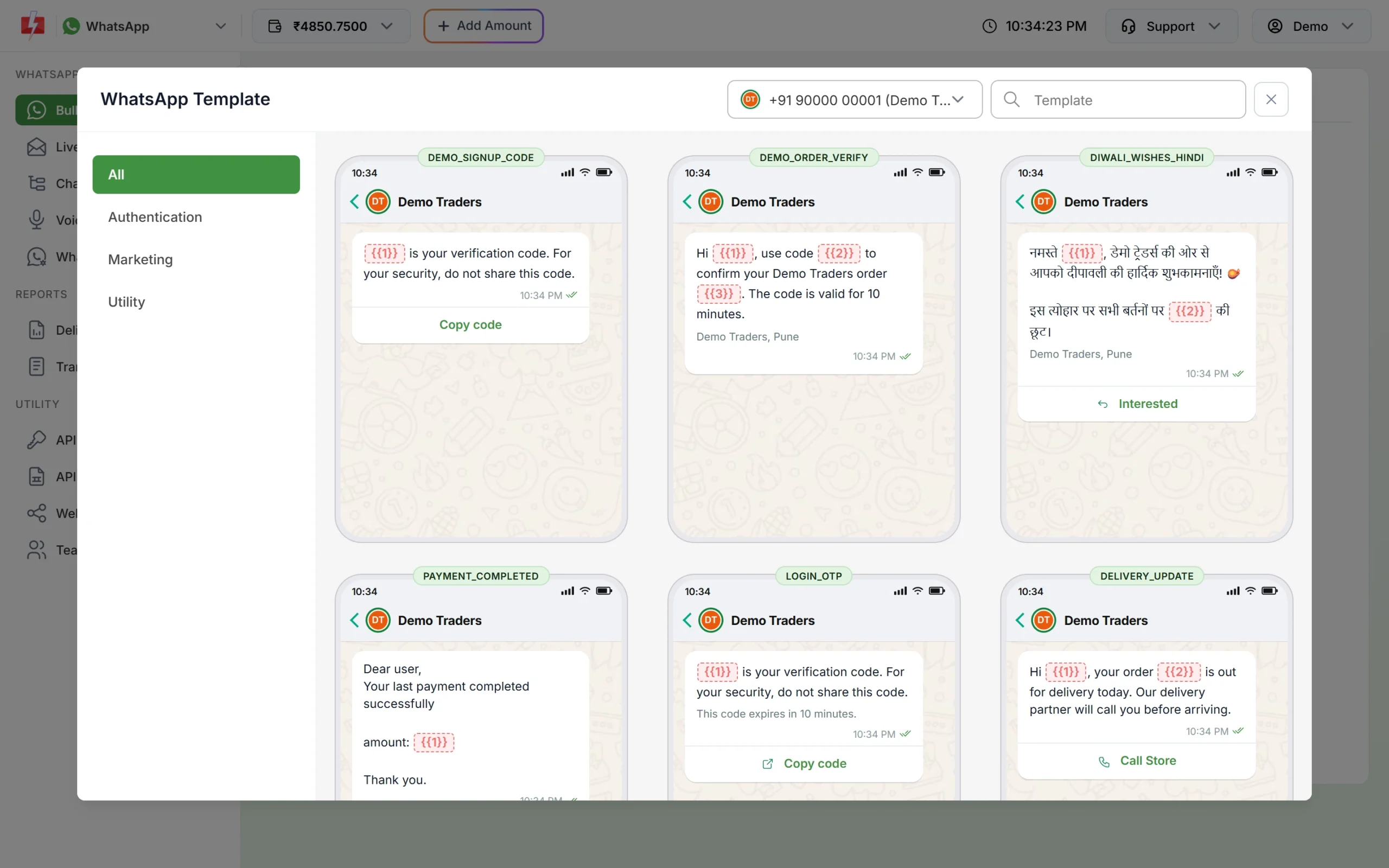
Choose the template category that matches the message. Offers and promotions are Marketing; order and account updates are Utility. Using the right category avoids 134100 and 131055 and keeps you clear of Meta’s limits on misclassified templates.
Templates are grouped by category in the picker. -
Contact support for 134102 or 131063
These depend on how the account is set up with Meta. Share the Request ID and your WABA ID with Fast2SMS support.
A Fast2SMS note on Direct Send templates
Meta sometimes creates templates itself for its Direct Send feature (names starting with auto_generated). Fast2SMS hides these from template pickers. If one is still used as a normal template, for example through the API, the report shows “This template was created by Meta Direct Send and can only be used with Direct Send, not as a template message. Please choose another template.” Pick one of your own approved templates instead.
Frequently asked questions
Is MM Lite the same as the Marketing Messages API?
Yes. Meta renamed Marketing Messages Lite (MM Lite) to the Marketing Messages API for WhatsApp.
Can I send utility templates through the Marketing Messages API?
No. It accepts only marketing templates. Utility and authentication templates go through the normal Cloud API.
Do I need to do anything to use it in Fast2SMS?
No. If your account is onboarded, Fast2SMS sends marketing templates through it automatically.
Are failed messages refunded?
Yes. Fast2SMS refunds every failed WhatsApp message to your wallet automatically, about two days after sending.
Why does a new template fail for a few minutes?
Meta needs up to 10 minutes to sync a new template to the Marketing Messages API. Messages sent during that time can fail with 134101.